How to Make an AI Avatar That Looks Exactly Like You
Learn how to make an AI avatar from your photos. This guide covers selecting the right images, mastering prompts, and turning your digital twin into a brand.
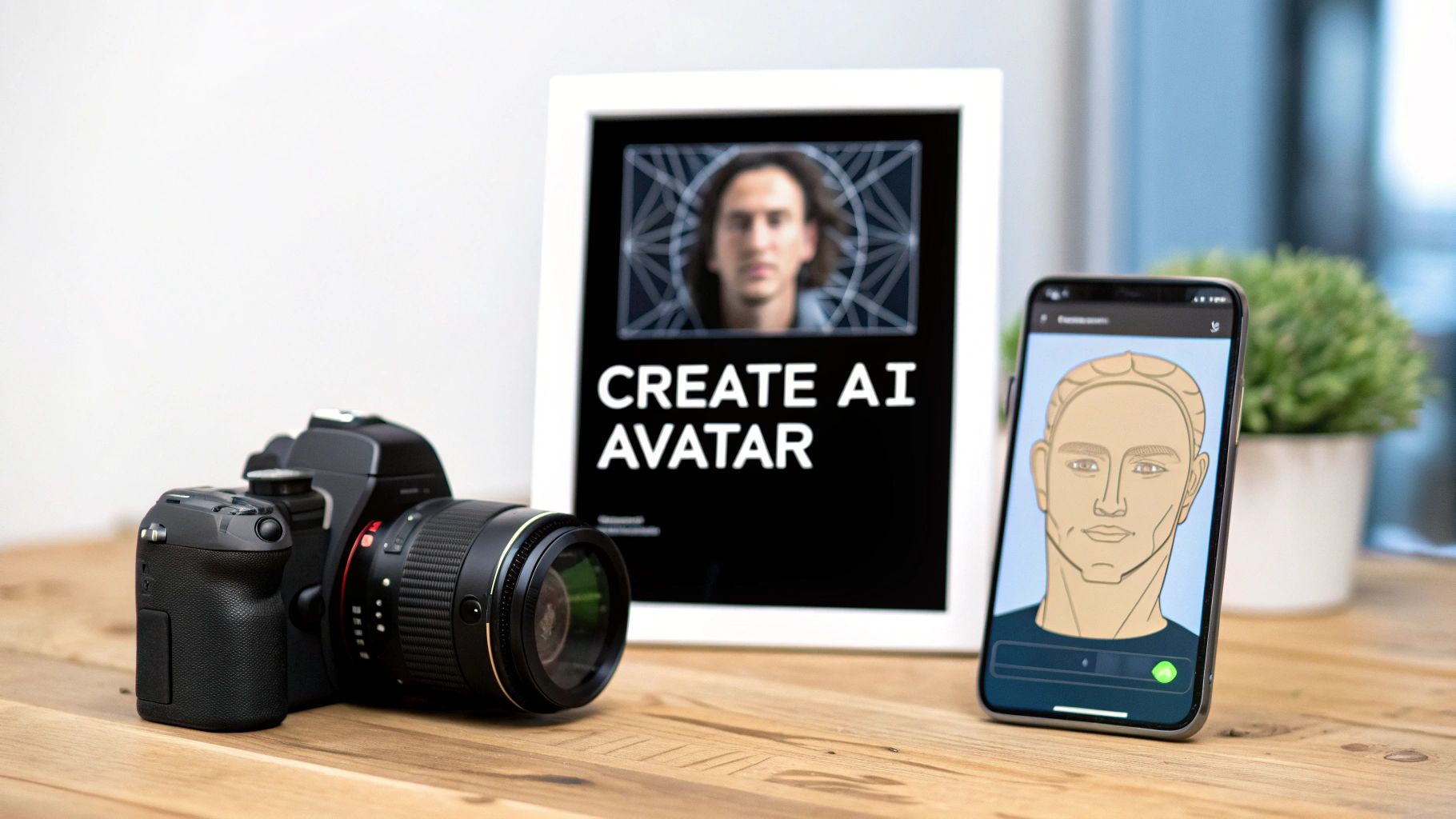
To get started, you'll need to feed an AI generator about 10 to 20 high-quality photos of yourself. The platform then works its magic, training a digital model based on your likeness. From there, you can use simple text prompts to generate a seemingly endless stream of custom images and videos.
What was once a pretty technical and obscure process is now something anyone can do in just a few minutes.
Your Digital Twin is Your New Superpower
Welcome to the new frontier of personal branding—and your digital twin is your greatest asset. It really wasn't that long ago that creating a photorealistic version of yourself demanded a deep knowledge of complex 3D modeling software and a ton of technical skill.
Generative AI has completely flipped the script. Now, creators, marketers, and entrepreneurs have a straightforward way to build a unique online persona that stands out.
This is about so much more than just a slick new profile picture. It's about opening up a massive opportunity to build a brand, connect with an audience, and monetize your digital identity in ways we couldn't have imagined a few years ago. People are launching virtual influencers on Instagram and creating exclusive content for platforms like Fanvue; the possibilities are expanding every day.
Why Are AI Avatars Suddenly Everywhere?
The appeal really boils down to two things: scalability and creative freedom. As a creator, you can churn out a huge amount of studio-quality content without booking expensive photoshoots, traveling, or renting equipment. This efficiency means you can test out different styles, settings, and aesthetics on the fly, helping you figure out what really resonates with your audience.
On top of that, the technology gives you a way to build a public brand while maintaining your privacy. You get to control every single detail of your digital self, from what you're wearing to the expression on your face, making sure your online presence is perfectly curated.
The AI avatar market is absolutely exploding. Projections show it skyrocketing from USD 2.5 billion to a staggering USD 63.5 billion by 2034. That's driven by a compound annual growth rate (CAGR) of 38.2%. North America is leading the pack, grabbing over 39.2% of the market share. You can dig into more of the data and discover more insights about this rapidly expanding market.
So, What Does This Mean for You?
Learning to create an AI avatar isn't just a neat party trick; it's a strategic move. When you can generate a digital twin, you gain complete control over your story and open up brand new channels for creativity and income.
Here’s a quick rundown of the benefits:
- Scale Your Content: Produce endless high-quality images and videos from a single AI model.
- Total Creative Control: Experiment with styles, locations, and concepts that would be impossible or way too expensive to pull off in the real world.
- New Monetization Avenues: Build a virtual influencer brand, sell your creations as digital art, or design eye-catching marketing campaigns.
- Rock-Solid Brand Consistency: Keep your visual identity polished and consistent across every platform you're on.
This guide will walk you through the entire process, step-by-step, showing you exactly how to do it right.
Choosing Photos for a Flawless AI Model
The secret to a hyper-realistic AI avatar isn't buried in complicated prompts or hidden settings. It all comes down to the photos you feed the machine. The quality of your input directly shapes the quality of your output. Think of it like giving an artist reference sketches—the better the sketches, the more lifelike the final portrait.
Your job is to give the AI a complete visual library of you. It needs to learn your features from every possible angle, in various lighting, and with different expressions. This variety is the key to creating a digital twin that looks like you, no matter what kind of scene you drop it into.
Building Your Photo Collection
You’ll want to pull together around 10 to 20 high-resolution photos. Don't get hung up on the number; quality is what really matters. A handful of great, clear photos will always beat a huge folder of blurry or inconsistent ones.
Make sure your collection has a good mix of shots:
- Close-ups and Headshots: These are the most important. They teach the AI the fine details of your face—your eyes, nose, and the specific shape of your mouth.
- Medium Shots (Waist-Up): This gives the AI context for your upper body, your posture, and how you carry yourself.
- Full-Body Shots: These are essential for capturing your overall build and proportions, which allows you to generate more dynamic, full-scene images later.
The AI avatar market is blowing up, and mastering this process now puts you ahead of the curve. Just look at the growth projections.
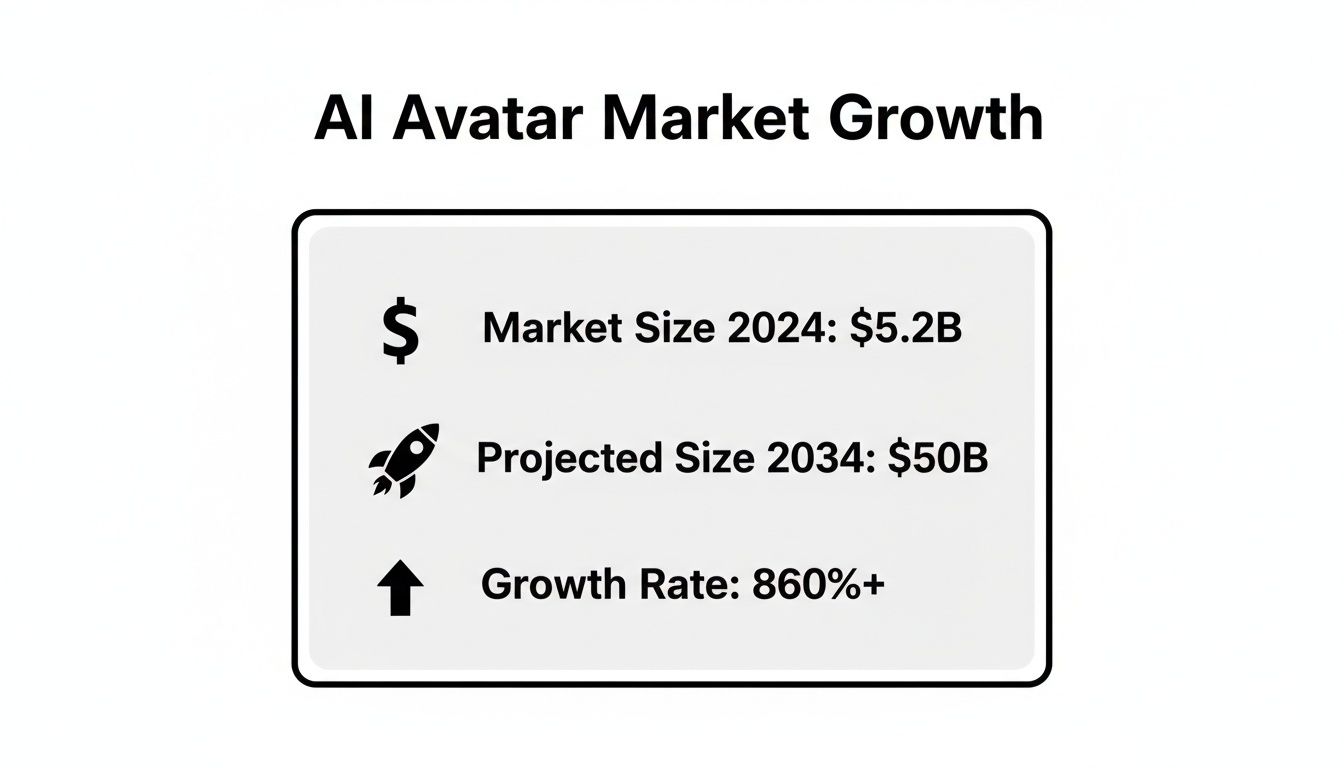
The numbers show a huge opportunity for creators who get this right.
What to Keep Out of Your Training Set
What you don't include is just as important as what you do. Some things can seriously confuse the AI and lead to weird, distorted results. Be strict about what you cut.
Here's what to toss out immediately:
- Group Photos: The AI can get confused about which person is you and might try to merge features. It never ends well.
- Sunglasses or Hats: Anything that hides your face is a problem. The AI needs to see your eyes, hairline, and the full shape of your head clearly.
- Heavy Filters or Editing: That perfect Instagram filter might look great, but it changes your core features. You’ll end up with an AI that has learned an edited, inaccurate version of you.
- Bad or Dramatic Lighting: Photos that are too dark, blown out, or have harsh shadows hide the details the AI needs to learn.
Before you start uploading, run your photos through this quick checklist. It’s a simple way to make sure you’re setting your AI model up for success.
Photo Submission Checklist for an Accurate AI Avatar
Use this quick reference guide to compare ideal photo characteristics with common mistakes to avoid when training your AI model.
| Characteristic | Do This | Avoid This |
|---|---|---|
| Variety | Use a mix of expressions, angles, and backgrounds. | Submitting 10 nearly identical photos from one photoshoot. |
| Clarity | Ensure your face is in sharp focus and well-lit. | Blurry, pixelated, or poorly lit images. |
| Obstructions | Keep your face completely clear and unobstructed. | Wearing sunglasses, hats, or having your hand in front of your face. |
| Authenticity | Use recent, natural photos without heavy makeup or filters. | Heavily edited photos, Snapchat filters, or old pictures. |
| Focus | Make sure you are the only person in the photo. | Group shots or photos with other people or pets in the frame. |
| Composition | Include close-ups, medium shots, and at least one full-body photo. | Using only headshots or only distant full-body pictures. |
At the end of the day, a few extra minutes spent curating the perfect photo set will save you hours of frustration trying to fix a wonky avatar.
The bottom line is authenticity. The AI model needs to learn the real you, not a styled-up, obscured, or filtered version. A clean and diverse set of photos is the foundation for a flawless digital twin.
If you find that your selfies aren't quite up to par, it's worth getting some expert tips. You can find some great advice on how to take better selfies that are perfect for AI training. Trust me, the effort you put in now pays off big time in the final results.
Bringing Your Digital Self to Life
You've done the prep work and have a solid set of photos ready to go. Now for the fun part: actually creating your digital twin. This stage is less about technical grunt work and more about playing the role of creative director. Most modern platforms have made the setup a breeze, getting you from sign-up to your first generation in just a few minutes.
The real magic, the thing that separates a generic avatar from a stunning one, is how you talk to the AI. This conversation happens through text prompts—your direct instructions to the model on what to create. Vague commands will get you vague, uninspired results. Specificity is everything.
Crafting Prompts That Deliver Results
Think of yourself as a director on a film set. You wouldn't just tell your lead actor to "look sad." You’d give them a backstory, motivation, and a detailed scene. The same exact principle applies to AI. A basic prompt like "photo at the beach" is a lottery ticket; you need to build the scene with descriptive language to get what you really want.
Let's look at how the right prompt can create two completely different vibes for different platforms:
- For an 'Old Money Aesthetic' Instagram Post: "Ultra-realistic photo of a woman in a white linen dress, sitting on a vintage wooden sailboat, soft golden hour lighting, calm sea in the background, candid smile, shot on a Leica M11 camera with a 35mm lens."
- For a 'Moody Boudoir' Fanvue Profile: "Cinematic boudoir photo, woman in black lace lingerie, lying on silk sheets, dramatic shadows from a window, intimate and moody atmosphere, soft focus, shot with a high-end portrait lens, hyper-detailed."
See the difference? Details like the camera type, lighting, mood, and clothing are what steer the AI toward a specific, high-quality image. The more descriptive you get, the less you leave to chance. For a deeper dive into building a persona from the ground up, A Practical Guide to AI Character Creation for Viral Content is an excellent resource for designing an avatar that truly connects with an audience.
Your prompt is your main lever of control. It's what separates a random, stock-photo-looking image from a piece of art that perfectly captures your style. Don't rush this part—learning to write evocative prompts is time well spent.
Refining Your Avatar with Advanced Tools
Once you have a few initial generations you like, it's time to start fine-tuning. Many platforms offer advanced features that give you another layer of creative control, which is perfect for dialing in your avatar for specific content themes or campaigns.
- Face Swapping: This is a game-changer. Found an image with the perfect pose, lighting, and outfit, but the face isn't quite right? Face swapping lets you drop your avatar's trained face onto it for a perfect match. It's incredibly handy for creating a consistent look across tons of content.
- Body Swapping: Much like face swapping, this lets you place your avatar in a completely new scenario. You could take a great headshot and merge it with an image of someone speaking on a stage or hiking a mountain, creating a brand new, compelling scene from scratch.
These tools take you beyond simple image generation and into the realm of digital artistry. They let you mix, match, and modify elements to create content that would otherwise require serious Photoshop skills. If you're looking for more options, you can also explore a variety of tools available in a good https://createinfluencers.com/blog/free-realistic-avatar-creator to see which one best fits your needs. This is all about building a versatile digital asset that you can use in countless ways.
Bringing Your AI Avatar to Life with Video
A static image is a great starting point, but let’s be honest—motion is where the magic really happens. When you learn how to make an AI avatar move and speak, you transform a simple picture into a dynamic, engaging personality. This is the leap from basic image creation to using the advanced tools that professional creators and top-tier AI influencers have in their arsenal.
First, you can generate a video from a single static image. Many platforms can take your avatar and animate it, making it blink, smile, or turn its head with surprisingly realistic results. It’s this technology that powers those short, looping videos you see all over social media—it adds a layer of life that a still photo just can't compete with.
Giving Your Avatar a Voice
The next step up is voice-driven synthesis, which is just a technical way of saying you can make your avatar talk. You upload an audio clip—it could be your own voice or a generated one—and the AI syncs your avatar's lip movements and facial expressions to match every word and inflection.
This single feature completely changes the game for content creation. Suddenly, your AI avatar can:
- Narrate an entire story for a YouTube deep-dive.
- Deliver a clear marketing message for a brand partnership.
- Reply to user comments with a personalized video on TikTok.
- Act as the main presenter for an online course or webinar.
This ability to create a speaking, reacting digital human is why the market is exploding. While the generic, preset avatars still have their place, custom, interactive ones are clearly the future. In fact, these advanced digital human avatars have grabbed the largest revenue share in recent years.
As you get more familiar with these features, you’ll quickly realize how much they can streamline your workflow, especially when it comes to automating content creation for scale across multiple platforms.
Polishing Your Content with HD Upscaling
Nothing screams "amateur" faster than a low-resolution or slightly blurry output. This is where an upscaling engine becomes one of the most critical tools in your kit. Upscaling uses AI to intelligently increase the resolution of your images and videos, turning a standard-quality render into something crisp and professional.
Using an upscaler isn’t just a nice-to-have; it's a non-negotiable step for a polished look. It sharpens the details, cleans up digital noise, and ensures your avatar looks premium on any screen, from a tiny phone to a huge monitor.
Think of it as the final mastering stage for your digital work. An upscaled image looks sharper, more detailed, and far more believable. That extra polish is what separates a quick, messy creation from a high-quality piece of content ready to represent a brand or build a dedicated following. For more ways to create compelling visuals, take a look at our guide on finding a great AI video generator that's free to use online.
Once you start combining image-to-video tech with voice synthesis and HD upscaling, you’re no longer just making an AI avatar. You’re building an interactive digital persona capable of generating a nearly endless stream of engaging, high-quality content.
You've crafted your digital twin, which is a fantastic start. But the real magic happens when you turn that creation into a consistent income stream. Making money with an AI avatar isn't some far-off idea; it's a real business model that creators are actively using to build entire brands. The trick is to align your content strategy with the right platform.
One of the biggest advantages of having an AI avatar is the ability to churn out a huge volume of top-notch content without the time and expense of a real-life photoshoot. This opens up a few powerful ways to make money that used to be a lot harder to tap into.
Launching an AI Influencer Brand
The most straightforward path is to build a persona as an AI influencer. Think platforms like Instagram, TikTok, or X (what we used to call Twitter). The game here is to create a memorable character—someone with a distinct style and voice that pulls in a loyal audience.
You’ll want to shape your content for each specific platform:
- Instagram: This is all about visual appeal. Focus on stunning images that tell a story, whether it's travel, fashion, or just daily life. Get specific with your prompts, detailing things like "golden hour lighting," "shot on a 50mm lens," and exotic locations to build a professional-looking, cohesive feed.
- TikTok: Here, it’s all about short, snappy videos. Have your avatar jump on trends, tell a quick story, or share a useful tip. You'll definitely want to lean on voice synthesis to bring your character to life and make the content feel genuine.
Once you start gaining traction and your follower count grows, you can start landing brand partnerships and sponsored content deals, just like any human influencer. Brands are getting more and more comfortable working with virtual influencers because it gives them total control over the final look and message.
Don't get too hung up on follower counts. Monetization is really about building a brand that gives people something valuable—whether that's entertainment, a bit of inspiration, or useful information. Your AI avatar is simply the face of that brand.
Building a Subscription-Based Income
If you're after a more predictable and direct revenue stream, subscription platforms are where it's at. Services like Fanvue, Fansly, and OnlyFans let you put your premium content behind a paywall, creating a dedicated community of paying fans.
The approach here is a bit different from your public social media profiles. It's all about exclusivity. You need to give subscribers content they can't find anywhere else.
This could include things like:
- Image sets with a "behind-the-scenes" feel.
- Personalized video shout-outs using your avatar's synthesized voice.
- Themed photo collections, like a "fitness journey" or "cyberpunk-style" series.
To keep people subscribed month after month, you have to be consistent and engaged. That means delivering fresh content on a regular schedule and actually interacting with your community. Understanding how to make money using AI on these platforms is about figuring out what your specific audience wants and then delivering it. Since you can generate visuals on demand, an AI avatar gives you a massive leg up in keeping a busy content calendar full.
Of course, these aren't your only options. You could also sell your AI-generated images as digital prints on art marketplaces or even offer your skills as a service, creating avatars for businesses and marketing agencies. The opportunities are growing every day, and it all starts with creating a standout AI avatar.
Answering Your Top Questions About AI Avatars
Diving into the world of AI avatars always brings up a few questions. It’s a pretty simple process once you get the hang of it, but knowing a few key details upfront can make a world of difference in your final results. Let's tackle the most common questions I hear from people just getting started.
Think of this as your quick-start guide to clear up any confusion, from how many photos to feed the AI to the legal side of using your digital twin for a business.
How Many Photos Do I Really Need for a Good AI Avatar?
You'll see a lot of platforms recommend 10-20 high-quality photos, and that's a great starting point. But honestly, the secret isn't in hitting an exact number; it's all about variety. Giving the AI a diverse set of images is what truly teaches it to capture your likeness accurately.
For the best results, make sure your photo collection includes:
- A good mix of close-ups and medium shots (think waist-up). This helps the AI nail your facial details.
- At least a few full-body shots so it can understand your overall proportions.
- Pictures with different expressions and angles. Don't be shy—show a smile, a serious look, and turn your head slightly. Different lighting helps, too.
A pro tip: steer clear of photos with sunglasses, hats, or other people in the shot. Heavy filters are also a no-go. All these things can confuse the AI model, leading to weird, distorted results. The cleaner and more varied your photo set, the more lifelike your avatar will be.
Is It Legal to Create and Use My Own AI Avatar?
Yes, it's 100% legal to create an AI avatar of yourself. When you use your own photos, you're just creating a new form of personal content. You own your likeness, so you're simply granting the AI permission to learn what you look like.
Where you run into legal and ethical hot water is if you try to create an avatar of someone else without their explicit, direct permission. Never do that. Always stick to your own images. If you're building an AI influencer brand for commercial purposes, you have the green light to monetize any content you generate with your own avatar.
The golden rule here is consent. As long as the avatar is you, and you're the one who supplied the photos, you're on solid legal ground. It's your digital identity, and you can use it however you see fit.
Can I Use My AI Avatar for Commercial Purposes?
Absolutely! This is one of the most powerful reasons people create an AI avatar in the first place. Modern AI generators are built with creators and entrepreneurs in mind. I've seen countless people build entire brands on platforms like Fanvue or Fansly, using their avatars to churn out amazing content without the hassle of constant photoshoots.
Marketing agencies are getting in on this, too. They're creating brand ambassadors and ad campaigns without the massive expense of live models and photographers. As long as the avatar is based on you, you can use it for branding, social media, marketing—you name it. For a deeper dive, check out our guide on whether OnlyFans allows AI content on their platform.
Ready to create a stunning digital version of yourself? With CreateInfluencers, you can turn your selfies into a hyper-realistic AI avatar in minutes. Generate limitless images and videos, swap faces, and produce studio-quality content for your brand or social media. Sign up for free and start creating today at CreateInfluencers.