Your Guide to a Free Realistic Avatar Creator
Discover how to use a free realistic avatar creator to craft a stunning digital identity. This guide provides actionable tips and real-world examples.
Your avatar is the new first impression. It’s the digital handshake that introduces you to the world before you ever type a word or say hello. Using a free realistic avatar creator like CreateInfluencers lets you build a digital version of yourself that’s not just a cartoon, but a true-to-life representation of you. This goes way beyond a simple profile picture—it’s about creating a consistent, memorable identity across all your online spaces.
Why Realistic Avatars Are Your New Digital Handshake
In a sea of generic profile pictures and animated icons, a realistic avatar immediately signals authenticity and builds trust. It helps bridge the gap between your online persona and your real-world self, making those digital interactions feel much more personal and genuine. This move from basic graphics to lifelike avatars is a huge deal for anyone serious about their personal or professional brand.
What makes this possible is powerful AI that can take a handful of your selfies and generate a stunningly accurate digital twin. This kind of tech used to be reserved for big-budget video game studios and movie effects teams, but now it’s available to everyone.
The Rise of the Digital Persona
The need for high-quality digital representation is exploding. The global 3D avatar creator market was valued at around USD 2.88 billion and is expected to hit USD 12 billion by 2035, growing at a healthy clip of 13.9% each year. This isn't just a fleeting trend; it’s a fundamental shift in how we show up online.
But it’s not just about looking good. A realistic avatar has practical uses across the board:
- Professional Networking: Keep a polished, consistent look on sites like LinkedIn.
- Content Creation: Be the face of your YouTube channel or Twitch stream without always having to be on camera.
- Social Media: Build a personal brand that actually gets noticed in a crowded feed.
- Virtual Worlds: Jump into VR and gaming with a character that looks just like you.
The screenshot below gives you a glimpse of just how detailed and customizable these AI-generated avatars can be.
Check out the small details—the lighting, the skin texture, the expression. These are the things that make an avatar feel truly alive.
From Simple Icons to Lifelike Avatars
We've come a long way from the days of pixelated, 8-bit characters. Today’s free realistic avatar creator tools offer a level of detail that was hard to imagine just a few years ago. To really get a feel for what’s possible, it helps to look into the features that AI platforms bring to the table. For a deeper dive, there are great resources on understanding AI avatar features.
The difference between the old way and the new way of creating avatars is pretty stark.
Modern AI Avatars vs Traditional Avatar Makers
Here’s a quick look at how things have changed, moving from basic, cartoonish builders to the sophisticated AI tools we have today.
| Feature | Traditional Avatar Makers | Modern Free Realistic Avatar Creators |
|---|---|---|
| Creation Method | Manual selection from preset menus | AI generation based on user photos |
| Realism | Cartoonish, stylized, or low-poly | Photorealistic with detailed textures |
| Customization | Limited to fixed hairstyles, clothes, etc. | Infinite variations, fine-tuning of features |
| Time to Create | Can be time-consuming to get it right | Often generates options in minutes |
| Uniqueness | Often looks generic, similar to others | Creates a truly unique digital twin |
| Application | Mostly for gaming or social forums | Professional branding, VR, marketing |
As you can see, modern AI tools have completely changed the game, making it possible for anyone to create a truly personal and high-quality digital identity.
Your avatar is your digital ambassador. It works for you 24/7, shaping perceptions and opening doors before you've even had a chance to say hello. Making it a realistic and authentic representation is one of the smartest branding moves you can make today.
This technology gives you a powerful new way to control your digital identity. For more ideas on building a compelling online presence, check out the latest strategies on our blog at https://createinfluencers.com/blog.
Preparing Your Photos for the AI
The quality of your AI avatar hinges entirely on the photos you feed it. I can't stress this enough—think of it as "garbage in, garbage out." If you want a genuinely stunning result from a realistic avatar creator, you have to give the AI the best possible source material to work with. And that all starts with picking the right selfies.
Your main goal here is to provide a clean, consistent, and varied set of images. The AI needs to see your facial structure from multiple angles to build an accurate digital version of you. For a deeper dive into the tech behind this, you can learn more about AI-powered 2D to 3D model conversion to understand just how it transforms flat pictures into a lifelike model.
Lighting and Backgrounds Matter
If there's one thing to get right, it's the lighting. You're looking for soft, even light that hits your face without creating harsh shadows. Standing near a window during the day is usually the best-case scenario. Try to avoid direct overhead lights, which can cast weird shadows under your eyes, or standing with a bright light behind you, which will just turn you into a silhouette.
As for the background, keep it simple. A plain, neutral wall is your best friend. Busy backgrounds filled with patterns, other people, or random objects can seriously confuse the AI. You don't want it accidentally borrowing a piece of your wallpaper for your avatar's cheek.
The infographic below really puts into perspective how far avatar technology has come, from clunky cartoons to the photorealistic AI we have now.
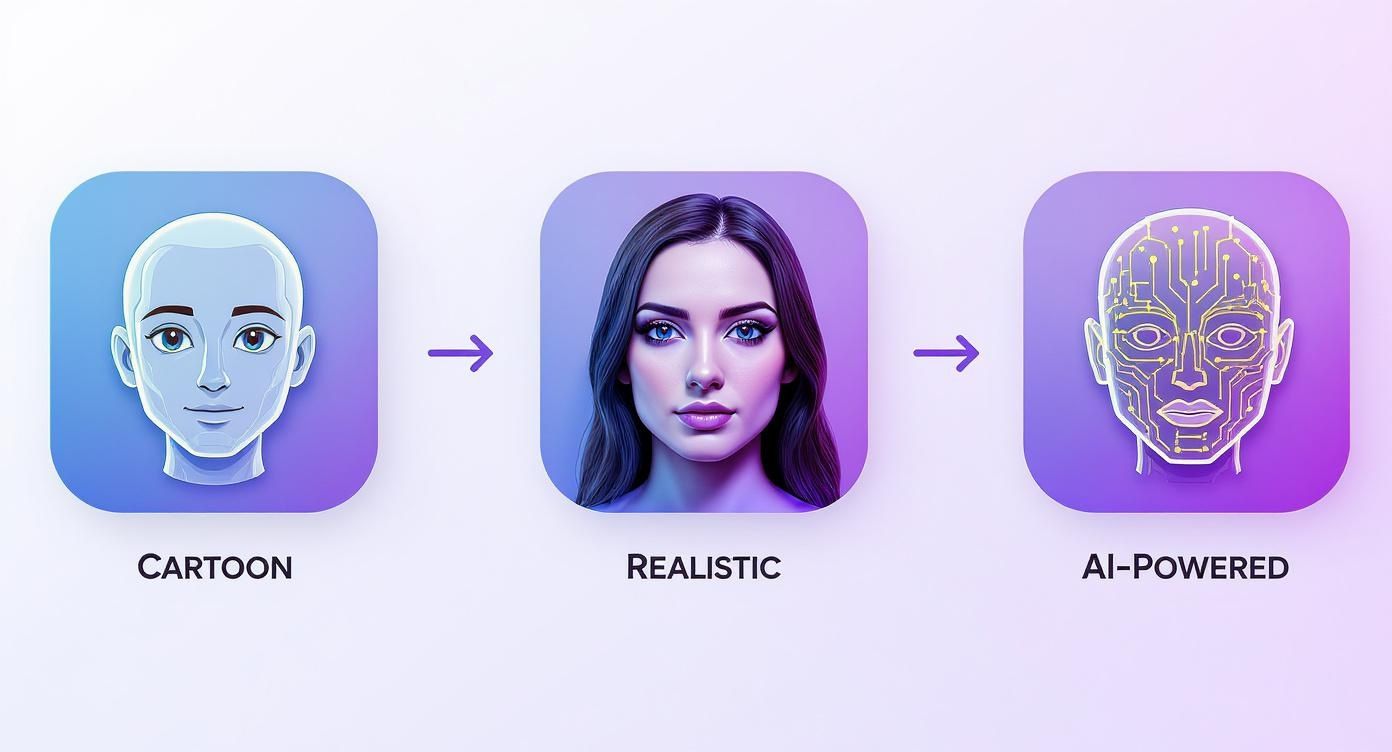
It's clear that modern AI is the secret sauce, allowing us to create these incredibly personal and lifelike digital twins from just a handful of photos.
Curating the Perfect Photo Set
With your lighting and background sorted, it's time to choose the actual photos. The AI learns best when it has a bit of variety, so you’ll want to upload a collection that shows your face from different angles and with a few different expressions.
- Front-Facing Shots: Make sure you have several clear photos where you're looking straight at the camera.
- Profile and Three-Quarter Views: Don't forget to add pictures from the side and at a roughly 45-degree angle.
- Vary Your Expressions: A neutral expression is a great baseline, but throw in some slight smiles or other subtle changes. Just avoid anything too goofy or exaggerated, as that can distort your features.
Here’s a quick look at the signup page where your journey begins.
We designed the interface to be clean and straightforward, getting you right into the creative process without any fuss. If you want more detailed walkthroughs on using our platform, feel free to check out the in-depth tutorials at https://createinfluencers.com/guides.
Pro Tip: Consistency is crucial. While varied angles are great, try to avoid dramatic changes in lighting, makeup, or hairstyle across the photos you choose. You want to give the AI a clear, unified picture of what you look like on a typical day.
Taking just a few extra minutes to prep your photos makes a world of difference. You're essentially setting the stage for the AI to do its best work and create a high-quality avatar that actually looks like you.
Crafting Your Perfect Look with Text Prompts
Once the AI processes your photos and builds your base model, the real fun begins. This is where you shift from subject to creator, using text prompts to direct the AI and sculpt your digital twin. Think of your initial avatar as a lump of clay; your words are the tools you’ll use to shape it into something amazing.
The power behind a top-notch free realistic avatar creator is its ability to understand descriptive language. Just typing "business suit" will give you a generic, cookie-cutter result. But what if you need a specific look for a professional profile that needs to make a strong impression?
This is where you need to get descriptive. Instead of a simple command, try telling the AI a story. For example: "A photorealistic image of my avatar wearing a tailored navy blue business suit with a crisp white shirt, standing in a bright, modern office with a blurred background of city skyscrapers."
See the difference? This level of detail gives the AI specific elements to work with—color, clothing, setting, even the mood—and the result is a far more polished and unique image.
From Vague Ideas to Vivid Realities
The secret to mastering text prompts is specificity. The AI can only work with what you give it, so your job is to paint a clear picture with your words.
Let's break this down with a practical example. Imagine you want an avatar for your gaming profile. You're going for a fantasy vibe but still want it to look like you.
- A vague prompt: "Fantasy armor"
- A specific, powerful prompt: "My avatar as a fantasy rogue, wearing dark leather armor with intricate silver details, a hooded cloak, set against a moonlit, misty forest background."
The second prompt is worlds better because it provides crucial context. You’ve given it a character class (rogue), materials (leather), a color palette (dark, silver), and a detailed environment (misty forest). This is what guides the AI toward a truly compelling and personalized result. The same principle applies to any style you can dream up.
The interface is built to be simple and intuitive, giving you a clean text box to bring your ideas to life without any clutter.
This minimalist layout keeps the focus squarely on your creative input, so you can experiment freely.
Mastering Prompt Structure for Better Results
An effective prompt usually has a few key ingredients. While there isn't a strict formula, thinking about these elements can seriously level up your results.
- Subject: Always start with your avatar ("my avatar," "a realistic photo of me").
- Action or Pose: Describe what your avatar is doing ("smiling confidently," "looking thoughtfully out a window," "posing for a headshot").
- Attire and Style: Get detailed about the clothes, hair, and overall look ("wearing a vintage band t-shirt and ripped jeans," "with long, flowing hair styled in waves").
- Setting and Background: Establish the scene ("in a cozy coffee shop," "on a sunny beach at golden hour," "against a minimalist grey studio backdrop").
- Lighting and Mood: Add atmosphere ("soft, warm lighting," "dramatic cinematic lighting," "a cheerful and bright atmosphere").
The difference between a good avatar and a great one often comes down to the quality of the prompt. Don't be afraid to experiment with complex sentences and descriptive adjectives. The more detail you feed the AI, the more it has to work with.
This whole space is growing incredibly fast, which shows just how much people want better ways to represent themselves online. In fact, the global digital avatar market was valued at USD 12.09 billion and is projected to explode to USD 125.41 billion by 2030. You can dig into the data on this incredible growth by checking out analysis on the digital avatar market. This isn't just a niche trend; it's a massive shift powered by AI that's putting powerful creative tools into everyone's hands.
Putting Your New Avatar to Work
So, you've got this amazing AI-generated avatar. It's more than just a slick new profile picture; it's a digital asset you can put to work across your entire online presence. The real magic happens when you start thinking strategically about where and how to use it. This isn't just about a simple swap—it’s about building a consistent, recognizable identity for yourself online.
The trick is to match your avatar's style to the vibe of each platform. A sharp, photorealistic headshot is going to be your best bet for professional spaces, while something more stylized or creative can really make you pop on social media or gaming channels.
Elevating Your Professional Presence
When it comes to your career, consistency is king. Using the same high-quality, realistic avatar across all your work-related profiles builds a strong, trustworthy image. It shows you’ve got an eye for detail and helps recruiters, clients, and colleagues recognize you instantly, whether they're scrolling through LinkedIn or opening an email from you.
Think about deploying your professional avatar in these key places:
- LinkedIn Profile: This is your digital handshake. A professional avatar makes your profile look polished and ready for business.
- Email Signature: Adding your avatar here personalizes your messages and helps them stand out in a crowded inbox.
- Company Website or Personal Portfolio: Putting a face to the name on your "About Me" page is a simple way to build trust with anyone visiting your site.
Here’s a quick look at how a clean, professional avatar can immediately boost credibility on a LinkedIn profile.
That polished look creates a powerful first impression, signaling professionalism before anyone even reads a word of your bio.
Dominating Social and Creative Platforms
While a buttoned-up look works for professional sites, creative platforms are where your personality can really shine. For your gaming, streaming, or social media profiles, you can get much more expressive. This is your chance to use different text prompts to create avatars that are artistic, fantastical, or just plain fun.
Key Takeaway: Your avatar is a flexible tool. A single base model created from your selfies can be adapted into countless styles. Create a professional version for work, a stylized one for Instagram, and a fantasy-themed one for Discord, all while maintaining a recognizable likeness.
The desire for these unique digital personas is absolutely booming, with the gaming and social media scenes leading the charge. In fact, these two industries account for over 70% of the demand in the global 3D avatar market. The market itself was valued at USD 572.3 million and is expected to climb to an incredible USD 2,216.6 million by 2033. That explosive growth shows just how essential avatars are becoming to our online lives. If you're interested, you can dig into more data on the 3D avatar creator market to see the trends for yourself.
This growth is all thanks to powerful, easy-to-use tools. Using a free realistic avatar creator like the one at https://createinfluencers.com/ puts all this creative power in your hands, allowing you to generate endless variations for every platform. Your digital identity can finally be as dynamic and multifaceted as you are.
Downloading Your Avatar for Any Platform
You’ve spent time creating the perfect digital version of yourself, and now it's time to show it off. The final step is getting that avatar out of the creator and into the world, looking just as good on every platform you use. This is more than just hitting a download button; it’s about making a couple of quick technical decisions that ensure your avatar looks crisp and professional everywhere.
Think of this as the final quality check. It's not about getting bogged down in technical details, but about knowing the difference between two key file types and why it matters.
Choosing the Right File Format
For most of your everyday uses, like a profile picture on social media or a professional networking site, a JPG (or JPEG) is going to be your go-to. It's the universal standard for photos because it strikes a fantastic balance between quality and file size. Your image will look sharp but still load quickly for anyone who sees it.
But what if you want to place your avatar on top of something else? Maybe you're creating a YouTube thumbnail, adding it to your website's banner, or dropping it into a presentation. This is where a PNG file is your best friend. PNGs have a superpower: transparent backgrounds. This means you can place your avatar over any color, pattern, or image without that ugly white box framing it. It just blends right in.
When you're ready to export from a tool like CreateInfluencers, you'll see these options laid out clearly.
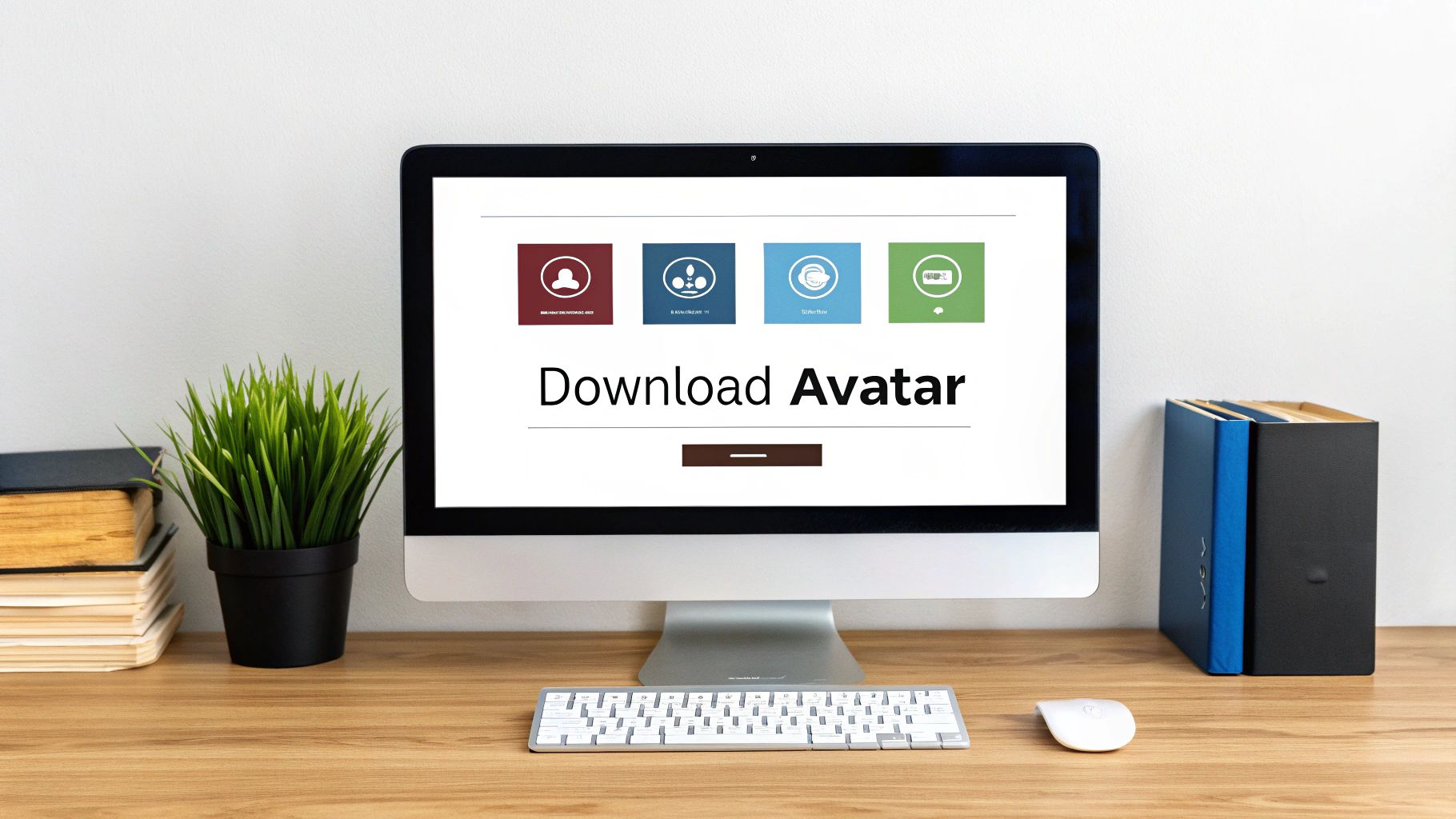
The choice is usually pretty simple, letting you pick the format and resolution that fits what you're doing at that moment.
Resolution: The Unsung Hero of Quality
Okay, besides the file type, resolution is the single most important thing for making sure your avatar looks sharp. Resolution is just the number of pixels in your image, like 1024x1024. More pixels mean more detail, which is what stops your avatar from looking blurry or pixelated, especially on modern high-definition screens.
Here's my non-negotiable rule: always download the highest resolution available. You can always make a big image smaller without losing quality, but you can't make a small, blurry image bigger and expect it to look good. It just doesn't work.
Pro Tip: Always save a high-resolution "master file" of your avatar, ideally 2048x2048 pixels or larger. This is your original. From this one file, you can easily create smaller versions for specific platforms—like a crisp 400x400 pixel image for your LinkedIn profile—and know it will look perfect every time.
Treat that master file like the original negative from an old film camera. You can create all sorts of prints from it, but their quality is entirely dependent on that first negative. Getting into this habit will save you a ton of frustration down the road and ensures your digital identity always looks polished and professional. It’s the last little step that makes all the difference.
Answering Your Questions About Free Avatar Creators
Jumping into a free realistic avatar creator for the first time usually sparks a few questions. That's a good thing. It's smart to be curious about how the tech works, especially when you're uploading your own photos. Let's tackle some of the most common concerns so you can get started with total confidence.
What Happens to My Photos?
This is usually the first question people ask, and for good reason. When you upload your selfies to a platform like CreateInfluencers, those images have one job: to teach the AI what you look like. They are used exclusively to train the AI model on your unique facial features.
Your photos are not shared, sold, or used for anything else. Think of it like giving a portrait artist a few reference photos—once the painting is done, they don't need the pictures anymore. Similarly, once your custom model is ready, the original photos are typically discarded to keep your data secure.
Is "Free" Really Free?
The next big question is always about the cost. How can a tool this powerful actually be free? Most platforms, including ours, work on what’s known as a freemium model. This means you get a set number of free credits to try everything out.
You can use these credits to create your first few avatars, experiment with different styles, and see the quality for yourself without ever pulling out a credit card. It’s essentially a "try before you buy" system. If you love the results and want to generate more images or explore premium features, you can then decide to buy more credits. You're always in control.
A good free realistic avatar creator should make this technology accessible to everyone. By offering a free starting point, we let you explore your digital identity without any upfront investment. You only pay when you're happy and want to do more.
What Are the AI's Limitations?
Finally, it’s helpful to understand what the AI can and can't do. The technology is amazing, but it’s not magic. The quality of your final avatar is directly linked to the quality of the photos you upload.
If you feed it blurry, poorly lit, or inconsistent images, the AI will have a tough time creating a result that truly looks like you. Clear, well-lit photos are key.
Also, while you guide the AI with text prompts, it can sometimes interpret them in surprising ways. This is just part of the creative fun! See it as a collaboration between you and the machine. A little bit of experimentation is often all it takes to nail that perfect shot. For those interested in the business side of things, you can learn more about our affiliate program and how we can work together.
Ready to create your digital twin? With CreateInfluencers, you can sign up for free and start generating stunning, lifelike avatars in just a few minutes. Give it a try today