ai video generator free online: Create pro videos fast
Discover how ai video generator free online can turn ideas into pro videos. Compare tools, get tips, and follow a simple step-by-step guide.
Using a free AI video generator online is probably the quickest path from a simple idea to a finished, shareable video. These tools, which you can use right in your web browser, are designed to get rid of the steep learning curve and high costs that usually come with making videos. This means anyone can start creating professional-looking content in just a few minutes.
Why AI Video Generation Is Shaking Up Content Creation
We're finally seeing a real shift away from complicated, expensive editing software. For a long time, if you wanted to make a decent video, you needed serious technical skills, a beefy computer, and a budget to match. This kept a lot of small businesses, solo creators, and marketers on the sidelines, struggling to feed the constant demand for video on social media and their own sites.
Well, that barrier is pretty much gone now.

AI-powered video tools take care of the tough stuff—things like generating scenes, creating surprisingly realistic voiceovers, and even animating avatars. This frees you up to focus on the story you want to tell instead of getting bogged down in the technical details of production. The difference is night and day, especially if you need to create a lot of content consistently.
The real game-changer here is speed and accessibility. A project that would have previously eaten up an entire day of shooting and editing can now be knocked out on a lunch break. It's truly opened the doors for everyone to become a video creator.
The Market Is Exploding
The demand for these tools is growing fast, signaling a huge change in how people approach their content strategy. The global AI video generator market was valued at around USD 4.10 billion in 2024 and is expected to skyrocket to USD 82.64 billion by 2035. That kind of growth shows just how vital these platforms are becoming.
And it's not just about spitting out simple clips. AI is changing the entire process, including how we polish our final cuts. The growing role of AI integration in post-production is a fascinating area to watch. For anyone just getting started, a platform like https://createinfluencers.com/ offers a fantastic entry point without being overwhelming.
Key Benefits of Using a Free AI Video Generator
To put it simply, these tools offer some serious advantages. Here’s a quick look at what you can expect when you dive in.
| Benefit | How It Helps You | Common Free Feature |
|---|---|---|
| Cost Savings | You won't need to buy pricey software, cameras, or hire a video editor. | Access to a library of stock footage, images, and music at no cost. |
| Speed & Efficiency | What once took hours or days can now be done in minutes. | Pre-made templates that let you get started instantly. |
| User-Friendly | Simple drag-and-drop interfaces mean you don't need to be a tech wizard. | Browser-based access, so there's nothing to download or install. |
| Scalable Content | Easily create multiple versions of a video for different platforms or A/B tests. | The ability to quickly duplicate and tweak projects. |
In short, AI video generators make it possible to produce high-quality content faster and cheaper than ever before, which is a massive win for creators and businesses alike.
How to Choose the Right Free AI Video Tool
Picking the right free AI video generator online can feel like a shot in the dark, but it really just comes down to one thing: matching the tool to your specific goal. Let’s be honest, not all free platforms are the same, and their marketing can often hide some pretty important limitations. The trick is to ignore the flashy promises and focus on what actually matters for your project.
Let's say you're a startup founder who needs a quick, 60-second product demo for LinkedIn. You don't need Hollywood-level special effects; you need clarity, professionalism, and, most importantly, you need it fast. In that case, you'd want a tool with a high-quality, realistic AI avatar and a clear, natural-sounding voice. Those two elements will make or break how people perceive your message.
Evaluate the Core Features
Before you dive in and spend hours on a script, take a few different platforms for a test drive with a short sample. This hands-on approach is the only way to see past the marketing fluff.
Pay close attention to these details:
- Avatar and Voice Quality: Does the avatar look like a professional presenter or a creepy mannequin? Is the voice inflection believable, or does it sound monotone and robotic? For a business demo, a subtle, realistic presenter is way more effective than a quirky but unnatural one.
- Customization Options: Can you easily slap your company's logo and brand colors on the video? What about uploading your own background images or video clips? A tool that forces you into its generic templates won't help you build a recognizable brand.
- User Interface: How easy is it to actually use the thing? A clunky, confusing platform will just frustrate you and slow you down, which defeats the whole purpose of using a quick AI tool.
The "free" in "free AI video generator" always comes with trade-offs. Your job is to find the tool whose limitations you can work with. Don't get distracted by a long list of features you'll never use; focus on the ones that directly serve your immediate goal.
To give you a clearer picture, let's look at how some common platforms stack up.
Feature Comparison of Popular Free AI Video Generators
This table breaks down the typical features and limitations you'll find across popular free AI video generators. It's a good starting point for figuring out which platform might be the best fit without having to sign up for all of them.
| Feature | Platform A (Example) | Platform B (Example) | Platform C (Example) |
|---|---|---|---|
| Free Video Length | Up to 1 minute/month | Up to 3 minutes total | 30 seconds per video |
| Watermark | Small logo in corner | Large, prominent logo | Optional (for credits) |
| Export Quality | 720p HD | 480p SD | 1080p Full HD |
| Avatar Selection | 20+ realistic avatars | 5 cartoon-style avatars | 50+ diverse avatars |
| Custom Backgrounds | Yes (image upload) | No (template-only) | Yes (image & video) |
| Voice Options | 100+ voices, 20 languages | 10 voices, 1 language | 300+ premium voices |
As you can see, the "best" free tool really depends on your needs. For a quick social media clip, Platform C's short length but high resolution might be perfect. For a slightly longer internal training video where quality is less critical, Platform B could work.
Understand the Real Limitations
The true cost of a "free" tool is almost always in its restrictions. These are the deal-breakers that can send you back to square one if you aren't paying attention. For our startup founder, the video has to look professional on a business-centric platform like LinkedIn.
Therefore, the limitations to really zero in on are:
- Watermarks: Is the watermark subtle, or is it a giant, obnoxious logo plastered across your video? A distracting watermark can instantly kill your credibility.
- Export Resolution: Will the video export in at least 720p HD? Anything less will look pixelated and amateurish, reflecting poorly on your brand.
- Video Length: Does the free plan even allow for a full 60-second video? Some tools cap free projects at 30 seconds, which would make them a complete non-starter.
By running through this quick mental checklist, you can confidently pick a tool that not only gets the job done but also produces a polished, effective video that aligns with your goals—without any nasty surprises at the end.
From Script to Screen: Making Your First AI Video
Alright, this is where the fun begins. Taking a simple script and watching it become a fully realized video is a pretty cool experience, and with an ai video generator free online, it’s a lot easier than you might think. Let's walk through how to get it done, focusing on the little choices that make a big difference.
Before you even jump into a tool, it helps to have a quick mental checklist for picking the right one.
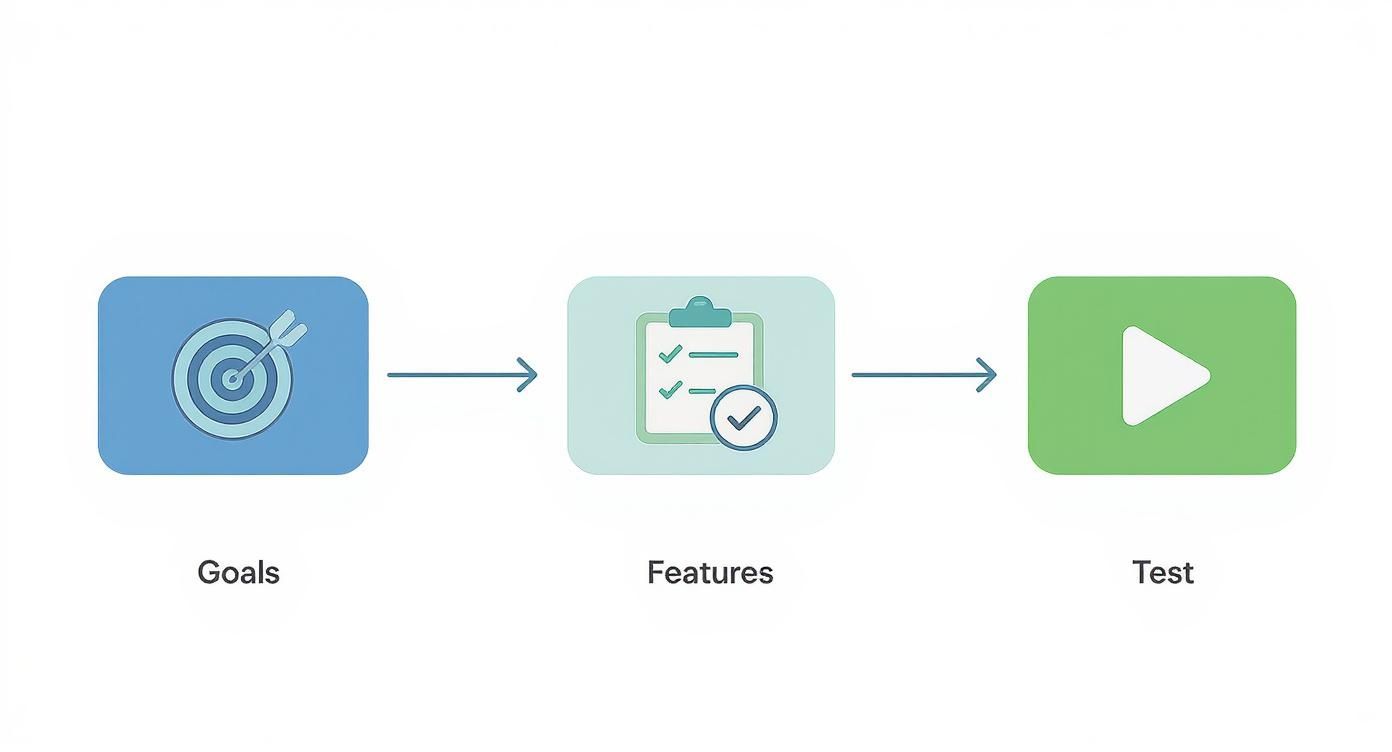
Thinking this way from the start ensures the tool you pick actually fits what you’re trying to create. It's a simple step that saves a lot of headaches later.
Nailing the Presenter and Voice
Everything starts with your script. My best advice? Write it like you talk. Forget formal essays; aim for conversational and keep your sentences on the shorter side. Once that's ready, your first big creative decision is picking an AI presenter.
Who are you talking to? If you're putting together a corporate training module, a polished, business-casual avatar is probably your best bet. But if you’re trying to sell a new skincare line on Instagram, you'll want someone with a younger, more relatable vibe. CreateInfluencers has a whole library of options, so spend a few minutes clicking through to find a personality that feels right for your brand.
Next up is the voice. Don't just pick the first one you hear. A deep, serious voice might totally miss the mark for a fun social media ad. On the flip side, a super upbeat voice could undermine a more serious company announcement. Most tools let you tweak the speed and pitch, which is great for getting the delivery to sound just right.
Setting the Scene
With your presenter and voice locked in, it's time to build their world. The background you choose sets the entire mood.
- For a clean, professional vibe, stick with a modern office setting or even just a simple, neutral-colored wall. This keeps the viewer's focus right where it should be: on your message.
- To reinforce your brand, upload a custom background with your company logo and color palette. This is a must for creating consistent, recognizable content.
- If you're telling a story, make the background part of it. Talking about a vacation package? A beautiful beach scene is a no-brainer.
A quick tip from experience: Go easy on the text overlays. They're fantastic for highlighting a key takeaway, showing your website URL, or adding a call-to-action, but don't overdo it. A screen cluttered with text is hard to watch and can distract from your core message.
The Final Polish
Before you smash that "generate" button, take a moment to preview everything. This is your last chance to spot any weird phrasing in the script or catch a visual element that just looks... off.
The AI video generator market is exploding—it's expected to be worth almost USD 2 billion by 2030—and the technology is getting better by the day.
Once you’re happy with the preview, it’s time to generate. The platform will take your script, animate the presenter, sync the audio, and piece it all together. In just a few minutes, you’ll have a finished video ready to go.
Ready to learn more? Dive into our other creator guides to keep honing your skills.
Crafting AI Videos That Actually Engage Viewers
Anyone can generate a video; that's the easy part. The real work is making something that hooks a viewer and keeps them watching until the end. An **ai video generator free online** gives you the tech, but it’s your creativity that pulls your content out of the sea of robotic, cookie-cutter clips.It all starts with your script. The single biggest mistake I see people make is writing for the page, not for the ear. A script that looks great in a document can sound incredibly stiff and awkward when spoken by an AI voice.
The fix? Write like you talk.
Use shorter sentences and everyday contractions (think "it's" instead of "it is"). The best trick I've found is to read your script out loud before you even think about pasting it into the generator. If it sounds clunky when you say it, the AI is going to make it sound ten times worse.
Pacing and Visuals
Your script is just one piece of the puzzle. The rhythm and flow of your video are just as critical. You can actually "direct" the AI voice using punctuation. A comma creates a slight pause, while a period signals a full stop. I often sprinkle in extra commas or split longer sentences just to give the voice a chance to breathe. This simple tweak can take a delivery from monotone to dynamic.
Of course, visuals matter too. It’s tempting to cram a ton of text or flashy graphics onto the screen, but that usually just distracts from your message.
- Stick to One Idea: Each visual should support what's being said at that moment. If you're talking about a specific feature, show it.
- Be Consistent with Branding: A small, tasteful logo in the corner looks professional. A giant, animated one is just obnoxious. Use your brand colors, but don't let them overpower the content.
- Guide Their Gaze: Use simple visual rules to pull the viewer's eye to what's most important, whether it’s your AI avatar or a key statistic on the screen.
The best videos feel like they were effortless to make, but they’re almost always the product of careful, intentional decisions. You have to think like a director, choosing everything from the script's tone to the background color to create a specific mood and deliver a clear message.
As you're planning your video, it helps to think about the essential social media content types that people already love. Knowing what works can give you a great starting point for an explainer, a tutorial, or a quick ad. When you combine a script that sounds human with thoughtful visual design, you create something that doesn't just look good—it genuinely connects with people.
Seeing Free AI Videos in the Real World
It’s one thing to talk about the theory, but seeing how an AI video generator free online actually performs in the wild is what makes it all click. These tools aren't just for hobbyists or fun side projects; businesses are using them right now to solve real-world problems and hit their marketing targets without needing a massive budget.
Let's walk through a few scenarios I’ve seen work wonders.
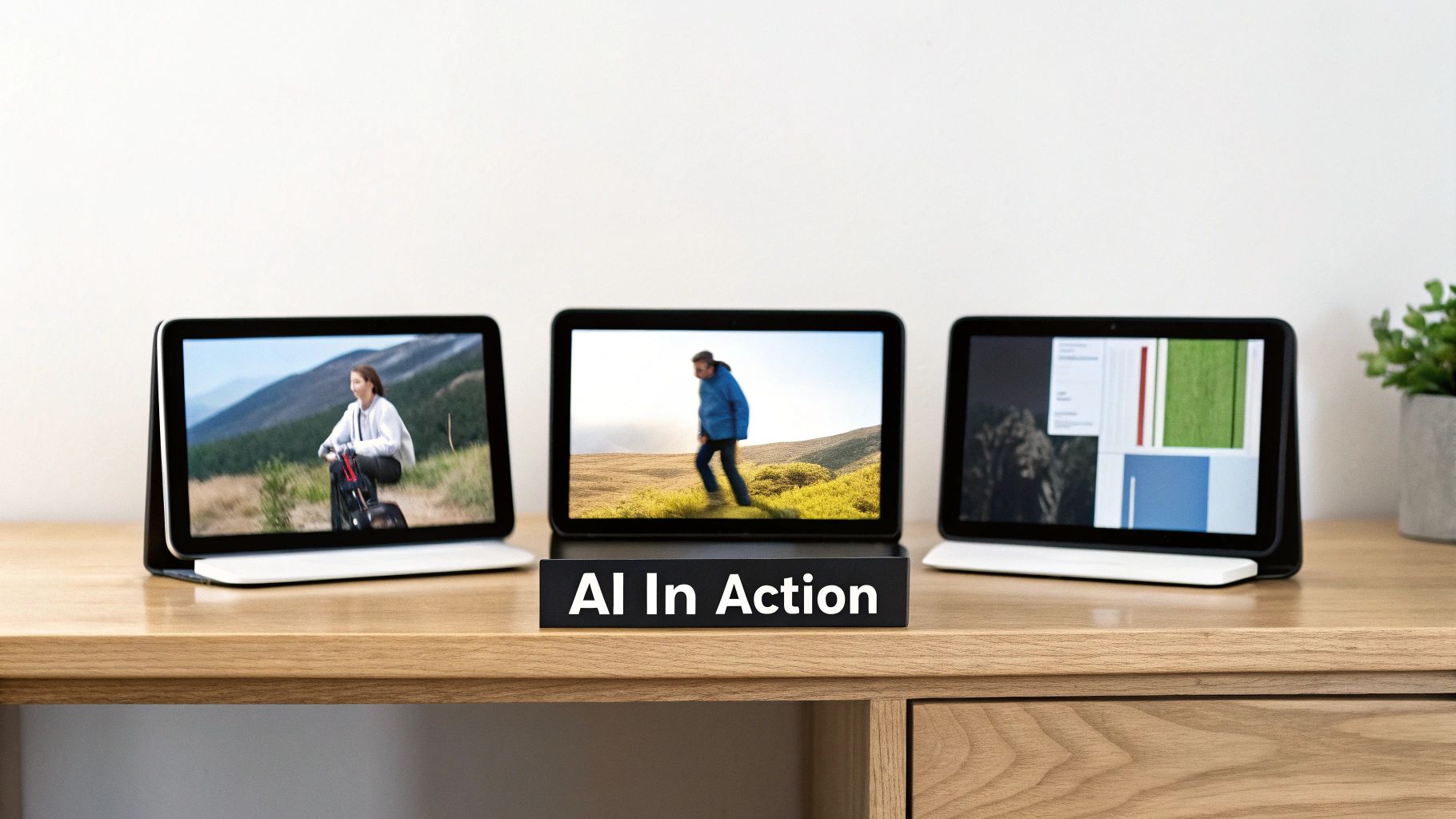
Picture a small e-commerce shop launching a new line of handmade candles. They need a quick, thumb-stopping ad for Instagram Reels but have zero video editing skills. With a free tool, they can whip up a 15-second clip where a friendly AI avatar introduces the top three scents.
All they need to do is upload a nice photo of their product, type out a short and sweet script, and let the AI do the rest. In less than ten minutes, they have a clean, professional-looking ad that gets their message across. It's that simple.
It’s Not Just for Social Media Ads
The possibilities go way beyond marketing. I've seen corporate HR teams use these tools to build out new onboarding modules for remote hires. Instead of sending another boring PDF, they create a series of short, engaging videos that walk new employees through company policies.
- Picking an Avatar: They might choose a presenter in business-casual attire to keep the tone professional.
- Writing the Script: The content is broken down into small, digestible pieces, making it much easier for people to absorb complex info.
- Adding a Call-to-Action: Each video can end with a clear next step, like, "Now, head over to complete the security awareness quiz."
This approach makes training feel more personal and consistent. Another great example is a software startup needing a simple explainer video. They can have an AI avatar guide a potential customer through their product's dashboard, with screen recordings playing in the background. It's a quick and affordable way to show off their product's value without the headache of a live-action shoot.
The takeaway here is that you don't need a fancy production studio to create video content that actually works. The trick is to match the tool’s features—like the avatar's style or the voice's tone—to what you’re trying to achieve, whether that's driving sales or making training less of a chore.
By getting smart with these platforms, creators are discovering entirely new ways to produce content on a dime. For more inspiration and hands-on advice, the CreateInfluencers blog has some great guides on optimizing your digital content creation.
Got Questions About Free AI Video Generators?
Jumping into a new tool always comes with a few questions, and that's perfectly normal. When you're dealing with a free AI video generator, you want to know what you're really getting into. Let's tackle some of the most common questions I hear so you can get started with your eyes wide open.
Can I Use These Videos for My Business?
This is probably the biggest question on everyone's mind. Can you actually use these free videos for commercial purposes, like marketing or social media ads?
For the most part, yes. Most platforms, including CreateInfluencers, are perfectly fine with you using videos from their free plans for your business. It's a huge win for startups, solo creators, and anyone working with a tight budget.
But there's usually one catch: you'll likely have a watermark on the final video. It’s the standard trade-off for getting access to such powerful technology at no cost.
What Are the Limits of a Free Plan?
So, what else can you expect from a free tier? Think of it as a generous, long-term trial. You get enough power to create some seriously impressive content, but they hold back the premium goodies to encourage you to upgrade.
Here are the typical limitations you'll run into:
- Shorter Videos, Standard Quality: Free plans usually cap your video length, often somewhere between one and three minutes. You’ll also likely be exporting in 720p HD, with the crystal-clear 1080p quality reserved for paid users.
- No Custom Voices: You'll get a solid library of stock AI voices to choose from, but the ability to clone your own voice is almost always a premium feature.
- Monthly Video Quotas: Instead of unlimited access, you'll probably get a set number of "credits" each month. This limits how many minutes of video you can generate.
It's best to view the free version as a powerful testing ground. It gives you more than enough room to learn the ropes and produce great videos, while making the perks of a paid plan really tempting.
How Do I Make the AI Voice Sound Less… Robotic?
This is a great question. We’ve all heard those stiff, monotone AI voices. The secret to a more natural-sounding narration isn't buried in some complex setting—it’s all in your script.
Write like you talk. Use shorter sentences and a conversational style. Punctuation is your best tool here; commas and periods tell the AI when to pause and breathe, just like a person would. This simple trick dramatically improves the pacing and makes the delivery feel much more human.
Don't forget to play around with the different voice options, too. Some are way more advanced and lifelike than others.
Ready to give it a shot? You can go from idea to a professional-looking AI video in just a few minutes with CreateInfluencers, and it won't cost you a dime to start.
See for yourself how easy it is. Head over to https://createinfluencers.com and sign up for your free account today.