Create: create full body avatar from a selfie in minutes
Discover how to create full body avatar from a single selfie in minutes with actionable steps and pro tips.
Ready to create a full-body digital version of yourself? It’s way easier than you might think. With the right AI tool, a single clear selfie is all you need to generate a complete, lifelike avatar. This isn't about complicated 3D modeling; it's a straightforward process that gives you a fully customizable virtual persona in just a few minutes.
Your Quick Start Guide to Full Body Avatars
Welcome to the new era of digital identity. Forget about needing expensive software or a degree in graphic design to build a virtual you. Today, anyone can generate a high-quality, full-body avatar that’s ready for social media, marketing campaigns, or even private content platforms using simple, intuitive tools.
This guide is all about the "how." We’ll walk through the entire process, showing you exactly how one good photo of your face can become a detailed, posable model. We're not just making a static profile picture here; we’re crafting a dynamic digital character you can style, drop into any scene, and use to connect with your audience in entirely new ways.
Why AI Avatars Are a Game Changer
AI has completely changed the game for personal branding and content creation. You just have to look at the numbers to see how big this is. The global AI avatar market hit USD 2.5 billion in 2024 and is on track to explode to USD 63.5 billion by 2034, growing at a staggering 38.2% each year. This boom is fueled by creators and brands, especially in marketing and entertainment.
One of the biggest draws is the unique blend of personality and privacy. For creators who want to build a brand without showing their real face, full-body avatars are a perfect fit. This is especially true for anyone thinking about starting a faceless YouTube channel, as it lets you create a consistent, recognizable persona while keeping your personal life separate.
The real power of an AI avatar lies in its versatility. You can be a fashion model in Paris one day and a fitness influencer in a high-tech gym the next, all without leaving your desk. It’s about limitless creative freedom.
The entire process boils down to a few simple actions. It’s designed to be intuitive, moving you quickly from an idea to a finished digital asset.
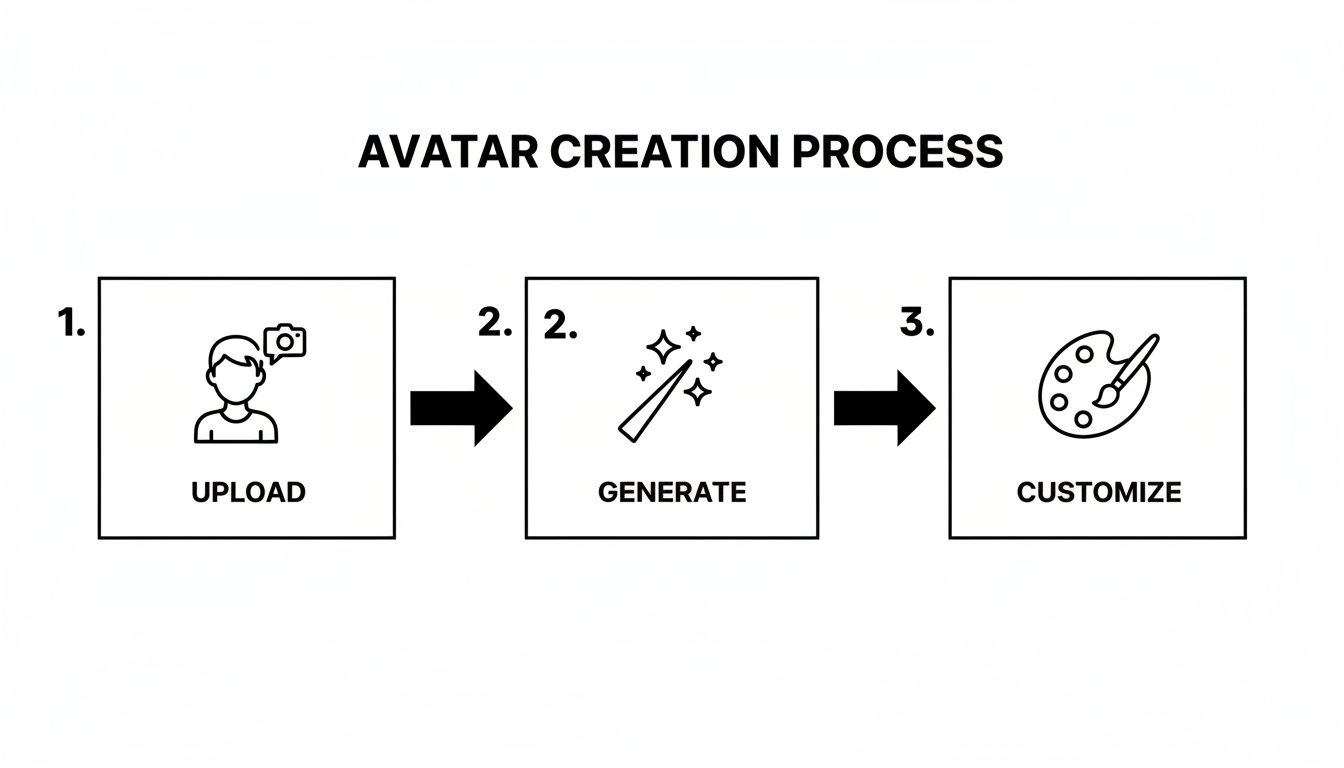
This simple, three-stage workflow makes avatar creation accessible to everyone, no matter your technical skill level. To help you get started on the right foot, we've broken down what each of those stages looks like in practice.
Core Steps for Instant Avatar Creation
Here's a quick look at the fundamental stages you'll go through when generating your full-body AI avatar from a single photo.
| Stage | Your Key Action | Expected Outcome |
|---|---|---|
| Upload Source Image | Provide a clear, well-lit selfie or headshot. | The AI model has the facial data needed to create a likeness. |
| Generate & Configure | Choose your desired style, theme, and body type. | A base full-body avatar is generated with your facial features. |
| Customize & Refine | Adjust outfits, poses, backgrounds, and other details. | A polished, unique avatar ready for export and use. |
Following these core steps sets you up for success. By the end of this guide, you won't just know the mechanics—you'll understand the strategy behind using your new avatar effectively.
If you're still weighing your options, check out our guide on choosing the https://createinfluencers.com/blog/best-ai-avatar-generator. Picking the right tool from the start makes all the difference.
Selecting the Perfect Photo for Your Avatar
The quality of your AI avatar comes down to one simple thing: the quality of the photo you start with. Think of it as giving the AI a crystal-clear blueprint. The better the input, the more uncannily realistic your final creation will be.
You don't need to book a professional photoshoot. In fact, a simple, well-lit selfie from your phone is usually the best tool for the job. We're aiming for clarity here, not creative flair. Things like dramatic shadows, artistic angles, or a cluttered background can seriously confuse the AI, leading to some bizarre and inaccurate results.
Face Photo Essentials
The AI's first and most important job is to nail your unique facial identity. To get this right, you have to give it a clean, direct, and unobstructed view of your face.
Here’s what you need to focus on for that main photo:
- Lighting is Everything: Find some soft, even light that hits your face from the front. Avoid harsh overhead lighting that casts weird shadows under your eyes and nose. The best light is often free—just face a window.
- High Resolution Matters: A blurry, pixelated photo is just bad data. Always use your phone's main camera, not the lower-quality selfie cam. Make sure the shot is sharp and in focus.
- Unobstructed View: Get rid of anything that hides your facial features. That means no sunglasses, no hats, and no hair falling across your eyes. The AI needs to see everything from your forehead down to your chin, ear to ear.
- Neutral Expression: A simple, natural smile or even a completely neutral look works best. Going for a huge, dramatic expression can sometimes bake a weird, exaggerated look into your final avatar.
A straightforward, forward-facing selfie in good light is the gold standard. You're not trying to win a photography award; you're just giving the AI the cleanest possible data to work with.
Choosing Your Body Reference
After the AI has your face locked in, it's time to think about the body. While many tools can generate a body from a text prompt alone, using a reference photo gives you far more control over the final look.
For example, if you're building a digital twin of yourself for your Instagram, using a photo of yourself in a specific pose is a great starting point.
But if you're creating a brand-new character—say, a stylized influencer for an adult content brand—the reference photo is more about locking in the right shape and proportions. The AI is great at mapping your face onto different body types, but starting with a reference that already matches your end goal is a critical shortcut. This makes sure the final silhouette and proportions feel right for the persona you're building.
At the end of the day, your source images have a direct and powerful impact on your avatar. If you find you're struggling to get a clean shot, check out our guide on how to improve photo quality for tips that make a big difference in AI generation.
Bringing Your Avatar to Life: Face and Body Customization
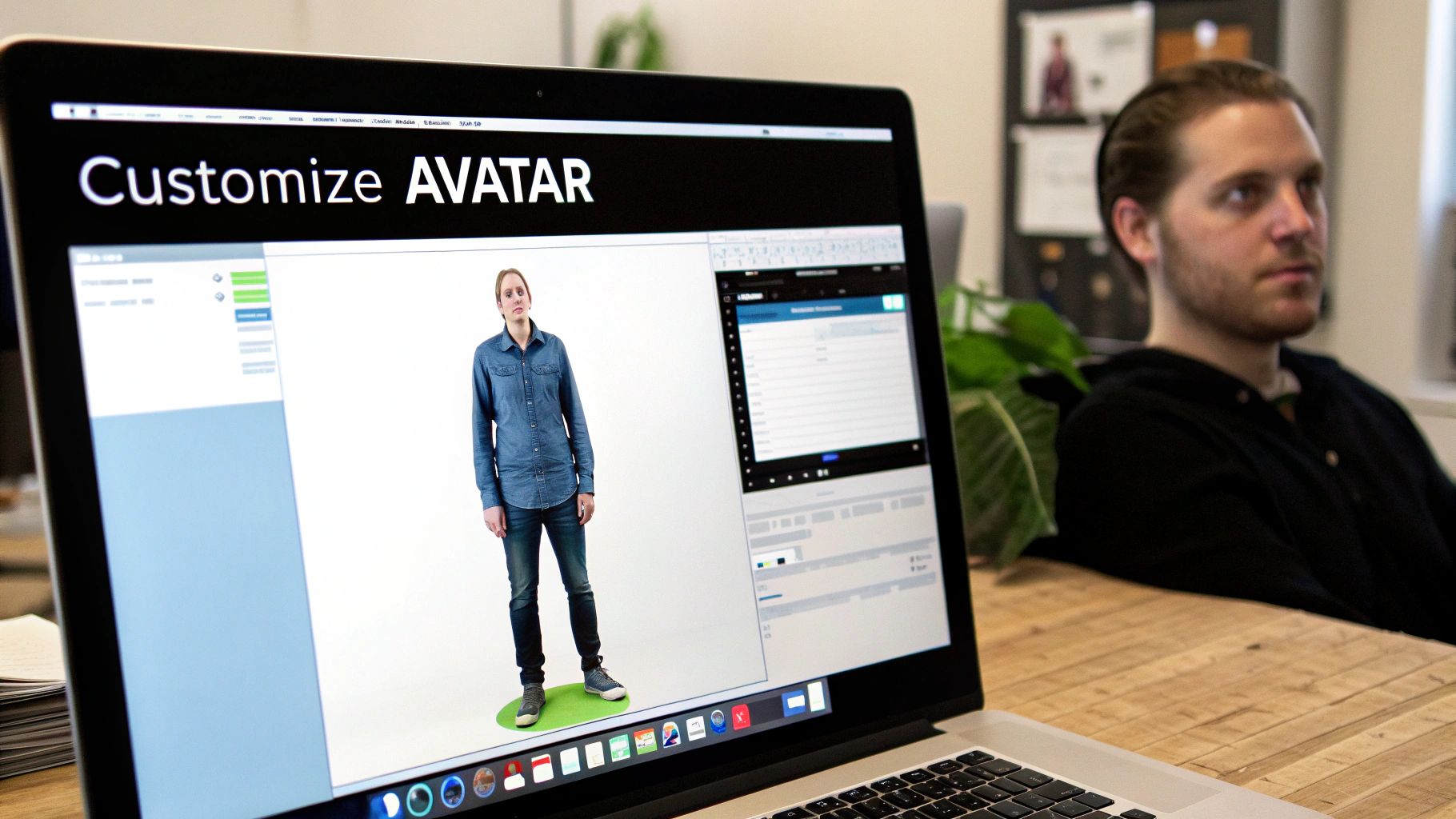
This is where the real magic happens. Once the AI has done its initial scan of your photos, you get to step in as the artist. You’re no longer just feeding it data; you're molding and sculpting a digital persona that truly represents you or your brand. It's less about algorithms and more about your creative vision.
Platforms like CreateInfluencers give you an incredible amount of control here, letting you tweak everything from body proportions to tiny facial details. The goal isn't just to make a carbon copy of yourself, but to craft an identity that connects with your audience.
Nailing the Body and Face Map
At the heart of this process are two powerful tools: face swapping and body mapping. The AI does a pretty good job of plastering your face onto the generated body, but think of that first version as a rough draft. It’s your job to go in and refine it until it feels right.
This step is absolutely crucial, especially now. The market for AI avatars is exploding, with some analysts predicting it will grow by USD 31.49 billion between 2025 and 2029. With North America accounting for 37.1% of that growth, the demand for unique, high-quality digital influencers has never been higher.
To make an impact, your avatar needs to have a personality, not just a familiar face.
- Sculpt the Body Type: This is your first big decision. Are you building a fitness influencer who needs an athletic, toned physique? Or maybe a high-fashion model with a willowy frame? Most tools use simple sliders to let you adjust height, weight, and muscle mass.
- Fine-Tune Proportions: Don't stop at the basics. You can often dig deeper and adjust limb lengths, shoulder width, or the hip-to-waist ratio. These small tweaks make a massive difference in how your avatar carries itself.
Your goal with body mapping is to build a silhouette that looks and feels intentional. This is the canvas for everything else, from the clothes your avatar wears to the poses it strikes.
It's All in the Details
With the overall body shape locked in, it’s time to zoom in. What separates a decent avatar from a truly believable one is the attention to detail. A little bit of knowledge about the process of animation can be a huge help here, as it gives you a better sense of what makes a character feel dynamic and alive.
Think about the specific use case. An avatar for a fitness brand should look the part, with visible muscle definition and a powerful stance. A virtual fashion model, on the other hand, might benefit from longer-looking limbs and a more elegant posture.
While the AI handles most of the heavy lifting on the face, you can still make subtle adjustments to perfect the look. If you want to take it a step further, you can even play around with different looks using a facial expression changer to give your avatar a wider emotional range. This is the final polish that makes your creation stand out.
Breathing Life Into Your Avatar With Prompts And Styles
Once you've nailed the technical side of mapping your face and body, the real fun begins. This is where you infuse your avatar with a soul—a distinct personality, style, and context. An avatar is more than just a digital twin; it's a character in a story you're about to tell, and the creative choices you make now will define its entire vibe.
Platforms like CreateInfluencers give you a head start with pre-set themes. Think of these as creative launchpads. Themes like 'Old Money,' 'Boudoir,' or 'Instagram Shoot' are fantastic shortcuts, instantly dropping your avatar into a specific scene with the right lighting, wardrobe, and poses. They can save you a ton of time.
But the real magic happens when you roll up your sleeves and write your own descriptive text prompts. This is how you gain total creative freedom and create a full body avatar that’s truly unique.
The Craft of Prompt Engineering
Think of a text prompt as a direct brief to a digital artist. If you give vague instructions, you'll get generic, uninspired results. The key is to be incredibly specific and descriptive, painting a vivid picture for the AI to follow. A well-written prompt can control every last detail, from the fabric of a dress to the mood of the entire scene.
A solid formula I've found that works well is to break it down like this:
- Subject: Who is your avatar and what are they doing?
- Style: What’s the overall aesthetic? (e.g., photorealistic, cinematic, vintage polaroid)
- Setting: Where are they? Describe the background in detail.
- Composition: How is the shot framed? Mention camera angles and lighting.
For example, don't just ask for a "woman in a dress." Instead, try something far more evocative: "Photorealistic image of a 25-year-old influencer with blonde hair, wearing a flowing red silk evening gown, confidently posing on a balcony overlooking the Paris skyline at sunset, cinematic lighting, wide-angle shot." That level of detail is what separates a generic render from a stunning, believable image.
The demand for this technology is exploding. The market is set to jump from USD 0.80 billion in 2025 to a massive USD 5.93 billion by 2032. That's fueled by a staggering 37.4% growth rate, especially in the 3D and metaverse sectors where full-body avatars are becoming non-negotiable.
Fine-Tuning With Negative Prompts
Telling the AI what you want is only half the battle. You also have to tell it what you don't want. This is where negative prompts become your secret weapon. These are simply keywords and phrases that steer the AI away from specific elements, helping you clean up the final image and avoid common digital artifacts.
Think of negative prompts as your quality control checklist. They’re perfect for getting rid of unwanted objects, correcting weird anatomical glitches like extra fingers, or preventing a cartoonish look when you're aiming for pure realism.
Let's say your images are coming out looking a bit too smooth or animated. You could add the following to your negative prompt field:
cartoon, anime, illustrationblurry, low quality, pixelateddeformed hands, extra limbs, bad anatomy
Getting comfortable with both positive and negative prompts is what will elevate your work from hobbyist to professional. It’s the difference-maker for creating polished, high-quality images that perfectly capture your vision. If you want to go even deeper on this, our guide on how to generate AI images is a great next step.
Bringing Your Avatar to Life: Upscaling and Exporting
Alright, you've put in the work. You’ve tweaked the prompts, nailed the lighting, and your digital double is looking incredible. Now comes the final, crucial part: getting it out of the generator and into the world. This is where upscaling and exporting turn a cool image into a professional-grade asset.
It’s tempting to just hit "download" on that first render, but I’ve seen so many creators make this mistake. Most AI tools spit out a standard-res file that looks fine on the surface, but it'll get fuzzy and pixelated the moment you post it on a high-quality feed or blow it up on a bigger screen. If you're serious about your content, this last mile is non-negotiable.
Why You Can't Skip Upscaling
Think of upscaling as the final polish. It's an AI-powered process that intelligently adds detail and boosts the resolution of your image, transforming it from a standard render into a high-definition piece of art. It’s not just making the picture bigger; it’s making it sharper, clearer, and more vibrant.
For anyone building a brand online, especially on visual platforms like Instagram, crispness is king. A blurry avatar screams amateur. Upscaling makes sure every little detail you obsessed over—the texture in the clothing, the reflection in the eyes—really pops and looks professional.
An upscaled image isn’t just bigger; it’s better. The AI fills in the details, enhancing textures and sharpening lines in a way that simple resizing can't replicate, making your avatar look polished and professional.
Dialing in Your Export Settings
Once your avatar is beautifully upscaled, you need to save it correctly for wherever it's going to live. There’s no single "best" setting; the right choice depends entirely on the platform.
Here’s a quick cheat sheet based on where you'll be posting:
- Instagram & Twitter: Go with a JPEG. It’s the perfect compromise between quality and file size, which means your images will load quickly for your followers. For dimensions, shoot for at least 1080x1080 pixels for square posts or 1080x1350 pixels for those taller portrait shots.
- Dating Apps (Tinder, Hinge): Image quality can literally make or break a match. Use a high-quality JPEG, but keep an eye on the file size. These apps often compress photos, so starting with a super sharp source image gives you the best chance of looking good after they're done with it.
- Subscriber Sites (OnlyFans, Fanvue): This is where quality is everything. Your audience is paying for premium content, so give it to them. Export as a PNG to avoid any compression and preserve every single detail. I'd go with a high resolution, something like 2000 pixels or more on the longest edge.
Nailing these final steps ensures all your hard work pays off and your avatar looks fantastic everywhere you share it. And if you really want to take it to the next level, you can even look into a talking avatar creator to animate your character and give it a voice.
Got Questions About Creating Your Avatar?
Jumping into the world of AI avatars is exciting, but it's totally normal to have a few questions pop up. You're creating a digital double, after all! From the legal stuff to the nitty-gritty of getting started, let's clear up some of the most common things people wonder about.
This should help you feel more confident as you start to create a full body avatar that nails the look you're going for, whether it's for a fun personal project or a serious business venture.
How Many Photos Do I Really Need to Get Started?
You might think you need an entire photoshoot, but modern AI platforms are surprisingly efficient. Believe it or not, for a fantastic result, you usually only need one clear, well-lit selfie.
That single photo is enough for the AI to get a solid lock on your facial features. It then builds a full-body model and maps your face onto it with impressive accuracy. While tossing in a few extra photos from different angles can help the AI fine-tune the little details, the core technology is powerful enough to work its magic from just one good picture. This makes getting started incredibly quick and easy for anyone.
Can I Actually Make Money with My AI Avatar?
You bet. The commercial potential is a huge reason why AI avatars are blowing up. Many tools are built from the ground up for content creators, with features designed for marketing, social media, and yes, even monetizing content on platforms for adult creators.
The key is to do your homework. Always check the terms of service for both the AI tool you're using and the platform where you'll be posting. As long as you own the rights to your original photos and follow the rules, you're free to monetize your digital persona for brand deals or subscription services. This is a huge part of what makes synthetic media such a game-changer.
What Are the Biggest Mistakes I Should Avoid?
By far, the most common mistake is starting with bad photos. A blurry, low-light selfie or a picture with sunglasses and a hat just isn't going to cut it. It confuses the AI and almost guarantees a distorted or inaccurate result. Garbage in, garbage out.
Another big one? Writing lazy, generic prompts.
- Weak Prompt: "Woman in a dress."
- Strong Prompt: "Photorealistic image of a 25-year-old woman in a flowing red silk evening gown, standing on a balcony overlooking Paris at sunset."
Specificity is your best friend when prompting. The more detail you provide about the style, setting, and subject, the closer the AI will get to your intended vision. Giving the AI a clear direction is crucial for achieving professional results.
Finally, a lot of beginners forget to upscale their final images. It’s a simple last step, but it’s the difference between a pixelated, amateurish post and a sharp, high-quality piece of content that looks truly professional.
Ready to bring your own digital persona to life? At CreateInfluencers, you can generate stunning, high-resolution AI avatars from a single selfie in minutes. Start creating for free today