
AI Influencer Generator: How to Pick and Use the Right Tool
Compare AI influencer generators with our feature checklist, learn what makes a good tool, and follow a step-by-step walkthrough to create your first AI influencer.
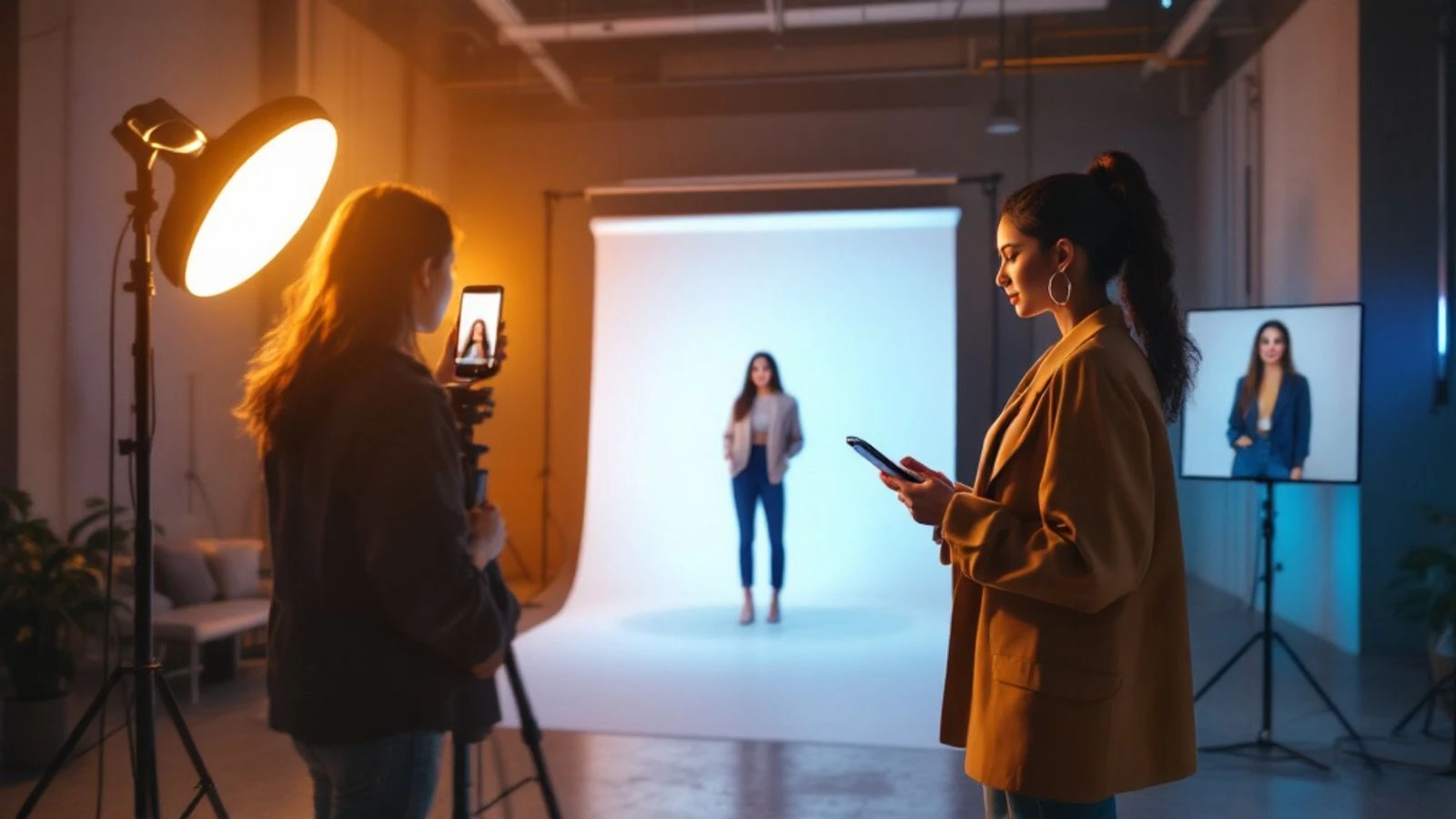
An AI influencer generator is a tool that creates a consistent digital character—face, body, and personality—and produces realistic photos or videos of that character for social media. You type a description (or upload selfies), the tool generates a unique face, and then you can make unlimited new images and videos of the same person in different outfits, poses, and settings without a camera or model.
This guide walks you through what separates a professional AI influencer generator from a one-off portrait tool, the must-have features for building a real brand, and exactly how to create and scale your first AI influencer. You'll also learn the platform rules that determine where you can post your content and how to avoid the mistakes that waste money or get accounts flagged.
Whether you're building a faceless brand, testing a new niche, or launching an AI creator on Fanvue or Instagram, you need a tool that delivers consistency, speed, and safety.
Key takeaways:
- A good AI influencer generator maintains the same face and body across thousands of images and videos, not just one-off portraits.
- Look for tools that offer character training, video generation, and content that meets the platform rules where you plan to post (Instagram/TikTok safe-for-work or adult platforms).
- Always label AI-generated content on Instagram, TikTok, YouTube, and Facebook; platforms can add labels automatically and expect transparency.
- CreateInfluencers lets you train a character's face, generate themed photo packs, create talking videos, and produce both safe-for-work and adult content depending on your platform.
- Scaling requires batch workflows (photo packs, scheduled prompts) and a content calendar that treats your AI influencer like a real creator brand.
What Is an AI Influencer Generator?
An AI influencer generator is software that creates a fictional person—complete with a consistent face, body type, and style—then produces new photos and videos of that person on demand. Unlike a simple AI portrait generator that makes a single image, an influencer generator trains a character's identity so every new piece of content shows the same individual.
The workflow starts with character creation: you describe your influencer's look (age, ethnicity, hair color, body type) or upload reference photos. The tool generates a base face and stores it. From that point forward, you type prompts like "beach sunset selfie in a white dress" or "gym mirror photo in workout gear," and the generator produces images or videos that match your character's face and your scene description.
Most AI influencer generators also handle video. You can animate a still photo into a short clip (head turns, smiles, background motion) or create talking videos where your character delivers a script to camera. Video is essential for TikTok, Instagram Reels, and YouTube Shorts, so a photo-only tool won't cover a full content strategy.
The key difference between an AI influencer generator and other AI art tools is persistent identity. General image generators (Midjourney, DALL·E, Stable Diffusion) make beautiful one-off pictures, but the face changes every time unless you invest hours in manual workflows. An influencer generator solves that problem by training and saving your character, so you can produce a week's worth of posts in an afternoon with the same person in every frame.
What Makes a Good AI Influencer Generator?
A good AI influencer generator delivers three things: consistency, platform safety, and speed. Consistency means the same face in every output, even across different poses, lighting, and outfits. Platform safety means the content meets the rules of Instagram, TikTok, YouTube, or adult platforms like Fanvue. Speed means you can produce a full content calendar without spending hours on manual edits.
Consistency is non-negotiable. Your audience will notice if your character's eye color shifts or their face shape changes between posts. The best tools use face training (sometimes called LoRA training or character embedding) to lock in your influencer's features. You provide sample images during setup, and the system learns what makes that face unique. From that point on, every new photo or video references the trained model.
Realistic output separates professional tools from hobbyist generators. Look for photorealistic skin texture, natural lighting, and correct anatomy (fingers, teeth, proportions). Many early AI tools produced obvious tells—glossy plastic skin, weird hands, unnatural shadows. Modern generators have closed that gap, but quality still varies. Test a tool with prompts that are hard to fake: close-up selfies, hands holding objects, full-body shots in natural light.
Video capability is the third pillar. Static photos work for Instagram grids and Pinterest, but Reels, TikTok, and YouTube Shorts drive the most reach. Your AI influencer generator should turn images into short videos (motion clips) and ideally support talking avatar creation for UGC-style ads and spokesperson content.
Finally, workflow speed determines whether you can actually run a daily posting schedule. Batch tools—like themed photo packs that generate multiple images in one outfit and location—save hours compared to one-prompt-at-a-time generation. Calendar integrations, prompt templates, and quick-edit tools (crop, upscale, face swap for variations) all add up to the difference between a side project and a scalable brand.
Essential Features Checklist: How to Compare AI Influencer Tools
Use this checklist when evaluating any AI influencer generator. Not every feature matters for every use case, but knowing what's available helps you match the tool to your goals.
| Feature | Why It Matters | What to Look For |
|---|---|---|
| Character training | Keeps the same face across all content | Upload photos; tool trains a persistent model you can reuse |
| Photo quality | Realistic images pass the scroll test on feeds | Photorealistic skin, natural lighting, correct hands and teeth |
| Video generation | Required for Reels, TikTok, Shorts | Animate stills into short clips; talking video support |
| Batch workflows | Produce a week of content in one session | Photo packs, bulk prompts, themed sets (gym, beach, night out) |
| Platform safety modes | Avoid content flags and account bans | Safe-for-work mode for Instagram/TikTok; adult mode for Fanvue |
| Editing tools | Fix small issues without leaving the app | Face swap, upscale to HD, crop, background change |
| Prompt library | Speed up creation with proven prompts | Pre-built templates for selfies, lifestyle, fashion, fitness |
| Pricing model | Predictable costs as you scale | Free tier to test; credit packs or monthly plans for volume |
Character training is the must-have. If a tool doesn't let you save and reuse a trained face, it's a portrait generator, not an influencer generator. Training usually takes time and may require credits or a fee, but you do it once and use the character going forward.
Platform safety modes matter more than most creators realize. Instagram and TikTok will remove content that shows nudity or sexual activity, and repeated violations can ban your account. If you plan to post on mainstream platforms, your generator needs a safe-for-work filter. If you're building for Fanvue or other adult platforms, you need a tool that supports that content type without breaking its own terms of service. CreateInfluencers, for example, offers both: safe-for-work mode for Instagram and TikTok, and adult generation for platforms that allow it.
Batch workflows are the difference between hobbyist and professional. Generating one photo at a time means you'll spend hours to get a week's content. Photo packs—where you pick a theme and the tool generates multiple images in one outfit and setting—cut that time significantly. Look for tools that let you queue prompts or create themed sets.
Editing tools inside the app save you from jumping to Photoshop or CapCut. Face swap lets you try different expressions or test a character variation. Upscale to HD ensures your images look sharp on high-resolution feeds. Background swap or removal helps you reuse a great portrait in different contexts.
Platform Safety Requirements: Instagram, TikTok, and Adult Platforms
Every social platform has rules about AI content, and violating them can get your account restricted or banned. The two big splits are AI labeling (mainstream platforms) and content type (safe-for-work versus adult).
Instagram, Facebook, TikTok, and YouTube all require creators to disclose realistic AI-generated content. Instagram and Facebook automatically add labels when they detect AI metadata; you can also add the label manually when you post. TikTok asks you to toggle the AI-generated content label in the post editor. YouTube requires disclosure for altered or synthetic content that could mislead viewers about real events or people.
Labeling is not optional. Platforms use it to build trust, and unlabeled AI content that looks like a real person can trigger manual review or automated flags. The good news: labels don't hurt reach. Audiences understand AI influencers exist, and transparency often increases trust.
Content type is the second rule. Instagram and TikTok do not allow nudity, sexual content, or sexually suggestive material in posts or Stories. If your AI influencer's content crosses that line, the post will be removed and your account will receive a strike. Adult content must stay on adult platforms—Fanvue, Fansly, and similar sites that explicitly allow it.
Fanvue is the go-to platform for AI creators in the adult space. Unlike OnlyFans, which requires ID verification and expects the verified person to appear in the content (making fully AI personas a poor fit), Fanvue accepts AI-generated accounts as long as you label the content as AI. Check Fanvue's current page for exact revenue splits and creator terms. If you're building an AI influencer for adult content, choose a generator that supports that content type and clearly states it's allowed under their terms.
FTC disclosure rules apply to all influencers, AI or human. If you're paid to promote a product or earn affiliate commissions, you must disclose it. Use #ad, #sponsored, or "paid partnership" tags in captions or on-screen text. The FTC doesn't distinguish between AI and human influencers—if you're getting paid, you disclose.
Monetization policies vary by platform. YouTube allows AI-generated content as long as it's labeled and doesn't violate community guidelines. Instagram and TikTok allow brand deals and affiliate links for AI influencers, but the platform's general content rules still apply. Always label AI content, stay within the platform's content guidelines, and disclose paid partnerships.
How to Create an AI Influencer with CreateInfluencers
Here's a step-by-step walkthrough of creating your first AI influencer on CreateInfluencers, from character creation to your first batch of content.
Step 1: Sign up and choose your creation method.
Go to createinfluencers.com and create a free account (no credit card required). On the dashboard, click "Create New Character." You have two options: describe your influencer in text (age, ethnicity, hair color, body type, style) or upload selfies to create an AI version of yourself. Most creators start with text descriptions to build a fictional persona.
Step 2: Generate and train your character's face.
Type a short description and click Generate. The tool will produce a base portrait. If you like it, proceed to training. If not, tweak the description and regenerate. The system analyzes the face and locks it into your character profile so every future photo uses the same person.
Step 3: Create your first photo pack.
Once training finishes, go to Photo Packs and choose a theme: Instagram photoshoot, gym mirror selfie, beach sunset, night club, old money aesthetic, or other options. Each pack generates multiple images in one outfit and location, giving you a cohesive set for your feed. Pick a theme that matches your influencer's niche (fitness, fashion, lifestyle, travel), click Generate, and wait for the results. You'll get a gallery of images ready to download.
Step 4: Generate custom photos from prompts.
For one-off posts, use the Prompt Generator. Type a scene description: "mirror selfie in a white tank top and jeans, natural light bedroom." The tool uses your trained character's face and creates the image. You can generate as many variations as you need—different outfits, poses, backgrounds—and your character's face stays consistent.
Step 5: Turn photos into videos.
Select any image and click "Create Video." Choose a video model and the tool renders a short clip. For talking videos, upload an image, paste your script, pick a voice, and the system generates a talking avatar video where your influencer speaks to camera. Talking videos work well for UGC-style ads, product reviews, and spokesperson content.
Step 6: Download, label, and post.
Download your images and videos in high resolution. Before posting to Instagram, TikTok, or YouTube, add the AI-generated content label in the platform's post editor. Write captions that fit your influencer's voice and personality. Post consistently—daily or every other day—to build an audience.
Pro tip: Use the face swap tool to test variations. If you want to try a different expression or angle, generate a new base image and swap your trained face onto it. The upscaler tool boosts resolution for images that will be printed or used in ads.
Common Mistakes When Choosing an AI Influencer Generator
Creators waste time and money on the wrong tools because they overlook a few key details. Here are the mistakes to avoid.
Choosing a portrait generator instead of an influencer generator.
Many AI art tools (Midjourney, DALL·E, Stable Diffusion) produce stunning one-off images but don't offer character training. You'll get a beautiful portrait, but the next image will show a different face. If you want to build a brand, you need a tool that saves and reuses your character's identity. Check whether the tool offers persistent character training before you commit.
Ignoring platform content rules.
Generating adult content with a tool that prohibits it can get your account banned from the generator itself. Posting adult content on Instagram or TikTok will get your social account banned. Match your generator's capabilities to your platform: safe-for-work tools for mainstream platforms, adult-capable tools (like CreateInfluencers or specialized NSFW generators) for Fanvue and similar sites. Read the tool's terms of service and the platform's content policy before you create anything.
Skipping the AI content label.
Unlabeled AI influencers that look like real people can trigger platform flags, especially if someone reports the account. Instagram, TikTok, and YouTube all expect transparency. Add the label when you post; it takes two seconds and protects your account. Audiences understand AI influencers exist, and most don't mind as long as you're honest.
Expecting instant results without a content strategy.
An AI influencer generator makes content creation faster, but it doesn't replace strategy. You still need a niche, a posting schedule, a voice and personality, and engagement tactics (captions, hashtags, replies to comments). Treat your AI influencer like a real creator brand: plan content themes, track what performs, and iterate. The tool handles production; you handle strategy.
Overcomplicating prompts.
New users often write very long prompts with every detail spelled out. The best results come from short, clear prompts: "gym mirror selfie in black leggings and sports bra, natural light" beats overly detailed descriptions. Most modern generators understand context and fill in the details. Start simple, then add specifics only if the output misses the mark.
Not testing video before committing.
If your content strategy includes Reels, TikTok, or Shorts, test the tool's video quality before you buy a big plan. Generate a few talking videos and animated clips, then watch them on your phone at full screen. Check for unnatural motion, lip-sync accuracy, and whether the video holds attention for the full duration. Video is harder than stills, and not all tools do it well.
How to Scale Your AI Influencer Content Production
Scaling means producing more content in less time without sacrificing quality. Here's how to go from a few posts a week to daily or multiple-daily publishing.
Use photo packs and batch prompts.
Instead of generating one image at a time, create themed sets. A photo pack gives you multiple images in one outfit and location; you can post them over several days or weeks. Queue up a week's worth of prompts in one session (Monday gym, Tuesday coffee shop, Wednesday beach, Thursday night out) and generate them all at once. Most tools let you download in bulk, so you can organize a month of content in an afternoon.
Build a prompt library.
Save your best-performing prompts in a doc or spreadsheet: "mirror selfie in [outfit], natural light," "outdoor candid in [location], golden hour," "close-up portrait, soft smile." When you need content, copy a proven prompt, swap the details, and generate. Over time, you'll have templates that cover every content type your audience wants.
Automate video creation.
Turn your top-performing photos into short videos. Pick the images with the most engagement, animate them with subtle motion or a smile, and post them as Reels or Shorts. Talking videos work for evergreen content: product reviews, tips, Q&A answers. Record a batch of scripts, generate the videos, and schedule them. AI video creation tools can speed this up even further if you need advanced editing.
Schedule posts with a content calendar.
Use a scheduling tool (Later, Buffer, Metricool, or the platform's native scheduler) to queue posts in advance. Plan a week or month at a time: content themes, captions, hashtags, and posting times. Your AI influencer generator handles production in a few hours; the scheduler handles distribution so you're not posting manually every day.
Repurpose content across platforms.
A single photo pack can feed Instagram (grid posts and Stories), Pinterest (vertical pins), Twitter (image tweets), and a blog or website (embedded galleries). A talking video can go on TikTok, YouTube Shorts, Instagram Reels, and Facebook. Resize and reformat for each platform's specs, but the core content is the same. One creation session becomes multiple posts.
Track performance and iterate.
Use each platform's analytics to see which content types, outfits, poses, and captions get the most engagement. Double down on what works. If gym selfies outperform beach photos, generate more gym content. If talking videos get more saves than static images, shift your mix toward video. Scaling isn't just volume—it's volume of what your audience actually wants.
Hire a VA for captions and engagement.
Once you're posting daily, caption writing and comment replies take time. A virtual assistant can write captions from your brand voice doc, reply to comments, and engage with other accounts in your niche. You focus on content strategy and creation; the VA handles the repetitive tasks. This is the step that turns a solo project into a real business.
FAQ
Can I monetize an AI influencer on Instagram and TikTok?
Yes, you can monetize through brand deals, affiliate links, and digital products. Instagram and TikTok don't prohibit AI influencers from earning money, but you must label your content as AI-generated and follow the platform's general content rules. Brands are increasingly open to AI influencer partnerships, especially in niches like fashion, fitness, and travel. Disclose paid partnerships with #ad or the platform's branded content tag, just like a human influencer would.
Do I need to show my real face to create an AI influencer?
No. Most creators build fictional personas by describing the character in text (age, ethnicity, style, body type) rather than uploading selfies. The AI influencer generator creates a unique face from your description, trains it, and you never appear in the content. If you want to create an AI version of yourself—for example, to scale your own personal brand—you can upload selfies and the tool will generate a digital twin.
How long does it take to train an AI influencer's face?
Training time varies by tool. The tool analyzes the face, builds a model, and saves it to your account. You do this once per character. After training completes, every new photo or video generates quickly, and the face stays consistent across all outputs.
Can I use an AI influencer generator for adult content?
Some tools support adult content generation, while others prohibit it in their terms of service. CreateInfluencers allows adult image and video generation for platforms like Fanvue that permit it, but you must post that content only on adult platforms—never on Instagram, TikTok, or YouTube. Always check the generator's terms and the platform's content policy before creating or posting adult material. If you're exploring this niche, review the top NSFW character maker tools to compare options.
What's the difference between an AI influencer generator and a regular AI image generator?
An AI influencer generator trains and saves a persistent character, so the same face appears in every new image and video. A regular AI image generator (like Midjourney or DALL·E) creates one-off images; the face changes with each prompt unless you manually engineer consistency. Influencer generators also include workflow tools—photo packs, video animation, talking avatars—designed for content creators who need volume and consistency, not just a single portrait.
How much does it cost to create and run an AI influencer?
Most AI influencer generators offer a free tier to test the platform, then charge for credits or monthly plans. CreateInfluencers, for example, is free to start with no credit card required; generations use credits, with monthly plans available for higher volume. Costs depend on how much content you produce. Compare that to hiring a photographer and model, which costs hundreds per shoot.
Ready to build your own AI influencer? Head to CreateInfluencers and create your first character free—no credit card, no commitment. Train a face, generate a photo pack, and see how fast you can produce a week's worth of content. Whether you're launching a new brand, testing a niche, or scaling an existing account, the tools are ready when you are.


