The 12 Best AI Video Creation Tools for Influencers in 2025
Discover the best AI video creation tools for influencers. Our 2025 guide reviews top platforms for avatars, social clips, and more. Start creating now!
In 2025, the creator economy moves faster than ever. Keeping up with the demand for high-quality, engaging video content across platforms like TikTok, Instagram, and YouTube can feel like a full-time job. That's where AI video creation tools come in. These powerful platforms are no longer just for tech experts; they're essential assets for influencers, marketers, and digital artists looking to scale production without sacrificing quality.
These tools solve a critical problem: producing compelling video efficiently. Whether you need to generate a realistic AI influencer from scratch, create viral-worthy short clips, produce polished training videos, or even explore niche content for platforms like Fanvue, the right AI tool automates the heavy lifting. But with a crowded market, how do you choose the one that fits your specific needs?
This guide cuts through the noise. We've curated and meticulously analyzed the 12 best AI video creation tools available today, focusing on the features that matter most to creators: ease of use, output quality, specific use cases like avatar generation and face swapping, and clear pricing. For marketers and content creators looking for a curated selection of platforms, other resources identify some of the top AI video creation tools for performance teams.
Our comprehensive breakdown will give you an honest look at the pros, cons, and ideal user for each platform, complete with direct links and screenshots. You will leave knowing exactly which tool is the perfect fit for your workflow, creative vision, and budget. Let's find the right platform to unlock your content potential.
1. CreateInfluencers
Best All-in-One Platform for AI Influencer Creation
CreateInfluencers stands out as a comprehensive, AI-first ecosystem for rapidly producing photorealistic AI influencers, avatars, and accompanying video content. It streamlines the entire creative workflow, allowing users to go from a simple selfie to a fully realized, monetizable digital persona in minutes. This makes it an exceptional choice for creators and marketers who need a scalable solution for content production without the steep learning curve of traditional CGI or multiple disjointed AI tools.
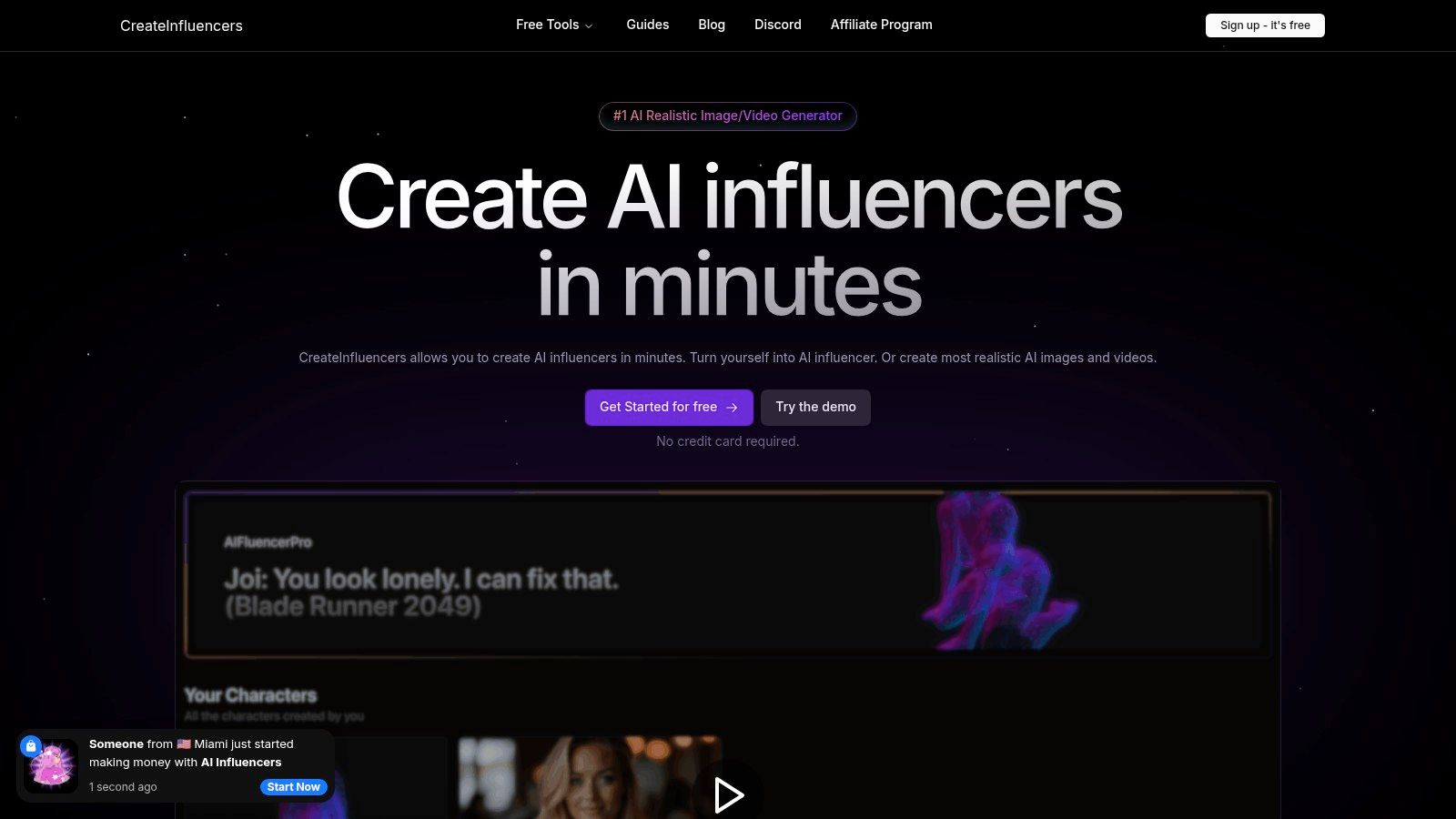
The platform's power lies in its integration of multiple state-of-the-art generative models, including FLUX, Haiper, and CogVideoX. This technical versatility enables a wide array of outputs, from one-click character generation and face/body swapping to high-fidelity video clips suitable for social media campaigns or monetized channels. For those seeking to build a cohesive brand, the themed photo packs (e.g., "Instagram," "Old Money," "Tinder") provide a significant head start.
Key Features & Benefits
- High-Fidelity Outputs: The HyperReal engine is a key differentiator, upscaling low-resolution photos into crisp, HD-quality images, ensuring a professional look across all content.
- Monetization-Focused: CreateInfluencers explicitly supports workflows for adult content verticals (OnlyFans, Fanvue) and includes an affiliate program, making it one of the best AI video creation tools for creators focused on revenue.
- Streamlined Workflow: The platform consolidates character training, image generation, and video creation into a single, intuitive interface, minimizing complexity.
Pricing Structure
CreateInfluencers operates on a credit-based system with three monthly subscription tiers, starting with a free signup that does not require a credit card.
- Basic: $47/month for 250 credits
- Pro: $79/month for 700 credits
- Enterprise: $149/month for 2,000 credits
The cost per action is transparently listed, with a typical image costing around 0.5 credits and training a custom AI model costing about 30 credits. Video generation costs vary by the engine used.
Final Assessment
CreateInfluencers is an ideal solution for social media managers, digital marketers, and content creators who need to produce stylized visual content at scale. While users must remain mindful of the ethical and legal responsibilities associated with creating realistic AI-generated people, the platform provides an unparalleled toolkit for branding, marketing campaigns, and building entire digital personas from scratch.
Learn more about building your AI influencer at CreateInfluencers.
2. Runway
Runway stands out as one of the best AI video creation tools for creators who need a production-oriented platform. It offers a suite of powerful generative models, including Gen-4.5, Gen-4 Turbo, and Gen-3 Alpha, allowing users to generate high-quality video clips from text or image prompts. Its integrated video editor makes it a one-stop shop for generating, refining, and finalizing content without needing to switch between different software.
This platform is particularly suited for fast ideation and creating short, visually stunning clips perfect for social media B-roll or artistic projects. The user interface is clean, blending a traditional video editing timeline with powerful AI generation tools. While the credit system can initially seem complex, it provides a transparent way to manage generation costs. For those diving deep into AI video, we provide more tips on our blog; you can learn more about using Runway effectively on CreateInfluencers.
Key Features and Pricing
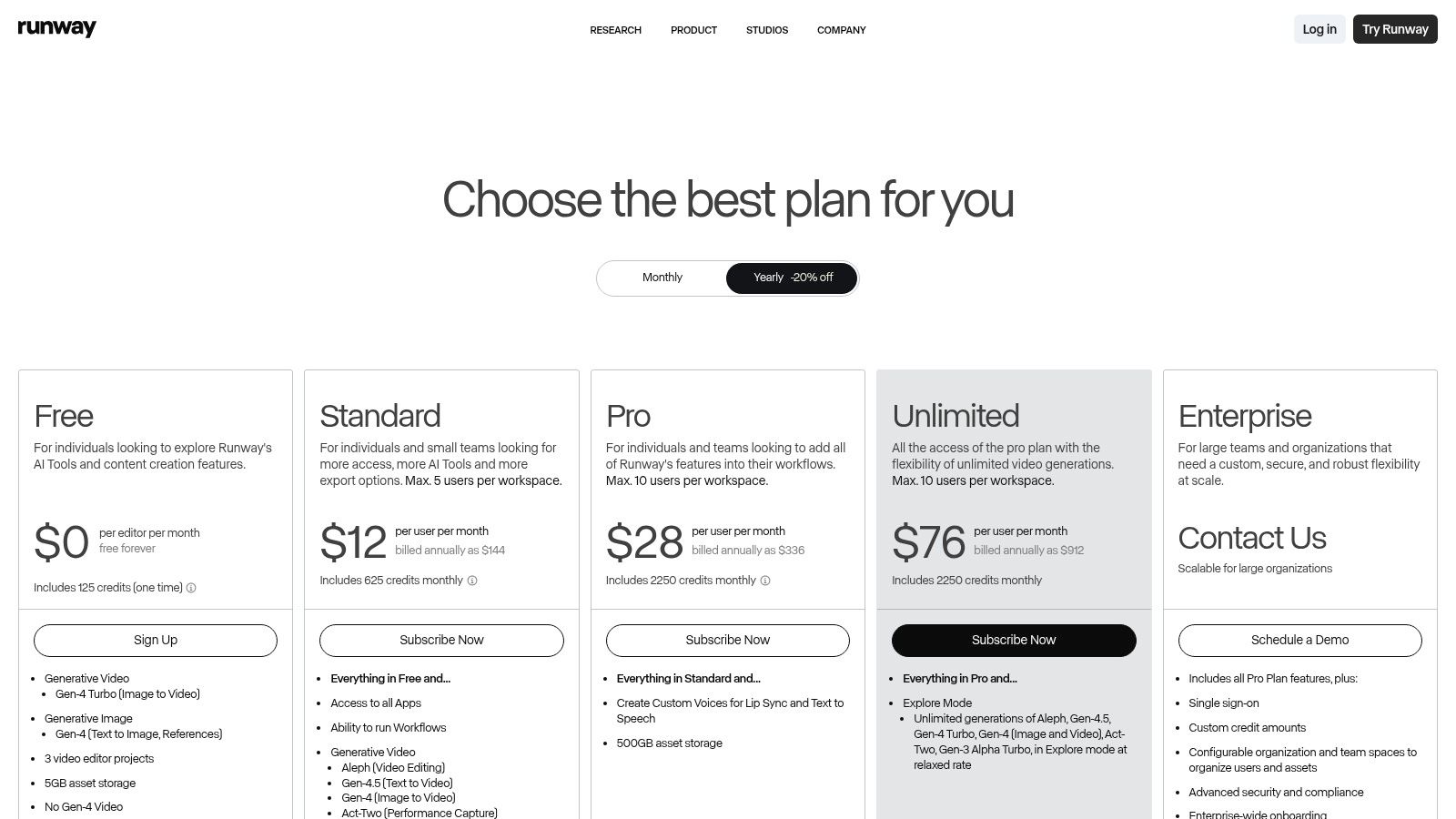
Runway’s plans are designed to scale with creator needs. The free tier offers a taste, while paid plans unlock crucial features like watermark removal and priority generation. The Unlimited plan is notable for its "Explore Mode," offering unlimited relaxed-speed generations, which is perfect for experimentation.
| Feature | Standard ($12/mo) | Pro ($28/mo) | Unlimited ($76/mo) |
|---|---|---|---|
| Monthly Credits | 625 | 1250 | 2250 |
| Watermark Removal | Yes | Yes | Yes |
| Upscaling | Up to 4K | Up to 4K | Up to 4K |
| Explore Mode | No | No | Yes |
- Pros: High-quality video models, integrated editor, clear credit system with monthly refreshes.
- Cons: Credit costs can add up quickly, achieving perfect results requires prompt refinement.
Website: https://runwayml.com
3. Luma AI (Dream Machine + Ray3)
Luma AI positions itself as a powerful option among the best AI video creation tools by focusing on high-fidelity motion and realism. Its Dream Machine model excels at generating fluid, cinematic video from text or image prompts, while the Ray3 system provides unique tools like "Modify" to enhance existing footage without losing the original performance. This makes it an excellent choice for creators who want to augment real camera work or produce highly believable short clips from scratch.
The platform is built for both experimentation and production, offering commercial use rights on its paid tiers. Its user interface is clean, prioritizing the generation process with clear options for resolution and duration. Managing generation costs requires attention to the credit system, as different models and settings consume credits at varying rates. For creators looking to integrate this into a larger content strategy, we offer additional insights; you can discover more about using Luma AI on CreateInfluencers.
Key Features and Pricing
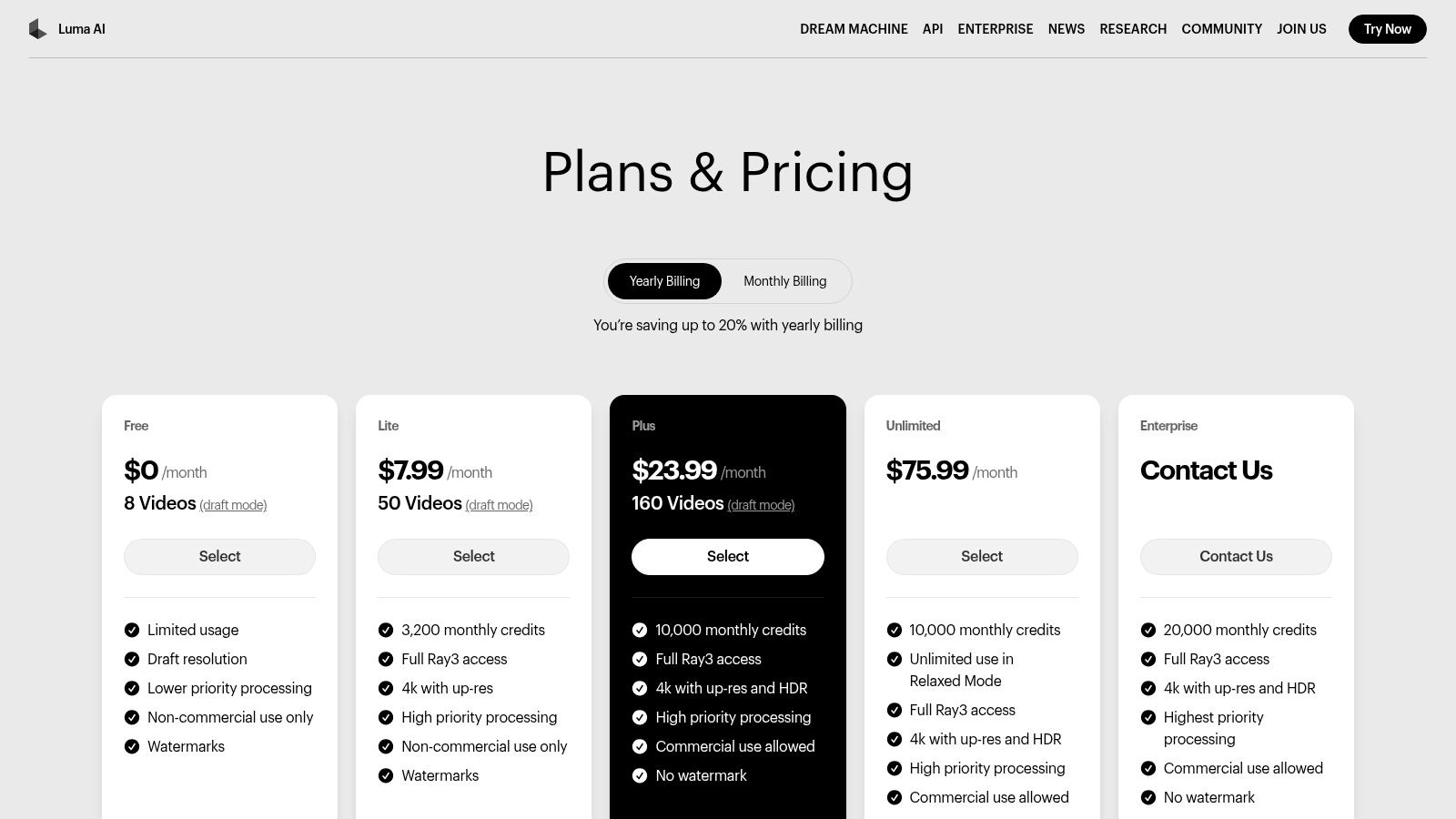
Luma AI’s plans cater to different levels of creator demand, from a free tier for initial testing to robust pro plans for commercial projects. Paid tiers unlock essential features like higher resolution outputs, watermark removal, and priority access to the generation queue, ensuring faster turnaround times for serious creators.
| Feature | Lite ($24/mo) | Standard ($80/mo) | Pro ($240/mo) |
|---|---|---|---|
| Generations / Month | 400 | 1500 | 5000 |
| Watermark Removal | Yes | Yes | Yes |
| Output Quality | Up to 1080p | Up to 4K w/ Up-Res | Up to 4K w/ Up-Res |
| Commercial Use | Yes | Yes | Yes |
- Pros: Strong motion realism and high-quality outputs, unique "Modify" feature for enhancing real footage, competitive entry-level pricing.
- Cons: Free and Lite plans are for non-commercial use only and include watermarks, credit management can be complex for new users.
Website: https://lumalabs.ai/pricing?utm_source=openai
4. Pika
Pika has rapidly emerged as one of the best AI video creation tools, especially for creators focused on fast-paced, short-form content. It is known for its quick generation speeds and a suite of creative tools like Pikaffects and Pikaswaps, making it ideal for viral social media clips and trend-based videos. Users can generate video from text or images using various models, including Pika 2.5 and Turbo, to achieve different visual styles.
This platform excels at producing dynamic, eye-catching content without a steep learning curve. Its interface is built for speed, allowing creators to iterate on ideas quickly. For developers, Pika also offers API access with per-second pricing, enabling programmatic video generation for custom applications. While its public pricing information can sometimes be sparse, the in-app details are clear and provide a direct path to getting started.
Key Features and Pricing
Pika's pricing plans are structured with credits, catering to both casual users and high-volume creators. The free tier is generous enough for initial experiments, while paid plans add essential features like watermark removal and access to more powerful models. The Pro plan offers a significant credit boost for serious content production.
| Feature | Standard ($8/mo) | Pro ($58/mo) | Unlimited ($200/mo) |
|---|---|---|---|
| Monthly Credits | 700 | 3,000 | Unlimited |
| Watermark Removal | Yes | Yes | Yes |
| Upscaling | Yes | Yes | Yes |
| API Access | No | No | Yes |
- Pros: Affordable entry tiers and quick renders suited to social content, active feature rollouts and a growing creator ecosystem.
- Cons: Public pricing tables on the site can be sparse; exact terms often shown in-app, third-party summaries can differ-verify current plan limits inside the product.
Website: https://early-access.pika.art/api?utm_source=openai
5. Synthesia
Synthesia is a leading platform for creating professional AI-avatar videos, making it one of the best AI video creation tools for corporate training, onboarding, and marketing content. It excels at producing polished, script-based videos using a vast library of stock avatars. This makes it an ideal choice for businesses looking to scale video production efficiently without the costs of traditional filming.
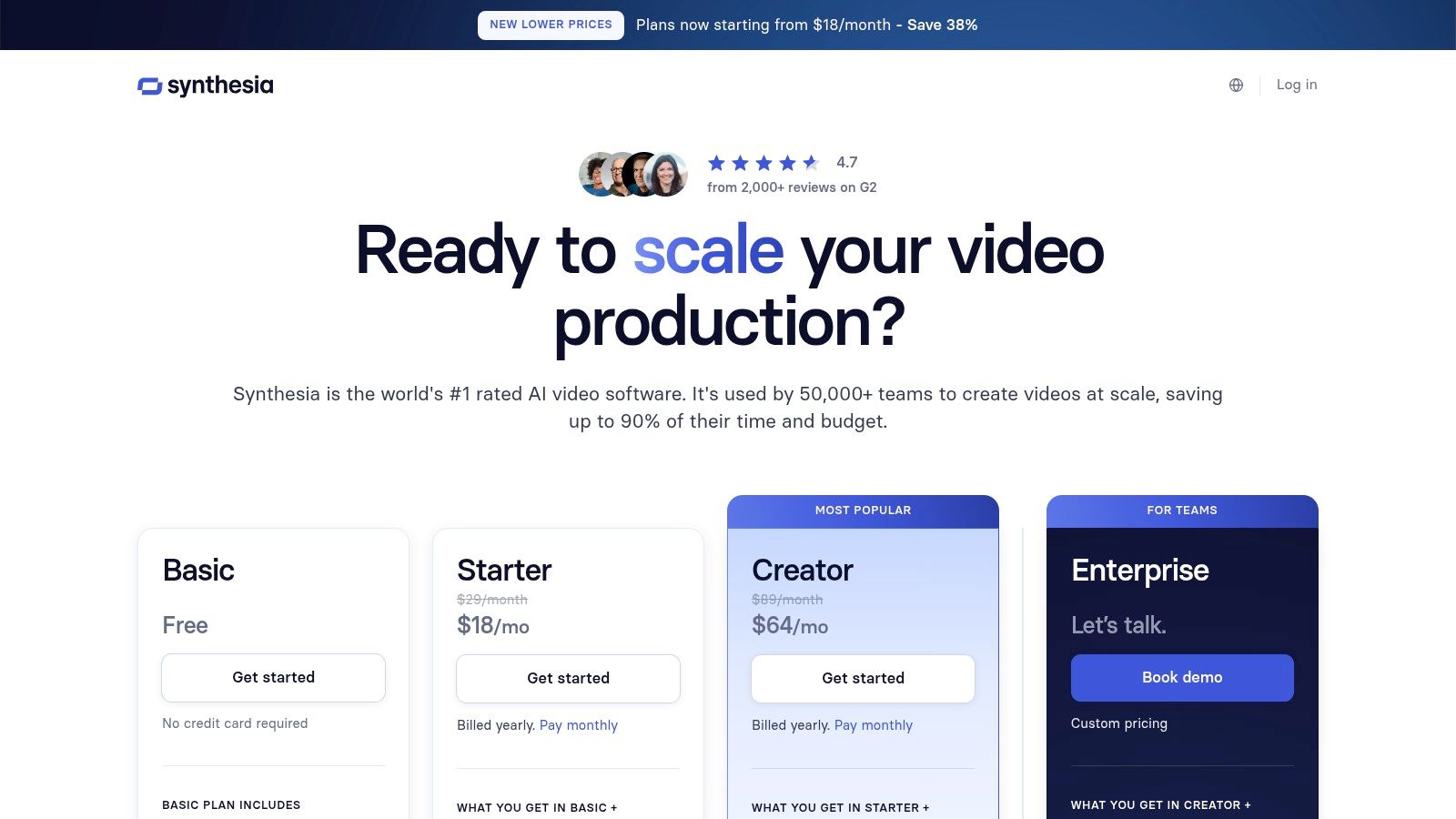
The platform is built for business use, offering brand controls, robust localization features with AI dubbing, and enterprise-level support for scalable video workflows. Its template-driven interface is straightforward, allowing users to quickly combine avatars, voiceovers, and on-screen elements. While it offers less freeform cinematic control than text-to-video generators, its strength lies in consistent, high-quality presenter-style videos. If you're interested in affiliate opportunities, you can learn more about Synthesia on CreateInfluencers.
Key Features and Pricing
Synthesia’s plans are structured around video duration and feature sets tailored for individual creators or large teams. The Creator plan provides a solid entry point, while the Enterprise plan unlocks advanced customization, security, and collaboration tools.
| Feature | Personal ($22/mo) | Creator ($67/mo) | Enterprise (Custom) |
|---|---|---|---|
| Video Minutes/Year | 120 | 360 | Custom |
| AI Avatars | 90+ | 140+ | 140+ and Custom Avatars |
| Languages | 120+ | 120+ | 130+ |
| Brand Kit | No | Yes | Yes |
- Pros: Mature and reliable tool for business video, excellent for training and marketing, clear credit system for minutes and features.
- Cons: Higher cost for longer video durations, template-based system offers less creative freedom than generative video models.
Website: https://www.synthesia.io/pricing-options?utm_source=openai
6. HeyGen
HeyGen has cemented its place as one of the best AI video creation tools for businesses and creators focused on avatar-led content. Unlike cinematic generators, it excels at producing professional-quality presenter videos for marketing, sales, and training materials. The platform offers a vast library of over 500 stock avatars and supports an impressive 175+ languages, making it a go-to solution for global communication and content localization.
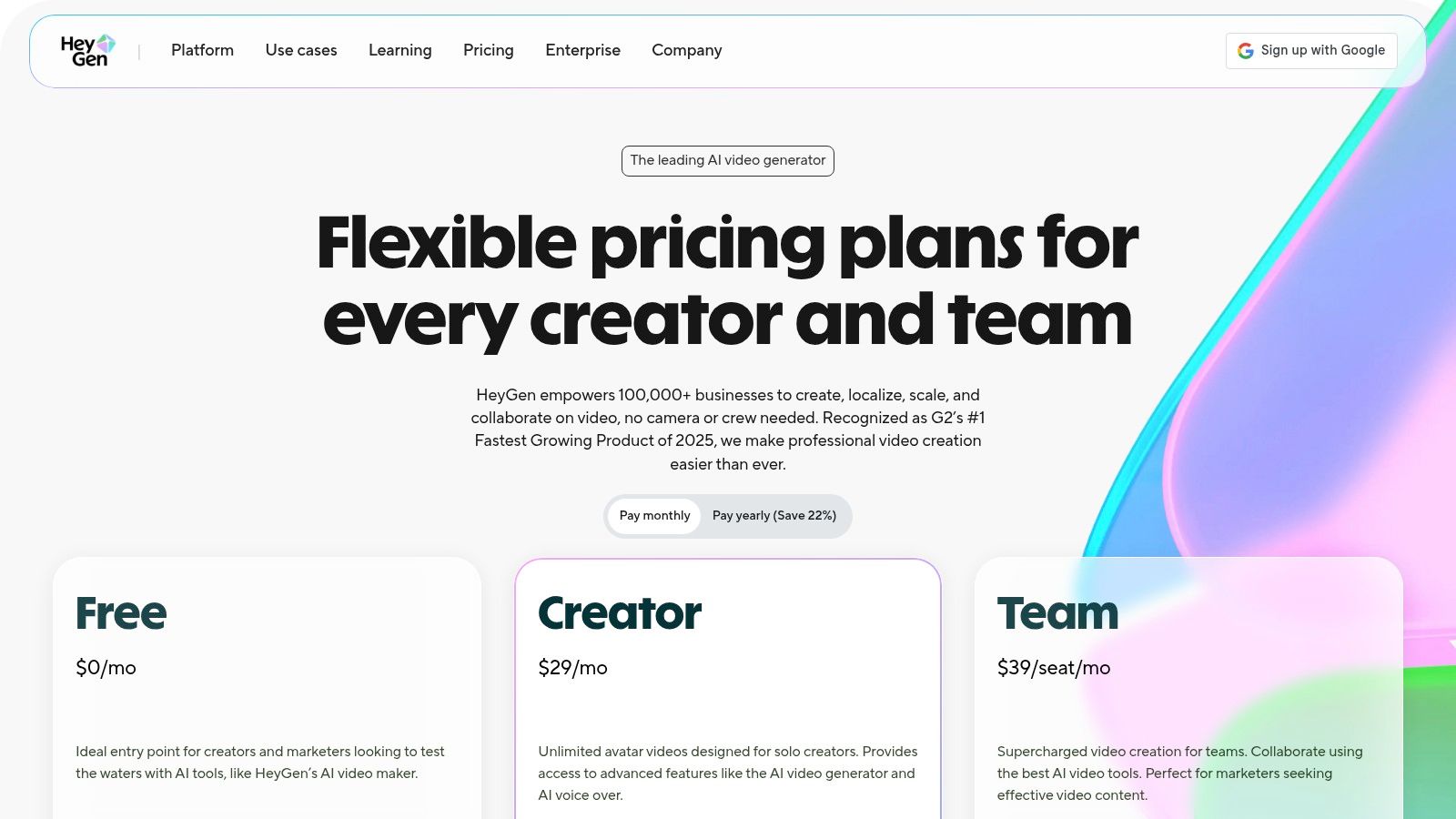
The platform is designed for efficiency, allowing users to quickly convert scripts into polished videos without needing cameras or actors. Its powerful voice cloning and translation features enable teams to create consistent, branded messaging across different regions. While it's not a text-to-video engine for creating dynamic scenes, it is an unparalleled tool for generating scalable, avatar-based video presentations.
Key Features and Pricing
HeyGen's pricing is structured to support everyone from individual creators to large enterprises, including API access for developers. The free plan is excellent for testing, while paid tiers add crucial business features like watermark removal, faster processing, and brand kit integration.
| Feature | Creator ($24/mo) | Team ($120/mo) | Enterprise (Custom) |
|---|---|---|---|
| Monthly Credits | 180 Credits (15 Mins) | 360 Credits (30 Mins) | Custom |
| Max Video Duration | 5 Mins | 20 Mins | Custom |
| Watermark Removal | Yes | Yes | Yes |
| Brand Kit | 1 Brand Kit | 3 Brand Kits | Custom |
- Pros: Extensive library of high-quality stock avatars, powerful language translation and voice cloning, API options for integration.
- Cons: Presenter-centric output, not a cinematic video generator; advanced features may require add-ons or higher-tier plans.
Website: https://www.heygen.com/pricing/?utm_source=openai
7. Descript
Descript carves out a unique niche among the best AI video creation tools by treating video editing like a word document. It’s an AI-assisted editor where you can generate, edit, dub, and regenerate video content primarily through a script-like interface. This approach makes it exceptionally well-suited for creators focused on podcasts, educational content, and talking-head videos, offering powerful AI features like audio cleanup, automatic clip creation, and multi-language localization.
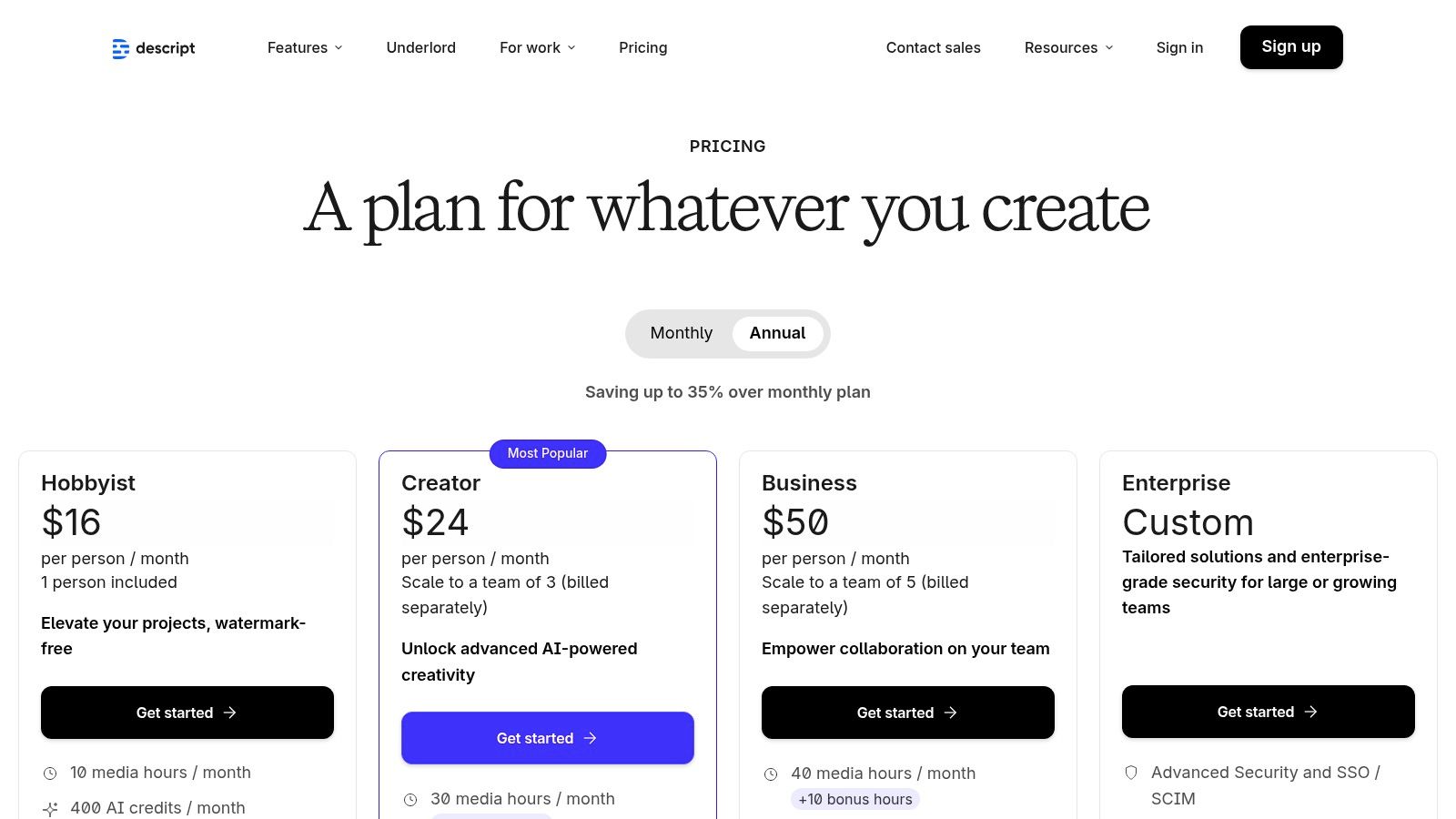
The platform’s strength lies in its intuitive, text-based workflow, which dramatically lowers the learning curve for non-editors. Its AI-powered features, such as Studio Sound for professional audio quality, Eye Contact to correct your gaze, and filler word removal, streamline the post-production process significantly. The new usage model combines media minutes with AI credits, providing a clear way to track consumption of its more intensive features.
Key Features and Pricing
Descript offers a flexible pricing structure that caters to individuals and teams, with a free plan for basic needs and paid tiers for more advanced functionality. The Pro plan is a strong value proposition, providing ample transcription hours and access to the full suite of AI tools.
| Feature | Creator ($12/mo) | Pro ($24/mo) | Business ($48/mo) |
|---|---|---|---|
| Transcription | 10 hours/mo | 30 hours/mo | Custom |
| Watermark Removal | Yes | Yes | Yes |
| Studio Sound | Yes | Yes | Yes |
| AI Features | Filler Word Removal, Eye Contact, AI Green Screen | All Creator features + Regenerate, AI Dubbing | All Pro features + SSO, Onboarding |
- Pros: All-in-one editing with an incredibly smooth learning curve, powerful AI audio/video enhancement tools, flexible plans for individuals and teams.
- Cons: Heavy use of AI features like dubbing can consume credits quickly on lower tiers, legacy plan migrations can be confusing for older accounts.
Website: https://www.descript.com/es/pricing?utm_source=openai
8. Kapwing
Kapwing positions itself as one of the best AI video creation tools for creators who need an all-in-one, browser-based studio. It combines AI video generation, including text-to-video and image-to-video, with a comprehensive editor, making it ideal for end-to-end project creation. The platform is built for collaboration, allowing teams to work seamlessly without installing any software.
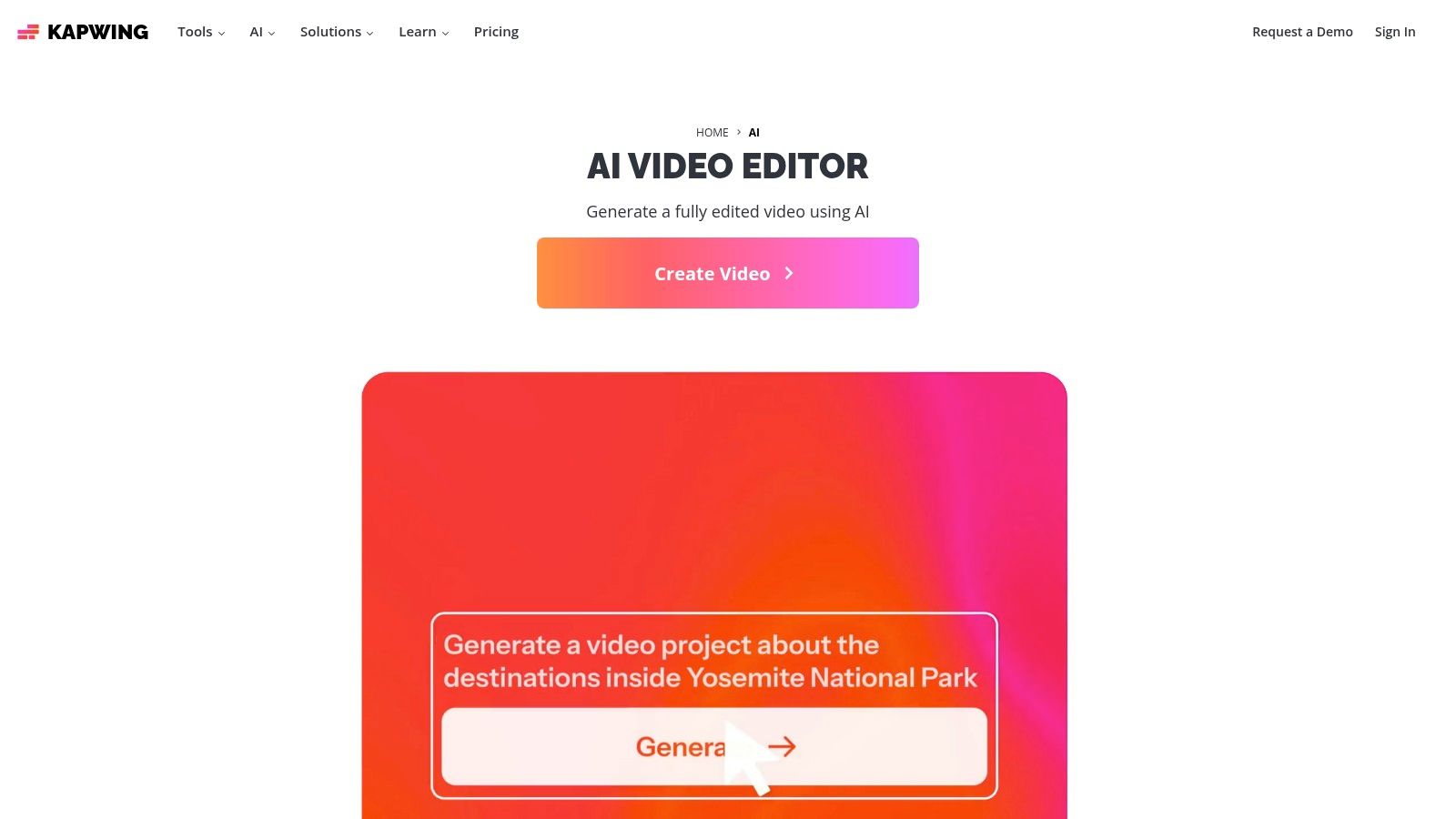
The workflow is designed for efficiency, with features like its AI assistant (Kai) that can auto-build projects with B-roll, voiceovers, and subtitles. Its Repurpose Studio is particularly useful for social media managers, quickly adapting content for different platforms. While its AI tools operate on a credit system, the integrated suite of features like clean audio and auto-subtitling streamlines the entire post-production process, making it a powerful choice for both individuals and small teams.
Key Features and Pricing
Kapwing’s pricing structure provides a strong free entry point and affordable paid plans that unlock higher quality exports and advanced features. The Pro plan is well-suited for individual creators, while the Business plan adds essential collaboration and brand management tools.
| Feature | Free ($0/mo) | Pro ($16/mo) | Business ($50/mo) |
|---|---|---|---|
| AI Credits/Month | 50 | 300 | 1000 |
| Export Quality | 720p with Watermark | 4K without Watermark | 4K without Watermark |
| Auto-Subtitling | 10 mins/month | 300 mins/month | 1800 mins/month |
| Brand Kit | No | Yes | Yes |
- Pros: Easy web editor workflow with strong collaboration, a useful free starting tier, and competitive Pro pricing.
- Cons: Free exports are watermarked and limited in length/quality; some AI features consume credits quickly for heavy users.
Website: https://www.kapwing.com/ai?utm_source=openai
9. Canva
Canva's Magic Studio has firmly integrated AI video generation into its user-friendly design ecosystem, making it one of the best AI video creation tools for marketers and social media managers. It excels at turning simple text prompts into short, shareable clips, complete with AI-generated audio. The tool is seamlessly blended into Canva’s vast library of templates, stock media, and brand kit features, allowing for rapid creation of polished, on-brand video assets for presentations or social media posts.
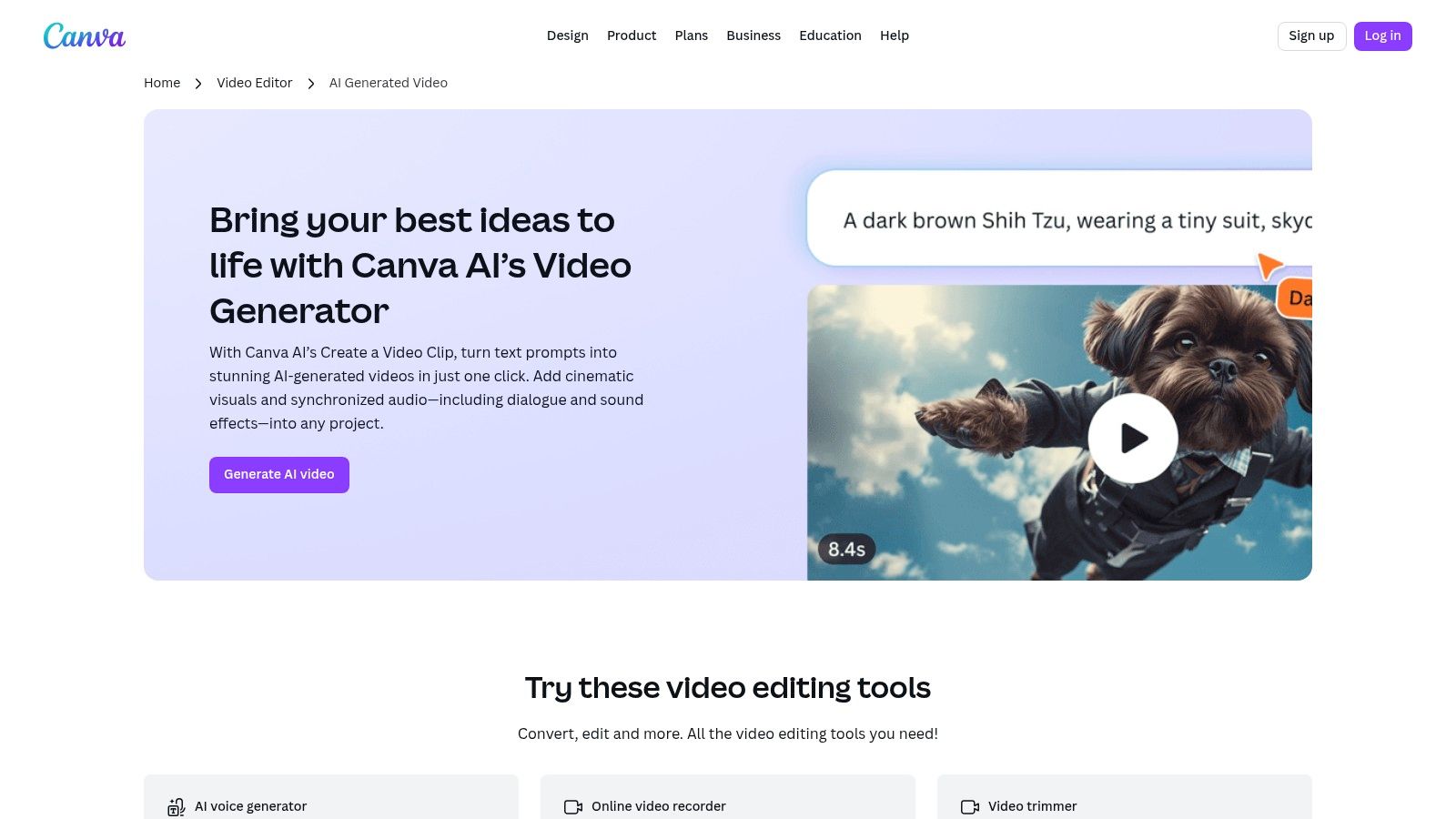
This platform is not designed for complex cinematic productions but is purpose-built for speed and ease of use. If your team is already invested in the Canva ecosystem for creating other marketing materials, using its AI video generator is a natural and efficient extension. It streamlines the workflow by keeping all design and video elements within a single, intuitive interface, perfect for quick content iteration.
Key Features and Pricing
Canva's pricing model integrates AI video generation credits into its existing subscription plans. This makes it accessible for existing users, though it's important to monitor credit usage. The plans scale for individuals, small teams, and large enterprises.
| Feature | Canva Pro ($14.99/mo) | Canva for Teams ($29.99/mo per person) |
|---|---|---|
| Magic Studio Video Credits | 50 per month | 100 per month |
| Brand Kits | 100 | 300+ |
| Template Library | Premium access | Premium access |
| D-ID Talking Head App | 15 credits | 30 credits |
- Pros: Extremely easy for non-designers, rapid creation with templates and brand kits, great for teams already using Canva.
- Cons: Generated clips have short durations, limited advanced cinematic controls, credit caps can be confusing.
Website: https://www.canva.com/features/ai-video-generator/?utm_source=openai
10. Adobe Premiere Pro + Creative Cloud Pro (with Firefly credits)
Adobe Premiere Pro solidifies its place among the best AI video creation tools by integrating generative AI features directly into an industry-standard editing suite. This approach is ideal for creators who need professional-grade control for hybrid AI and manual workflows, rather than a fully generative platform. With Adobe Firefly, features like Generative Extend allow users to seamlessly lengthen clips, while text-based editing automates rough cuts, making the post-production process significantly faster.
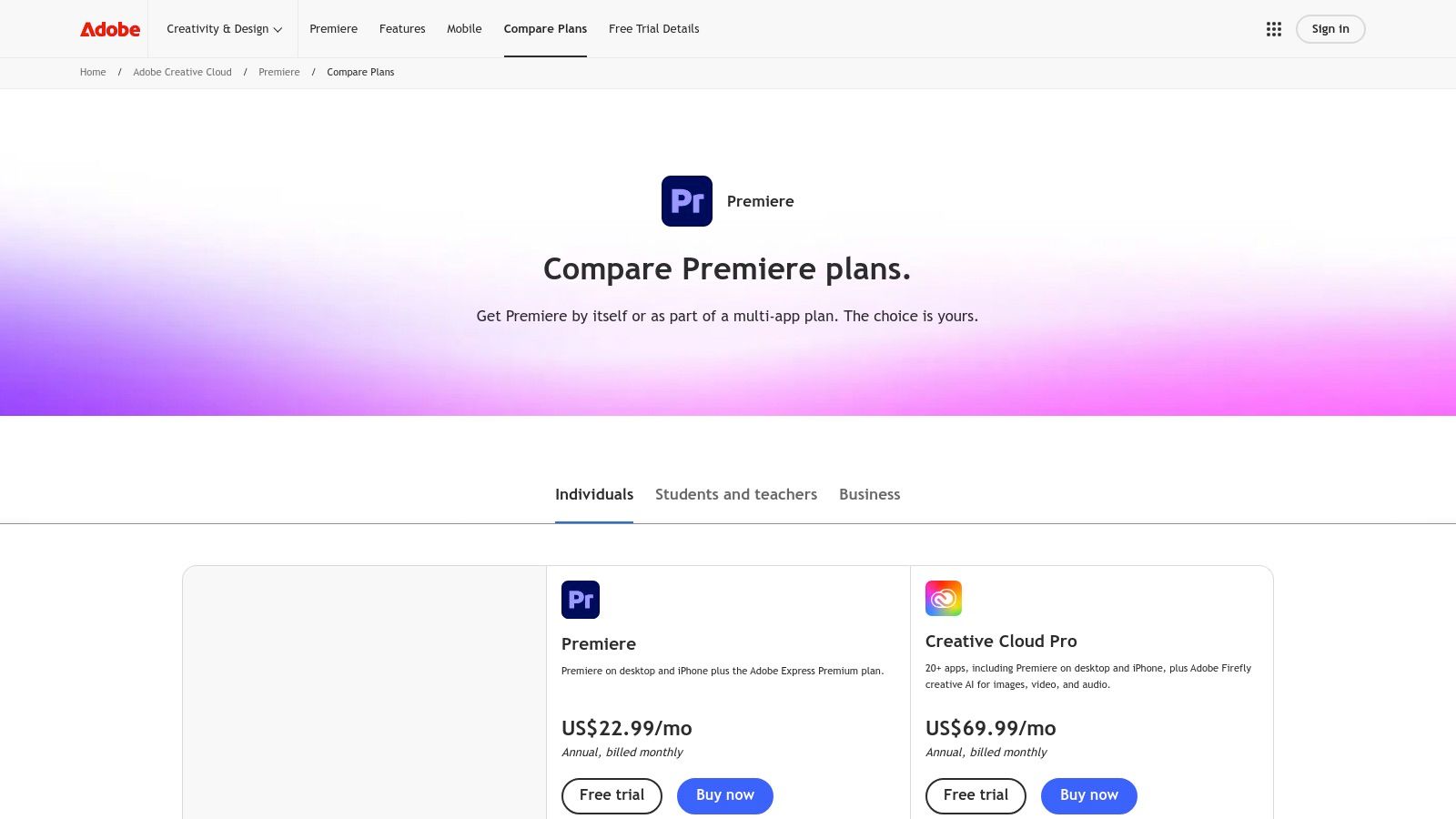
This setup is perfect for professionals who already rely on the Adobe ecosystem. The Creative Cloud Pro plan, in particular, bundles Premiere Pro with over 20 other apps like After Effects and Photoshop, all sharing a generous pool of generative credits. While the subscription cost is higher than many standalone AI tools, the value comes from its deep feature set and reliable performance. For a deeper dive into professional editing workflows, explore our guides at CreateInfluencers; you can learn more about our Adobe guides on CreateInfluencers.
Key Features and Pricing
Adobe’s plans are structured around individual app subscriptions or the all-inclusive Creative Cloud. The pricing reflects its status as a professional tool, with generative credits varying significantly between plans.
| Feature | Premiere Pro ($22.99/mo) | Creative Cloud All Apps ($59.99/mo) |
|---|---|---|
| Generative Credits | 100/mo | 1,000/mo |
| Core Apps | Premiere Pro | 20+ apps including Premiere, Photoshop, After Effects |
| Cloud Storage | 100 GB | 100 GB |
| Frame.io Integration | Yes | Yes |
- Pros: Industry-leading editing features, deep integration with the Adobe ecosystem, reliable performance and support.
- Cons: Higher subscription cost, generative features are still evolving and less extensive than dedicated AI platforms.
Website: https://www.adobe.com/products/premiere/plans.html?utm_source=openai
11. Wondershare Filmora
Wondershare Filmora bridges the gap between traditional video editing and modern AI capabilities, making it one of the best AI video creation tools for creators who want an all-in-one software solution. It integrates powerful AI features directly into a user-friendly editing interface, targeting YouTubers and social media creators who need approachable tools without the steep learning curve of professional suites. Features like AI Image-to-Video and Script-to-Video streamline the content creation process significantly.
Filmora is particularly effective for creators who already have a workflow centered around a desktop editor but want to incorporate AI assistance. Its combination of a vast stock asset library, intuitive timeline, and on-demand AI tools provides a complete package. The AI credit packs offer a flexible way to manage costs for more intensive generative tasks, ensuring users only pay for what they need beyond the standard features.
Key Features and Pricing
Filmora’s pricing is structured around subscription plans, with optional AI credit packs for heavy users. The annual plan often provides the best value, bundling the editor, effects, and a starter set of credits.
| Feature | Cross-Platform Plan ($49.99/yr) | AI Credit Pack ($9.99/mo) |
|---|---|---|
| Included AI Tools | 20+ features like AI Copilot Editing | N/A |
| Stock Media | Extensive library included | N/A |
| Export Quality | Up to 4K | N/A |
| AI Credits | Varies by plan, can be topped up | Adds 1000 credits/month |
- Pros: Very approachable UI and excellent value, especially in annual bundles; flexible AI credit add-ons are relatively inexpensive.
- Cons: Advanced AI features consume extra credits; generative video quality is less cinematic than specialized engines like Runway or Luma.
Website: https://filmora.wondershare.com/sales-promotion.html?utm_source=openai
12. G2
While not a creation tool itself, G2 is an essential resource for researching the best AI video creation tools on the market. It serves as a comprehensive software marketplace, aggregating verified user reviews, detailed product profiles, and side-by-side comparisons. This allows creators to validate marketing claims and understand how different platforms perform in real-world scenarios before committing to a subscription.
G2’s platform is invaluable for shortlisting vendors based on user satisfaction, feature sets, and company size. Its regularly updated "G2 Grid" reports visually map out market leaders, high performers, and contenders, offering a quick yet powerful overview of the landscape. For creators, this means less time spent on trial and error and more time making an informed decision backed by community feedback.
Key Features and Pricing
G2's value lies in its data aggregation and filtering capabilities. It is a free resource for buyers, with vendors paying for enhanced profile features. You can filter reviews by industry or company size to find feedback from users with similar needs to your own. The platform’s comparison feature lets you evaluate up to four tools simultaneously on criteria like ease of use, quality of support, and specific features.
| Feature | G2 (Free for Buyers) | Direct Vendor Research |
|---|---|---|
| User Reviews | Verified and filterable | Often curated testimonials |
| Side-by-Side Comparison | Yes, standardized criteria | Manual, requires multiple tabs |
| Market Positioning | G2 Grid reports for leaders | Based on marketing materials |
| Pricing Info | Often available, may be outdated | Always current on vendor site |
- Pros: Aggregates recent user sentiment to validate vendor claims, broad coverage across enterprise and SMB AI video tools, free to use for research.
- Cons: Exact prices and feature details can lag vendor sites; always confirm directly with the vendor, rankings reflect G2’s methodology and are not a substitute for hands-on trials.
Website: https://www-k8s.g2.com/categories/ai-video-generators?utm_source=openai
Top 12 AI Video Tools: Features & Pricing
| Product | Core features | Quality (★) | Value & Pricing (💰) | Target Audience (👥) | Unique Selling Points (✨) |
|---|---|---|---|---|---|
| CreateInfluencers 🏆 | Selfie→avatar, one‑click chars, photo/video gen, face/body swap, HyperReal upscaling | ★★★★☆ Realistic, studio outputs | 💰 Credit tiers — Basic $47/250, Pro $79/700, Enterprise $149/2000 | 👥 Social creators, marketers, adult producers, agencies | ✨ Themed photo packs, voice‑driven real‑time synth, adult‑friendly workflows |
| Runway | Text/image→video models + built‑in editor, upscaling | ★★★★☆ Fast ideation, model variety | 💰 Credit‑based; paid tiers remove watermarks & add priority | 👥 Creators, small teams, editors | ✨ Gen‑4.5/Gen‑4 models, integrated production editor |
| Luma AI (Dream Machine + Ray3) | Text→video, Ray3 Modify/Extend/Reframe, 4K/HDR outputs | ★★★★☆ Strong motion realism | 💰 Credits per model; free non‑commercial/watermarked tier | 👥 Filmmakers, VFX artists, pro creators | ✨ Modify mode preserves performances; high‑res HDR output |
| Pika | Fast short‑form text/image→video, API, creative effects | ★★★☆☆ Quick social clips | 💰 Affordable entry; per‑second API credits | 👥 Social creators, developers, trend content makers | ✨ Pikaffects/Pikaswaps for rapid, stylized clips |
| Synthesia | AI avatars, dubbing, 80+ languages, brand kits | ★★★★☆ Mature enterprise tool | 💰 Higher cost for long durations; clear credit system | 👥 Businesses (training, marketing, onboarding) | ✨ Large avatar library, multi‑language dubbing, enterprise controls |
| HeyGen | Avatar videos, 175+ languages, voice cloning, API | ★★★★☆ Strong localization & voice tools | 💰 Creator/Team pricing with credit packs | 👥 Marketing & sales teams, developers | ✨ 500–700+ stock avatars, advanced voice cloning |
| Descript | Text‑based video/audio editing, Studio Sound, dubbing | ★★★★☆ Editor‑first, easy for non‑editors | 💰 Flexible plans; media minutes + AI credits model | 👥 Podcasters, explainers, small teams | ✨ Script‑style editing, Remove Filler Words, Eye Contact |
| Kapwing | Browser studio + AI video gen, collaboration, auto‑build | ★★★☆☆ Web‑based, collaborative | 💰 Free tier (watermarked); Pro for 4K & team features | 👥 Small teams, social creators | ✨ Project auto‑build, Repurpose Studio for social clips |
| Canva (Magic Studio) | Short text→video (~8s), templates, brand kits | ★★★☆☆ Extremely easy for non‑designers | 💰 Included in Pro/Teams; clip caps apply | 👥 Non‑designers, marketing teams | ✨ Integrated templates + brand kit, instant social assets |
| Adobe Premiere Pro + Creative Cloud Pro | Pro editor + Firefly generative credits, Frame.io integration | ★★★★★ Industry standard for finishing | 💰 Higher subscription; CC Pro bundles large gen credits | 👥 Professionals, studios, agencies | ✨ Deep pro tools + Adobe ecosystem, large generative credit pools |
| Wondershare Filmora | Consumer editor with AI tools, stock assets, 4K export | ★★★☆☆ Approachable UI for beginners | 💰 Affordable annual bundles; optional AI credit packs | 👥 YouTube/social creators, beginners | ✨ Idea‑to‑Video, Script‑to‑Video, Filmstock assets |
| G2 | Verified user reviews, ranked grids, comparison filters | ★★★★☆ Reliable crowd‑sourced sentiment | 💰 Free to use; pricing snippets & vendor links | 👥 Buyers, procurement, decision‑makers | ✨ Verified reviews, leader/high performer badges |
Choosing Your Creative Co-Pilot: Which AI Video Tool Is Right for You?
The landscape of AI-powered video creation is evolving at a breathtaking pace, transforming what was once a complex, time-consuming process into an accessible and dynamic creative endeavor. We've navigated a broad spectrum of the best AI video creation tools available today, from the cinematic storytelling prowess of Runway and Luma AI’s Dream Machine to the all-in-one editing convenience of Descript and Kapwing. Each platform offers a unique set of capabilities tailored to different creators, workflows, and end goals.
The sheer variety can feel overwhelming, but this diversity is your greatest asset. It means there is a perfect solution waiting to match your specific needs, whether you're a seasoned filmmaker or an aspiring influencer just starting out. The key is to move beyond the hype and honestly assess your own creative and strategic objectives.
Making the Right Choice: A Needs-Based Approach
To find your ideal tool, you must first define your primary use case. Your choice will be fundamentally different if you're producing corporate training videos versus creating viral social media clips or building an entire AI-driven influencer persona.
Let's break down the decision-making process based on common creator goals:
For the Professional Editor & Creative Agency: If you're already embedded in a professional ecosystem, tools like Adobe Premiere Pro with its integrated Firefly AI offer a seamless way to enhance existing workflows. You can leverage generative fill, text-based editing, and AI-powered color correction without leaving a familiar, powerful environment. This is about augmentation, not replacement.
For Corporate & Marketing Communications: When consistency, polish, and scalability are paramount, platforms like Synthesia and HeyGen are the clear leaders. Their high-quality digital avatars and straightforward script-to-video process make them invaluable for creating professional training materials, marketing explainers, and internal communications without the overhead of live-action shoots.
For the Social Media Content Creator & Marketer: Speed and versatility are your biggest allies. Tools like Kapwing and Canva provide a fantastic blend of AI-driven features like automatic subtitling and background removal with user-friendly templates. They empower you to quickly produce engaging, on-trend content for platforms like TikTok, Instagram Reels, and YouTube Shorts.
For the AI Influencer & Adult Content Creator: This niche requires a highly specialized, end-to-end solution. Your focus isn't just on creating a single video, but on building and monetizing a consistent digital identity. This is where CreateInfluencers carves out its unique space. Its ability to generate a cohesive AI character from your own selfies, perform face and body swaps, and produce themed photo and video packs provides a comprehensive toolkit for crafting and managing a virtual persona from scratch, making it a standout choice for creators on platforms like OnlyFans and Fanvue.
Final Considerations Before You Commit
Before you invest your time and money, remember to test-drive these platforms. Almost every tool on this list offers a free trial or a freemium tier. Use these opportunities to experiment with the interface, test the output quality, and see how the workflow feels in practice. Pay close attention to factors like rendering speeds, credit usage systems, and the level of creative control you retain.
The journey into AI video creation is one of continuous learning and adaptation. As these technologies mature, their capabilities will only expand. For those looking for a comprehensive overview and comparison to keep up with the latest advancements, you can explore the 12 best AI tools for video editing in 2025.
Ultimately, the best AI video creation tool is the one that removes friction and amplifies your vision. It should feel less like a complex piece of software and more like a dedicated creative partner, helping you bring your ideas to life faster and more vividly than ever before. Embrace the experimentation, find the co-pilot that fits your style, and start creating the future of video content today.
Ready to build a unique digital identity and monetize your AI-driven content? CreateInfluencers offers a specialized, all-in-one platform to generate your own AI model, create stunning visuals, and manage your virtual persona from start to finish. Stop just editing videos and start building an empire by visiting CreateInfluencers to begin your journey.