How to Create a Talking Avatar in Minutes
Learn how to create a talking avatar that captivates your audience. This guide provides actionable steps for designing, voicing, and animating your AI avatar.
If you've ever wanted to create a video of a person speaking without dealing with cameras, lighting, or complex animation software, a talking avatar is your solution. These AI-powered tools turn text or audio files into a video of a digital person, making video production faster and more scalable than ever.
Why Talking Avatars Are a Game Changer for Content
Have you ever wondered how some creators churn out high-quality video content so consistently? The secret is often a talking avatar. These digital personalities are becoming indispensable for marketers, educators, and brands for a few really good reasons.
They give a personal, human touch to digital content without the logistical nightmare of a traditional video shoot. Forget about setting up cameras, testing microphones, or endless reshoots. Modern AI allows anyone to generate a lifelike avatar, turning what used to be a complicated animation job into a simple, creative process. This is particularly relevant now, with the growing importance of understanding UGC and its effect on audience engagement.
The financial outlook for this tech is absolutely massive. The global AI avatar market is expected to jump from USD 0.80 billion in 2025 to an estimated USD 5.93 billion by 2032. That's a compound annual growth rate of 33.1%, driven by the demand for personalized experiences across just about every industry. For a deeper dive into these numbers, check out the exclusive report by MarketsandMarkets.
To help you see the practical value, here's a quick breakdown of why talking avatars are so effective.
Key Benefits of Using a Talking Avatar
| Benefit | Description | Best Use Case |
|---|---|---|
| Cost-Effectiveness | Eliminates the need for actors, camera crews, and studio rentals, dramatically reducing production costs. | Startups and small businesses creating marketing videos on a tight budget. |
| Scalability | Produce large volumes of video content in multiple languages without scheduling new shoots. | Global companies localizing training materials or ad campaigns for different regions. |
| Consistency | Your brand's message is delivered by the same "person" every time, building brand recognition and trust. | Creating a consistent series of educational tutorials or corporate announcements. |
| Flexibility | Easily update scripts and regenerate videos without a full reshoot, perfect for rapidly changing information. | News updates, promotional offers, or FAQ videos that require frequent edits. |
Ultimately, these benefits mean you can spend less time on the technical side of video production and more time perfecting your message.
With platforms like https://createinfluencers.com/, creating your own digital persona is incredibly straightforward, letting you focus entirely on your content and strategy.
Choosing and Designing Your Digital Persona
Alright, this is where the fun begins. It's time to actually build your digital stand-in. The first fork in the road is deciding whether to go with a pre-designed model or to create a custom avatar from a photograph. Honestly, there's no wrong answer here—it just depends on what you're trying to achieve.
Opting for a pre-designed avatar from a platform like CreateInfluencers is the fast track. You get instant access to a whole library of professional-looking models. Just pick one that fits your brand's vibe, and you're good to go. This is a great move if you need to churn out content quickly or if you want a polished, universally appealing look without being tied to a specific person's likeness.
From Photo to Persona
On the other hand, turning your own photo into an avatar can be a game-changer for building a personal brand. It creates a much more direct and personal connection with your audience because they're seeing a digital version of you. I’ve seen this work incredibly well for coaches, entrepreneurs, and experts who are the face of their business. It lets them scale their video content without having to be on camera for every single take.
No matter which path you take, the process generally follows the same core stages: setting up the avatar, tweaking its look and feel, and thinking ahead about how people will interact with it.
This whole journey, from initial creation to final audience engagement, is a continuous loop.
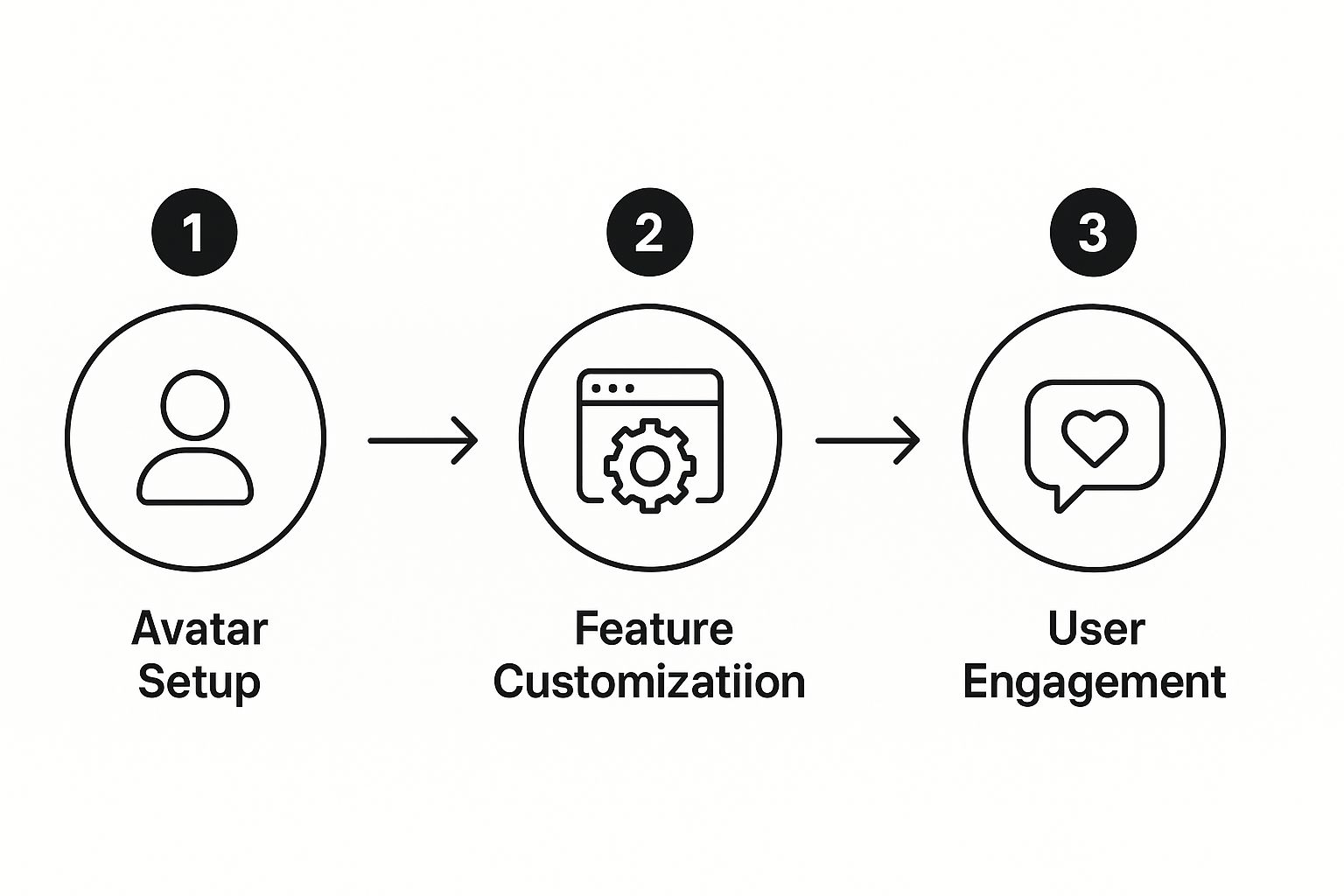
What this shows is that creating an avatar isn't just a "set it and forget it" task. The design choices you make upfront directly influence how your audience will ultimately connect with your videos.
Key Takeaway: The choice between a pre-made model and a custom photo-based avatar really sets the tone. A stock avatar is all about efficiency, while a personal one is about building a stronger, more authentic bond with your viewers.
Ultimately, your goal is to land on a style that feels true to your brand's personality. A corporate training series probably needs a more polished, professional avatar. But if you're making casual videos for TikTok? A relaxed, approachable persona will likely perform much better. Always keep your target audience in mind and think about the first impression you want to make.
Bringing Your Avatar to Life with a Unique Voice
A silent avatar is really just a digital portrait. The voice is what gives it personality, turning a static image into a digital person your audience can actually connect with. This is where the magic really happens when you create a talking avatar.
The most straightforward way to get started is with text-to-speech (TTS). You just type or paste in your script, and the AI handles the rest, generating the audio in seconds. This is a massive time-saver for anyone creating content at scale—think turning blog posts into quick video summaries or churning out daily social media updates. With a tool like CreateInfluencers, you can cycle through tons of different voices, accents, and languages to find the perfect one for your brand.
For instance, a German tech company could whip up tutorials with a native German-speaking avatar to connect with their local market. Or, a travel vlogger could switch between different accents to bring stories from around the world to life. It's all about matching the voice to your message and your audience.
Making the Voice Your Own
Text-to-speech is flexible, but for true authenticity, voice cloning is the way to go. This feature is a game-changer. You upload a short audio sample of your own voice, and the AI learns to replicate it for any script you feed it. The result? A talking avatar that sounds exactly like you.
This is incredibly powerful for personal brands, coaches, or company founders where your actual voice is a key part of your identity. You can generate unlimited content in your own voice without having to step in front of a microphone every single time.
My Advice: When you record your voice sample for cloning, find a quiet space and use a decent microphone. A clean, crisp recording without any background hum or echo will give you a far more realistic and accurate AI voice.
Writing a Script That Sounds Human
The tech can only do so much. A clunky, robotic script will sound robotic, no matter how good the AI voice is. The final piece of the puzzle is writing for the ear, not the eye.
To get that natural, conversational feel, keep these tips in mind:
- Write like you talk. Use contractions ("you're," "it's," "don't") and keep sentences from getting too long and complicated. A great trick is to read your script out loud—you'll immediately catch any awkward phrasing.
- Embrace the pause. Punctuation is your friend. Use commas, periods, and even ellipses (...) to build in natural breaks and give your avatar's delivery a more human rhythm.
- Mix it up. Keep your audience engaged by varying your sentence structure. Alternate between short, punchy statements and longer, more descriptive sentences.
When you pair powerful voice tools with a well-written script, you get an avatar that doesn’t just look the part, but sounds genuinely human. That's how you make a real connection.
Mastering Lifelike Animation and Customization
Alright, your avatar now has a voice. The next step? Turning it from a simple talking head into a believable digital human. This is where the magic really happens—adding the subtle details and polish that make people forget they're even watching an AI. It's all about nailing the non-verbal cues that we humans use to connect.
The first thing to tackle is matching facial expressions to the emotional tone of your script. If your script is about exciting news, your avatar should look the part with a smile and maybe some raised eyebrows. A more serious topic, on the other hand, calls for a more neutral or concerned expression. It's incredible how well modern AI can simulate these complex behaviors, which is a big reason why AI-powered avatar apps are seeing such mass adoption.
Fine-Tuning Your Avatar's Performance
Beyond the face, think about adding gestures to emphasize key points, just like a real person would. A simple head nod can show agreement, and using hand gestures can inject a lot of energy into the delivery. I've found that experimenting with these small additions makes a huge difference in avoiding that static, robotic look.
Next up is the background. Where is your avatar? Placing them in a professional office, a cozy living room, or against a clean, branded backdrop immediately adds context. The setting should always reinforce the message. If you're looking for more ideas on content strategy, check out our other guides on the CreateInfluencers blog.
Here are a few tips I've picked up to make animations feel more genuine:
- Master the Pacing: Don’t let your avatar rush through the script. I always use commas and periods strategically to build in natural pauses that mimic how people actually talk.
- Check the Lip Sync: Always, always preview the final video. You're looking for perfect synchronization between the lip movements and the audio. Even a tiny delay is jarring and can pull your audience right out of the experience.
- Vary the Camera Angle: If your tool allows for it, try cutting between a medium shot and a close-up. It's a simple editing trick that makes any video feel more dynamic and professionally produced.
Pro Tip: When you're creating a talking avatar, think of yourself as a director. Your job is to guide the AI's performance to be as compelling and human-like as possible. The tech gives you the tools, but your creative decisions are what truly bring it to life.
By focusing on these small but critical details—expressions, gestures, pacing, and setting—you can elevate your content from good to great. This kind of attention to detail is what separates a basic AI video from a truly engaging digital influencer that can build a real connection with an audience.
Putting Your New Avatar to Work in Your Content
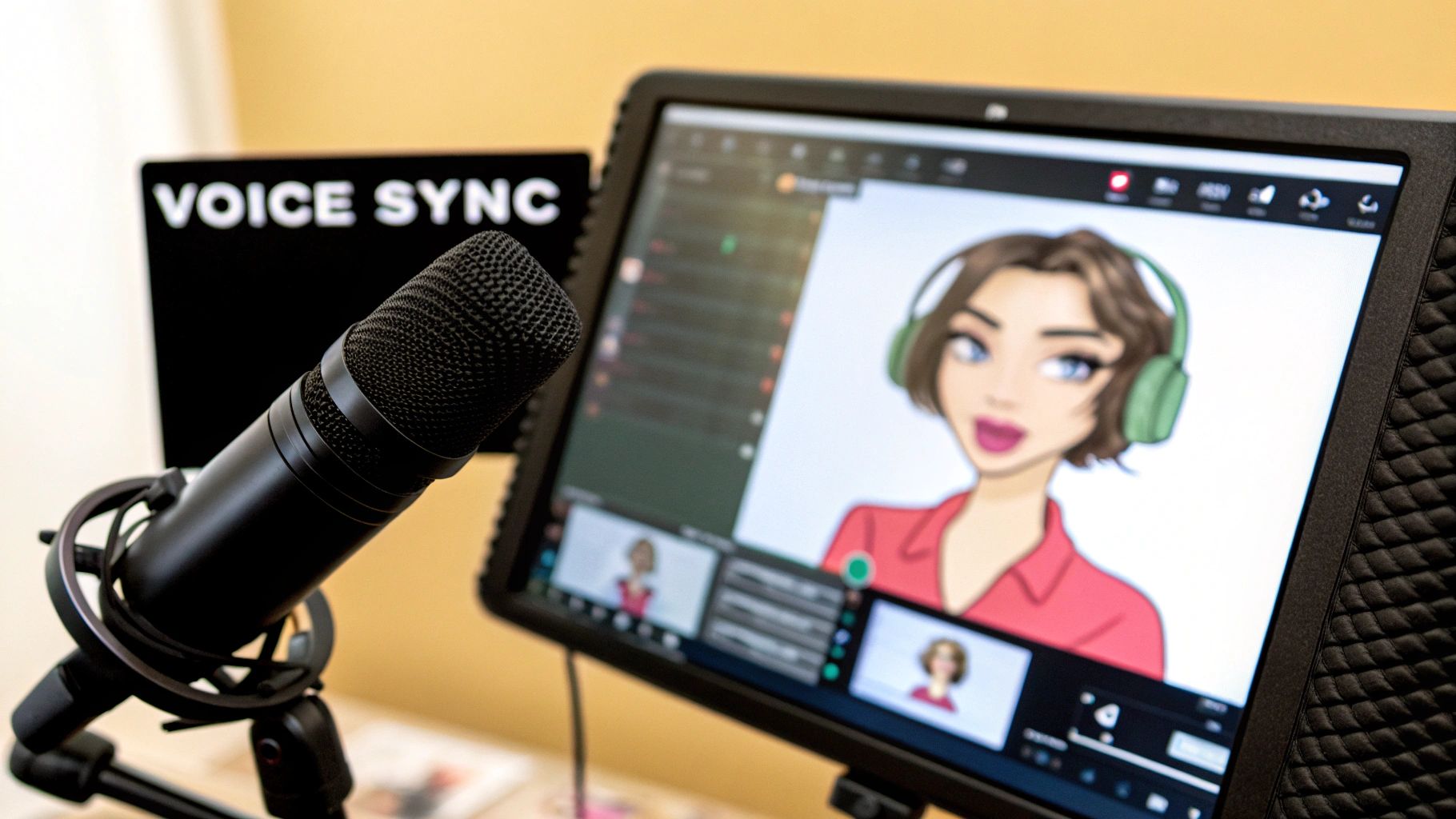
So, you've brought your digital persona to life. The design is perfect, the voice is just right—now what? An amazing avatar is only as good as its reach, so it's time to build a smart plan to get it in front of your audience.
This is about more than just posting a single video and calling it a day. The real goal is to weave your new avatar into the fabric of your brand, making it a consistent and recognizable face across your most important channels. That kind of consistency is what builds familiarity and trust with your audience.
Where Should Your Avatar Live? A Deployment Playbook
Before you start creating content, identify the high-impact spots where a talking avatar can really move the needle. Don't spread yourself too thin by trying to be everywhere at once. Zero in on the platforms where your audience actually hangs out and then make content that feels native to that space.
Here are a few powerful ways I’ve seen this work wonders:
- Your Website's New Greeter: Imagine a visitor landing on your homepage and being greeted by your avatar. A short, engaging welcome video can explain what you do and make an incredible first impression.
- Scroll-Stopping Social Media Ads: Use your avatar to create dynamic video ads for platforms like Instagram or TikTok. The best part? You can A/B test different scripts, voices, and backgrounds without ever needing to book a film crew.
- The Face of Your Online Course: If you create e-learning content, your avatar can be the instructor. This gives your modules a polished, professional, and consistent feel from start to finish.
- The Host of Your YouTube Channel: Give your YouTube series a dedicated host. Your avatar can become a familiar personality that helps you build a loyal community of subscribers.
My Takeaway: The secret weapon here is scalability. Need a weekly update video? Done. Want to create a version of your top-performing ad for a Spanish-speaking audience? Easy. You can produce a ton of high-quality content while your brand image stays perfectly consistent.
The demand for this kind of technology is exploding. The AI avatar market is expected to grow from USD 17.40 billion in 2024 to an incredible USD 208.61 billion by 2032. It's all being driven by the need for more engaging digital experiences.
Once your content is out there, keep a close eye on your analytics. Watch time, click-through rates, and audience comments will tell you exactly what’s working and what isn't. Use that feedback to fine-tune your approach and build an avatar that genuinely connects.
And if you're looking to turn your influence into income, check out the CreateInfluencers affiliate program.
Answering Your Top Questions About Talking Avatars
Diving into the world of talking avatars usually brings up a few key questions. I've heard them all, and getting these sorted out from the start will save you a ton of headaches and help you create videos you're actually proud of.
Let's start with a big one: voice cloning. People often ask about the legal side of things. It’s simple, really. You absolutely must have permission to use the voice you're cloning. Grabbing someone else's voice without their explicit consent is a major no-go, both ethically and legally. Stick to your own voice or get written permission.
Getting the Quality and Tech Right
Another question that comes up constantly is about the final video quality. Will it actually look good?
Yes, it can look incredibly professional. Today's tools can produce high-resolution video, but the secret is in what you give them to work with. If you're creating a custom avatar, the quality of your source photo is everything. Use a sharp, well-lit headshot. A blurry or poorly lit picture will only lead to a muddled, less-defined result.
Finally, people worry about the technical hurdles. Do I need to be a coding wizard or a video editor? The answer is no. Just like modern tools let you build a chatbot without coding, platforms like CreateInfluencers are built for everyone. They feature intuitive interfaces that let you jump right in without any specialized skills.
If you're looking for more tips or a bit of creative inspiration, our blog is packed with useful articles.
Ready to create your own digital spokesperson? Get started for free with CreateInfluencers and see what you can make in just minutes. https://createinfluencers.com