How to Change Facial Expressions on AI Avatars for Stunning Realism
Discover how to change facial expressions on AI avatars. Our guide covers proven prompting, fine-tuning, and advanced techniques for creating lifelike results.

To really nail the art of changing facial expressions in AI-generated images and videos, you have to get comfortable with a blend of creative prompting, fine-tuned controls, and some pretty advanced animation tricks. These tools are your gateway to crafting everything from a faint, knowing smirk to a jaw-on-the-floor look of shock. It's about moving past basic commands to breathe genuine, nuanced life into your digital characters.
Crafting Believable AI Personalities
The magic of creating a compelling AI influencer or avatar truly lies in the ability to change its facial expressions. A flat, emotionless face just doesn't connect. But a character that can show genuine joy, subtle concern, or a spark of curiosity? That’s what makes them feel present and engaging.
This isn’t just about aesthetics; it's about telling a story. Every shift in expression adds another layer to your character’s narrative, making them far more relatable, whether you’re using them for a social media campaign or a personal art project. While the process starts with solid foundational 3D modeling principles to build the character’s structure, it’s the AI tools that let you manipulate that structure with stunning precision.
The Power of Nuanced Expressions
So, why obsess over these tiny details? Because the human brain is hardwired to read faces in a split second. We’re constantly, and often subconsciously, looking for micro-expressions—those tiny, involuntary muscle twitches that reveal true feelings. When an AI avatar can mimic these subtleties, it crosses a crucial line, transforming from a digital puppet into a personality we can actually believe in.
This guide will walk you through the core techniques for achieving that level of realism. We’ll cover:
- Prompt-Based Tweaks: Using descriptive text to set the initial emotional tone.
- Precision Sliders & Controls: Manually adjusting the finest details for the perfect look.
- Dynamic Animation: Bringing expressions to life in video with face swapping and voice-driven animation.
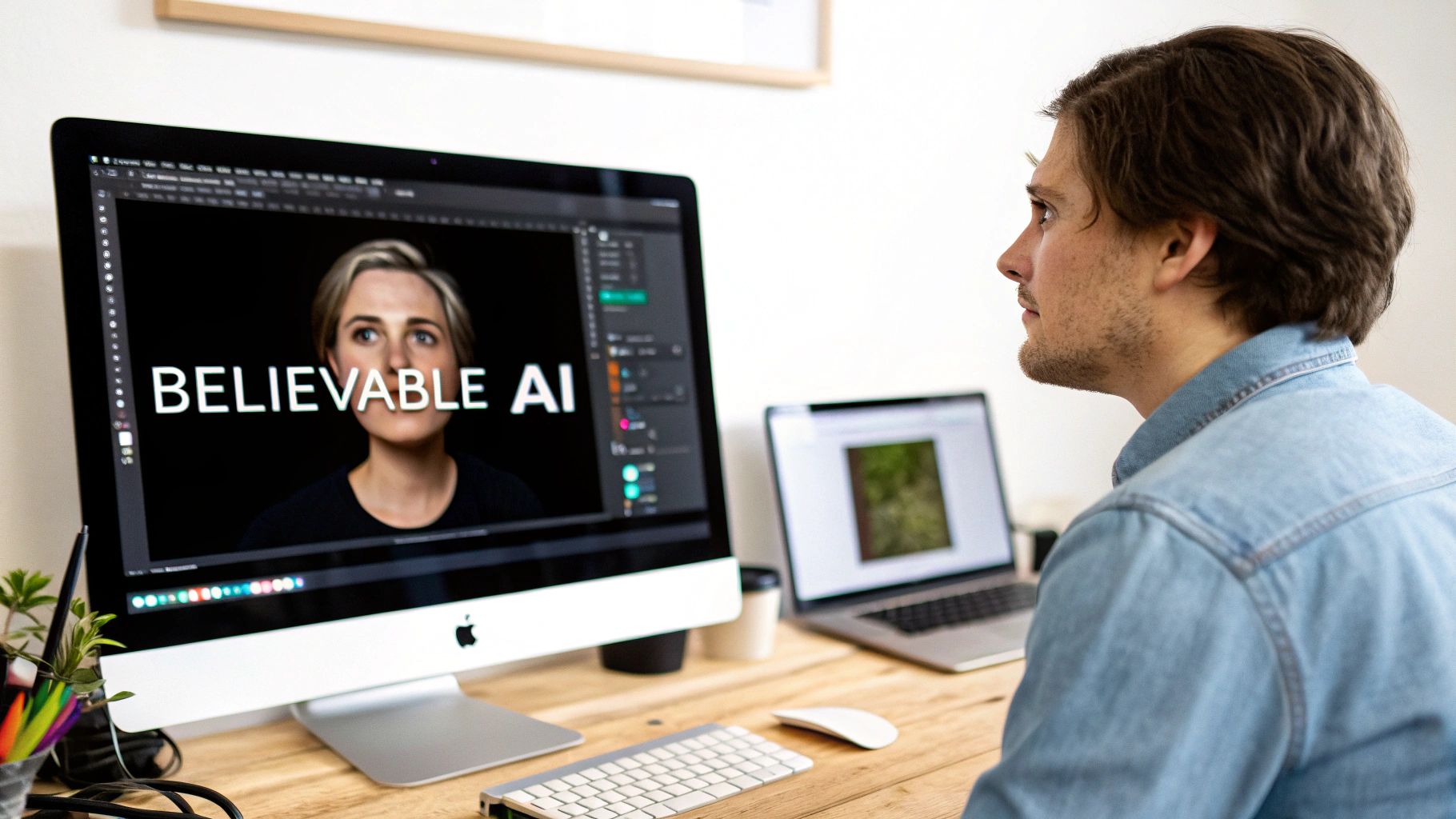
The level of granular control now available is incredible. You can see how modern interfaces let you move beyond generic emotions like "happy" or "sad" to craft a very specific and believable state of mind.
Why Realistic AI Is More Important Than Ever
The tech powering these tools is evolving at a breakneck pace. The facial recognition market alone is projected to hit $8.36 billion in 2026 and is on track to reach a staggering $31.74 billion by 2035. This highlights just how much is being invested in technology that can understand and replicate the human face.
To give you a quick overview, here are the main approaches you'll be using to edit expressions.
Expression Editing Methods at a Glance
| Method | Best For | Control Level |
|---|---|---|
| Text Prompts | Setting the initial mood and broad emotional direction. | Low to Medium |
| Expression Sliders | Fine-tuning specific muscle groups for subtle, precise looks. | High |
| Face Swapping | Transferring a real person's expression onto an AI avatar. | High (but depends on source) |
| Voice-Driven Synthesis | Animating expressions in real-time for video and streams. | Medium (automated) |
Each method has its place, and often, the best results come from combining them.
As these tools get easier to use, the creators who truly master emotional nuance will be the ones who build the most memorable and successful digital identities. It's the difference between an AI that just looks the part and one that genuinely connects with an audience.
Whether you're building a brand from the ground up or just pushing your creative boundaries, learning to manipulate facial expressions is an essential skill. If you're ready to start from scratch, our guide on using an online persona creator is the perfect place to begin.
Guiding AI Emotions with Text Prompts
When you're trying to give your AI avatar some personality, your text prompts are where it all begins. They set the emotional stage. While just typing "smiling" works, it often gives you a pretty generic, lifeless result. The real skill is in how you use language to pull specific, believable emotions out of the AI. This is how you change facial expressions from a basic command into a powerful storytelling tool.
Think about it like you're directing an actor. You'd never just tell them to "be happy." You'd give them a backstory, a motivation, some context. The same idea applies here. Instead of a single, flat word, use descriptive phrases that paint a much richer picture of the emotion you're aiming for.
From Simple Words to Complex Feelings
The first real step toward getting great results is moving past one-word commands. The goal is to mix in adjectives, adverbs, and little bits of context to steer the AI with more nuance. That specificity helps the model understand not just what expression to show, but why.
Let’s look at how you can layer your prompts to get much better, more believable results:
- Your starting point:
smiling - Add an adjective:
a joyful smile - Layer in an adverb for intensity:
smiling brightly - Finally, add some context:
a woman smiling brightly while listening to a funny story
That last prompt gives the AI a ton more to chew on. It's not just a smile anymore; it’s an entire emotional scene, which almost always leads to a more natural and specific expression.
I've found that the best prompts often sound like a line from a short story. They create a scenario the AI can interpret, resulting in expressions that feel real and rooted in a specific moment.
Crafting a Prompt Chain for Iteration
Let’s be real: you’re probably not going to nail the perfect expression on your first try. That’s normal. The trick is to iterate by building on your previous prompts one after another, creating what’s called a prompt chain. This lets you fine-tune an expression step-by-step until it’s exactly what you had in mind.
Imagine you want your AI influencer to have a look of playful surprise.
Prompt Iteration Example
- First Go:
surprised face- What you’ll likely get: A generic, wide-eyed stare. It’s too much.
- Refinement 1 (Soften it up):
a look of mild surprise, slightly raised eyebrows- The result: Better, but it’s still missing some character.
- Refinement 2 (Add personality and context):
a look of playful surprise, a small gasp with a hint of a smirk, reacting to a clever joke- The result: Now we’re talking! This is a complex emotion. The expression tells a story—it’s a mix of amusement and shock.
This back-and-forth process is absolutely crucial for getting high-quality, believable results. If you want to get even better at structuring these commands, our guide on crafting effective AI image prompts is a fantastic resource.
By choosing your words carefully and refining your prompts, you turn a simple text box into a powerful director’s tool. You’re not just telling the AI what to do; you’re teaching it how to feel. That’s the moment a generic avatar starts to feel like a character with a soul.
Getting Granular with Precision Controls
Text prompts get you in the ballpark, but the real artistry happens when you dive into the precision controls. This is where you go from a decent emotional guess to a truly believable, photorealistic expression. These tools, usually sliders, give you direct command over the tiny, individual muscle groups that make up a human face.
Think of it like this: your text prompt is the composer who writes the general emotional score. The sliders? That’s you, the conductor, tweaking the volume and tone of each instrument in the orchestra. You’re no longer just asking for "a smile"—you're meticulously shaping the curve of the lips, the crinkle around the eyes, and how high the cheeks lift.
The Art of the Micro-Adjustment
I've found that realism lives in the micro-expressions—those fleeting, almost invisible muscle twitches that give away real feeling. Take the eyebrows, for example. Their position is a constant tug-of-war between muscles pulling them up and down. A tiny tweak can be the difference between a neutral gaze and a look of deep thought or concern.
Here are a few adjustments I often start with to see a big impact:
- Eyebrow Arch: Nudging the outer edge up just a bit can introduce a hint of curiosity. Pulling them down and in, on the other hand, instantly creates a look of focus or even frustration.
- Lip Corner Curve: This is about more than just a smile or a frown. A tiny upward tick can signal subtle amusement, while a slight downward pull can show a touch of disappointment.
- Eyelid Aperture: The width of the eyes is a huge emotional giveaway. Slightly narrowed lids might suggest skepticism or deep relaxation, whereas wide eyes immediately scream surprise or fear.
Remember, none of these adjustments work in a vacuum. A truly realistic expression is a symphony of movements happening all at once across the face.
The most convincing results come from layering small adjustments. For example, I’ll often pair a faint smile with a slightly furrowed brow to nail that complex "amused but skeptical" look. This kind of layering is what makes a digital character feel compelling, not just like a basic avatar.
Blending Controls for Complex Feelings
To create an expression that feels genuinely human, you have to think about how all these different facial muscles play together. It’s a real balancing act. From my experience, maxing out any single slider is a surefire way to get an unnatural, cartoonish result. The trick is to make small, gradual changes to several sliders at the same time.
If you want to explore more advanced tools for this, take a look at our roundup of the best AI avatar generator tools.
It might sound odd, but having a basic understanding of facial anatomy helps a ton here. A recent report from PhotoAid noted that 176 million Americans are already interacting with facial recognition technology, which has become incredibly good at reading these subtle cues. The tools we're using are built on that same understanding. If you start thinking of each slider as a way to control a specific muscle, your results will start feeling much more authentic and alive.
Bringing Expressions to Life with Dynamic Techniques
While getting the perfect static image is one thing, bringing your AI influencer to life for video on platforms like TikTok or Fanvue is a whole different ballgame. This is where you move beyond still images and into dynamic, moving content.
Techniques like face swapping and voice-driven animation are built for this. They let you change facial expressions in real-time, giving you a level of authenticity that a single picture just can’t touch. Instead of just tweaking a smile with a slider, you're essentially transplanting a real human performance onto your avatar.
Face Swapping for Unmatched Realism
Face swapping is exactly what it sounds like: you take the expression from a real person's face and map it onto your AI character. This is my go-to method for capturing those incredibly subtle emotions that are hard to describe in a text prompt.
Think about it—you can just record yourself making the exact face you want, and all those little micro-expressions around the eyes and mouth get carried over.
To get the best results, here’s the process I follow:
- Pick a Great Source: Find a high-quality, well-lit photo or video clip of a real person. The clearer the original expression, the better the final result will be.
- Match Your Avatar: Choose an AI avatar with a similar head angle and lighting. This is a crucial step to avoid that weird, "pasted on" look.
- Run the Swap: Upload both your source and target images into the CreateInfluencers face swap tool. The AI takes care of mapping the expression onto your avatar's face.
- Polish the Details: You might need to do a little cleanup afterward, adjusting the blend or lighting to make it look completely seamless.
The real magic of face swapping is in capturing genuine emotional depth. A real person's "sarcastic smirk," for example, involves dozens of tiny muscle movements. This technique transfers all that complexity in one go, saving you a ton of time.
This diagram gives a good visual overview of the general workflow, from the initial idea to the final tweaks.
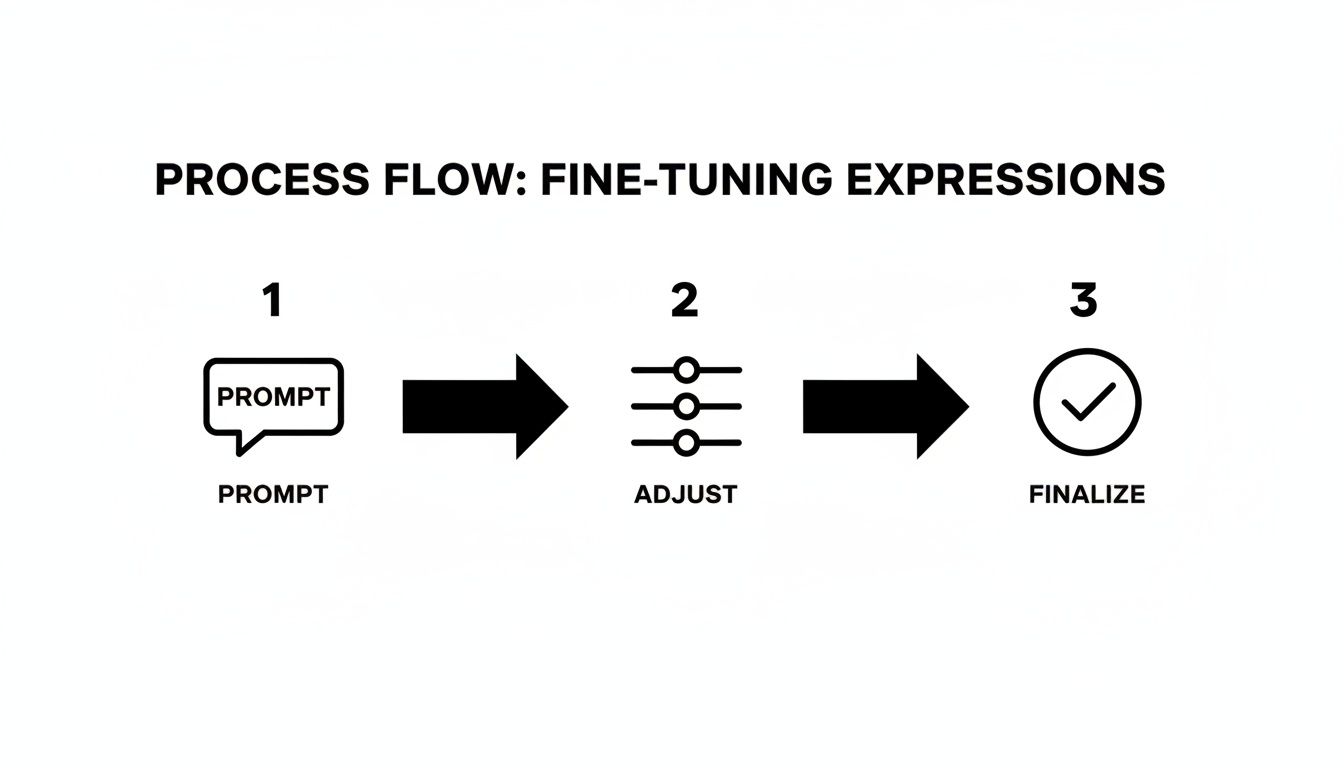
As you can see, even with powerful tools, there's always a final refinement step to really nail the details.
Using Your Voice to Animate Expressions
For video, voice-driven synthesis is incredible. This feature listens to an audio track (like you speaking) and animates your avatar's face to match your tone, inflection, and lip movements in real time.
If you sound excited in the recording, your avatar’s eyebrows will raise. If your tone gets serious, its expression will follow suit. It turns your character into a digital puppet that you control entirely with your voice. It’s perfect for creating quick video shorts, personalized greetings, or even longer explainer videos.
If you’re serious about producing video content without the hassle of manual animation, learning how to create a talking avatar this way is a skill you'll want to master. It automates the most tedious parts of animation, letting you focus on what really matters: your performance.
Adding Realism with Lighting and Detail
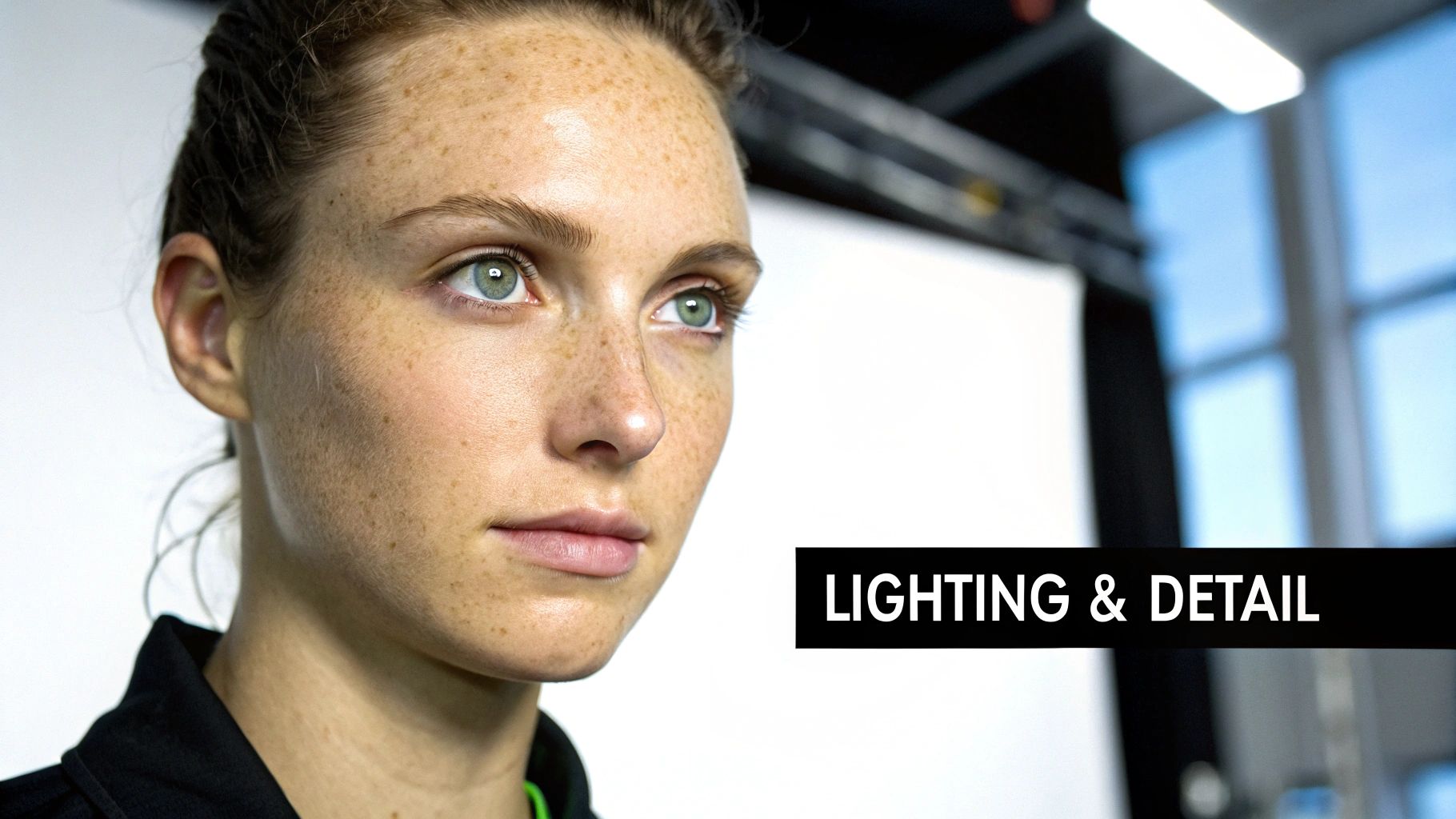
So, you’ve used a prompt or slider to change a facial expression. Great. But now comes the part that truly separates a decent AI edit from a photorealistic portrait. This is where you have to put on your artist's hat and polish the image, because even a perfect smile will look fake if the lighting is off or the skin looks like plastic.
The big enemy here is the uncanny valley. It's that creepy feeling you get when something looks almost human, but not quite. This often happens when a new expression doesn't match the existing light in the scene. Think about it: a wide grin makes your cheeks bunch up, creating tiny new shadows around your mouth and eyes. If those shadows are missing, our brains instantly flag it as wrong.
Syncing Light and Shadow
The very first thing I do is check how the light source is playing with the new shape of the face. If you've got an avatar in a scene with dramatic side-lighting, a happy expression should deepen the shadows on one side of their face. It just has to feel right.
Here are a few things I always look for:
- Catchlights in the Eyes: Do the little reflections of light in the eyes still make sense with the new expression?
- Shadows Around the Nose and Mouth: A smile or a frown creates new contours. Are there soft shadows where they should be?
- Forehead Creases: If you raise the eyebrows in surprise, you should see subtle highlights on the forehead lines that appear.
The best edits are the ones no one notices. You're not just changing an expression; you're integrating it so seamlessly that it looks like the image was generated that way from the beginning.
Enhancing Micro-Details with Upscaling
Once the lighting looks correct, it’s all about the texture. AI models can sometimes over-smooth skin, erasing the tiny imperfections that make a face believable. This is where an upscaling tool like CreateInfluencers’ HyperReal feature is a game-changer. It doesn't just make the image bigger; it intelligently reintroduces the fine details that sell the emotion.
This process breathes life back into the image by sharpening things like:
- Skin Pores and Freckles: These details break up that unnaturally smooth, doll-like look.
- Fine Lines Around the Eyes: You can't have a genuine smile without little crinkles at the corners of the eyes.
- Subtle Skin Sheen: Realistic highlights on the cheeks and nose give the face depth and dimension.
The market for facial recognition tech is growing fast, but specific data on creative tools for AI expression editing is harder to find. You can see the broader trends in this detailed industry analysis from gminsights.com.
This obsession with detail is what will elevate your work. For a more comprehensive look at this, check out our guide to creating truly realistic AI photos. When you pair smart lighting adjustments with high-quality texture enhancement, every expression you create will be both powerful and perfectly believable.
Answering Your Top Questions About AI Expression Editing
As you dive into changing facial expressions on your AI avatars, you're bound to run into a few common hurdles. Working through these is what separates a decent image from a truly believable character. Let's walk through some of the questions I hear most often from creators.
How Do I Fix That Unnatural, "Plastic" Look?
This is the classic giveaway of an AI edit. It usually happens when an expression is pushed way too far—think a smile slider cranked to 100% or a prompt demanding an "extremely exaggerated smile." The result often looks stiff, artificial, and just...off.
The secret here is to chase subtlety, not intensity. Instead of making one massive adjustment, think in layers of small, realistic tweaks.
- Dial It Back: Your first move should be to reduce the intensity. A 20-30% adjustment on a smile slider almost always looks more authentic than going all-out.
- Think Micro-Expressions: Real emotion lives in the tiny details. When we genuinely smile, the muscles around our eyes (the orbicularis oculi, for the technically inclined) contract. Make sure your edits include those little crinkles at the corners of the eyes.
- Bring in Some Texture: Use a high-quality upscaler like HyperReal. This adds back the skin texture—pores, fine lines, subtle imperfections—that breaks up that unnaturally smooth, "digital" surface and sells the new expression.
- Match the Lighting: A beaming, joyful expression will always feel wrong in a scene filled with harsh, dramatic shadows. Double-check that your lighting and shadows actually match the emotion you're trying to convey.
The most convincing expressions aren't about one big change. They're built from layering small, almost invisible muscle movements around the eyes and mouth. That's what makes an edit feel real.
Can I Change an Expression in a Video That's Already Been Made?
Trying to edit expressions frame-by-frame in a finished video is a path to madness. It's incredibly tedious and rarely looks good. A much smarter approach is to use a tool designed for this, like voice-driven synthesis.
This workflow lets you take your existing AI avatar, feed it a new audio track (either by recording your voice or uploading a file), and let the platform do the heavy lifting. It will generate a completely new video where your avatar's facial movements, expressions, and lip-syncing are perfectly matched to the new audio. For changing the entire emotional performance of a video, this is definitely the way to go.
What Are the Ethical Rules Here?
This is a big one, and it's not something to take lightly. If you're changing expressions on a face, especially when using a real person’s likeness for a face swap, consent is everything. You absolutely must have their explicit permission to use their face and alter their expression.
For any work you plan to use commercially, transparency is key. The idea is to create engaging characters and art, not to generate misleading deepfakes that impersonate or misrepresent real people without them knowing. Always put ethical creation and clear communication first.
Ready to get hands-on with AI expression editing and build your own unique digital personalities? You can sign up for CreateInfluencers for free and start bringing your characters to life right now. Get started today.