AI Avatar Generator From Photo Guide
Discover how to use an AI avatar generator from photo to create your perfect digital identity. Learn pro tips for stunning results.
An ai avatar generator from photo isn't just a fun toy; it's a powerful tool that uses sophisticated algorithms to scan your facial features and build a striking digital version of you. This tech lets anyone create professional headshots, imaginative fantasy characters, or just a really cool profile picture in minutes, completely changing how we can present ourselves online.
How AI Avatars Are Reshaping Our Digital Selves
Ever wondered how a simple photo gets turned into a stunning digital character? It’s not magic—it’s generative AI, and it’s completely overhauling how we show up in digital spaces. We're talking way beyond simple filters or cartoon effects here. This technology creates detailed, lifelike representations that are perfect for everything from social media profiles to professional branding.
Forget trying to find the perfect lighting for a selfie or using generic stock photos. With an ai avatar generator from photo, you get to design a digital identity that feels both authentic and incredibly polished. In a world where our personal and professional lives are constantly mixing online, that kind of control is a game-changer.
The Rise of Personalized Digital Identities
The desire for unique digital representation is absolutely exploding. People want to stand out, protect their privacy, or just have fun experimenting with who they are online. This isn't just a niche trend—it's fueling massive market growth.
The global AI avatar generator market is projected to be valued at around $2.5 billion USD in 2025 and is expected to skyrocket to approximately $63.5 billion USD by 2034. That explosive growth is all thanks to the huge demand for personalized digital experiences.
This tells us something important: an avatar isn't just a tiny icon for a gaming forum anymore. It has become a strategic asset for:
- Personal Branding: Build a consistent, professional look across LinkedIn, your personal website, and even your email signature.
- Social Media: Design eye-catching profile pictures that ooze personality and creativity on platforms like Instagram, TikTok, and X.
- Professional Networking: Make a memorable impression in virtual meetings and online communities with a polished digital presence.
- Content Creation: Develop a unique character for a YouTube channel or blog, all without having to get in front of a camera. For more creative ideas, check out other articles on the https://createinfluencers.com/blog.
Your digital avatar is your online handshake. It’s often the first impression you make, setting the tone for every interaction that follows and letting you control the narrative of your digital identity.
As AI avatars continue to reshape how we represent ourselves, it’s helpful to understand the bigger picture. To see where this is all headed, take a look at The Future of Influencer Marketing: AI, VR, and Beyond.
Now, let's get into how you can master this technology and make it work for you.
Choosing the Right Photos for Flawless AI Avatars
The secret to a stunning AI avatar isn't just the tool you use—it’s the photos you feed it. Think of it like this: you can't expect a Michelin-star meal from subpar ingredients. Your photos are the ingredients, and an ai avatar generator from photo is your chef. The better your source images, the more realistic and accurate your final avatar will be.
This is about more than just grabbing a few random selfies. You need to be deliberate, choosing photos that give the AI a crystal-clear understanding of your facial features from every angle. Simple mistakes here, like using a blurry group photo or a picture with weird shadows, will almost always lead to a wonky, distorted avatar. It’s worth the extra few minutes to get it right.
The Foundation of a Great Avatar: Good Lighting
If you remember one thing, make it this: lighting is everything. Harsh, direct sunlight is your enemy. It casts deep, unflattering shadows that can completely change the perceived shape of your face, tricking the AI into generating some bizarre results. On the flip side, dimly lit photos are just as bad—they’re often grainy and hide the very details the AI needs to create a sharp, lifelike avatar.
What you're aiming for is soft, diffused light. An overcast day is your best friend here; the clouds act like a giant softbox, bathing your face in even, gentle light. If you're shooting indoors, just stand facing a window. That indirect light is perfect for erasing harsh shadows and letting the AI see every contour of your face, from your jawline to your cheekbones.
The infographic below breaks down the ideal photo selection process.
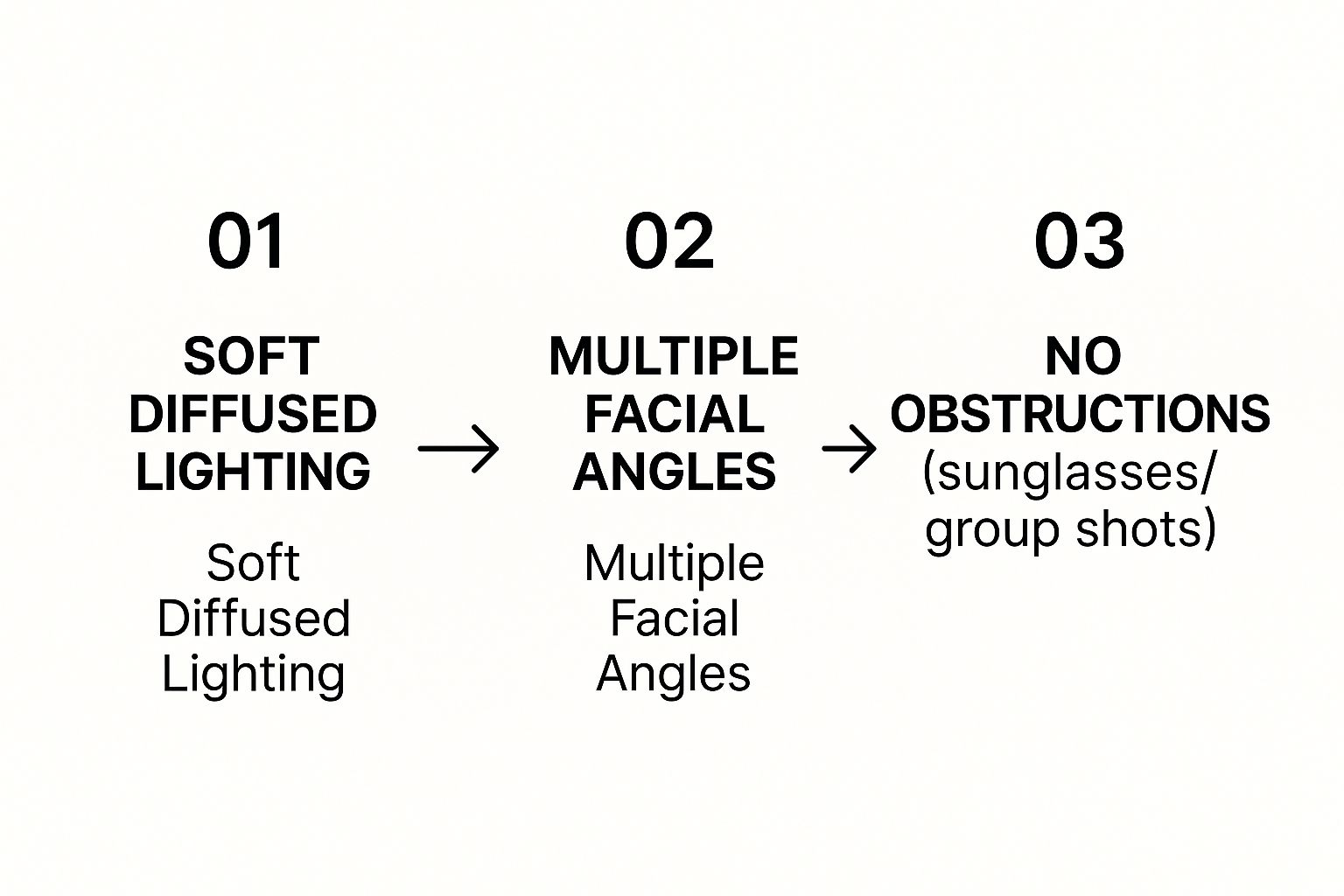
As you can see, it all starts with lighting. From there, you add variety in your angles and make sure your face is the star of the show. This simple workflow gives the AI the best possible data to work with.
To make this even easier, here’s a quick-reference checklist to help you sort through your camera roll and pick the winners.
Photo Selection Checklist for Optimal AI Avatar Generation
| Do's (What to Look For) | Don'ts (What to Avoid) |
|---|---|
| Clear, in-focus shots of just your face. | Blurry, pixelated, or low-resolution images. |
| Soft, even lighting (e.g., facing a window). | Harsh shadows, direct sunlight, or dark environments. |
| A variety of head angles and tilts. | Only using photos from the exact same angle. |
| A mix of different facial expressions. | Sunglasses, hats, or hands covering your face. |
| Simple, non-distracting backgrounds. | Busy backgrounds or group photos with other people. |
| High-quality selfies and headshots. | Heavy filters, dramatic makeup, or extreme editing. |
Stick to the "Do's" column, and you're well on your way to creating an avatar that genuinely looks like you.
Variety Is Your Best Friend
An AI learns your face by seeing it from multiple perspectives. If you upload ten photos all taken from the same straight-on angle, you’re not giving it enough to work with. It's like asking an artist to draw a 3D sculpture after only seeing it from the front.
Mix it up with different angles and expressions. A combination of close-ups, chest-up shots, and profile views gives the AI the comprehensive data it needs to generate versatile and accurate avatars.
To get the best results, you'll want to include a solid mix of photos. Here’s a quick breakdown of what to aim for:
- Head Angles: Don't just look straight at the camera. Give it photos where you're looking slightly left, slightly right, and maybe a few with your chin tilted up or down.
- Facial Expressions: The AI needs to learn your range. Upload pictures with a neutral expression, a small smile, and a big, genuine grin. This helps it create avatars that can show different emotions.
- Backgrounds: Keep it simple. A plain wall is perfect because there's nothing in the background to distract the AI. The focus should be 100% on you.
And it should go without saying, but avoid photos where anything is covering your face. No sunglasses, no hats, and definitely no hands resting on your chin. The AI needs a clear, unobstructed view to do its job properly. Follow these tips, and you'll be amazed at how much your final avatars look just like you.
Creating Your First Avatar From a Photo
The screenshot above shows just how clean and simple the CreateInfluencers homepage is, making it easy to jump right in. Now that you have your best photos picked out, it's time to get to the fun part: turning them into a striking digital persona.
How the Generation Process Actually Works
The journey from a basic photo to a polished avatar is surprisingly quick. When you first get into a tool like CreateInfluencers, you’ll be prompted to upload your photos. This is where the magic really starts.
You’ll select the high-quality images you already prepared. I can't stress this enough: the better your input photos, the more impressive the final avatar will be.
Once your images are uploaded, the AI begins analyzing everything—your facial structure, expressions, and unique features. This isn't instantaneous. It can take a little while for the model to "learn" your face, so be patient. This training phase is what allows the AI to generate avatars that genuinely look like you.
The entire AI avatar space is exploding right now. The market is expected to jump from $1.35 billion USD in 2024 to a staggering $11.54 billion USD by 2032. This shows just how much people are embracing personalized digital avatars for everything from social media and gaming to professional branding.
Choosing Your Style Packs and Themes
After the AI has been trained on your photos, you’ll see a whole library of styles to choose from. This is your chance to be the art director. Don't just pick the first option that looks cool; think about what you actually want to do with the avatar.
An ai avatar generator from photo gives you a ton of themes, and knowing what they're for is the key to getting a result you love. Here’s a quick rundown of what you’ll typically find:
- Professional Styles: These are perfect for creating sharp, clean headshots for LinkedIn, your company website, or a speaker bio. Think crisp lighting and classic, corporate-style backgrounds.
- Cinematic Styles: Want something dramatic and attention-grabbing for Instagram? This is the category for you. These styles often look like movie posters, with bold lighting and an artistic vibe.
- Creative & Fantasy Styles: This is where you can really have fun. These packs are ideal for gaming profiles or artistic projects, transforming you into a cyberpunk hero, a fantasy elf, or anything in between.
- Social & Lifestyle Styles: Packs often labeled "Tinder" or "Instagram" are designed to create casual, authentic-looking photos. They're great for dating profiles or just upgrading your personal social media feed.
A style pack isn't just a background filter. It dictates the entire mood. A 'Professional' pack will give you a more serious expression, while a 'Cinematic' one might generate avatars with more intense, emotive looks.
Before you choose, ask yourself where the final image will live. A hyper-realistic avatar is probably best for a professional profile, while a more stylized, artistic one might be better for a creative portfolio. The choices you make here have a huge impact on the final look and feel of your digital self.
For more in-depth tutorials on getting the most out of specific features, feel free to check out the collection of detailed walkthroughs in our guides section.
Mastering Advanced Styles and Customization
Getting past the default options in an ai avatar generator from photo is where the real creative control begins. The basic styles are a fantastic starting point, but the advanced settings are what will turn a decent avatar into a digital double that truly feels like you. This part of the process is less about simply clicking buttons and more about stepping into the role of an art director for your own digital identity.
The first thing I always consider is the purpose behind the avatar. What are you going to use it for? If you're creating a sharp, professional headshot for your LinkedIn profile, you’ll naturally gravitate toward styles with clean lines, business-appropriate clothing, and well-lit, neutral backdrops.
But if you’re making a new profile picture for Instagram or your gaming crew on Discord, that’s your chance to get a little wild. You can push the creative limits with styles that are more dramatic, artistic, or even straight out of a fantasy world.
Fine-Tuning Your Vision with Style Selection
Don't mistake style packs for simple background swaps. They completely change the mood, the lighting, and even the subtle expressions on your avatar's face. A "Cinematic" style, for instance, might give your avatar a more intense, pensive look, whereas a "Social" pack is designed to produce a warm, approachable smile.
Let’s walk through a common scenario. Imagine a freelance consultant who needs a consistent, professional brand image for her website, social media profiles, and email signature. She could choose a "Corporate Headshot" pack and generate a dozen variations. From that batch, she can cherry-pick three or four that look the most like her but feature slightly different outfits or backgrounds. Suddenly, she has a complete set of on-brand images without the time and expense of a professional photoshoot.
My best advice for mastering customization is to treat every generation like an experiment. Run the same set of photos through wildly different styles just to see how the AI interprets your features in various artistic contexts.
This hands-on approach is the fastest way to build an intuition for what works. You’ll quickly discover which styles capture your likeness best while hitting the exact note you're aiming for.
Directing the AI with Simple Prompts
Many of the more sophisticated generators let you add simple text prompts to nudge the AI in the right direction. These aren't the complex, paragraph-long prompts you might see on other image-generation platforms; think of them as clear, simple instructions.
For example, a gamer building a portrait for their RPG character could upload their photos and select a "Fantasy" style pack. To get more specific, they could add a few keywords to guide the output.
- A decent starting prompt: "elf warrior"
- A much better prompt: "elf warrior with silver hair, glowing blue eyes, detailed leather armor"
See the difference? The second prompt gives the AI much more to work with, resulting in a far more specific and impressive avatar.
Here are a few quick tips I've learned for writing effective prompts:
- Be Specific: Instead of "cool background," describe what you want, like "background with neon city lights."
- Focus on Key Features: Call out specific details like hair color, eye color, or clothing items.
- Use Adjectives: Words like "dramatic," "soft," "vibrant," or "muted" have a huge impact on the final mood.
Getting comfortable with these customization tools is the final piece of the puzzle. It takes the ai avatar generator from photo from being a simple utility and turns it into a creative collaboration between you and the AI. The end result isn't just a generic picture—it's a carefully crafted extension of your digital self.
Putting Your New AI Avatar to Work
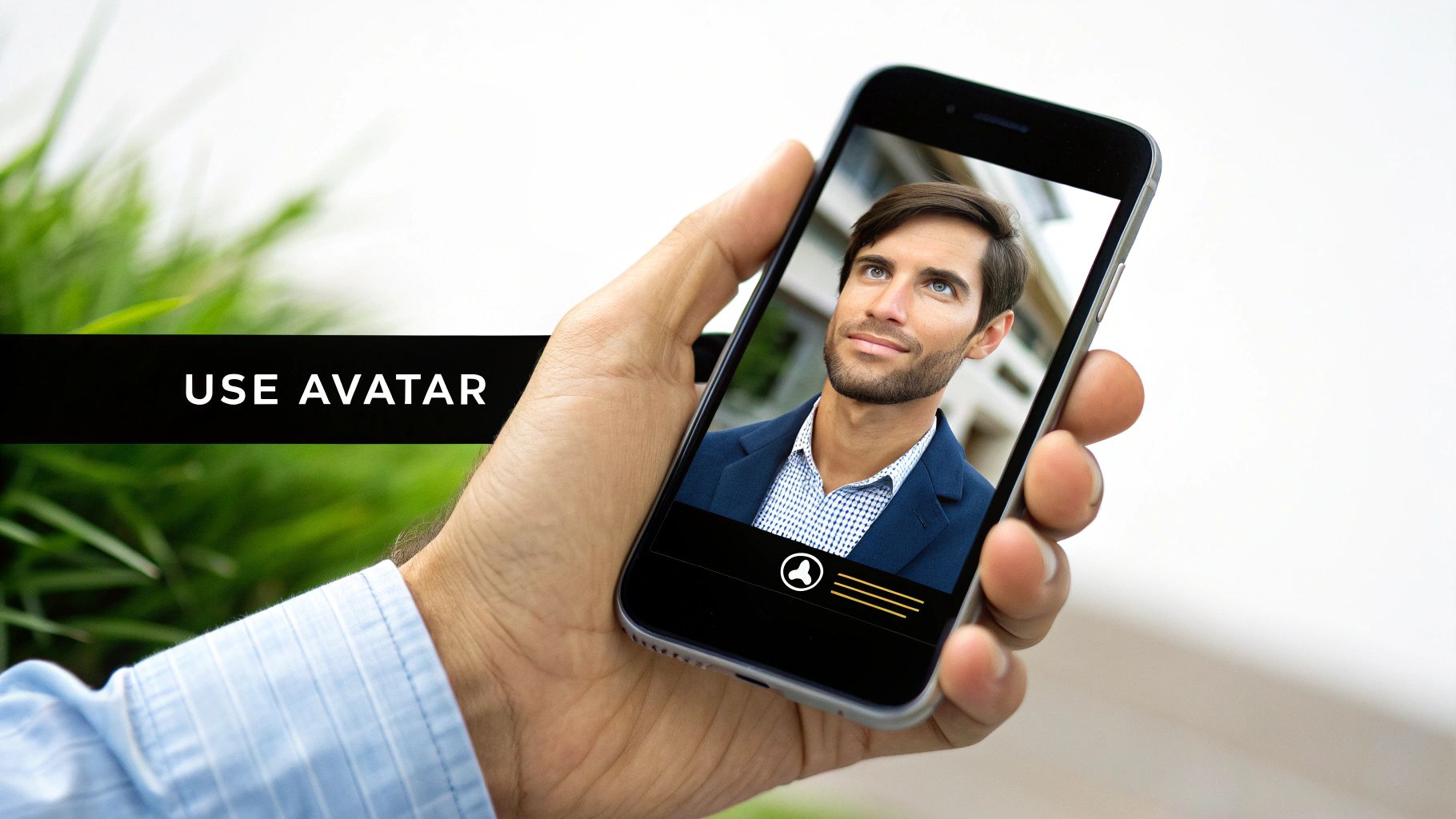
Alright, so you’ve got a folder packed with amazing new avatars. Now what? The real fun begins when you start putting them to use. This is where you move beyond just having cool images and start seeing the true power of an AI avatar generator from photo. These aren't just fancy profile pictures; they're incredibly versatile tools that can sharpen your professional image, simplify content creation, and even help protect your privacy.
The trick is to be strategic. Think about where your new avatar can have the biggest impact. A polished, professional avatar, for example, can completely transform your LinkedIn profile, making you seem more credible and approachable to recruiters or potential clients. Consistency is everything here—using the same avatar across your professional networks builds a strong, recognizable personal brand.
Level Up Your Professional and Social Presence
Your new avatars are basically a digital makeover in a box. Instead of recycling that same old selfie from three years ago, you can now roll out a consistent, high-quality look across all your platforms.
- LinkedIn & Professional Sites: A crisp, studio-quality avatar instantly projects confidence and professionalism. It’s a small change that helps your profile stand out from the typical corporate headshots.
- Social Media Feeds: On places like Instagram or X (formerly Twitter), a vibrant, cinematic-style avatar can be a real scroll-stopper. It’s a fantastic way to refresh your feed and signal a bit of creativity.
- Dating Apps: For apps like Tinder or Hinge, a lifestyle-themed avatar can capture your personality in a way that feels authentic but still polished, helping you make a much stronger first impression.
- Gaming & Community Profiles: Let your personality shine on Discord, Twitch, or gaming forums with a fantasy or sci-fi avatar. It’s a great way to build a unique online persona that fits the space.
An AI avatar gives you the power of a professional photoshoot without the cost or hassle. It's a strategic asset for managing your online reputation and ensuring you always present your best self.
The growth behind this technology is staggering. The AI avatar market is expected to jump from $17.40 billion USD in 2024 to an incredible $208.61 billion USD by 2032. A big reason for this explosion is how well these avatars can simulate human expressions and slash production costs for businesses—sometimes by up to 80%. You can dive deeper into the numbers in this detailed industry report.
Drive Engagement and Protect Your Privacy
Your avatars are more than just profile pictures; they're also workhorses for content creation and personal security. If you're a marketer or creator, you can use them for social media posts, ads, or video thumbnails without having to be on camera for every single shot. It’s a huge time-saver, especially when you use a flexible platform like ours at CreateInfluencers.
On top of that, using an avatar instead of a real photo adds a valuable layer of privacy. You can join online discussions or communities without putting your real-life identity out there. This gives you the freedom to engage more openly while still maintaining your personal boundaries.
From custom email signatures to unique forum icons, the possibilities are pretty much endless.
Common Questions About AI Avatar Generators
Jumping into the world of AI avatars usually brings up a few questions. From what kind of photos to use to what you can actually do with the final images, getting some clarity upfront makes the whole process smoother and ensures you get results you’re happy with. Let's break down the most common things people ask.
How Many Photos Do I Really Need?
You'll see most platforms ask for around 10 to 20 photos, but honestly, the quality of those images is way more important than the exact count. Think of it like this: you're feeding the AI a dataset to learn your face. A small handful of really clear, varied photos will always beat a huge batch of blurry or similar-looking ones.
For best results, mix it up.
- Include clear, well-lit close-ups of your face.
- Add a few chest-up shots to give the AI more context.
- Show different expressions—a neutral look, a genuine smile, maybe something in between.
This variety gives the ai avatar generator from photo a complete picture of your features, which is the secret to getting more accurate and versatile avatars.
Is It Safe to Upload My Photos?
This is a big one, and it all comes down to picking a service you can trust. A reputable platform will be upfront about its privacy policy, stating clearly that your photos are only used to generate your avatars and nothing else.
The gold standard for a trustworthy service is a clear data deletion policy. Look for a commitment to permanently remove your uploaded photos from their servers after a short period, usually within 24 to 48 hours.
Always take a minute to scan the privacy policy before uploading. Sticking with established, well-reviewed generators is the smartest way to keep your personal data safe.
Why Does My Avatar Look a Little Different?
It helps to think of an AI avatar as an artistic interpretation, not a perfect passport photo. The AI learns the core structure of your face and then rebuilds it based on the creative style you choose. It’s part science, part art.
Minor differences can pop up for a few reasons. If your photos have inconsistent lighting, it can throw the AI off. Sometimes, the model's built-in creative flair just adds its own subtle twist. To get a closer likeness, make sure your photos are high-quality with even, soft lighting and show your face from a few different angles.
Can I Use My Avatars for Commercial Purposes?
This completely depends on the generator’s terms of service. Many platforms, including CreateInfluencers, give you full commercial rights to the avatars you create. That means you can use them for your business marketing, brand promotions, social media content, or even on products you sell.
However, some other tools might limit you to personal, non-commercial use only. It’s absolutely essential to check the terms and conditions before you start using your avatars for any business-related project. This quick check ensures you have the right license and won't run into any trouble later. Many creators find this freedom incredibly valuable and even monetize their work through affiliate programs, which you can learn more about by exploring partnership opportunities.
Ready to create a digital version of yourself that really stands out? With CreateInfluencers, you can turn your photos into stunning, high-quality avatars in just a few minutes. Sign up for free and start generating your first avatar today!