Create AI Avatar From Photo in Minutes – Easy Guide
Learn how to create AI avatar from photo quickly. Follow our simple steps to get realistic, stunning results with your AI avatar today!
It's surprisingly easy to get started. You can create an AI avatar from a photo just by uploading a good, clear selfie to a tool like CreateInfluencers. The platform's smart algorithms get to work analyzing your facial features, and in a few moments, you’ll have a fully customizable digital version of yourself. The whole thing is incredibly fast and straightforward.
Why AI Avatars Are Reshaping Digital Identity
Our online presence is practically as important as our real-world one these days, and the humble profile picture is starting to feel a bit dated. It's no longer just a static image; it's becoming a doorway to a much more dynamic and interactive digital identity. This is exactly where the idea to create an AI avatar from a photo stops being a gimmick and becomes a real strategy for anyone building a personal or professional brand.
An AI avatar isn't just a simple cartoon of your face. It's a sophisticated digital persona built with generative AI and machine learning. These systems analyze a photo to understand the unique details of your face—the exact shape of your eyes, the way your smile curves, the texture of your hair—and then rebuild those features into a new, incredibly flexible digital format.
The Shift from Static to Dynamic Personas
A traditional headshot captures one moment, one expression, one outfit. An AI avatar, on the other hand, opens up a world of possibilities. Think of it as a digital twin that you can style in different clothes, drop into any background you can imagine, or even animate for videos and virtual meetings. This kind of flexibility is a game-changer for keeping your online brand consistent yet interesting.
For instance, a content creator could use a polished, professional avatar on their LinkedIn profile while using a more relaxed, expressive version for their TikTok videos or Instagram Stories. Being able to switch it up like this without booking a new photoshoot every time is a huge win.
A few key benefits really stand out:
- Brand Consistency: You can keep a recognizable look across all your social media channels, gaming profiles, and professional networks.
- Creative Freedom: Go wild experimenting with styles, backgrounds, and expressions that would be a nightmare (or just plain expensive) to pull off with a real camera.
- Enhanced Engagement: Let's face it, dynamic and visually cool avatars grab attention and make your content stick in people's minds.
The real magic of an AI avatar is how it can represent you in places where a simple photo just can’t keep up. It gives you a layer of creative control over your digital self, letting you fine-tune how you come across online with amazing precision.
AI avatars are already being used in some fascinating ways across different industries. Here's a quick look at where they're making a real impact.
Key AI Avatar Applications
| Application Area | Primary Use Case | Benefit |
|---|---|---|
| Social Media & Branding | Creating consistent, engaging profile pictures and content. | Strengthens personal brand identity and boosts audience engagement. |
| Corporate Training | Developing interactive training modules with AI instructors. | Makes learning more personalized, accessible, and less intimidating. |
| Customer Service | Powering virtual assistants and chatbots for 24/7 support. | Improves user experience with a friendly, human-like interface. |
| Gaming & VR | Customizing in-game characters and virtual reality personas. | Offers deep immersion and a highly personalized gaming experience. |
| Virtual Events | Representing attendees and speakers in online conferences. | Fosters a greater sense of presence and interaction in a digital space. |
From making corporate training feel more personal to creating unforgettable gaming characters, it's clear these digital personas are becoming a core part of our online interactions.
This isn't just a fleeting trend; it's a fundamental shift in the market. The AI avatar industry is expected to explode, growing from USD 0.80 billion in 2025 to a massive USD 5.93 billion by 2032, all driven by our growing appetite for personalized digital experiences. You can read the full research about AI avatar market growth to see the numbers for yourself. This boom shows just how vital these digital personas are becoming in everything from marketing to virtual reality, which means now is the perfect time to create your own.
How to Prep Your Photos for Killer AI Avatars
The secret to a great AI avatar? It's all in the photos you feed it. Garbage in, garbage out—it’s that simple. When you're asking an AI to create an AI avatar from a photo, you're essentially giving it reference material. The better the reference, the more uncanny the resemblance.
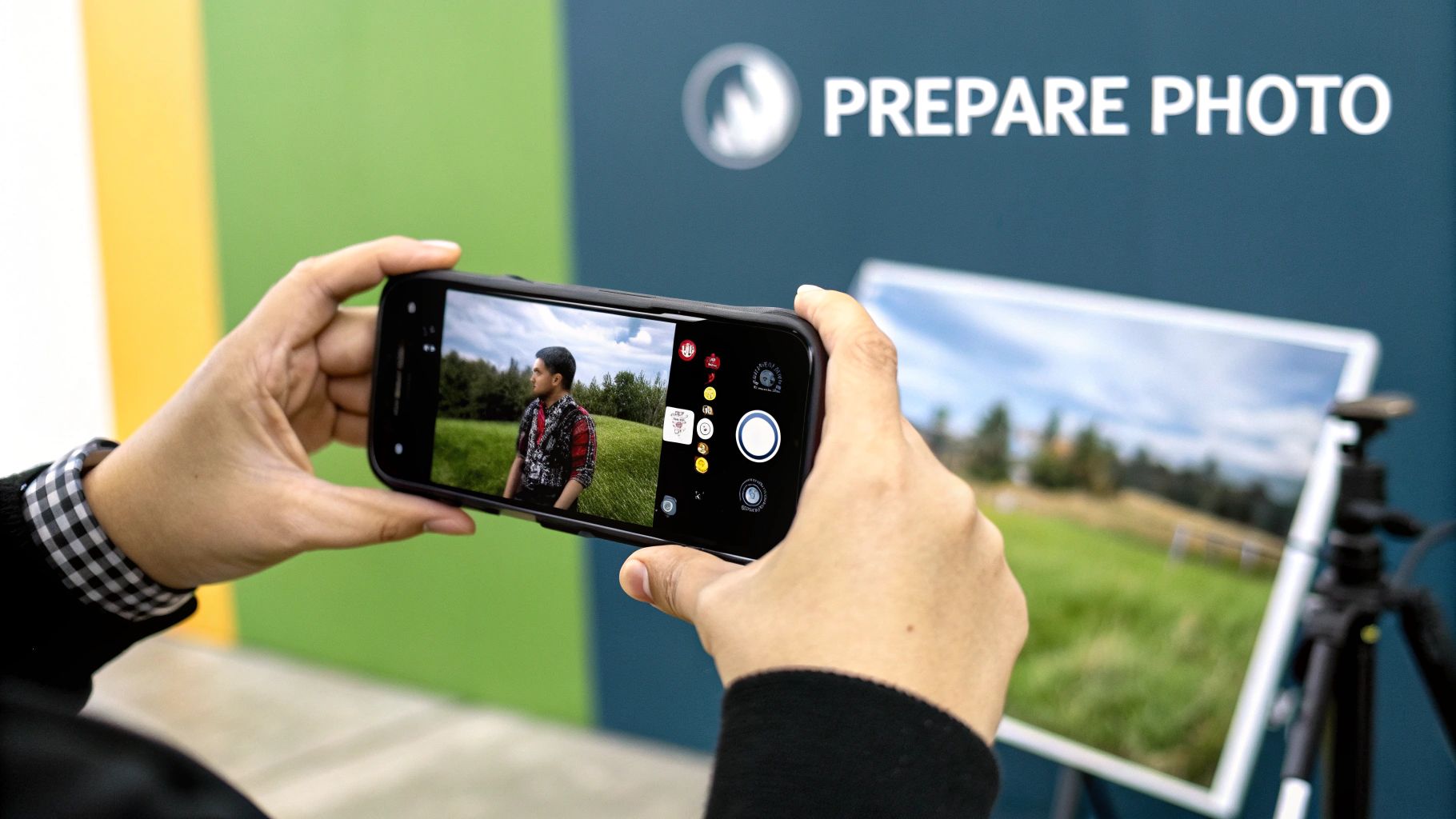
Here's a tip I've learned from experience: skip the big, cheesy grin. It feels counterintuitive, but a neutral expression gives the AI a much better baseline to work from. A relaxed face lets the algorithm map your core features accurately. This way, when it generates avatars with different expressions, they actually look like you, not some weird, distorted caricature.
Getting Your Photo Selection Just Right
The number one mistake I see people make is using photos with busy backgrounds. If you’re standing in front of a bookshelf or a crowded street, the AI struggles to separate you from the noise. That's when you get strange artifacts and wonky features. Do yourself a favor and find a simple, plain wall.
Lighting is just as important. Harsh shadows, being backlit by a bright window, or weird, colorful club lighting will throw everything off. The sweet spot is soft, even light. Stand facing a window during the day—it’s free and gives you that perfect, natural illumination.
Here's a quick rundown for choosing your best shots:
- Sharp and Clear: Your photos need to be high-resolution and in focus. If they’re blurry or pixelated, your avatar will be a muddy mess. Aim for at least 1024x1024 pixels.
- Mix Up the Angles: Don't just give it 10 straight-on passport photos. Include shots from a slight left, a slight right, and maybe a few with your head tilted. This helps the AI understand your face in three dimensions.
- Keep Your Look Consistent: While angles should vary, your appearance shouldn't. Stick to photos with the same hairstyle, facial hair, and makeup. Drastic changes from one picture to the next will just confuse the AI.
Think of it like you're building a curated dataset of your own face. Handing the AI 10-15 clean, consistent, and well-lit images is the best way to guarantee your final avatar is a true digital twin, not just a wild guess.
Common Traps to Steer Clear Of
A few other things can trip up the AI. Avoid any photos where your face is covered. That means no sunglasses, no hats pulled down low, and no hands resting on your chin. The AI needs to see your entire face, from your forehead to your jawline, to get it right.
Group photos are another no-go. Even if you crop everyone else out, the AI can still get confused by a stray arm or the side of someone's head. Stick to solo shots where you're the only one in the frame.
Following these guidelines will massively boost your chances of getting an avatar you love on the first try. If you're looking for more pro tips, we've got plenty more in our other CreateInfluencers guides.
Your Guide to Creating an Avatar with CreateInfluencers
Alright, you’ve prepped your photos and now you’re ready for the exciting part. Let's walk through how to actually turn a photo into a killer AI avatar using the CreateInfluencers platform. I’ve found the process to be surprisingly simple, designed to get you from a standard picture to a polished digital version of yourself without needing a degree in computer science.
Getting started is painless. The homepage is clean and points you right where you need to go. You can create a free account to kick the tires—no credit card needed upfront. This is great because you can poke around the dashboard and see what the tool can do before you decide to jump in.
Getting Your Photos into the System
Once you're logged in, the first thing you'll do is upload that batch of photos you curated. This is where your prep work really shines. Remember the old saying, "garbage in, garbage out"? It's especially true here. The platform handles high-resolution images beautifully, so don't hesitate to give it the best quality you've got.
The upload itself is a simple drag-and-drop. Just pull your files over or browse your device. As we talked about, you'll want to upload between 10 to 15 images. This gives the AI enough visual information to really understand your face from different angles and in consistent lighting, which is the key to getting a believable result. Once they're uploaded, the system gets to work, and it usually only takes a few minutes to process everything.
Think of this step like an artist studying a subject. The AI is essentially building a foundational 3D model of your face from your 2D pictures. This digital "sculpture" becomes the canvas for all the cool styles and tweaks you'll apply next.
Choosing Your Look: Styles and Customization
With your facial model locked in, you get to the most creative part: picking a style. CreateInfluencers has a seriously diverse library to play with. You can go for hyper-realistic professional headshots or something far more artistic and stylized. I've seen everything from a sophisticated 'Old Money' vibe to wild, vibrant looks that would be perfect for a gaming channel.
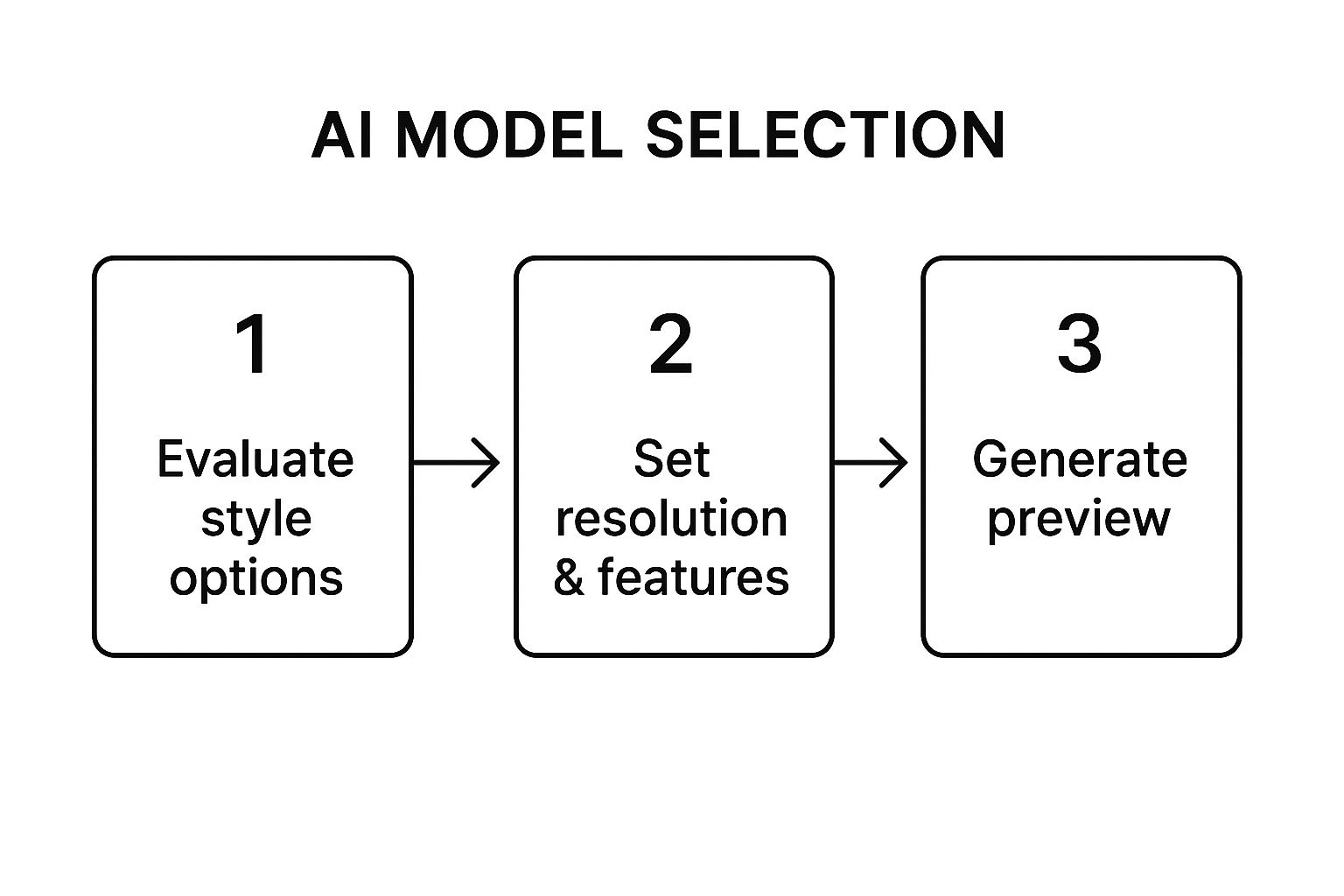
This workflow really boils down the decision-making process. As you can see, the path from a simple photo to a final avatar is a series of choices that totally transform the end result. Every step gives you more creative control.
So, let's put this into practice. If you're a consultant trying to sharpen up your LinkedIn profile, you might lean toward a 'Corporate' or 'Business Casual' pack. But if you’re a streamer building a brand, a 'Cyberpunk' or 'Fantasy' theme could be exactly what you need. The platform lets you generate previews, so feel free to experiment and see what clicks.
Final Touches and Downloading
After you’ve landed on a style that feels right, you can make final adjustments. This is where CreateInfluencers really stands out from other tools I've used. You aren't just stuck with changing the background. You can fine-tune details like hair color, your expression, and even subtle facial features to dial in the perfect look.
When you’re happy with how everything looks, it's time to generate and download. The system will render your avatar in high resolution, ready to be deployed across all your digital channels. Just download the file to your computer or phone, and you can start updating your profiles right away. The whole process, from uploading your photos to having a downloadable avatar, is incredibly fast.
Making Your Avatar Truly You
Alright, you've generated your AI avatar from a photo. You've got the basic look down, but now comes the fun part—breathing some real personality into it. This is where you move beyond a simple digital copy and start crafting a persona that genuinely represents you or your brand. It’s less about tiny tweaks and more about making intentional choices that tell a story.
I always think of it like picking an outfit. You wouldn't show up to a major business presentation in the same clothes you wear to hang out with friends. Your digital self needs that same level of adaptability. The aim is to create a persona that’s consistent enough to be recognizable but flexible enough to feel right in different online spaces.
Match Your Style to Your Goal
First things first, what's this avatar for? Is it for your LinkedIn profile, where you need to project professionalism? Or is it for your Twitch stream, where you want to show off your creative and fun side? Your answer changes everything. A clean, professional background with a suit screams "business," while a funky, colorful scene with casual clothes feels way more approachable.
Let’s get specific. A real estate agent I worked with wanted an avatar that conveyed trust and expertise. We went with:
- Style Pack: "Corporate Headshot" was the perfect starting point.
- Expression: We aimed for a warm, confident smile—nothing too stiff.
- Background: A minimalist, modern office setting did the trick.
On the flip side, a gaming influencer would want something totally different:
- Style Pack: Something like "Cyberpunk" or "Fantasy" to match their content.
- Expression: Maybe a more intense, determined, or even playful look.
- Background: A neon-drenched city or a completely fantastical world would fit their brand perfectly.
Getting this right is becoming a bigger deal every day. The AI avatar market in the United States alone is expected to hit USD 3.0 billion in 2025 and explode to USD 28.5 billion by 2034. This boom is happening because avatars are showing up everywhere—in marketing, gaming, and even as virtual assistants. If you want to dive deeper, you can discover more insights about the AI avatar market and see just how big this is getting.
It's All in the Details
Beyond the big style choices, it’s the little things that really make an avatar feel unique. Play around with hairstyles, eye color, or even adding accessories like glasses or earrings. You’d be surprised how much a small change can shift the entire feel. Just switching a hairstyle from a neat bun to flowing waves can take an avatar from "boardroom" to "coffee shop" in an instant.
My best advice? Don't settle for a one-size-fits-all avatar. Generate a few different versions for different platforms. As long as the face is consistently yours, you’ll be recognizable. But changing up the style keeps your online presence dynamic and perfectly suited for each audience.
In the end, this is a creative process. Generate a few versions, take a step back, and ask yourself, "Does this feel like me?" The most effective avatars are the ones that perfectly blend who you are in the real world with who you want to be online.
Making Your New AI Avatar Work for You
So, you've gone through the process to create an AI avatar from a photo, and now you have this fantastic digital version of yourself. What's the next move? The real fun begins when you start putting it to work across your digital life, going way beyond just swapping out a profile picture.
Your new avatar isn't just a cool image; it's a flexible asset. If you're a professional, this is a fantastic way to build a memorable personal brand. A polished, consistent avatar on your LinkedIn profile, in your email signature, and even on your business cards creates a slick, professional image that people remember. I've even seen people drop their avatars into presentation slides for a unique touch that really holds an audience's attention.
A Secret Weapon for Creators and Entrepreneurs
If you’re a content creator, streamer, or running a side hustle, a consistent avatar is pure branding magic. It quickly becomes your digital mascot—the face of your entire operation. You can use it to create custom emotes for a Twitch stream, design fun stickers for a Discord server, or even animate it for quick clips on TikTok and Instagram Reels. This kind of visual consistency forges a surprisingly strong bond with your audience.
Here are a few practical ways to put it into action:
- Video Content: Feeling a bit camera-shy? Use your avatar as the virtual host for tutorials or explainer videos. It's a great way to be "on-screen" without actually being on camera.
- Marketing Materials: Slap that avatar on your YouTube thumbnails, social media banners, and any promotional graphics. It provides instant brand recognition.
- Online Networking: In virtual conferences or online forums, a unique avatar makes you stand out from the sea of generic icons and default pictures, making you seem more approachable.
Think of your avatar as more than just a picture—it’s a dynamic piece of your communication strategy. Using it consistently makes every online interaction feel more personal and reinforces your unique digital identity.
The use of AI avatars is absolutely exploding. Some market projections show the industry rocketing to an estimated USD 208.61 billion by 2032, which is a staggering leap from USD 17.40 billion in 2024. This isn't just a trend; it's a fundamental shift in how we approach marketing, customer service, and content creation online. You can dive deeper into the numbers by checking out the full research on AI avatar market projections.
Platform-Specific Avatar Strategies
Where you use your avatar matters. A quirky, stylized avatar that kills it on Discord might not land the same way on LinkedIn. Here’s a quick guide to tailoring your approach for different platforms.
| Platform | Avatar Style Suggestion | Use Case Example |
|---|---|---|
| Polished, professional, and high-resolution. Stick to a clean background. | Your main profile picture, email signature, and introductory slide in a webinar deck. | |
| Instagram/TikTok | Expressive, colorful, and maybe even a bit stylized or animated. | Profile picture, animated Reel intros, or as a character in a Story series. |
| Twitch/Discord | Highly stylized, perhaps in a cartoon or gaming-inspired aesthetic. | Channel mascot, custom emotes, and subscriber badges. |
| X (Twitter) | Can be professional or casual, but should be easily recognizable at a small size. | Profile picture and as a watermark on original images or memes you create. |
Matching the avatar's vibe to the platform's culture shows you understand the space and helps you connect better with that specific audience.
Ultimately, getting the most out of your AI avatar is all about creativity. Use it to build a stronger personal brand, engage with your community on a deeper level, and carve out a unique presence that nobody else has. For more inspiration on branding, the https://createinfluencers.com/blog has some great ideas to get you started.
Common Questions About AI Avatars
Diving into the world of AI avatars for the first time usually brings up a handful of questions. It's completely normal to wonder about the behind-the-scenes process, especially when it comes to your personal photos and what you can expect from the final result. Let's tackle some of the things people ask most often.
A big one is always data privacy. "What happens to my photos after I upload them?" is a question I hear all the time. Good news: reputable platforms like CreateInfluencers use your photos for one purpose only—to train the AI model that becomes your avatar. Once that job is done, the source images are deleted to protect your privacy. It's always a good idea to skim the privacy policy, but rest assured, your selfies aren't just sitting on a server forever.
Another common point of confusion is just how many photos you actually need. Is one good selfie enough? While some tools might generate something from a single image, you’ll get a far more accurate and flexible avatar by providing a solid collection. Aim for 10-15 high-quality photos. This variety gives the AI enough information to truly understand your facial features from different angles and in different lighting.
What to Do When Your Avatar Doesn’t Look Like You
So, you've generated your avatar, but it looks... a little off. This happens, and it's almost always a fixable problem. Nine times out of ten, the issue comes down to the photos you used to train the AI. If your source images had inconsistent lighting, dramatically different hairstyles, or heavy makeup, the avatar can end up looking like a strange cousin rather than your digital twin.
The fix is to revisit your source material. Uploading a fresh, more consistent batch of photos usually does the trick.
- Stick to even, natural lighting. Try to avoid photos with harsh shadows or bright backlights.
- Keep your look consistent. If you have a beard in some photos and are clean-shaven in others, the AI will get confused.
- Offer a range of angles. Make sure you include photos looking straight ahead, slightly to the side, and with your head tilted a bit.
If you've uploaded a new set of photos and still aren't happy, don't hesitate to start from scratch. Taking a few extra minutes to curate the perfect set of source images makes a world of difference in the final quality of your AI persona.
Sometimes, the likeness is there, but the style just feels wrong. If your avatar looks too artificial or has that "plastic" sheen, it's likely just the aesthetic you chose. Play around with different style packs. A "photographic" or "hyper-realistic" style will naturally look more lifelike than one designed to be artistic or animated. A few small tweaks can take your avatar from a near-miss to a perfect match.
Ready to put these tips into action? With CreateInfluencers, you can turn your photos into a professional-grade AI avatar in just a few minutes. Sign up for free and generate your first avatar today!