Instagram AI Info Label: What It Is and How It Affects Posts
Learn what Instagram's AI info label is, when it's added automatically, how to apply it yourself, and whether it impacts your reach and engagement.
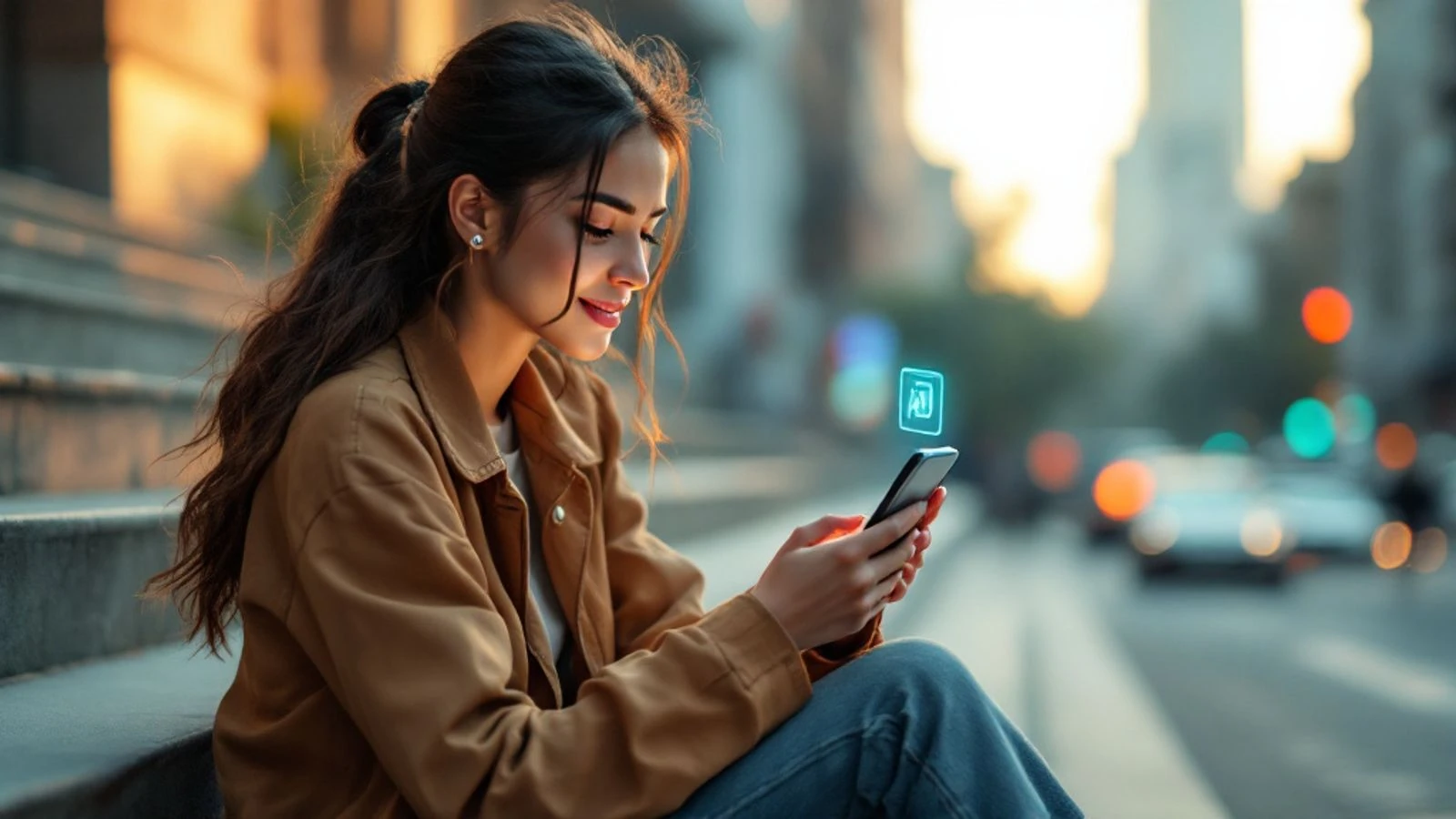
Instagram's AI info label is a tag that appears on posts containing AI-generated or digitally created content, helping viewers understand when they're seeing synthetic media. The label reads "Made with AI" and appears beneath the username on posts, stories and reels.
Instagram automatically detects and labels some AI content, but you can also add the label yourself when posting. Understanding how this label works is essential if you create content with AI tools, whether you're running an AI influencer account or just experimenting with generative tools.
In this guide, you'll learn exactly when Instagram adds the AI label, how to apply it manually, whether it impacts your reach, and the best practices for staying compliant while building your audience.
Key takeaways:
- Instagram automatically detects AI content using industry-standard markers and adds a "Made with AI" label to qualifying posts.
- You can manually add the AI info label through advanced settings when posting photos, videos, reels or stories.
- The label itself doesn't directly harm reach, but transparency helps build trust with your audience.
- Failing to label realistic AI-generated content when required can result in penalties ranging from label overrides to content removal.
- Creators running AI influencer accounts should label all synthetic content and follow platform guidelines to maintain account health.
What Is the Instagram AI Info Label?
The Instagram AI info label is a disclosure tag that identifies content created or significantly altered using artificial intelligence. It appears as a small text line reading "Made with AI" directly below the account name on posts, reels and stories.
Instagram introduced this label system as part of Meta's broader approach to AI content transparency across Facebook, Instagram and Threads. The label serves two purposes: it helps viewers distinguish between human-created and AI-generated content, and it ensures creators comply with disclosure requirements for synthetic media.
The label appears in the same location across all post types. When someone taps the label, they see additional information explaining that the content was created or modified with AI tools. This applies to both photorealistic AI images and videos that could be mistaken for real footage.
If you're building an AI influencer on Instagram, understanding this label system is crucial for long-term account health. The label doesn't necessarily mean the content is fake or misleading—it simply provides context about how the content was made.
When Does Instagram Automatically Add the AI Label?
Instagram uses technical detection to automatically add the AI label to qualifying content. The platform scans for industry-standard signals embedded in files by AI generation tools, including metadata markers from the Coalition for Content Provenance and Authenticity (C2PA).
Here's when you can expect Instagram to automatically apply the label:
AI-generated images with embedded markers: Photos created by tools that add C2PA credentials or other technical identifiers will trigger the automatic label. Many professional AI image generators now include these markers by default.
AI-generated videos with metadata: Video files containing AI provenance signals get labeled automatically. This includes videos exported from AI tools that follow content authenticity standards.
Uploaded content from partnered platforms: Content created on platforms that have partnerships with Meta for AI disclosure may carry over their AI markers when shared to Instagram.
The automatic detection isn't perfect. Instagram may miss AI content that lacks embedded markers, which is why the platform also provides manual labeling options. According to Meta's approach to labeling AI content, the company continues to improve detection technology while relying on creator disclosure for content that slips through automated systems.
If you're using CreateInfluencers to generate photos for your AI character, the platform creates realistic images that should be labeled when posted to Instagram. Even if automatic detection doesn't catch every image, you're responsible for adding the label yourself.
Instagram's automatic labeling also applies to content that's been significantly altered with AI, not just fully generated content. Heavy AI editing that changes the fundamental nature of a photo or video may trigger the label even if the original was a real photo.
How to Add the AI Info Label to Your Posts Manually
Adding the AI info label manually is straightforward and takes just a few seconds during the posting process. You should manually label any AI-generated or AI-altered content, even if you think Instagram might detect it automatically.
Here's the step-by-step process for each content type:
For feed posts and reels:
- Create your post or reel as usual, adding your AI-generated image or video.
- On the final screen before sharing, tap "Advanced settings" at the bottom.
- Scroll down to find "Made with AI" and toggle it on.
- Complete your post and share normally.
For Instagram Stories:
- Create your story with the AI-generated content.
- Tap the sticker icon (the square smiley face) at the top.
- Search for and select the "Made with AI" sticker.
- Position the sticker on your story and share.
The manual label appears in the same location as automatic labels and provides the same information to viewers. There's no visual difference between a manually applied label and one Instagram adds automatically.
You should add the label any time you post content that was:
- Fully generated by AI (like photos created with CreateInfluencers or similar tools)
- Significantly altered using AI editing tools (beyond basic filters and adjustments)
- Created by combining AI-generated elements with real photos in a way that changes the fundamental nature of the content
If you're running an AI influencer account on Instagram where every post features your AI character, you'll need to label every post. Make it part of your posting routine—add the label before you write your caption so you don't forget.
Does the AI Info Label Affect Reach and Engagement?
The AI info label itself does not directly reduce your reach or engagement in Instagram's algorithm. Instagram has stated that the label is purely informational and doesn't function as a ranking penalty.
However, the label can indirectly affect performance in several ways:
Audience perception matters most. Some viewers may engage less with content they know is AI-generated, while others find it interesting or don't mind at all. Your niche and audience demographics play a bigger role than the label itself. For example, accounts focused on AI art or digital fashion often see strong engagement despite (or because of) clear AI labeling.
Transparency builds trust over time. Accounts that label AI content consistently and openly discuss their creation process tend to build more loyal audiences than those that try to hide AI use. When followers discover unlabeled AI content on their own, they often feel deceived and may unfollow or report the account.
Content quality still drives reach. Instagram's algorithm prioritizes content that generates saves, shares and meaningful engagement. A well-composed AI image with a compelling caption will outperform a poorly executed real photo. The label doesn't change how the algorithm evaluates the content's appeal to your audience.
Here's a comparison of what actually affects reach versus what doesn't:
| Factor | Impact on Reach |
|---|---|
| AI info label presence | No direct impact |
| Content quality and composition | High impact |
| Engagement rate (saves, shares, comments) | High impact |
| Posting consistency | Medium impact |
| Audience trust and authenticity | Medium-high impact |
| Violating community guidelines | Severe negative impact |
The real risk comes from not labeling AI content when required. If Instagram detects unlabeled AI content, they may add the label themselves and potentially apply additional penalties for non-compliance. Repeated violations can lead to reduced distribution or account restrictions.
If you're concerned about reach while using AI content, focus on creating high-quality images that resonate with your niche. The strategies in our guide on how to become Instagram famous apply equally to AI and traditional content—engagement and consistency matter more than your creation method.
Best Practices for Posting AI Content on Instagram
Following best practices for AI content helps you stay compliant while maximizing your account's potential. These guidelines apply whether you're running a fully AI influencer account or occasionally using AI tools for your human-led brand.
Always label realistic AI content. If your AI-generated image or video could reasonably be mistaken for a real photo or footage, add the label. Stylized art, obvious illustrations and clearly fantastical content may not require labeling, but when in doubt, add it. Instagram's rules about AI influencers emphasize transparency for realistic synthetic content.
Be upfront in your bio and captions. Beyond the label itself, mention in your bio that you use AI to create content. Many successful AI influencer accounts include phrases like "AI-generated character" or "Digital creator" in their bio. This sets expectations immediately and attracts followers who are genuinely interested in your content.
Focus on niches where AI adds value. Some niches embrace AI content more readily than others. Fashion, digital art, concept design, travel inspiration and lifestyle aesthetics work particularly well. If you're exploring faceless Instagram account ideas, AI content can be a natural fit for many of these niches.
Maintain character consistency. If you're running an AI influencer account, keep your character's appearance consistent across posts. Tools like CreateInfluencers let you train a specific face so every new photo shows the same person, which builds recognition and trust with your audience. Inconsistent faces make your account look low-effort and confuse followers.
Create content that engages, not just exists. AI tools make it easy to generate hundreds of images, but quality beats quantity. Each post should have a purpose—whether it's telling a story, providing inspiration, or sparking conversation. Write thoughtful captions that give context and encourage interaction.
Stay within platform content guidelines. Instagram prohibits nudity and sexual content regardless of whether it's real or AI-generated. Keep your content safe-for-work. If you want to create adult content with AI, use platforms designed for it like Fanvue, which openly accepts AI-generated creator accounts as long as they're properly disclosed.
Track what works and iterate. Monitor which types of AI content get the best engagement from your specific audience. Some accounts find that lifestyle scenes outperform portraits, while others see the opposite. Use Instagram Insights to guide your content strategy just as you would with traditional content.
Creating AI Content with Transparency Using CreateInfluencers
CreateInfluencers makes it simple to generate consistent, high-quality AI content while maintaining the transparency Instagram requires. The platform is designed specifically for creators building AI influencer accounts or incorporating AI into their content strategy.
When you create an AI character on CreateInfluencers, you start with a description or upload reference images. The platform trains your character's face so every photo you generate shows the same person with consistent features. This solves one of the biggest challenges in AI content creation—maintaining a recognizable identity across posts.
The workflow is straightforward:
- Create and train your AI character with your desired appearance, style and personality.
- Generate individual photos from text prompts describing the scene, outfit and setting you want.
- Use photo packs for cohesive themed shoots—like an Instagram photoshoot pack that creates multiple images in matching outfits and locations.
- Download your images and post them to Instagram with the AI info label added manually.
The platform also includes tools for turning static images into short videos and creating talking videos for UGC-style content. These features help you create more dynamic content while staying within Instagram's guidelines—just remember to label video content the same way you label images.
For creators exploring AI content creation tools, the key advantage is consistency. Your AI character looks like the same person in every post, building the recognition that drives follower growth and engagement.
CreateInfluencers is free to start without a credit card, so you can experiment with AI content creation before committing to a paid plan. This lets you test different character concepts and posting strategies to see what resonates with your target audience.
What Happens If You Don't Label AI Content?
Failing to label AI content when required can result in several consequences, ranging from automatic corrections to account penalties. Instagram takes AI disclosure seriously as part of its broader content authenticity efforts.
Instagram may add the label for you. If the platform's detection systems identify unlabeled AI content, Instagram will add the "Made with AI" label automatically. This happens without notification, so you might not realize the label was added until you check the post later.
Repeated violations can trigger penalties. If Instagram repeatedly detects unlabeled AI content on your account, you may face escalating consequences. These can include reduced distribution (your content shown to fewer people), temporary restrictions on posting, or in severe cases, account suspension.
Your account credibility suffers. Beyond platform penalties, failing to label AI content damages trust with your audience. Followers who discover they've been viewing unlabeled AI content often feel misled, leading to unfollows, negative comments and reports. Rebuilding that trust is much harder than being transparent from the start.
You may violate advertising disclosure rules. If you're posting sponsored content or affiliate promotions using AI-generated images without proper labeling, you could run afoul of advertising standards. The FTC expects clear disclosure of both paid partnerships and material facts that affect how consumers evaluate content—which includes whether the content is AI-generated.
The penalties aren't just theoretical. Instagram has been actively enforcing AI labeling requirements, and the platform continues to improve its detection capabilities. The safest approach is simple: label everything. The few seconds it takes to toggle on the AI label or add the sticker is far less costly than dealing with penalties, lost trust or account restrictions later.
FAQ
Does the AI info label hurt engagement on Instagram?
The label itself doesn't directly reduce engagement in Instagram's algorithm. However, some viewers may engage less with content they know is AI-generated, while others find it interesting or don't care. The impact varies by niche and audience—focus on creating high-quality content and being transparent about your process. Accounts that embrace AI openly often build more loyal audiences than those that try to hide it.
Can Instagram detect all AI-generated content automatically?
No, Instagram's automatic detection isn't perfect. The platform primarily identifies AI content through embedded technical markers like C2PA credentials, which not all AI tools include. Content created with tools that don't add these markers may not trigger automatic labeling, which is why Instagram requires creators to manually label AI content even if it's not automatically detected.
Do I need to label AI content if I only used AI for minor edits?
Instagram's guidance focuses on content that's "made with AI" or significantly altered. Basic edits like filters, color correction or minor retouching don't require labeling. However, if you used AI to substantially change the content—like replacing backgrounds, altering faces, or generating major elements—you should add the label. When in doubt, err on the side of transparency.
Can I run a successful Instagram account with only AI-generated content?
Yes, many creators successfully run accounts featuring exclusively AI-generated content. The key is transparency, consistency and quality. Label all your AI content, be clear in your bio about your creation method, maintain a consistent character or style, and focus on a niche where your audience appreciates the content regardless of how it's made. Check our guide on AI influencers on Instagram for specific strategies.
What's the difference between Instagram's AI label and other platforms' requirements?
Most major platforms have similar requirements for labeling AI-generated content. Instagram and Facebook use the "Made with AI" label, while TikTok and YouTube also ask creators to label realistic AI-generated content. The core principle is consistent across platforms: disclose realistic synthetic content so viewers understand what they're seeing. Each platform may have different enforcement mechanisms and label placements, so check current requirements for each platform you use.
Will Instagram ban accounts that post AI content?
No, Instagram doesn't ban accounts simply for posting AI content. The platform allows AI-generated content as long as it's properly labeled and follows community guidelines. What can lead to penalties is posting unlabeled AI content when required, using AI to create prohibited content (like nudity or harassment), or attempting to deceive viewers about the nature of your content. Transparent, guideline-compliant AI accounts are fully allowed and can be successful.
The Instagram AI info label is a simple transparency tool that helps you build trust while creating with AI. Whether you're running a fully AI influencer account or experimenting with AI tools for your existing brand, proper labeling protects your account and sets clear expectations with your audience.
Ready to start creating consistent AI content for Instagram? Create your AI influencer free on CreateInfluencers and build an account that's both transparent and engaging.