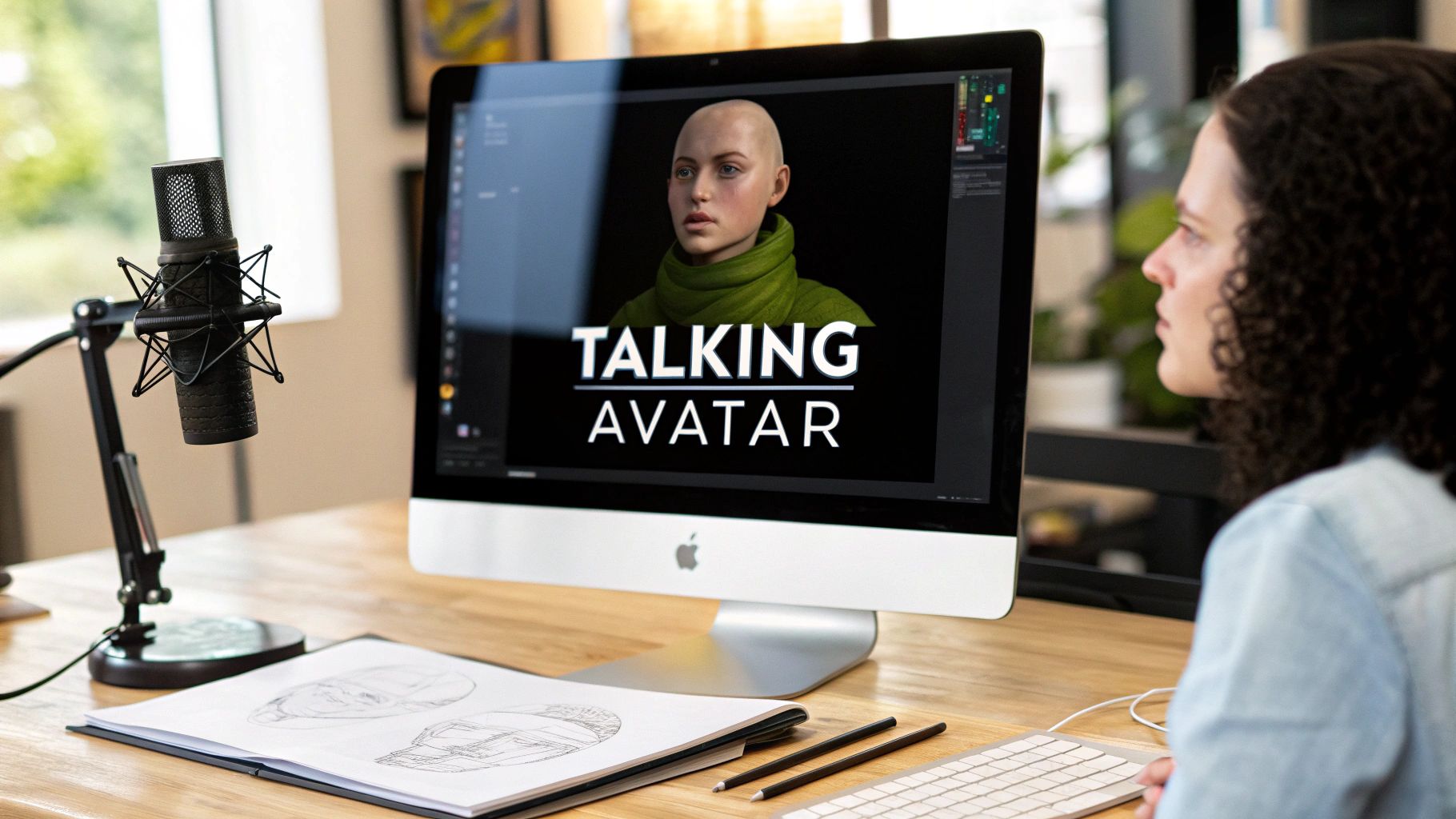
AI Face Swap Video: A Creator's Guide to Quality
Learn how to create a high-quality AI face swap video. Our guide covers tools, workflows, optimization, and ethical tips for creators and influencers.

You've probably seen the same pattern. A quick face swap clip gets attention, but the novelty fades fast. Then comes the harder question: how do you turn an AI face swap video into something consistent enough to build an audience, trustworthy enough to monetize, and polished enough that people don't bounce the second they notice something feels off?
That's where most guides stop too early. They show the button clicks, not the creative system. They explain how to generate one clip, not how to maintain a persona across weeks of posts, different formats, changing lighting conditions, and real audience expectations.
If you're serious about monetization, treat face swapping as a production workflow and a brand decision. The swap itself matters. The source assets matter more. Consistency matters even more than that. And if you're building an AI persona for social platforms, dating content, fan platforms, or brand campaigns, disclosure and consent aren't side notes. They're part of the product.
The Rise of the AI-Powered Creator
AI face swap video has moved well beyond meme content. Creators now use it to test character concepts, localize campaigns, build synthetic influencer identities, and produce repeatable visual content without rebuilding everything from scratch for every post.
That shift isn't hypothetical. The global face swap apps market was valued at approximately USD 5.15 billion in 2024 and is projected to reach around USD 17.8 billion by 2034, with a 13.2% CAGR, according to face swap app market research. The same research says North America accounted for over 38% of global revenue in 2024.

A growing market doesn't automatically mean easy money. It means more competition, more experimentation, and a higher standard for quality. The creators who benefit most won't be the ones posting random novelty swaps. They'll be the ones who build recognizable visual identities and use them repeatedly across content formats.
Why this skill matters now
If you run a solo creator business, AI face swap video gives you an advantage. You can test different character looks, produce multiple content variations, or separate your on-camera identity from your monetized persona.
If you're an agency or brand operator, it gives you a way to prototype campaigns faster and explore persona-driven creative without booking a full shoot every time. If you're building an AI-native brand, it becomes part of your operating model.
Practical rule: Learn the workflow before the niche gets crowded with polished operators.
A lot of creators still treat synthetic identity as a gimmick. That leaves room for disciplined builders. The opportunity isn't just making content with AI. It's creating an audience-facing identity that stays coherent over time. Resources from platforms focused on AI creators, such as CreateInfluencers, reflect how quickly this category is maturing.
Preparing Your Assets for a Flawless Swap
Most bad results come from bad inputs, not bad software. If your source face is poorly lit, low detail, or shot at the wrong angle, the model has to guess. If your target video has motion blur, occlusion, or extreme head turns, the model starts fighting physics.
Asset prep decides whether the output looks intentional or patched together.
What makes a strong source face
Use a source image that looks boring in the best possible way. You want clarity, not drama.
Good source photos
- Front-facing pose: A mostly frontal angle gives the model clean geometry to map.
- Even lighting: Soft, balanced light preserves skin detail and reduces harsh shadow mismatches.
- Neutral expression: Slight expression is fine, but exaggerated emotion can distort downstream swaps.
- Clear edges: Hairline, jawline, and eyes should be visible without heavy filters or blur.
Bad source photos
- Extreme angle: Side profiles make identity transfer less stable.
- Beauty filters: Filtered skin and altered facial proportions often produce uncanny results.
- Heavy contrast: Neon, nightclub, or hard spotlight images are harder to blend into neutral footage.
- Obstructions: Sunglasses, hands, microphones, and hair across the face create avoidable tracking problems.
What makes a usable target video
Target footage needs to support tracking. The more stable and readable the face is, the more natural the result.
| Target video quality | Usually works better | Usually works worse |
|---|---|---|
| Camera movement | Slow, smooth motion | Fast shake or abrupt turns |
| Face visibility | Face stays clear in frame | Frequent occlusion |
| Lighting | Consistent scene lighting | Sudden lighting shifts |
| Resolution | Clean, detailed footage | Soft, compressed clips |
Production pipelines depend on face detection, landmark extraction, and stable identity transfer. If you're learning the craft, practical platform tutorials collected in AI creator guides can help you compare setups and avoid weak starting footage.
A pre-generation checklist
Before you hit generate, check these basics:
Match the vibe
Don't pair a studio-lit glamour selfie with a grainy handheld street clip unless the mismatch is intentional.Protect the first frame
Many workflows establish tracking from early frames. Start with the face unobstructed.Keep frame rate consistent
Mixed or unstable footage increases the chance of jitter and uneven blending.
If the source image and target clip feel like they came from different universes, the swap usually looks like it too.
The Core AI Face Swap Workflow From Start to Finish
The practical workflow is simple on the surface. Upload a source face, upload a target clip, generate, review, fix, and export. The reason good creators get better results is that they understand what the system is trying to do at each step.

Step one: align the identity with the scene
The AI first needs a reliable reading of the source identity. That usually means extracting facial structure from the source image, then aligning that identity with the pose and expression of the person in the target video.
Production-level pipelines use a multi-stage process involving face detection, identity encoding from a source image, and transferring that identity onto a target video's pose and expression, according to this technical breakdown of AI face swap workflows. The same source notes that video systems use temporal blending for frame-to-frame consistency, with 70% to 85% acceptable output rates on high-quality inputs of at least 512x512.
That explains why simple swaps sometimes fail. The model isn't pasting one face over another. It's trying to preserve identity while borrowing expression, head angle, and lighting from moving footage.
Step two: generate a first pass
Your first pass is a diagnostic, not a final export. Generate with the cleanest assets you have, then review the output at normal speed and frame-by-frame.
Look for these issues:
- Hairline seams: Usually caused by poor alignment or mismatched forehead framing.
- Eye instability: Often shows up when blinks or head turns aren't tracked cleanly.
- Color mismatch: Source skin tone and target scene lighting aren't integrating well.
- Mouth drift: The lower face may look detached during speech-heavy clips.
Don't try to fix all of that in post if the base render is weak. Swap again with better inputs.
Step three: troubleshoot by cause, not by symptom
A lot of beginners keep regenerating with the same assets and hope for luck. That wastes time.
Use a simple troubleshooting model:
If the face looks soft
Try a sharper source image or a cleaner target clip.
If the edges look fake
Match lighting and angle more closely.
If motion breaks the illusion
Use a target video with slower turns and less obstruction.
If the identity looks inconsistent across frames
The clip may be too chaotic for the current model to track well.
What the model is doing under the hood
Most modern systems rely on landmarks or meshes to understand facial geometry. Then they encode identity separately from motion-related traits like expression and pose. That separation is what allows a source face to remain recognizable while still following the acting performance in the target clip.
The better your mental model, the easier it is to predict outcomes. If the target actor whips their head, covers their mouth, or moves from shadow into bright sunlight in a single shot, you should expect stress on tracking and blending.
Here's a useful visual walkthrough of the process in action:
A creator-friendly workflow that holds up
For repeatable results, use this sequence every time:
Lock the persona first
Decide on one reference identity before you start making variations.Choose the target clip second
Don't collect random footage and hope one source face fits all of it.Render a short segment first
Test the hardest part of the shot, not the easiest.Review on a larger screen
Artifacts that look fine on mobile often fail on desktop or TV.Only then render the full clip
Full exports should come after proof, not before.
If you want more workflow thinking around AI content production, creator-focused reading in the CreateInfluencers blog is useful for comparing approaches across different visual formats.
Optimizing for Realism and Avoiding the Uncanny Valley
Realism rarely fails in one dramatic way. It usually fails through small inconsistencies. The eyes feel slightly dead. The cheek color shifts between frames. The jawline holds for a second, then slips. Viewers may not know the technical reason, but they feel that something is off.
The three artifacts that give the swap away
Flicker happens when the face changes subtly from frame to frame. It often appears around the eyes, mouth, or skin texture. Fast lighting changes and unstable target footage make it worse.
Seams usually show up at the hairline, jaw, or temple. That's often a mismatch between the source face framing and the target scene's angle or lighting.
Dead-face effect happens when the identity is preserved, but the expression transfer is weak. The face looks attached to the clip instead of participating in it.
What usually improves realism
Use the input choices to solve most of the problem before editing.
- Match color temperature: Warm source with warm scene. Cool source with cool scene.
- Favor controlled motion: Subtle turns beat aggressive performance.
- Protect facial visibility: Eyes and mouth need clean reads.
- Keep wardrobe and styling coherent: Even if the face is good, a mismatched visual identity can still break believability.
The most believable swap isn't the one with the most dramatic transformation. It's the one that gives the model the fewest excuses to fail.
A quick quality review pass
Before posting, review the render in these modes:
| Review pass | What to check |
|---|---|
| Full-speed playback | Overall believability and whether anything distracts immediately |
| Frame-by-frame | Eye warping, edge seams, mouth issues |
| Muted playback | Whether the face still looks convincing without audio masking flaws |
| Mobile screen | If artifacts disappear at small size but still feel natural |
Small corrections help. A slight color grade can unify skin tones. A soft mask refinement can reduce edge harshness. Cutting away before the hardest head turn can save an otherwise strong clip.
What doesn't work is trying to rescue fundamentally bad source-target pairing. If the footage is chaotic, the model will tell on itself.
Beyond the Swap: Post-Production and Audio Sync
The face swap is only part of the final illusion. Post-production is where the video starts feeling publishable. This is usually the last stretch of work, but it adds a disproportionate amount of polish.
Choosing the right audio path
Your audio decision depends on the role of the video.
Keep the original audio when the target performance already matches the intended character and the visual swap is mainly identity-based.
Record a fresh voiceover when clarity matters more than lip precision, such as storytelling clips, product explainers, or narrated social content.
Use synthetic or recreated speech carefully when you need close mouth-performance alignment and a consistent persona voice across repeated content. This needs extra caution because audio mismatch is one of the fastest ways to make a convincing visual feel fake.
If you're polishing speech alignment, a practical resource on how to sync audio to video can help you tighten timing and spot where drift starts.
The final polish pass
After audio, bring the whole piece together with standard editing moves:
- Color grade the full scene: Don't grade just the face region. Grade the whole shot so the face belongs in it.
- Add ambient sound or music: Light sound design smooths perceived transitions and makes edits feel intentional.
- Trim around weak moments: If one head turn breaks, cut before it.
- Export for platform context: A vertical reel, a feed post, and a paid page teaser don't all need the same pacing.
A simple decision grid
| Video type | Best audio choice |
|---|---|
| Lip-sync performance clip | Keep original or tightly synced recreated speech |
| Commentary or educational short | Fresh voiceover |
| Persona teaser or aesthetic edit | Music-first with minimal spoken audio |
| Promotional variation | Depends on whether message clarity or realism matters more |
Audio mistakes expose visual work. A nearly perfect face swap with sloppy dialogue timing still feels cheap.
Monetizing AI Videos and Building Sustainable Personas
One strong clip can get attention. A stable persona builds revenue. That's the difference between experimentation and a creator asset.

Treat the persona as a brand system
A 2024 report discussed in this overview of AI persona consistency noted that audiences expect characters to evolve consistently, and inconsistent visual traits can break perceived authenticity. That matters if your face-swapped identity appears repeatedly on TikTok, Instagram, fan platforms, or campaign landing pages.
That means you need a persona sheet, even if you're a solo creator.
Keep track of:
- Core face reference: The identity you use for repeated swaps
- Expression range: Soft smile, serious look, flirtatious look, creator-talking-head look
- Styling rules: Hair color, makeup level, wardrobe categories
- Platform variants: What changes for reels, stories, feed posts, and private content
Without those constraints, your AI persona drifts. Drift confuses viewers. Confused viewers don't convert reliably.
Practical monetization paths
Different platforms reward different uses of AI face swap video.
Short-form social
Use recurring persona content for audience building, character hooks, and visual storytelling. The goal here is recognition. The face becomes the anchor for the format.
Fan platforms and gated content
A consistent synthetic persona can support themed content packs, character-driven drops, and alternate identity presentation. This works best when the persona feels coherent rather than random.
Brand and agency work
Face-swapped variants can help with campaign testing, regional adaptation, or persona-specific creative angles. For agencies, the commercial value often comes from speed and variation, not just novelty.
Education and services
Some creators make money by packaging the process itself. They sell templates, editing services, consulting, or training.
If sponsorship is part of your plan, understanding how brand deals are structured helps frame your content business model. This breakdown of YouTuber sponsorship earnings is useful for thinking through sponsor-fit strategy and content packaging.
Keep the persona stable enough to scale
Use a version-control mindset. Don't improvise every look.
Create folders for:
- Approved source faces
- Approved target footage styles
- Voice references
- Caption tone and character notes
That system makes collaboration easier and reduces accidental drift across platforms. If you also want to monetize the business side of AI creator work, the CreateInfluencers affiliate program shows one example of how creator-adjacent revenue can sit alongside content production.
The Ethics of AI Face Swaps, Consent, Disclosure, and Legality
It is often the case that creators get reckless. They focus so hard on realism that they forget trust is part of the product. If you want a sustainable brand, ethics can't be an afterthought.

Consent is the first rule
Only use faces, bodies, and voices when you have clear rights or permission to do so. That includes collaborators, clients, contractors, and reference performers. Public visibility is not consent. A photo existing online is not consent either.
If you're building a monetized AI persona, this matters even more. Revenue tied to someone's likeness without permission creates obvious legal and reputational risk.
Disclosure protects trust
Undisclosed synthetic content can damage the audience relationship fast, especially in niches where intimacy, relatability, or personal access drive conversion. Disclosure doesn't have to be awkward. It has to be clear.
Some creators put it in captions. Others include it in profile language, content labels, or onboarding messages for paid communities. The right method depends on the platform and brand tone, but hiding the use of AI is usually the short-term play.
Trust doesn't break only when people discover AI use. It breaks when they think you hid it on purpose.
Safety gaps are real
Consumer tools still have serious safety issues. A 2026 technical analysis of 155 AI face swap apps found that 70% had no safeguards to prevent swaps onto nude images, and 80% of tested apps on the Apple App Store allowed explicit swaps, according to the app safety analysis on arXiv.
That finding matters for any creator using off-the-shelf tools. Don't assume the app has already solved the ethical problem for you. In many cases, it hasn't. You need your own standards for consent, age-appropriateness, rights management, and usage boundaries.
Think long term, not just technically
The best creators in this space won't just be the ones who can generate convincing output. They'll be the ones who can maintain a believable persona, communicate transparently about how it's built, and avoid causing harm while doing commercially smart work.
If your content strategy depends on deception, it isn't stable. If it depends on consent, clarity, and repeatable quality, it has a chance to last.
CreateInfluencers is a practical place to start if you want to build AI personas, generate face-swapped images and videos, and turn those assets into content for social platforms, fan platforms, or brand work. You can explore the platform, test character creation, and see how the workflow fits your content style at CreateInfluencers.