using ai for content creation: Tools to Boost Workflow
Discover how using ai for content creation can streamline your workflow with practical tools and actionable tips.
Using AI for your content creation process isn't just a trend anymore; it's become a core part of any smart digital strategy. For creators and marketers, it’s the key to producing better content, faster—from the first spark of an idea all the way to the final published piece. Frankly, if you're not integrating AI into your workflow, you're likely falling behind in a very crowded space.
The New Reality of AI in Content Creation

Let's get real. Artificial intelligence has graduated from a buzzword to an indispensable tool in any serious content workflow. The initial hype has settled, and we're now in a practical era where AI tools are accessible, powerful, and essential for anyone who needs to create at scale.
This guide is a no-nonsense look at how creators and marketers are using AI for content creation right now. We're not talking about far-off concepts; we're focused on actionable strategies you can start using today.
Why AI Integration Is No Longer Optional
The sheer volume and velocity of content needed to grab and hold an audience's attention have exploded. Think of AI as your creative co-pilot, handling the repetitive, time-consuming tasks so you can focus on the bigger picture—strategy, originality, and that uniquely human touch. This partnership makes the creative grind more sustainable and a lot more effective.
Here’s why this shift is happening:
- Supercharged Ideation: Stuck on what to write about? AI can spit out hundreds of topic ideas, catchy headlines, and fresh angles in minutes, demolishing creative blocks.
- Rapid Drafting: Getting that first draft down for a blog post, video script, or social media update is dramatically faster, giving you more time for editing and polishing.
- Smarter Research: AI tools can sift through mountains of information online, pulling out key summaries and data points to make your content more authoritative.
- Personalization That Scales: Marketers can finally tailor content to different audience segments without an army of writers, making their messaging far more impactful.
By 2025, a staggering 90% of content marketers are expected to be using AI tools in their daily work. It’s not a matter of if, but when.
This isn't just a prediction; it's already happening. Marketers are leaning on AI for outlining (71.7%), brainstorming content ideas (68%), and writing first drafts (57.4%). A quick look at the latest AI writing statistics shows just how deeply these tools are already integrated. It proves AI isn't here to replace human creativity—it's here to amplify it.
Let's briefly summarize how AI fits into the different stages of content creation.
Core AI Capabilities in Content Creation
To give you a clearer picture, here’s a breakdown of what AI can do at each step of the content journey.
| Content Stage | AI-Powered Task | Example Application |
|---|---|---|
| Ideation & Research | Topic generation, keyword analysis, trend spotting | Generating a list of blog post titles based on a core theme. |
| Drafting & Writing | Outlining, first drafts, rephrasing, tone adjustment | Creating a complete first draft of a product description. |
| Visual Creation | Image generation, video scripting, avatar creation | Designing a unique featured image for an article from a text prompt. |
| Editing & Optimization | Grammar/spell check, SEO analysis, readability scores | Using an AI editor to refine a draft for clarity and SEO performance. |
| Distribution & Repurposing | Social media caption writing, content summaries | Turning a long-form article into a series of tweets or a short video script. |
This table shows how AI can be a partner from start to finish, not just a one-off tool.
Setting the Stage for Success
To really get the most out of using AI for content creation, you have to understand both its strengths and its weaknesses. The goal is to build a system where automated efficiency and human insight work together. This guide will walk you through picking the right tools and, more importantly, building them into a workflow that actually works for you.
As you start exploring, always remember the ultimate objective: to create better, more engaging content, not just more of it. If you're looking for more ideas on building a brand in the creator economy, the insights on the CreateInfluencers blog are a great place to start. Now, let's dive into making AI a seamless part of your creative toolkit.
How to Choose Your AI Toolkit
Jumping into AI content creation can feel a lot like walking into a massive, noisy tech conference. There are new tools popping up constantly, and just figuring out where to even begin is a challenge. The secret isn't finding one single "perfect" tool. Instead, the goal is to build a smart, personalized toolkit that actually fits what you do, how you work, and what you can spend.
The world of generative AI—the tech that powers all this stuff—has absolutely exploded. The market hit a staggering $63 billion in 2025, which shows just how deeply these tools are weaving themselves into our work. Just look at ChatGPT: it grabbed 62.5% of the consumer AI market by late 2024 and pulled in over 525 million unique visitors in March 2025 alone.
This boom means there’s a solution out there for pretty much everyone, but it also means you need a plan to cut through the noise.
Start With Your Core Needs
Before you start collecting a folder full of free trials, take a breath. Ask yourself: what do I really need this for? Are you a one-person show trying to keep a blog and social media feed alive? Or are you part of a team that needs to pump out SEO-optimized articles on a deadline? The answer changes everything.
Think about your main content format. Are you focused on:
- Written Content: Blogs, articles, newsletters, social media captions.
- Visual Content: Custom images for posts, infographics, or even product mockups.
- Video Content: Short-form clips for TikTok or Reels, talking-head videos with AI avatars, or animated explainers.
- Audio Content: Podcast scripts, voiceovers for videos, or simple text-to-speech.
What you create most often will point you to the right type of tool. A blogger's first investment should probably be a solid text generator and an SEO tool. A YouTuber, on the other hand, will get more mileage out of a great video creation and editing platform.
Understand the Main Tool Categories
Most AI tools fall into a handful of buckets. Knowing these categories helps you assemble a stack that covers all your bases without unnecessary overlap.
- Text Generators and Editors: These are the bread and butter for anyone working with words. You've got the big-name large language models (LLMs) like ChatGPT, which are fantastic for brainstorming and drafting. Then you have more specialized platforms that focus on SEO, grammar, and even plagiarism checks.
- Image Generators: These tools are magic for anyone who isn't a graphic designer. You feed them a text prompt, and they spit out unique visuals—perfect for blog headers, social media graphics, or just cool digital art.
- Video and Avatar Creators: This space is moving incredibly fast. You can now generate a full video from nothing but a script, create a realistic AI avatar to be the "face" of your content, or automate boring tasks like adding captions. We get into the more advanced stuff in our other CreateInfluencers guides.
- All-in-One Platforms: Some tools try to do it all—text, images, and sometimes video, all under one subscription. They can be a great value, especially for solo creators, but they often lack the fine-tuned power you get from a dedicated, specialized tool.
My advice? Don't get distracted by the newest, shiniest object. Focus on building a lean, effective stack that solves your biggest content headaches first. An all-in-one platform is tempting, but I’ve found that a smart combo of two or three specialized tools usually gives me better results.
A Practical Framework for Selection
Once you know your needs and the types of tools available, it’s time to actually pick something. Don't just stare at endless feature lists. Use a simple framework to guide your decision.
- Ease of Use: Is the interface intuitive? A tool can have all the power in the world, but if it takes you a week to figure out how to use it, it’s a productivity killer.
- Quality of Output: Does the AI actually produce good stuff? Test the exact same prompt on a few different tools and see which one gets closest to what you had in your head.
- Customization Options: Can you steer the output? Look for features that let you tweak the tone of voice, style, and other creative details. The more control, the better.
- Integration: Does it play nice with the other tools you already use? Check if it can connect to your CMS (like WordPress) or other parts of your workflow.
To really zero in on the right solutions, I'd recommend checking out some detailed comparisons of the leading AI tools for content creators. Honestly, community reviews and actually using the free trials are your best friends here. You’ll get real feedback that you’ll never find on a marketing page. By taking this structured approach, you can build a toolkit that doesn't just add complexity but genuinely helps you create better content, faster.
Building a Smarter AI Content Workflow
Having the right AI tools is one thing, but the real magic happens when you build an efficient, repeatable system around them. A smart workflow isn't about letting the machine do all the work. It’s about forging a partnership where AI handles the grunt work, freeing you up to focus on strategy, creativity, and that all-important human touch.
This process goes way beyond just spitting out text. It means weaving AI into every stage, from that first flicker of an idea to the final, polished piece that’s ready for the world.
This simple diagram breaks down the core of a good process: assess your needs, explore your options, and then select the right tool for the job.
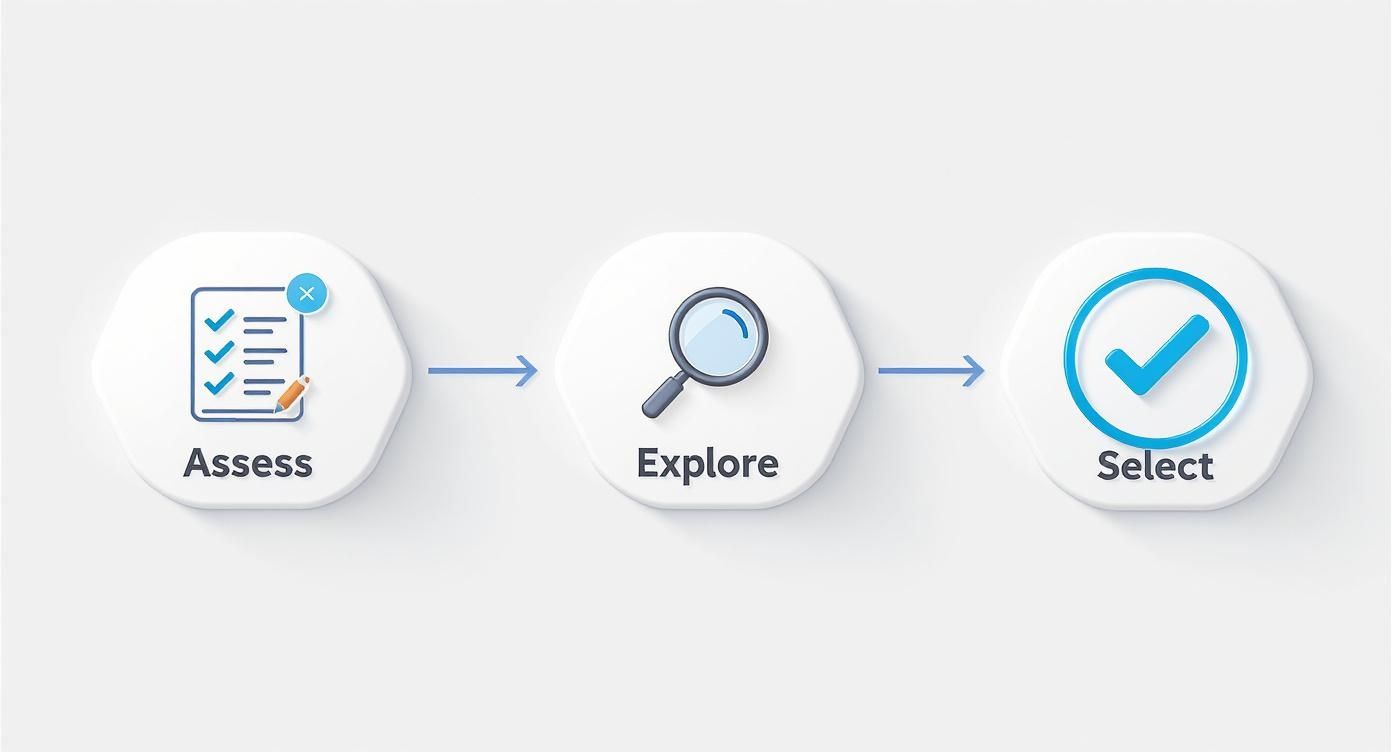
As you can see, a successful workflow starts with knowing what you need before you even start looking at platforms.
From Idea to Outline with AI Speed
Every piece of content starts with the same question: what should we talk about? AI can be a phenomenal brainstorming partner here, but you have to guide it. Instead of just asking for "blog ideas," get specific to unlock truly valuable suggestions.
For instance, a vague request gets you vague results. But a prompt like this? This is where you strike gold: "Act as a content strategist for a new SaaS company that helps freelancers manage their finances. Generate 20 blog post ideas targeting users struggling with inconsistent income. Focus on actionable tips and avoid generic financial advice."
Once you land on a winning topic, you need to build its skeleton. A solid outline is the backbone of any great article. You can have an AI create a comprehensive outline that covers all your bases, ensuring your content is thorough and flows logically from one point to the next.
Let's stick with our SaaS example. Here’s a prompt to build that framework:
"Create a detailed blog post outline for the topic '5 Unconventional Ways for Freelancers to Stabilize Their Income.' The outline should include an introduction with a hook, five main sections with 3-4 talking points each, and a concluding section with a strong call to action. The target audience is creative freelancers who are intimidated by financial jargon."
This approach gives the AI clear guardrails. You don't just get a list of headings; you get a genuine roadmap for your article.
Mastering the Art of the First Draft
With that solid outline in hand, drafting becomes much less of a chore. The trick is to work section by section. Feed the AI one part of your outline at a time. I've found this gives you far more control and produces higher-quality, more focused writing than just asking it to generate an entire 5,000-word article in one go.
A few pro tips for generating your draft content:
- Be Specific About Tone and Voice: Always tell the AI how to write. Use descriptors like "witty and conversational," "authoritative and professional," or "empathetic and encouraging."
- Give It Context: Don't make the AI guess. A little background goes a long way. For example, "Remember, our brand voice is supportive and avoids a condescending tone. We want to empower freelancers, not lecture them."
- Set Clear Boundaries: Tell the AI what not to do. I often add something like, "Do not use clichés like 'in today's digital world' or 'unleash the power of.'"
This iterative, back-and-forth process is where you really start to shape the content.
The Human-in-the-Loop Imperative
No matter how good the AI gets, its output should always be treated as a first draft. Never a final product. This is where the "human-in-the-loop" model becomes absolutely non-negotiable. Your expertise and unique perspective are what will turn generic AI text into genuinely valuable content.
This final, crucial editing phase is all about you.
- Fact-Check Everything: AI models are notorious for "hallucinating"—making up facts, stats, and sources. Always verify every single claim against a reliable source before you hit publish. This is non-negotiable.
- Inject Your Brand Voice: AI can mimic a tone, but it can't replicate your personality. This is your chance to weave in your own stories, anecdotes, and opinions. It’s what builds a real connection with your audience. For those looking to build powerful AI personas from the ground up, a platform like CreateInfluencers provides the tools to craft truly distinct AI characters.
- Refine for Flow and Readability: Read the entire piece out loud. Does it sound clunky or robotic? Break up long sentences, simplify complex jargon, and make sure your transitions are smooth.
- Add Strategic Depth: Where can you add more value? This is where your expertise shines. Maybe you can drop in a personal case study, a unique data point from your own research, or a contrarian take that challenges the status quo.
This human-led refinement is what separates forgettable content from content that actually resonates, ranks, and converts. By building a workflow that uses AI for speed and humans for depth, you create a powerful, scalable system for producing top-tier content.
Creating and Refining Visuals with AI

In a world that runs on visuals, using AI for content creation is like having an on-demand creative director at your fingertips. The power to conjure up stunning, original images and videos from a few lines of text has completely changed the game. It’s no longer about whether you can use Photoshop; it’s about how well you can describe your vision to a machine.
This shift lets you produce an incredible volume of high-quality visuals that perfectly match your brand’s vibe, all without getting bogged down in complicated design software. Let's get into how you can really master this new creative workflow.
Generating Compelling Images with AI
AI image generators are your secret weapon for just about everything, from unique blog headers to social media graphics that stop the scroll. Tools like Midjourney and DALL-E have become brilliant at turning words into art, but there’s a catch: the quality of what you get out is directly tied to the quality of what you put in. A lazy prompt will always give you a generic, forgettable result.
To create something that genuinely stands out, you have to think like an artist giving directions. Be specific.
- Specify the Style: Don't just ask for "a cat." Try "a photorealistic image of a fluffy ginger cat sleeping in a sunbeam, cinematic lighting, shot on a 50mm lens." The details matter.
- Define the Mood: Use descriptive words to set the tone. "An ethereal, dreamlike forest with glowing mushrooms" creates a totally different feeling than "a dark, ominous forest at dusk."
- Control the Composition: Guide the AI on how to frame everything. Using phrases like "wide-angle shot," "close-up portrait," or "from a low angle" gives you so much more control.
I’ve found it helps to think of it like a conversation. Your first prompt is just the opener. From there, you tweak and refine based on what the AI gives you, often adding negative prompts (like --no text or --no weird hands) to dial it in. This is how you go from being a user to a true creator.
Producing Video Content with AI Avatars and Animation
The possibilities for AI in video are exploding. We're seeing everything from realistic digital presenters to fully animated clips generated from a simple script. These tools are making video production way more accessible, which is a huge part of using AI for content creation effectively, especially if you’re focused on short-form content.
One of the most powerful applications right now is creating AI avatars. Platforms like Synthesia or our own CreateInfluencers platform let you generate lifelike talking-head videos without ever needing a camera or a mic. You just feed it a script, pick an avatar (or even make one from your own selfie), and the AI does the rest.
This is a game-changer for a few key areas:
- Educational Content: You can pump out training modules and explainer videos super quickly.
- Marketing Messages: Imagine creating personalized outreach videos at scale. It's now possible.
- Content Repurposing: Easily turn your best-performing blog posts into short, snappy video summaries.
Beyond just avatars, some tools can now generate entire animated videos from text prompts, handling the scenes, characters, and voiceovers automatically. This takes what used to be a very expensive and time-consuming process and puts it within reach for just about anyone.
Upscaling and Refining Your AI Visuals
Getting that initial image or video is just step one. The raw output from an AI tool often needs a final bit of polish to look truly professional. This is where upscaling and refinement come in, ensuring your visuals are sharp, clear, and ready to go.
The difference between an amateurish AI image and a professional one often comes down to the final 10% of the process. Never skip the refinement stage; it’s where you elevate the AI’s work to match your brand's quality standards.
Upscaling tools use AI to blow up your images to a higher resolution without turning them into a blurry mess. This is absolutely critical for anything from a website hero banner to something you plan on printing. Many AI platforms, including CreateInfluencers, have built-in upscaling engines like HyperReal to handle this for you.
For both images and videos, I always recommend a final pass in a familiar editing tool. A quick tweak to the colors, a little more contrast, or a simple crop can make a world of difference. For video, this is also your chance to add branding, background music, and text overlays. It's that final human touch that makes the content feel less like it was generated by a machine and more like something that is truly yours.
Navigating AI Ethics and Copyright
Jumping into AI-powered content creation is exciting, but it comes with its own set of rules and responsibilities. It’s not just about making cool stuff; it's about being smart and ethical. Think of this as your field guide to staying on the right side of the important legal and ethical lines.
Getting this right isn't just about dodging legal bullets. It’s about building a brand your audience trusts and creating content you can be proud of. We'll walk through everything from the murky waters of copyright to the hidden biases in AI models, so you can move forward with confidence.
Who Owns AI-Generated Content?
This is the big one. If an AI generates an image or a blog post, who actually owns it? The legal world is still catching up, but a general direction is starting to emerge. In most places, like the U.S., copyright law is designed to protect works made by people.
What that means for you is that content spit out by an AI with zero creative input from you probably can't be copyrighted. It might even fall into the public domain. However, the game changes when you get involved. If you take that AI output and significantly tweak it, rearrange it, or add your own creative flair, your final product often can be protected.
Key Takeaway: Think of AI as your creative partner, not a content factory. The more of your own vision and hard work you pour into the final piece, the stronger your claim to ownership is.
Maintaining Transparency with Your Audience
In a world full of smoke and mirrors, authenticity is gold. Your audience values honesty, and being upfront about using AI is a massive part of that. If they find out later you were using AI tools without mentioning it, it can feel like a breach of trust.
Being transparent doesn't have to be complicated. Here are a few simple ways to do it:
- A quick disclaimer: Something as simple as, "This article was drafted with AI assistance and edited by our human team," at the end of a post is perfect.
- A subtle visual cue: For AI images, some people add a tiny watermark or just mention it in the caption. No need for a giant flashing sign.
- Focus on the benefit: Frame your AI use as a way to bring them better, more in-depth content faster. You're not cutting corners; you're upgrading your process.
Opening up about your workflow shows you respect your audience. It positions AI as a powerful tool you’re using responsibly, not a shortcut you’re trying to keep secret.
Avoiding Plagiarism and Bias
Even though AI tools are built to generate new text, they learned by reading a massive chunk of the internet—full of human-written, copyrighted material. There's a small but real risk that an AI might spit out something that’s a little too close to its source material, putting you in hot water for plagiarism.
Before you hit publish, always, always run your AI-assisted drafts through a good plagiarism checker. This is a non-negotiable step that can save you a world of trouble.
You also need to be the bias-checker. AI models learn from us, and that means they can pick up and even amplify human biases related to gender, race, and culture. The output can sometimes feel skewed or rely on tired stereotypes. Your job is to be the critical eye. Read every line, question the assumptions, and edit ruthlessly to make sure your content is fair, inclusive, and accurate. You are the final, and most important, filter.
Distributing and Monetizing Your AI-Generated Content
https://www.youtube.com/embed/m647KpdNTDg
Making great content with AI is just the start. The real magic happens when you get that content in front of the right people and figure out how to make a living from it. Having a solid distribution plan is non-negotiable, especially now that search engines and social feeds are constantly changing. Your strategy for using AI for content creation has to cover the whole journey, from the first draft to smart promotion.
Things are definitely shifting. Take Google's AI Overviews, for instance. They now show up for almost 10% of all searches, and their use has shot up by 116% in the last year. And while search impressions have climbed by over 49%, click-through rates have actually dropped by nearly 30%. Why? Because people get their answers right on the results page without ever clicking through to a website.
This shift means you can't just bank on old-school SEO anymore. You need to be everywhere your audience is, which means getting creative with a multi-channel approach.
Smart Distribution Across Platforms
Never let a piece of AI-assisted content just sit on your blog. Treat every article or video as the centerpiece of a mini-campaign. That one long-form piece can be broken down and spun into dozens of smaller assets.
Here’s what that looks like in practice:
- Social Media: Feed your main article to an AI and ask for five snappy tweet hooks based on the biggest takeaways. You could also have it whip up a quick, punchy script for a TikTok or Instagram Reel that summarizes the core message.
- Newsletters: Use an AI tool to draft a short, benefit-focused summary for your email list. The goal is to give them a compelling reason to click and read the full thing.
- Video Content: For creators diving into short-form video, it’s worth exploring different YouTube Shorts monetization strategies. This knowledge can help you turn those quick clips into a reliable income stream.
This "repurposing" mindset squeezes every drop of value out of your work, making sure it reaches people across all your different platforms.
Fresh Ways to Monetize Your Work
Making money from your AI content isn't just about ads and affiliate links anymore. With platforms like CreateInfluencers, you can build entire digital brands and products from the ground up. Think about creating and selling unique AI photo packs or even offering custom AI avatar services for other businesses.
The smartest creators are no longer just monetizing their views—they're productizing their content. They're building digital assets, like AI influencers, that create ongoing revenue.
Another great option is our CreateInfluencers affiliate program. It’s a simple way to earn by recommending the tools you’re already using to other creators. By blending these newer monetization methods into your strategy, you can turn your creative passion into a real, sustainable business—all supercharged by the efficiency of AI.
Answering the Big Questions About AI Content Creation
As you start exploring AI for your content, you're bound to run into a few tricky questions. It's a new frontier, after all. Let's clear up some of the most common concerns I hear from creators just like you.
Will I Get Hit With a Penalty for Using AI Content?
Short answer: no. As long as you're creating good stuff, you're in the clear.
Google's own guidance is pretty direct about this—they care about helpful, high-quality content for people, not how it was made. The goal is to provide value.
Where you run into trouble is trying to pump out huge volumes of low-quality, spammy articles. If your AI-assisted content is well-researched, genuinely useful, and has your unique stamp on it, it has every chance to perform well.
How Can I Make AI Sound Like Me?
This is a big one. You don't want your brand's personality to get lost in a sea of robotic text. The key is to see the AI as a collaborator, not a replacement.
Start by giving it a solid foundation. You can feed it your style guide or even a few examples of your best-performing articles so it has something to work from. Then, get really specific with your prompts. Don't just ask for a blog post; tell it who you're talking to and the exact vibe you want. For example, "Write this with a witty, encouraging tone for first-time founders who are feeling overwhelmed."
But the most critical step? Treat everything the AI gives you as a first draft. It's on you to weave in your personal stories, inject your unique opinions, and add that human touch that makes your brand what it is.
The biggest mistake I see is hitting "generate" and "publish" without a second thought. The AI is your super-powered intern, but you’re still the editor-in-chief. Your expertise is what turns generic text into something genuinely valuable.
What Are the Biggest Pitfalls I Should Avoid?
Two things trip people up more than anything else: blind trust and lazy prompting.
First, never assume the AI is giving you perfect information. These models can and do make things up—a phenomenon often called "hallucinations." You absolutely have to fact-check every statistic, claim, and quote before it goes live.
Second, if you give the AI a boring, one-line prompt, you're going to get boring, one-line content back. The magic happens when you invest a little time in crafting detailed, layered prompts. And remember, the real value comes when you layer your own strategic insights and expertise on top during the editing process.
Ready to create standout AI-powered visuals that capture your unique brand? CreateInfluencers lets you design custom AI influencers, generate high-resolution images, and produce dynamic videos in minutes. Start for free at https://createinfluencers.com and bring your creative vision to life.