Your Guide to the Best Professional Headshot Generator Free Tools
Discover the best professional headshot generator free tools. Our guide provides actionable steps to create stunning, AI-powered headshots for any platform.
It's true—you really can find a professional headshot generator free of charge to get high-quality images for your profiles. While many of the big names are paid services, a surprising number of them offer free trials or a limited number of free image generations. This gives you a chance to tap into some seriously powerful AI without reaching for your wallet. I'll walk you through exactly how to find them and get the most out of them.
Why Free AI Headshot Generators Are Such a Big Deal
The days of booking expensive photoshoots and waiting around for an editor to send back your pictures are numbered. AI has completely changed the game for anyone needing to look sharp and professional online. You can now create a whole portfolio of great-looking headshots in just a few minutes, all from your own computer.
The biggest draw is obvious: you save a ton of time and money. Think about a startup founder who suddenly needs a great LinkedIn photo for a press release going out tomorrow. The old way meant scrambling to find a photographer, booking a session, and then anxiously waiting for the edited files. With a free AI tool, they can just upload a few good selfies and have dozens of options to choose from before they've even finished their morning coffee.
This isn't just a small trend, either. It’s an exploding market. The global AI headshot industry is on track to hit $500 million by 2025, which is a massive 150% jump from the previous year. Professionals are quickly ditching traditional photoshoots, which can easily cost over $200 and take weeks, for AI options that cut costs by up to 90% and deliver results almost instantly.
The Real-World Benefits
The perks go way beyond just speed and cost savings. What's truly powerful is the level of creative control you get over your own personal brand.
- So Much Variety: You can generate dozens of different looks. Try on different outfits, experiment with various backgrounds, and see what different lighting styles look like—all without leaving your chair.
- Creative Freedom: Want to test out a few professional vibes? You can go from a serious, corporate style to a more relaxed, creative look in minutes to see what fits best.
- Instant Gratification: Got a last-minute speaking gig or need to update a profile right now? You can have a brand-new headshot ready to go in less than an hour.
These tools are a perfect example of how AI image tools for visual content creation are reshaping how we build our digital presence. For those looking to push things even further, advanced platforms like https://createinfluencers.com/ let you generate entire AI personas from scratch, opening up a whole new world of possibilities.
The real power of a free professional headshot generator isn't just avoiding photographer fees. It's the ability to instantly align your visual identity with your career goals, testing different looks until you find the perfect one for your target audience.
Before we jump into the how-to, it helps to know what to look for. The best free tools nail the balance between image quality, customization options, and being easy to use. The table below highlights the key features to keep an eye out for.
Key Features in Top Free AI Headshot Generators
When you're comparing different free generators, it's easy to get overwhelmed. This table breaks down the most important features to look for, so you can quickly see if a tool is worth your time.
| Feature | What to Look For in Free Tools | Why It Matters for Your Headshot |
|---|---|---|
| Image Quality & Realism | High-resolution outputs (at least 1024x1024 pixels) and realistic details, especially in the eyes and hands. | A blurry or fake-looking image defeats the purpose. You need a headshot that looks like a real, professionally taken photo. |
| Customization Options | The ability to choose styles (e.g., corporate, casual), backgrounds (office, outdoor), and clothing. | This gives you control to create a headshot that perfectly matches your industry and personal brand. |
| Number of Free Images | Look for tools offering at least 5-10 free images or a decent number of "credits" to experiment with. | You'll want enough generations to try different prompts and styles to find the perfect shot without having to pay. |
| Ease of Use | A simple, intuitive interface where you can upload photos and enter prompts without a steep learning curve. | A complicated tool can be frustrating. The goal is to get a great headshot quickly, not spend hours learning new software. |
| Data Privacy Policy | A clear policy stating how your uploaded photos are used, stored, and when they are deleted. | You're uploading your likeness, so it's crucial to know your data is being handled responsibly and securely. |
Ultimately, finding the right tool comes down to which one gives you the best results with the least hassle. Look for a generator that checks these boxes, and you'll be well on your way to a fantastic new headshot.
Getting Your Photos Ready for Flawless AI Results
The real secret to getting amazing results from a professional headshot generator free of charge has less to do with the AI and more to do with the photos you give it. Think of it like this: you’re handing the AI a detailed blueprint of your face. A blurry, poorly lit blueprint will lead to a distorted, uncanny final image. But a clear, well-lit one? That gives the model everything it needs to create a stunning, photorealistic version of you.
Honestly, this prep work is the single most important step you'll take. "Garbage in, garbage out" is the golden rule of AI imaging. Spending just 10 minutes to snap a few high-quality, intentional selfies will radically improve your final headshots and save you a ton of frustration later on.
Master Your Lighting and Background
Natural light is your best friend here, hands down. Find a window during the daytime and face it. This setup gives you soft, even light that flatters your features. Avoid harsh overhead lights at all costs—they create weird, deep shadows under your eyes and nose that the AI can easily misinterpret.
Backlighting is even worse. If you stand with a bright window behind you, your face will just become a dark silhouette, making it impossible for the AI to see you clearly.
When it comes to the background, keep it simple. A plain wall is perfect, whether it's white, grey, or any other solid color. A busy background cluttered with plants, art, or furniture can confuse the AI, sometimes causing strange artifacts to blend into your hair or shoulders. The goal is to make you the only focus.
A clean background and good, front-facing natural light are non-negotiable. This simple combination provides the AI with the cleanest possible data of your facial structure, which is the foundation for a realistic headshot.
Capture a Range of Angles and Expressions
Don't just upload a dozen photos all taken from the exact same position. The AI needs variety to truly understand the three-dimensional shape of your face. To give it the best possible data, run through this quick checklist:
- Vary Your Angles: Snap some photos looking straight at the camera, then turn slightly to the left, and then slightly to the right. Also, try a few shots with your chin tilted a little up or down.
- Mix Your Expressions: Get a mix of looks. A confident, professional smile is great, but also include a more neutral or thoughtful expression. A soft, approachable smile with your mouth closed is another fantastic option. This gives the AI more to work with for different professional scenarios.
- Show Your Full Head: Make sure your entire head and hair are in the frame. Selfies where the top of your head is cropped out are a no-go.
Taking these extra steps provides a much more complete picture of what you actually look like. For even more deep dives into photography and content creation, you can find a ton of helpful resources in our other creator guides.
At the end of the day, a diverse set of high-quality source images is what separates an average AI photo from a genuinely professional one.
Bringing Your AI Headshot to Life
Alright, you've got your selfies sorted. Now for the fun part: turning those everyday photos into a professional headshot. Don't worry, this isn't some complex technical process. Most of the modern generators are built to be incredibly straightforward, walking you right through from upload to the final download.
Your first decision is which platform to use. Many of the best services out there give you a few free credits or a trial run, which is all we need to get started. Once you've picked one and signed up, the general flow is pretty much the same everywhere. You'll upload that batch of selfies you prepared, and then you start telling the AI what kind of look you're going for. This is exactly where that earlier prep work starts to pay off.
This simple breakdown shows the key elements you should have already nailed before you even upload.
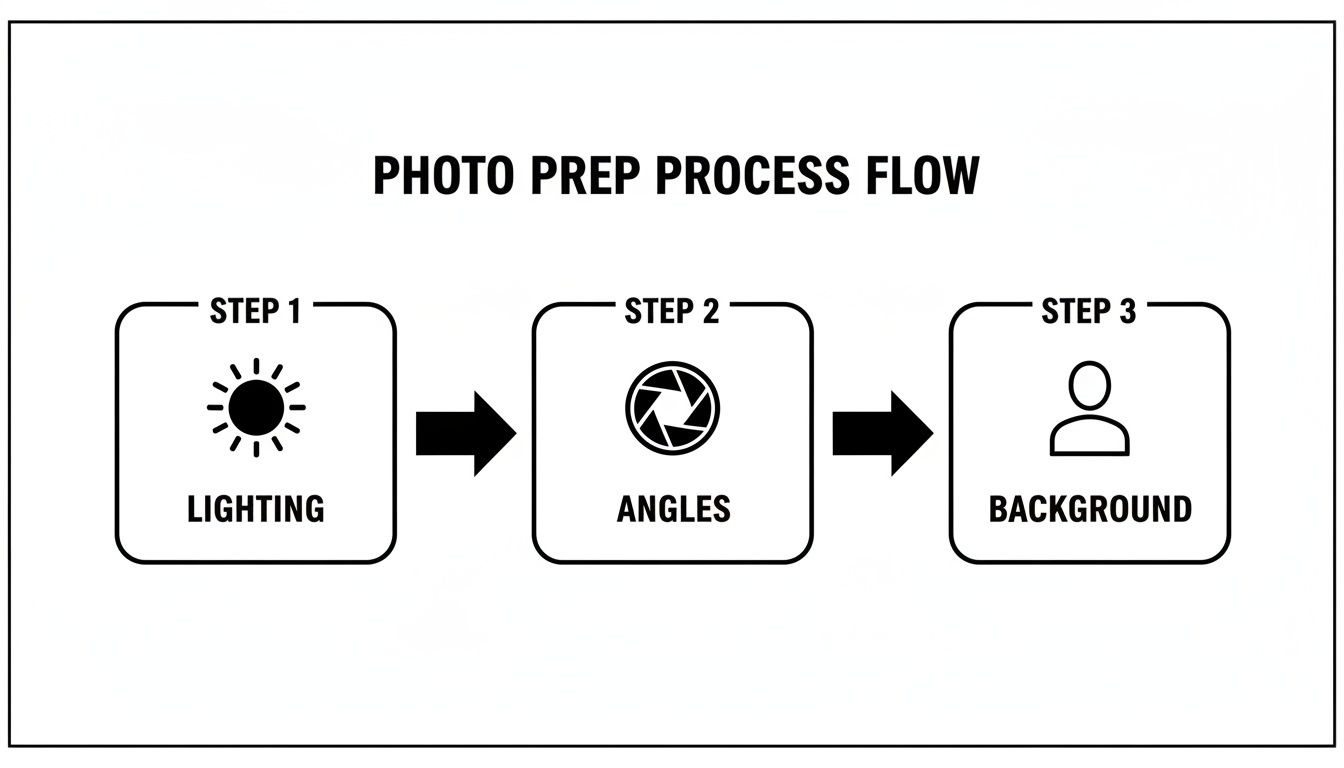
As you can see, getting great results really hinges on a solid foundation of good lighting, a mix of angles, and a background that doesn't steal the show.
Choosing Your Style Inside the Generator
Once your photos are uploaded, the AI will usually ask you to pick a "style." This is where you set the vibe for your final image. Don't just click on the first cool-looking option. Think about where you'll be using this headshot. A lawyer needs a formal, trustworthy look, while a graphic designer can get away with something more creative and casual.
Most platforms will show you a gallery of preset styles to choose from. You’ll typically find options like:
- Corporate: This gives you a clean, professional look, usually in business attire with a simple or blurred office in the background.
- Casual: Think more relaxed clothing, softer lighting, and maybe an outdoor or lifestyle-type setting.
- Creative/Artistic: Expect bolder lighting, more unique backgrounds, and expressive poses.
Pick a style that genuinely fits your industry and what you want to project. For something like a LinkedIn profile, you can rarely go wrong with a "corporate" or a tastefully done "casual" style.
The real beauty of using a professional headshot generator free of charge is the chance to experiment. You can create a serious corporate version and a friendly casual one, then show them to colleagues to see which one lands better.
Writing Prompts That Actually Work
While pre-set styles do a lot of the heavy lifting, some generators give you even more control with text prompts. This is your direct line to the AI. Think of yourself as the art director of a photoshoot—the clearer your instructions, the better the final portrait.
A vague prompt like "professional headshot" won't get you very far. You need to be descriptive.
Here are a few examples you can steal and adapt:
For a tech professional:"Professional headshot of a software engineer, friendly and confident expression, wearing a dark blue polo shirt, blurred modern office background with soft natural light."
For a creative consultant:"Headshot of a marketing consultant, warm smile, wearing a casual blazer over a simple t-shirt, outdoor setting with a slightly blurred green foliage background."
For a formal corporate look:"Corporate headshot of a financial analyst, serious yet approachable expression, wearing a charcoal grey suit and white shirt, against a solid light grey studio background."
It's no surprise these tools are exploding in popularity. The AI photo market is on track to hit $7.5 billion by 2025, with some generators having already produced over 3 million images for users in more than 90 countries. People are creating incredible visuals in seconds. If you're curious about the data behind this shift, you can find more in these AI imaging statistics.
Refining and Customizing Your AI-Generated Headshots
Alright, so you've run your selfies through a professional headshot generator free of charge and now you have a folder full of options. It's easy to get excited here, but this is where the real work begins. The initial images are just your raw clay; it's the careful selection and subtle edits that shape them into something truly professional.
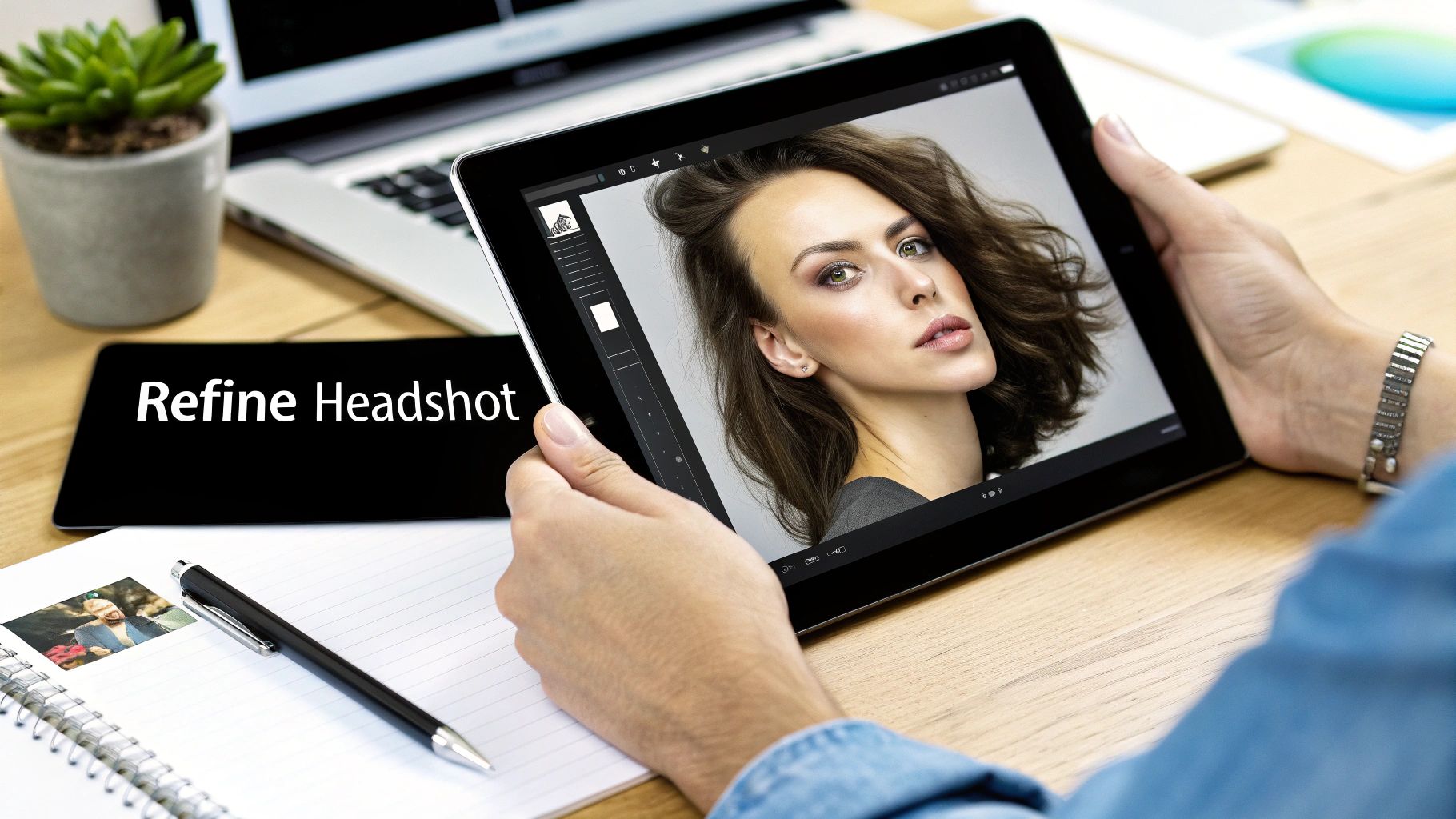
Your first job is to be a ruthless editor. Don’t just scroll through and pick the one with the best smile. You need to put on your detective hat and scrutinize every detail. The goal is to find the images that are not just good, but believable.
This is more important than ever. The market for AI image generation exploded from $299.3 million in 2023 and is on track to hit $917.4 million by 2030. That means a lot of people are using these tools, so a polished, high-quality result is what will make you stand out. If you want to dive deeper into the numbers, this in-depth market analysis breaks it down.
What to Look for When Selecting Your Best Shots
When you’re sorting through the results, you need a quick mental checklist. Be prepared to toss out a lot of them—even the best generators produce duds. The slightest digital artifact can be a dead giveaway that it's an AI photo.
Here's what I always look for:
- Consistent Eyes: Are they symmetrical? Looking in the same direction? Free of bizarre reflections? The eyes are the first place AI tends to get weird, so check them first.
- Natural Textures: Zoom in on the skin and hair. You want to see subtle pores and realistic hair strands, not a waxy, overly smoothed-out surface.
- Coherent Backgrounds: Glance behind your AI self. Are there any melting objects or strange, illogical shapes? A clean, non-distracting background is key.
- Anatomical Accuracy: Pay attention to the little things—ears, teeth, the jawline. Make sure everything looks like it belongs to an actual human.
The goal is to choose an image that looks like it was captured by a skilled photographer, not assembled by an algorithm. Pay attention to the subtle cues of realism—lighting, shadows, and texture—to find the true gems in your generated batch.
Quick Edits with Free External Tools
Once you’ve narrowed it down to one or two solid candidates, a few final touch-ups can make all the difference. You don't need to be a Photoshop wizard or buy expensive software. Plenty of free online tools can get the job done.
- Brightness and Contrast: A tiny bump in brightness can make your face pop, and adjusting the contrast adds a bit of depth and drama.
- Cropping for Impact: Re-framing your shot can be powerful. Crop in to create a tighter, more focused composition that draws all the attention to your expression.
- Upscaling for Quality: Don't skip this step. Use a free AI upscaler to increase the resolution. This is absolutely essential if you plan to use it for anything other than a tiny profile picture.
Sometimes, the perfect shot has a slightly distracting background. A classic photography trick is to soften the background to make the subject stand out. You can learn how to blur background like a pro in photos and video to give your headshot that final, polished studio look. These small refinements are what separate an okay headshot from a great one.
How to Use Your New Headshot on Different Platforms
You've generated a fantastic set of new headshots—now what? The real magic happens when you start putting them to work. But here's a pro tip: one size rarely fits all. The perfect headshot for your LinkedIn profile might feel completely out of place on a creative portfolio or a dating app. Matching your image to the platform is key to making a killer first impression.
This is about more than just looking good; it's about sending the right signal to the right audience. On LinkedIn, you want a photo that says you're professional but also someone people would want to work with. For your company's "About Us" page, the vibe might be more formal, designed to fit a specific corporate brand identity—consistent, trustworthy, and buttoned-up.
Adapting Your Headshot for Professional Networks
Think of LinkedIn as your digital business card. Your photo is the first thing recruiters and potential partners see, so it needs to strike a perfect balance between competence and personality. A warm, confident smile can make you seem far more approachable. I always tell people to avoid overly casual shots here; even if you work in a laid-back industry, your photo should still signal that you take your career seriously.
On the other hand, a personal website or an online portfolio gives you a lot more creative leeway. A software developer could go for a headshot with a clean, modern feel, while a graphic designer might want something more artistic and expressive. The goal is to choose an image that’s a direct reflection of the quality and style of your work.
A great headshot does more than show what you look like; it tells a story about your professional brand. The image you choose for LinkedIn should say, "I'm a skilled professional you can trust," while your personal brand photo might say, "I'm a creative expert who thinks differently."
Choosing the Right Image for Social and Personal Profiles
When you shift over to more casual social media or dating apps, authenticity is everything. A super-polished, corporate photo can come across as stiff or even disingenuous in these spaces. You’ll find that an image from your professional headshot generator free tool showing a genuine laugh or a more relaxed pose almost always performs better. It shows you're a real person, not just a walking resume.
To make this decision easier, I've put together a quick guide to help you match your headshot to the platform's specific vibe.
Choosing the Right Headshot Style for Each Platform
Selecting the right photo is a strategic move. The table below breaks down what works best where, helping you align your visual brand with your goals on each platform.
| Platform | Recommended Headshot Style | Key Elements to Emphasize |
|---|---|---|
| Professional & Approachable | Confidence, warm expression, business-appropriate attire. | |
| Corporate Website | Brand-Aligned & Trustworthy | Consistency with company branding, professional, neutral expression. |
| Portfolio/Website | Creative & Authentic | Personality, industry-specific style, high-quality resolution. |
| Social Media | Casual & Engaging | Genuine smile, relaxed posture, background that shows personality. |
Ultimately, using your new headshots effectively means becoming the curator of your own brand. You have to be thoughtful and intentional. By picking the right image for each context, you ensure your visual identity is working just as hard as you are. For more deep dives into building a strong online presence, feel free to check out the content creation tips on the CreateInfluencers blog.
Got Questions About Free AI Headshots?
Jumping into the world of AI headshots naturally brings up some questions. It's smart to be a little skeptical. Will my photos be safe? Will the final images actually look like me? I get it. I’ve put together the most common questions people ask when they're looking for a professional headshot generator free of charge, with some straight-up answers to get you started.
Are My Photos Safe With a Free Generator?
This is the big one, and thankfully, the answer is usually yes—as long as you stick with reputable tools. Most solid generators have clear privacy policies explaining exactly how they handle your pictures. For the most part, they only use your uploads to train the AI for your specific session.
Once your headshots are done, these platforms typically wipe your original photos from their servers within a short period, often somewhere between 24 and 72 hours. Always take a minute to glance over the terms of service. If a site is fuzzy on how they use your data or tries to claim ownership of your images, that’s a red flag. Move on.
Can AI Headshots Genuinely Look Realistic?
Absolutely. Modern AI has gotten frighteningly good at creating photorealistic images. That strange, plastic-like "uncanny valley" look from a few years ago is pretty much gone, but there's a catch. The single biggest factor for getting a realistic result is the quality of the photos you feed it.
Clear, well-lit selfies from a few different angles give the AI the best data to work with. While older models struggled with tricky details like hands and eyes, the latest algorithms have improved dramatically. If you're hunting for the most lifelike results, look for generators that mention using the latest AI models.
The key to a realistic AI headshot isn't just the technology—it's the data. High-quality, varied source photos are the foundation. A great generator can't fix blurry, poorly lit input images.
What Are the Main Limits of Free vs. Paid Tools?
The difference between free and paid AI headshot generators usually comes down to features, quality, and what you're allowed to do with the images. It’s a classic "you get what you pay for" situation, though free tools are still fantastic for a lot of people.
Here’s a quick breakdown:
- Usage Limits: Free versions might limit how many headshots you can make or which styles you can try. Paid plans open the floodgates with more generations and creative options.
- Image Quality: While free tools can look sharp, paid versions almost always offer higher-resolution downloads. This is critical if you need the image for anything more than a small social media profile picture.
- Watermarks & Rights: You'll often find a watermark on images from free generators. Paying up removes it and usually grants you commercial usage rights—a must-have if you're using the headshot for your business. Many creators even turn this into an income stream by sharing their expertise through affiliate marketing for AI tools.
A free generator is perfect for a quick LinkedIn profile refresh or just to see what all the fuss is about. But if you’re building a professional brand or need images for a commercial project, upgrading is a wise move.
Ready to create stunning, high-resolution visuals that go beyond just headshots? CreateInfluencers empowers you to design unique AI personas, generate captivating images, and even produce dynamic videos in minutes. Start creating for free at https://createinfluencers.com.