Your Guide to Creating Stunning NSFW AI Art Gen Content
Unlock the secrets of hyperrealistic adult art with this guide to using an NSFW AI art gen. Learn expert prompts, safety tips, and monetization strategies.

An NSFW AI art generator is essentially a tool designed to create adult or explicit images using artificial intelligence, getting around the heavy content restrictions you find on mainstream platforms. These generators are quickly becoming a cornerstone for creators on sites like OnlyFans and Fanvue. They offer a powerful way to produce high-quality, hyperrealistic content without the hassle and expense of traditional photoshoots.
The New Frontier of AI Adult Content Creation
It’s impossible to ignore the massive shift happening in adult content, and AI is right at the heart of it. What started as a niche hobby for tech enthusiasts has exploded into a powerful engine for digital creators. The emergence of sophisticated, uncensored AI tools has completely changed the game for influencers and artists who make a living on subscription platforms.
This whole movement is being driven by a few key things that make AI an incredibly compelling option for creating content.
Speed and Cost Efficiency
Think about what it used to take to create a high-quality photo set for a platform like OnlyFans. It meant a serious investment of time and money—hiring photographers, scouting locations, and spending hours editing. An NSFW AI art generator just wipes those hurdles away.
Now, creators can churn out stunning, customized visual content in minutes, not days. This huge drop in time and cost lets them keep a steady posting schedule, connect with their audience more effectively, and ultimately, boost their bottom line.
Unlocking Creative Freedom
Beyond the practical perks, AI provides almost limitless creative freedom. Influencers are no longer boxed in by physical constraints or budget. With just a simple text prompt, they can generate visuals in any setting they can dream up, from intimate boudoir scenes to wild fantasy worlds.
This opens up entirely new ways to build unique AI personas and cater to very specific audience tastes. For example, a creator could generate a themed photo pack for a holiday or fulfill a custom request without ever stepping in front of a camera. Platforms that really get this, like CreateInfluencers, are leading the way with features that can turn simple selfies into fully realized, monetizable AI characters.
"The ability to generate an entire 'photoshoot' in under an hour has fundamentally changed my workflow. I can test new concepts, respond to fan requests instantly, and produce more content than I ever could before, all while maintaining my privacy."
A Market in Hyper-Growth
The demand for these tools isn't just a hunch; it's backed by some explosive market growth. The global AI-generated adult content sector grew by an astonishing 450% from 2023 to 2025. On top of that, stats show that 62% of NSFW AI users say they're generating content for monetization. This really shows how influencers are using features like one-click character creation and HyperReal upscaling to produce HD adult visuals in just minutes. You can dive deeper into these industry trends and the top NSFW AI generators to see just how big this movement is.
This rapid expansion isn't just a trend—it signals a permanent change in how adult content is made and consumed. For modern creators, getting good with these AI tools is becoming an essential skill.
Choosing the Right Tools for Your Creative Vision
Let's be honest: diving into NSFW AI art can feel like navigating a minefield. A ton of platforms pop up, all promising the moon, but most mainstream generators have content filters so strict they're basically useless for creating adult content. This forces creators like us to find specialized tools built for the job.
The trick is to ignore the flashy marketing and zero in on what actually matters. You need a platform that's genuinely uncensored, offers serious privacy controls, and gives you the power to truly customize your work. This is where things like LoRAs (Low-Rank Adaptations) come in, letting you train the AI on a specific look, character, or style.
Your end goal—whether you're just having fun or building a business—will dictate which tools and features are most important. This flowchart can help you map out your path.
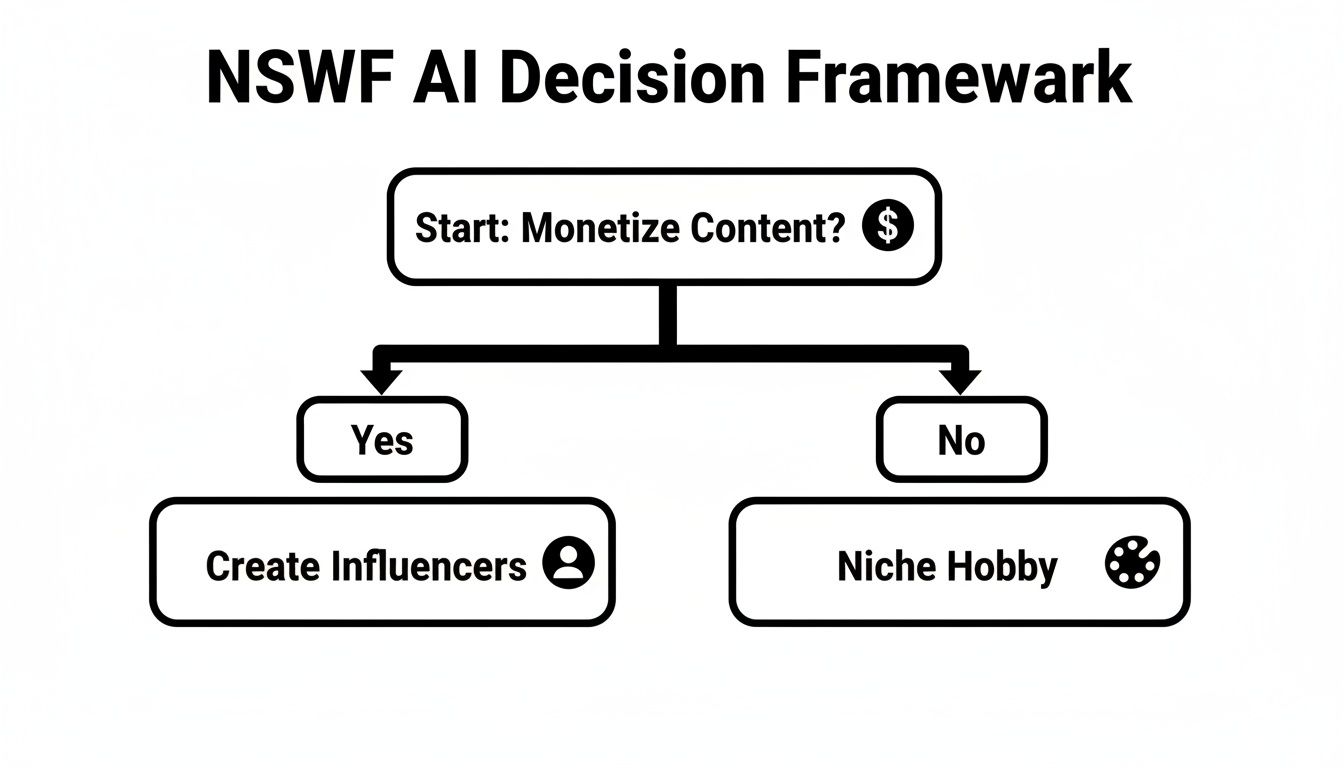
As you can see, the route you take makes a huge difference in what you'll need from a platform.
What to Look for in a Top-Tier NSFW AI Generator
When you're comparing different NSFW AI art generators, a few features are absolutely non-negotiable. An uncensored policy is the price of admission; without it, you're just wasting time fighting with filters that will inevitably block your best ideas.
Next, you'll want a platform that supports a massive variety of custom models and LoRAs. This is the secret sauce that separates unique, compelling art from generic, AI-looking images. Having access to a deep library of community-trained models for different aesthetics—photorealism, specific anime styles, you name it—is a game-changer.
Finally, think about the actual user experience. A platform built with creators in mind simplifies the technical jargon and complex settings into a workflow that just makes sense. This lets you spend your time being creative, not wrestling with confusing menus.
Choosing the right platform is the first and most critical step. The table below breaks down the essential features you should be looking for, explaining why they're so important for adult content creation.
NSFW AI Art Generator Feature Comparison
| Feature | Why It Matters for NSFW Content | What to Look for in a Platform |
|---|---|---|
| Uncensored Policy | This is the foundation. Without it, your prompts will be blocked, and you'll be unable to create genuine adult content. | A clear, explicit statement in their terms of service allowing adult content generation without restrictive filters. |
| Custom Models & LoRAs | These are what allow for unique styles and character consistency, preventing your art from looking generic or "AI-generated." | A large, well-organized library of community- and platform-provided models and LoRAs for different aesthetics. |
| Inpainting & Outpainting | Essential for fixing mistakes (like weird hands) and expanding your images without starting over. | Intuitive brush-based tools that allow you to selectively regenerate or extend parts of an image with a new prompt. |
| Negative Prompts | Gives you control over what not to include, crucial for avoiding common AI artifacts like extra limbs or bad anatomy. | A dedicated input field for negative prompts and the ability to save presets for common exclusions (e.g., "blurry, ugly"). |
| Privacy & Security | You need to know that your creations and personal data are secure, especially when dealing with sensitive content. | Options for private generation modes, clear data handling policies, and secure account management features. |
| ControlNet Support | This powerful tool lets you guide the AI's composition using reference images, giving you precise control over poses and layout. | Full integration of ControlNet models like OpenPose (for poses), Canny (for outlines), and Depth (for perspective). |
Having a clear checklist like this helps you cut through the noise and find a tool that genuinely supports your creative ambitions rather than holding them back.
Getting a Grip on the Core AI Settings
Once you've picked your platform, you'll be faced with a few core settings that have a huge impact on your final image. Getting comfortable with these is the key to getting what you want out of the AI.
Models: Think of these as the "brain" of the AI. Each model is trained on different types of images and will give you a totally different style. A photorealistic model is what you need for lifelike people, whereas an anime model will produce that classic stylized look.
Samplers: A sampler is just the method the AI uses to turn a cloud of digital noise into your final picture. Different samplers, like DPM++ 2M Karras or Euler a, work a bit differently. It's worth experimenting, as they can subtly change the texture and feel of an image.
CFG Scale (Classifier-Free Guidance): This slider tells the AI how strictly it should follow your prompt. A lower value (around 7) gives it more room for interpretation, which can lead to more creative or unexpected results. A higher value (10-12) forces it to stick much closer to your instructions.
A classic rookie mistake is cranking the CFG Scale way up, hoping for a "better" image. More often than not, this just results in ugly, oversaturated, and distorted pictures. I always recommend starting around 7-8 and tweaking from there. It's all about finding that sweet spot between control and creativity.
The demand for these tools has absolutely exploded. By late 2025, it's projected that NSFW AI generators will capture 40% of the entire AI art market share—a staggering leap from just 5% in 2022. This growth is driven by creator-friendly pricing and huge demand in adult entertainment, where an estimated 77% of top OnlyFans earners now use AI to supplement their content, leading to a 52% revenue increase on the platform.
If you're ready to get into the weeds with more advanced techniques and workflows, we have a whole library of tutorials designed to help. Check out our guides on mastering AI content creation for more in-depth walkthroughs. Nailing these fundamentals is your first real step toward creating consistently awesome work.
Mastering the Art of the Perfect NSFW Prompt
Here's where the magic really happens. Your prompt is the direct line of communication with the AI, and getting it right is the single most important factor in creating stunning NSFW art. It’s less about just telling the AI what to make and more about directing it on how to make it.
Think of it like you're a film director. If you give your lead actor vague instructions, you’ll get a flat, confused performance. But if you provide specific, layered directions, you can coax out a masterpiece. It's the exact same principle here, and mastering this skill is what separates amateurish outputs from professional-grade, monetizable content.
The Anatomy of a Powerful Prompt
Every truly great prompt, especially for a complex nsfw ai art gen task, is built by layering different components. When you stack these elements, you give the AI a rich, detailed blueprint to work from, which dramatically boosts your chances of getting the exact image you have in your head.
Here are the core building blocks I always use:
- Subject: This is your "who" or "what." Don't just say "woman"—get specific. Think hair color, eye color, body type, and what she's wearing.
- Action/Pose: What is the subject doing? Words like "lounging," "gazing intently," "dancing gracefully," or "leaning against a wall" add life and energy.
- Setting/Environment: Where is all this happening? A "dimly lit boudoir with heavy velvet curtains" evokes a completely different mood than a "sun-drenched tropical beach at sunset."
- Artistic Style: This is all about the overall look. Keywords like "photorealistic," "cinematic lighting," "hyperdetailed," or "8k resolution" are your best friends for achieving realism.
- Shot Type/Angle: How do you want the scene framed? Use photography terms like "full body shot," "intimate close-up portrait," or "cowboy shot" to control the composition.
Mixing these elements is how you go from a vague request to a detailed, actionable command. If you want to really go down the rabbit hole on this, this Text Prompt Guide is a fantastic resource for digging deeper.
Prompting in Practice: From Simple to Complex
Let's walk through how this layering works with a real-world example. Say you're trying to create an intimate boudoir photo.
A beginner might just type: woman in lingerie. The results will be predictable, generic, and probably pretty boring.
Someone with a little more experience might try: beautiful woman with long red hair in black lace lingerie, in a bedroom. It’s an improvement, sure, but it's still missing that artistic spark.
Now, let's build a prompt like a pro, using all the components we just talked about:(photorealistic), best quality, masterpiece, 8k, detailed skin texture, a stunning 25-year-old woman with long wavy auburn hair and green eyes, wearing intricate black lace lingerie, lounging seductively on a silk-sheeted bed, in a luxurious boudoir with soft morning light filtering through sheer curtains, cinematic lighting, shallow depth of field, full body shot.
See the difference? This prompt gives the AI precise instructions on everything—the model's features, her pose, the lighting, even the camera settings. This is the level of detail that produces those jaw-dropping, high-quality images.
Pro Tip: Use parentheses
()to give a keyword more weight, and square brackets[]to reduce its importance. For example,(red hair:1.2)tells the AI to put 20% more emphasis on "red hair" than it normally would. It's a game-changer for getting the details just right.
The Unsung Hero: Negative Prompts
A great prompt tells the AI what you want. An equally great negative prompt tells it what you don't want. This is your number one tool for cleaning up all the weird artifacts AI models love to spit out—think mangled hands, extra fingers, distorted faces, and other glitches.
Honestly, skipping the negative prompt is one of the biggest mistakes I see new creators make. A solid list of negative keywords is like a quality control filter, massively improving the consistency and realism of your generations. Think of it as the bouncer for your art, keeping all the ugly stuff out.
To show you how powerful this is, here’s a go-to list I use as a starting point for almost all of my photorealistic work:
A Starter Negative Prompt Templateugly, tiling, poorly drawn hands, poorly drawn feet, poorly drawn face, out of frame, extra limbs, disfigured, deformed, body out of frame, bad anatomy, watermark, signature, cut off, low contrast, underexposed, overexposed, bad art, beginner, amateur, distorted face, blurry, draft, grainy
You absolutely should tweak this list. If a particular model keeps giving you blurry backgrounds, add "blurry background" to your negatives. For more tips and creative workflows, our community shares a ton of knowledge over on the blog for creators.
Once you get the hang of balancing both your main prompt and your negative prompt, you'll have incredibly fine-tuned control over the nsfw ai art gen process. It takes some practice, but it’s the key to unlocking what these tools can really do.
Take Your Art to the Next Level with Hyperrealism
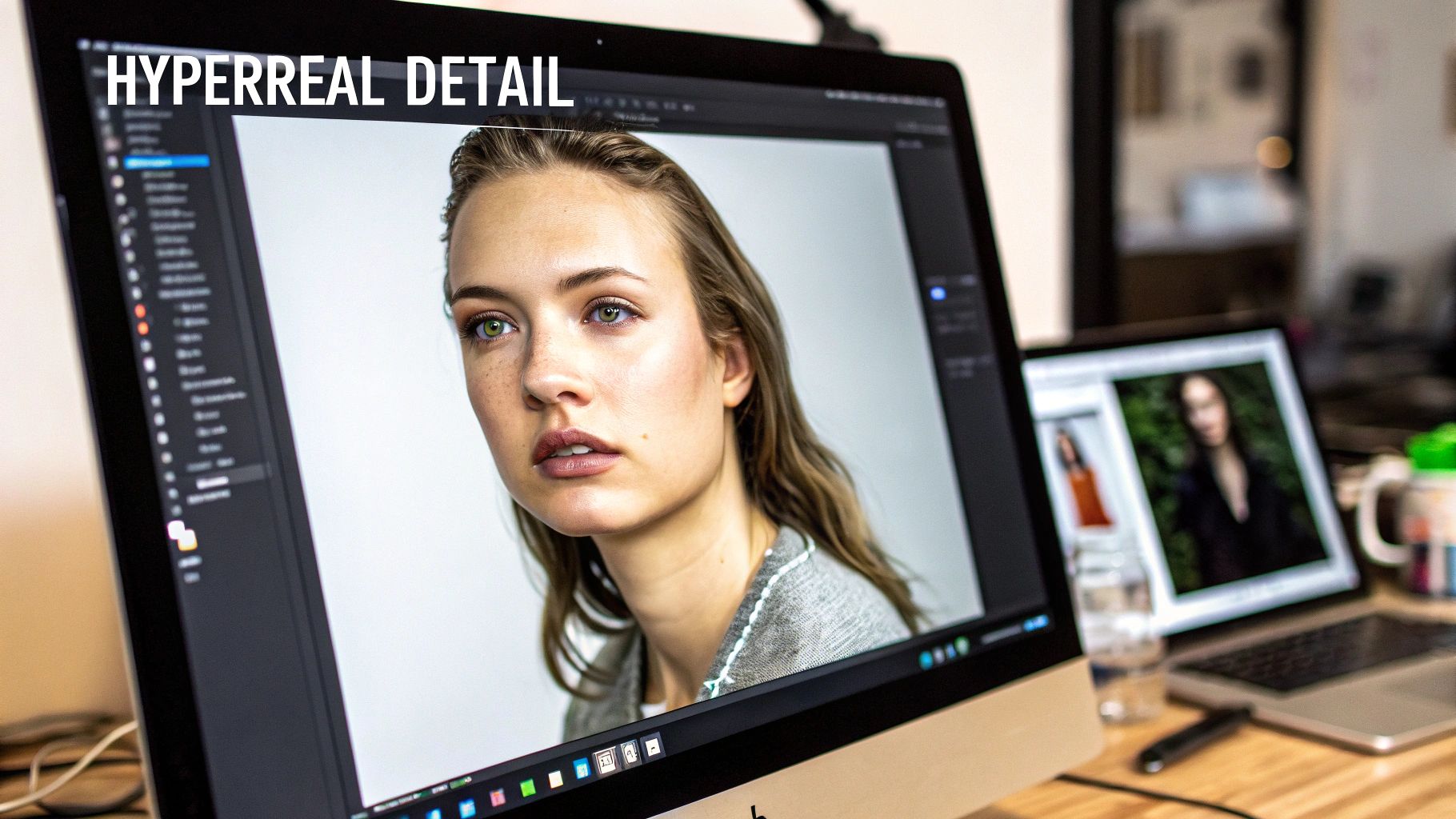
Once you've gotten the hang of prompting, you're ready to push your work from simply good to absolutely jaw-dropping. This is where the real artistry begins, using advanced techniques that separate generic AI images from hyperrealistic, monetizable content. It’s all about gaining precise control over the final image, ensuring every last pixel aligns with your creative vision.
These methods go way beyond just typing text. We're talking about direct manipulation of the image itself, using your own visual references and powerful post-processing tools. This is how you achieve a level of realism and consistency that text prompts alone often can't touch.
Swap Faces and Bodies Like a Pro
One of the most powerful tools in any serious nsfw ai art gen toolkit is the ability to use your own images. Features like face and body swapping are total game-changers, especially if you're building a consistent AI influencer or model. This lets you map a specific face onto a newly generated body and scene, creating a seamless character.
Platforms like CreateInfluencers have this built right into their workflow, so you don't need a computer science degree to use it. The idea is straightforward: you upload a clear, well-lit photo of a face, and the AI intelligently blends it into the new image. It adapts to the new lighting, angle, and expression, ensuring your AI character looks the same across dozens of different shots.
It's no surprise that 73% of adult content creators now use AI generators for over half of their output. This shift has cut production time from hours to seconds and boosted earnings on sites like OnlyFans by an average of 40%. Tools that offer adult-focused features like face swapping and themed packs (think boudoir shoots) are driving this trend. They let creators craft unique AI personas with zero photography costs. You can dig deeper into these trends shaping the NSFW AI generator market to see just how much the space is evolving.
The Critical Role of Post-Processing
A raw AI generation is almost never a finished product. Think of it as a rough draft. Just like a professional photographer edits their photos in post, you need to do the same to get that polished, hyperrealistic look. This is where you fix minor glitches and crank the quality up to a professional standard.
The single most important post-processing step is upscaling. Most AI images are generated at a lower resolution (like 512x512 or 1024x1024) to keep things fast. An upscaler uses AI to intelligently blow up the image, adding incredible detail to skin texture, hair, and fabric. It’s what transforms a decent render into a high-definition final product. Engines like the HyperReal upscaler are built specifically for this, turning a good image into a crystal-clear visual that's ready to sell.
Think of upscaling as the final coat of varnish on a masterpiece. It sharpens the details, deepens the colors, and gives the image a professional sheen that makes it stand out. Skipping this step is like leaving money on the table.
Fixing Flaws with Inpainting and Outpainting
Let's be real: even the best prompts can result in AI making weird mistakes. You might get the perfect body and scene but find mangled hands, a strange object in the background, or an outfit that’s just not right. This is where inpainting saves the day.
Inpainting lets you "mask" a specific part of your image and tell the AI to regenerate only that part with a new, more focused prompt.
- Fixing Hands: Got six fingers? Mask the hand and prompt something simple like
perfectly formed hand, detailed fingers. - Changing Clothes: Don't like the top? Select it and describe the new item you want, like
intricate black lace bra. - Correcting Faces: If an eye looks a little wonky, you can mask it and prompt
beautiful detailed green eye.
On the flip side, outpainting lets you expand the canvas. If your shot feels too tight, you can use outpainting to have the AI intelligently generate what's happening just outside the frame, creating a wider, more complete scene. These tools give you granular control, preventing you from having to ditch an otherwise perfect image because of one small flaw. They're absolutely essential for an efficient workflow.
Turning Your AI Art Into a Real Business
So, you've mastered the art of creating stunning AI images. Now, how do you turn that skill into a reliable income? The great news is that the demand for unique digital content is absolutely exploding, and your work is exactly what people are looking for. This isn't just about selling a few images here and there; it's about building a brand and a community around your creations.
The roadmap to success is a blend of smart content planning, choosing the right platforms, and actually connecting with your audience. Places like OnlyFans, Fanvue, and Fansly have become massive hubs for AI creators, giving you a direct channel to fans who are happy to pay for exclusive art. The trick is to stop thinking like a hobbyist and start operating like a digital entrepreneur.
Your Game Plan for Monetization
First things first, you need to decide what you're actually selling. While you can sell individual images, you'll build a much more stable business by packaging your art into offers that make people want to subscribe and come back for more.
Here are a few strategies that are working for creators right now:
- Themed Photo Packs: Don't just post random pictures. Bundle them into high-value, themed collections. Think "Gothic Romance Boudoir," "Cyberpunk After Hours," or "Fantasy Island Getaway." It looks more professional and gives your subscribers something concrete and exciting to buy.
- The AI Influencer Persona: This is a big one. Create a consistent character with a backstory, a unique personality, and a memorable style. This transforms your art from a simple gallery into a living story that people can follow and get invested in. Give your AI model a name, a voice, and a "life" on social media to build a dedicated following.
- Tiered Subscription Levels: Take advantage of the features on platforms like Fansly to offer different levels of access. Your basic tier could offer daily posts, while a premium tier might unlock exclusive photo sets, "behind-the-scenes" prompt reveals, or even let fans vote on your next theme.
For anyone serious about monetizing AI art, platforms like OnlyFans are a proven path. You can build an entire brand without ever revealing your own identity. In fact, this guide on how to make money on OnlyFans without showing your face breaks down exactly how to do it.
Staying Out of Trouble: Platform Rules and Copyright
Once you start making money, you have to play by the rules. Every platform has its own terms of service, and getting your account shut down for a violation is a quick way to kill your momentum. You absolutely have to know what is and isn't allowed.
Most platforms have a zero-tolerance policy for content showing real-world non-consensual acts or hate speech, and it doesn't matter if it's AI-generated. Always read the fine print. Some sites are much stricter about certain kinks or themes, so do your homework before you pour your energy into building a presence there.
Copyright in the AI world is still a bit of a gray area, but a general understanding is starting to form.
As it stands, works created entirely by an AI without significant human direction often don't qualify for copyright protection. However, when you are the one driving the creative process—crafting detailed prompts, using inpainting, and doing post-production work—your creative input becomes a major part of the final piece.
This means your unique prompts and editing techniques are your intellectual property. Be upfront with your audience that your content is AI-generated. It builds trust and keeps you from making any misleading claims.
The Ethical Line You Can't Cross: Using Real People's Faces
This is hands-down the most critical thing to understand in the nsfw ai art gen space. Using a real person's likeness without their explicit, enthusiastic consent is a huge ethical and legal disaster. It can cause real-world harm, from damaging someone's reputation to causing severe emotional distress.
The rule is simple and not up for debate: never use someone's face or likeness without their permission. This goes for celebrities, public figures, and especially private individuals. The only responsible ways forward are to create a completely unique AI persona from scratch or to use your own likeness (as long as you understand the risks). Training a model on someone else's photos to create explicit content is exploitative, plain and simple.
Building a profitable business takes more than just creativity; it takes integrity. By focusing on ethical creation, respecting the rules, and having a solid content strategy, you can turn your passion into a business that's both safe and sustainable. And for creators looking to add another revenue stream, affiliate programs can be a great fit. You can learn more about how to monetize your influence by becoming an affiliate partner with us.
Got Questions About NSFW AI Art? We've Got Answers
Diving into the world of NSFW AI art can feel a bit like the wild west. It's an exciting, fast-moving space, but it's natural to have questions. Let's clear up some of the most common things creators run into.
Is This Stuff Actually Legal to Make and Sell?
This is the big one, and the answer is nuanced. For the most part, creating and selling art of a character you invented from scratch is perfectly fine. That's the entire business model for a lot of successful AI influencers on platforms like OnlyFans and Fanvue.
Where things get complicated is when AI models are trained on copyrighted images or you create something that looks like a real person without their permission. The golden rule is to stick with platforms that have clear, legally-sound terms of service.
And let's be crystal clear: never, ever generate content showing non-consensual acts or use someone's likeness without their explicit, written consent. On top of that, always double-check that your work follows the rules of both the AI tool you're using and the platform you're selling on.
How Do I Stop My AI Influencer from Changing Faces Every Time?
Ah, character consistency—the bane of every nsfw ai art gen creator's existence. It completely shatters the illusion if your character looks like a different person in every shot. The simplest and most effective solution is to use a tool with a built-in face-swapping or character-locking feature.
These features let you upload a handful of reference photos to lock in a specific face. Once you've done that, the AI will apply that face to every new image you generate, no matter the pose, outfit, or setting. It's a game-changer.
If your tool of choice doesn't offer this, you'll have to brute-force it with disciplined prompting.
- Lock the Seed: If you can, use the same seed number for a set of images. It tells the AI to start from the same random point, which helps keep things similar.
- Get Granular: Be ridiculously specific and reuse the exact same descriptive phrases for your character's face, hair, and body in every prompt.
- Lean on Negatives: Use negative prompts to filter out features you don't want, which indirectly helps the AI stick to the look you're going for.
Honestly, trying to maintain consistency without a dedicated face-swap tool is a massive headache. If you're serious about building a believable AI influencer, choosing a platform with that feature built-in will save you countless hours and make your work look far more professional.
What Are the Biggest Rookie Mistakes I Should Avoid?
It's easy to get frustrated when the AI spits out something that looks nothing like what you had in your head. It usually comes down to a few classic beginner mistakes. Sidestep these, and you'll be lightyears ahead of the curve.
The most common error is writing lazy, one-line prompts. The AI isn't a mind reader; you have to be its eyes. Don't just write "woman in a bedroom." Give it something to work with, like, "photorealistic portrait of a 25-year-old woman with silver hair, green eyes, sitting on a velvet armchair in a dimly lit library, moody atmosphere, detailed skin texture." See the difference?
Another huge mistake is blowing off negative prompts. They aren't optional—they're essential for cleaning up all the classic AI weirdness like mangled hands, extra limbs, and creepy, uncanny-valley expressions. A good negative prompt is just as powerful as your main prompt.
Finally, people often post their raw AI generations. That's a finished draft, not a finished product. Always run your images through an upscaler to sharpen the details and boost the resolution. This is what separates amateur-hour content from professional work you can actually sell.
Ready to create your own stunning AI influencer without the steep learning curve? With CreateInfluencers, you can bring your vision to life in minutes using our one-click character creator, advanced face-swapping, and HyperReal upscaling engine. Start for free on createinfluencers.com and see what you can build.