How to Make AI Models A Practical Guide
Discover how to make AI models with our practical guide. We cover everything from data preparation and algorithm choice to training and deployment.

Before you even think about code, building an AI model starts with a simple, sharp question. It's about defining a very specific problem, hunting down the right data, and then picking a learning strategy—like supervised or unsupervised learning—that fits the puzzle. Honestly, getting this initial strategy right is the most critical part of the entire project.
Your Starting Point for Building an AI Model
The first real job, before you write a single line of Python, is to nail down your objective. What are you actually trying to accomplish? The answer to this question dictates everything else, from the data you'll need to the algorithms you'll test. If the goal is fuzzy, even the most sophisticated model is destined to fail.
Let's put it in practical terms. Are you trying to predict a number, like next quarter's sales figures? That's a regression problem. Or are you trying to classify something, like whether a customer review is positive or negative? That's a classification problem. They might sound similar, but they demand completely different approaches under the hood.
The Three Flavors of Machine Learning
Once you know your goal, it’ll almost always fall into one of the three main buckets of machine learning. Getting a feel for these is fundamental to building AI models that work.
- Supervised Learning: This is the most common path. You essentially give the model a labeled dataset—an answer key—to learn from. A classic example is feeding it thousands of images explicitly labeled "cat" or "dog" until it can tell the difference on its own.
- Unsupervised Learning: Here, you do the opposite. You hand the model a bunch of unlabeled data and tell it to find hidden patterns. Think of a retail company using this to segment its customers into natural groups based on purchasing habits, without any predefined categories.
- Reinforcement Learning: This is all about trial and error. The model learns by getting rewards for good actions and penalties for bad ones. It’s the magic behind AIs that master complex games like Chess or Go, learning winning strategies by playing against themselves over and over.
The journey from a raw idea to a functional AI model follows a well-trodden path. It’s a cycle of defining, building, and refining.
The AI Model Development Workflow
This table gives a bird's-eye view of the key phases you'll go through. While the details can get complex, the overall process is quite logical.
| Phase | Core Objective | Typical Activities |
|---|---|---|
| Problem Definition | Clearly articulate the goal and success metrics. | Scoping the project, defining KPIs, identifying constraints. |
| Data Collection | Gather all the necessary raw data. | Sourcing data from databases, APIs, web scraping, or public datasets. |
| Data Preparation | Clean, format, and engineer features from the data. | Handling missing values, normalizing data, creating new input variables. |
| Model Training | Teach the algorithm to find patterns in the data. | Selecting algorithms, splitting data, running training jobs, tuning hyperparameters. |
| Model Evaluation | Test the model's performance on unseen data. | Calculating accuracy, precision, recall, and other relevant metrics. |
| Deployment | Make the model available for real-world use. | Integrating the model into an application, API, or production environment. |
| Monitoring | Continuously track the model's performance. | Watching for model drift, retraining as needed, ensuring reliability. |
As you can see, the process is iterative. You'll often circle back to earlier phases as you learn more, especially between training and evaluation.
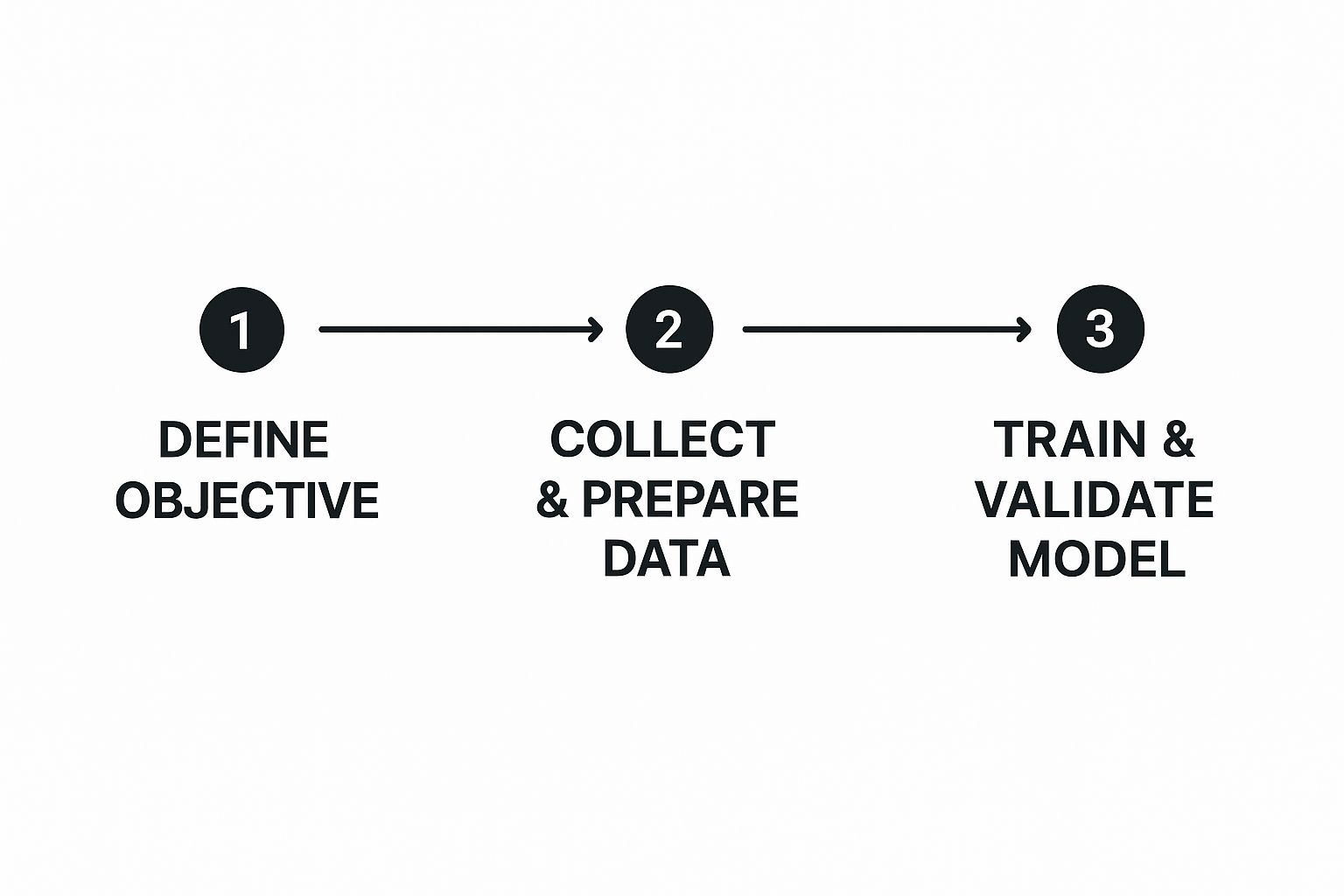
This visual really drives home the point: a clear objective isn't just the first step; it’s the foundation that supports every other stage of the build.
Your Essential Toolkit
With a clear objective in mind, you need the right tools for the job. The AI world has rallied around a few key technologies that have become the de facto industry standard.
Python is, without a doubt, the language of AI. Its straightforward syntax and incredible ecosystem of libraries make it the perfect choice. Within that ecosystem, two major frameworks rule the roost:
TensorFlow vs. PyTorch: I tend to think of TensorFlow (especially with its high-level Keras API) as the go-to for production. It’s built for scale and makes deploying models relatively painless. PyTorch, on the other hand, is a darling of the research community for its flexibility and more intuitive, "Pythonic" feel. For a beginner, the choice isn't critical; the core concepts you learn on one are easily transferable to the other.
Getting your hands dirty with these tools early on is the best way to prepare for the journey ahead. A clear direction combined with the right toolkit is what separates a project that gets off the ground from one that fizzles out.
Gathering and Preparing High-Quality Data

If your AI model is a high-performance engine, then data is its fuel. It’s a simple analogy, but it's dead-on. You can have the most sophisticated algorithm on the planet, but if you feed it garbage data, you're going to get garbage results. This is where the real, often unglamorous, work of AI happens—long before you ever write a line of training code.
The reality? Most data scientists spend up to 80% of their time just finding, cleaning, and organizing data. It’s the foundational grunt work that ultimately decides how good your model can possibly be.
Sourcing Your Raw Materials
First things first, you need to find the right dataset for the job. You’ve really got two main paths: using existing datasets or creating your own from scratch.
For a lot of projects, especially when you're just starting out, public repositories are a goldmine. Places like Kaggle and Google Dataset Search are packed with thousands of datasets on every topic imaginable, from housing prices to cat and dog images. They're fantastic for learning because they're often pre-cleaned and well-documented.
But for a truly unique project, you'll probably have to roll up your sleeves and collect your own data. That could mean scraping websites, tapping into social media APIs, or even manually curating a dataset. For those building visual content, like AI influencers, you might find some great starting points in our comprehensive guides on crafting compelling digital personas.
The Art of Data Preprocessing
Once you have your raw data, the real "prep" work begins. Raw data is almost never plug-and-play. It’s a mess—often incomplete, inconsistent, and full of weird quirks. This is where preprocessing becomes absolutely critical.
Think of it like a chef prepping ingredients. You wouldn't just toss unwashed, whole vegetables into a pot and expect a gourmet meal. You have to wash, chop, and prepare everything so it can be cooked properly. Data is exactly the same.
A model's predictions are a direct reflection of the data it was trained on. If your data contains biases or errors, your model will learn and amplify them. Garbage in, garbage out isn't just a catchy phrase; it's the fundamental law of machine learning.
The whole point here is to wrestle your chaotic dataset into a clean, structured format that an algorithm can actually make sense of.
Cleaning Up the Mess
Data cleaning is the first and most vital part of preprocessing. It’s all about tackling the common issues that will absolutely sabotage your model if you let them.
- Handling Missing Values: It's incredibly rare to get a dataset where every single cell is filled in. Maybe a user profile is missing an age, or a product listing doesn't have a price. You can’t just ignore these gaps. You could remove the incomplete rows (only a good idea if you have a massive amount of data), or you can impute the missing values—filling them with the mean, median, or mode of that column is a common starting point.
- Dealing with Outliers: Outliers are those data points that just don't fit. Imagine a dataset of house prices where one is listed at $50 billion. That's almost certainly a typo, and it would completely wreck your model's understanding of a "normal" price. Finding these oddballs and deciding what to do—remove them, correct them—is essential for building a stable model.
- Correcting Inconsistencies: Human-entered data is a magnet for typos and formatting errors. You’ll see "New York," "NY," and "new york city" all meaning the same thing. You absolutely have to standardize these entries into a single, consistent format. It’s a non-negotiable step.
Normalizing and Feature Engineering
Once your data is clean, you need to get it into the right shape. Normalization is a key part of this. It’s the process of scaling all your numeric features to a common range, usually between 0 and 1. This simple step prevents features with huge values (like annual income) from drowning out features with small values (like years of experience) during the training process.
This is also where the real magic happens: feature engineering. This is less of a science and more of an art. It’s where you use your domain knowledge to create brand-new features from the data you already have. For instance, if you have a "date of purchase" column, you could engineer new features like "day of the week" or "season" to see if those patterns have any predictive power. This is often what separates a good model from a truly great one.
Choosing the Right Algorithm for Your Project
Alright, your data is clean and ready to go. Now for the fun part: picking the right algorithm. This isn't about chasing the latest, most complex model that’s making headlines. It’s a strategic choice, and the best one is always the one that fits the problem you’re trying to solve.
The algorithm you need really depends on your goal. Are you trying to predict a number, like a future stock price or a home value? That's a job for regression algorithms. A simple Linear Regression is often a surprisingly powerful place to start. Don't write it off—simpler models are way easier to understand and often perform better on new data without getting confused.
But what if you're trying to categorize something? Is this email spam or not? Is that a picture of a cat or a dog? Now you're in classification territory. Here, you'll be looking at models like Logistic Regression, Support Vector Machines (SVM), or Decision Trees. Each has its own quirks and strengths, and a big part of the process is just trying a few to see what clicks with your data.
Making It Real with Scikit-learn
Let's ground this in reality. For anyone starting with traditional machine learning, Scikit-learn is your best friend. It’s a Python library that strips away all the tedious boilerplate code, letting you focus on the actual logic of your model.
Imagine you're building a model to predict which customers might cancel their subscription. You've got a clean dataset with info like their monthly bill, contract type, and how long they've been a customer. The goal is to label each person as either "Will Churn" or "Will Not Churn." A Decision Tree Classifier is a fantastic pick here because you can actually visualize its logic and understand why it makes certain predictions.
The world of AI model-building is getting more competitive and diverse. By 2025, it's expected that nearly 60% of enterprise SaaS products will have AI features built right in. We’re seeing a fascinating tug-of-war between open models like Meta’s LLaMA and closed-source giants like OpenAI’s GPT-4. To get a better sense of where things are heading, check out some more insights on global AI trends and statistics.
The official Scikit-learn homepage is a goldmine of documentation, tutorials, and examples that you’ll want to bookmark.

This site is your gateway to understanding hundreds of models, data tools, and evaluation metrics, all laid out with clear explanations and ready-to-use code.
A Peek at the Code
Let’s see what this looks like in practice. Here's a quick code snippet using Scikit-learn for our churn prediction model. This assumes you’ve already loaded your data into X_train (the features) and y_train (the churn labels).
from sklearn.tree import DecisionTreeClassifier from sklearn.metrics import accuracy_score
Initialize the Decision Tree model
'max_depth=5' helps prevent the model from getting too complex and overfitting
model = DecisionTreeClassifier(max_depth=5, random_state=42)
Train the model on your training data
model.fit(X_train, y_train)
Make predictions on new, unseen data (your test set)
predictions = model.predict(X_test)
Check the accuracy of the model
accuracy = accuracy_score(y_test, predictions) print(f"Model Accuracy: {accuracy * 100:.2f}%")
Let's break that down. First, you import the tools you need. Then, you create your Decision Tree model. Training it is just one line: model.fit(). After that, you use model.predict() to see how it does on fresh data and then check its accuracy. That's the core rhythm you'll use for almost any model in Scikit-learn.
Pro Tip: Always start with a simple baseline. Before you get fancy with neural networks, see what a basic Logistic Regression or Decision Tree can do. You’ll often be surprised, and it gives you a solid benchmark to beat.
This hands-on process pulls back the curtain on the "black box." You're not just running code; you're teaching a machine to find patterns and then testing its homework. It’s a powerful feedback loop that’s central to all machine learning.
For more tutorials and creative ways to use AI, our AI creator's blog is packed with fresh ideas and techniques. Getting comfortable with this cycle of training, testing, and refining is the key to building AI models that actually work.
Training and Evaluating Your Model for Peak Performance

Alright, this is where the real work—and the real fun—begins. You’ve wrangled your data and picked an algorithm. Now it's time to actually teach your model. Training is really just a repetitive loop of learning, checking, and correcting. It’s how you take a model from a blank slate and turn it into a tool that can actually make smart predictions.
At the core of this whole process is something called a loss function, which you might also hear called a cost function. Think of it as a way to score how "wrong" the model's predictions are compared to the real answers in your training data. The entire goal of training is to get that loss score as low as humanly (or computationally) possible.
To do that, we use an optimization algorithm like the classic Gradient Descent. This algorithm is the engine that drives the loss score down. After each guess the model makes, the optimizer makes tiny tweaks to the model’s internal settings, always nudging it in the direction that reduces the error. This cycle repeats hundreds, thousands, or even millions of times, with the model getting a little bit smarter with each pass.
Measuring What Matters Most
Once your model is trained, how do you know if it’s actually any good? Just saying it's "90% accurate" sounds impressive, but that single number can be incredibly misleading. You have to dig deeper and look at performance metrics that tell the full story, especially when you're dealing with classification problems.
Here are the heavy hitters you need to keep an eye on:
- Accuracy: This is the most basic metric. It's simply the percentage of predictions the model got right. It’s a decent starting point, but it falls apart if your data is imbalanced (for example, if 99% of your emails aren't spam, a model that does nothing but predict "not spam" will be 99% accurate but completely useless).
- Precision: When the model predicts a positive outcome (like flagging an email as spam), how often is it correct? High precision means you can trust the model's positive predictions.
- Recall: Of all the actual positive cases in your data, how many did the model find? High recall means your model is great at catching what it's supposed to, without letting much slip through the cracks.
The trade-off between precision and recall is something you'll constantly be balancing. In medical diagnostics, you'd want sky-high recall to make sure you don't miss any sick patients, even if it means some healthy people get flagged for extra tests (which would be lower precision).
The Overfitting and Underfitting Trap
As you start chasing better performance, you'll inevitably run into two classic problems that haunt nearly every AI project. Learning to find the sweet spot between them is a core skill.
Underfitting is what happens when your model is too simple to grasp the patterns in your data. It performs badly on both the training data and new data because it just hasn't learned the lesson. This is usually a sign you need a more complex model or better input features.
Overfitting is the opposite—and far more common—headache. This is when your model learns the training data too well. It essentially memorizes the specific examples you showed it instead of learning the general rules. It'll get near-perfect scores on the data it’s already seen, but then completely fall apart when you show it something new.
The goal isn't a model that's a perfect student on its homework; the goal is one that aces the final exam. Overfitting is like memorizing the study guide but failing the test because you never actually learned the concepts.
Your best defense against overfitting is a technique called cross-validation. Instead of one simple train-test split, you divide your data into multiple "folds" and train and test the model several times on different combinations. This gives you a much more robust and realistic estimate of how your model will perform out in the wild.
The Global Race for Model Supremacy
This push for peak performance isn't just something you'll be doing in your own projects; it's a global phenomenon. The competition to build the most powerful AI models shows just how critical this stage is.
For instance, in 2024, the United States produced 40 notable large AI models, while China produced 15. But the performance gap is closing fast. The difference in benchmark scores on tests like MMLU fell from 17.5 points in 2023 to just 0.3 by 2024, a clear sign of how quickly the field is moving. You can dive into more of this data in the AI Index Report.
This relentless global drive for improvement really mirrors the iterative cycle you'll follow in your own work. The process of training, evaluating, and fine-tuning is universal, whether you're building a simple classifier or a massive foundation model. It’s all about that continuous loop of pushing for better results while staying vigilant against the pitfalls of overfitting.
Deploying Your Model for Real-World Use
Getting through training and evaluation feels like a huge win, but let's be honest—a model that just sits on your laptop isn't doing anyone any good. The real magic happens when you get it out into the world. Deployment is that critical last step, the bridge that turns your carefully crafted code into a tool people can actually interact with.
This is where your project stops being a purely technical exercise and becomes a practical application. The whole point is to take your trained model file—the one packed with all the patterns it learned—and set it up so that other applications can send it new data and get a prediction back. It's this process that powers everything from Netflix’s recommendation algorithm to the app on your phone that can identify a plant from a single picture.
From a File to a Live API
So, how do you make a model "live"? The most common approach is to wrap it in an Application Programming Interface (API). Think of an API as a digital middleman or a receptionist. An app makes a request (the input data), the API takes that request to your model, gets the answer (the prediction), and then delivers it back to the app.
To build this API, lightweight Python web frameworks are your best friends. You don't need a massive, complex backend system to get started.
- Flask: This is the classic starting point for a reason. Flask is incredibly straightforward and lets you build a simple API endpoint with just a few lines of code. It’s perfect for getting a basic prediction service up and running quickly.
- FastAPI: As the name suggests, FastAPI is built for speed. It’s a more modern framework that’s known for high performance and, a huge plus, it automatically generates interactive documentation for your API. If you’re expecting a decent amount of traffic, FastAPI is an excellent choice.
Typically, the workflow looks like this: you save your trained model as a single file (using a library like pickle or joblib), load that file within your Flask or FastAPI app, and then create a specific URL that triggers your model's prediction function when it receives data.
Choosing Your Deployment Environment
Okay, so you've built the API. Now where does it live? You have a few options, each with its own pros and cons. For a small personal project or a proof-of-concept, you could just run it on a simple virtual private server from a provider like DigitalOcean or Linode.
For anything more serious, though, cloud platforms are the way to go. They take care of all the messy infrastructure management, so you can stay focused on your model.
Your job isn't over once the model goes live. In many ways, it's just beginning. The real world is messy, and data can change over time, a phenomenon known as "model drift." Continuous monitoring is essential to ensure your model's performance doesn't silently degrade.
Services like AWS SageMaker or Google AI Platform are designed specifically for this. They provide tools to containerize your application (usually with Docker), automatically scale it up or down based on traffic, and monitor its performance in real-time.
The Economics of AI Deployment
The entire ecosystem around building and deploying AI isn't just a technical curiosity; it's a massive, booming industry. That's because businesses and creators are finding real, tangible value in these tools. The global AI market was valued at around $391 billion in 2025 and is on a trajectory to hit an incredible $1.81 trillion by 2030. That growth is powered by huge investments in the core hardware, with the AI chip market alone projected to reach $83.25 billion by 2027. You can dive into the latest AI statistics to get a fuller picture.
This economic boom is exactly why understanding deployment is so valuable. As more people figure out how to make AI models, knowing how to turn them into a monetizable service becomes a game-changing skill. For content creators, this opens up completely new revenue streams. If you're building an audience around your AI projects, checking out an affiliate program can be a smart way to start earning from your work. Ultimately, taking your model from a local file to a live asset is what closes the loop and unlocks its full potential.
Common Questions About Making AI Models
 As you start getting your hands dirty with AI, you’re bound to have some questions. It’s a field packed with new concepts and technical forks in the road, so let's clear up a few of the most common hurdles people face. Getting these sorted out early makes the whole journey feel a lot less intimidating.
How Much Math Do I Really Need to Know?
This is, without a doubt, the question I hear most often. And the answer is probably not what you think. While you'd need a deep well of mathematical knowledge for pure AI research, you absolutely do not need to be a math wizard to build powerful, practical models.
Modern tools like TensorFlow and PyTorch are brilliant because they do the heavy lifting for you. They handle the complex calculus and linear algebra under the hood, so you can focus on building the model’s architecture and logic.
What’s far more important for a practitioner is a strong conceptual understanding. You need to know what a loss function does, not necessarily derive it by hand. You should understand why gradient descent works, not prove the theorem. Grasp the "why," and you can always go deeper into the math later as your projects demand it.
What Is the Biggest Mistake Most Beginners Make?
It’s a classic trap: getting completely obsessed with the latest, most complex algorithms while glossing over the quality of your data. So many people starting out think a fancier model is the silver bullet for getting better results. It's not.
The truth is, high-quality, clean, and well-structured data will boost your model's performance more than any minor algorithmic tweak ever could. There's a well-known saying in the field that data scientists spend 80% of their time just preparing data, and it's popular for a reason—it's the unglamorous work that makes all the difference.
Start with a simple, baseline model and feed it impeccably clean data. Get that working first. This gives you a solid benchmark you can actually trust, making it much easier to see if more sophisticated techniques are truly helping.
Can I Build an AI Model on a Regular Laptop?
Yes, you absolutely can. For a huge slice of machine learning tasks—especially when you're working with tabular data (think spreadsheets) or smaller text datasets—your daily driver laptop has plenty of power. You don’t need a supercomputer to get in the game.
Now, when you're ready to jump into more demanding deep learning models for image recognition or large language models, you still don't need to break the bank on hardware. This is where free, cloud-based services come to the rescue.
- Google Colab: This is a game-changer. It gives you free access to powerful GPUs right inside a familiar notebook environment in your browser.
- Kaggle Notebooks: Similar to Colab, Kaggle offers free GPU and even TPU resources, which is fantastic for running experiments and participating in competitions.
These platforms have really leveled the playing field, giving everyone access to serious computing power, no matter what kind of machine they own personally.
Should I Learn TensorFlow or PyTorch First?
Ah, the great "Coke vs. Pepsi" debate of the AI world. Honestly, you can’t go wrong with either. Both frameworks are phenomenal, with huge, active communities and incredible capabilities.
PyTorch often gets love from researchers because it feels very "Pythonic" and flexible, which makes it great for rapid prototyping and experimentation. On the other hand, TensorFlow, particularly with its high-level Keras API, is a powerhouse known for its scalability and amazing tools for getting models out of the lab and into real-world applications.
My best advice? Spend an afternoon running a simple "Hello, World" type of tutorial in both. See which one’s syntax and general workflow just feels right to you. The core concepts are almost identical, so anything you learn in one will make picking up the other a breeze.
Ready to stop just learning about AI and start creating with it? CreateInfluencers gives you the power to generate your own unique AI characters, images, and videos in minutes. Turn your ideas into stunning visual content and build a digital presence that stands out. Explore what you can create for free at https://createinfluencers.com.