How to Create an AI Model From Concept to Code
A practical guide on how to create an AI model. Learn to define your project, prepare data, train, evaluate, and deploy your model with real-world examples.

Every great AI model starts not with code, but with a question. Before you even think about datasets or algorithms, you need a solid plan. Jumping straight into development is a classic mistake—it's like trying to navigate a new city without a map. You'll get somewhere, but probably not where you intended.
Laying the Groundwork: Your AI Project Blueprint
So, where do we begin? The very first step is figuring out what, exactly, you’re trying to build. This sounds obvious, but it’s the most common point of failure.
Are you trying to create an AI influencer who can generate authentic-looking travel photos and witty captions? Or maybe you're building a tool to automate customer service responses. Each of these goals requires a completely different strategy, dataset, and definition of success.
Nail Down Your Core Objective
Let's get specific. You have to ask yourself: What problem is this AI model actually going to solve?
A fuzzy goal like "I want to make better social media content" is a recipe for disaster. It's not measurable. A much better objective is, "I want to build an AI that generates three unique Instagram captions per day in the voice of a snarky, tech-focused influencer, aiming for an average engagement rate of 5% or higher."
See the difference? That level of clarity gives you a north star. It defines what "done" looks like and how you'll measure success. Your key performance indicators (KPIs) have to be concrete.
- For an AI influencer: This could be follower growth, likes per post, or how realistic the generated images are.
- For a business application: You might track reduced support ticket volume, higher conversion rates, or better fraud detection accuracy.
Scope the Project Realistically
Once you know your destination, you need to map the route. That’s where project scope comes in. You have to be brutally honest about what you can achieve with your current resources—time, budget, data, and team expertise. Effective data science project management isn't just a nice-to-have; it's what keeps your project from spiraling out of control.
I’ve seen countless projects fail because they tried to boil the ocean. A simple model that perfectly solves one small problem is infinitely more valuable than a complex beast that fails at ten. Start small, prove the concept, and then build on that success.
This isn’t just a random workflow; it’s a logical progression. Your objective dictates the scope, and the scope points you to the right method.
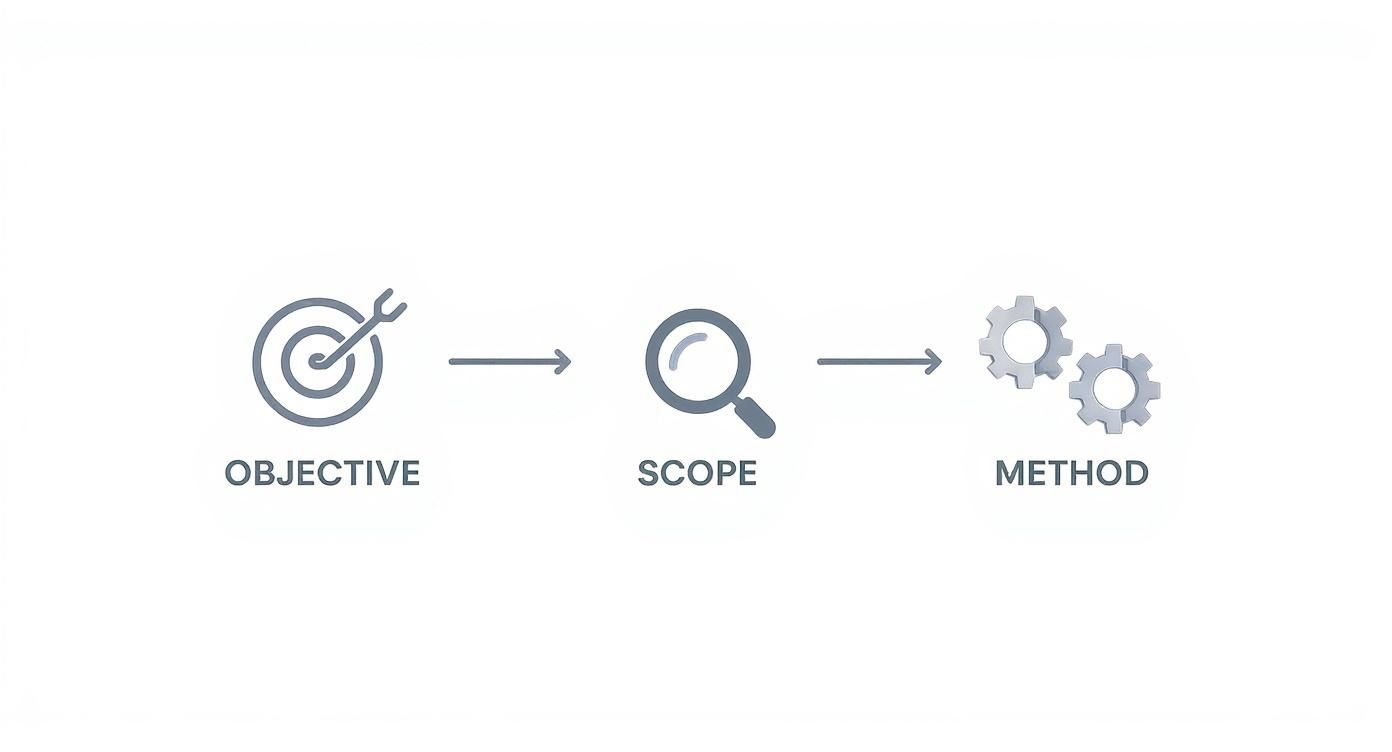
Think of it this way: a well-defined plan at the start saves you countless hours of headaches and wasted effort down the line.
Choose Your Build Strategy
With your objective and scope locked in, you face a big decision: do you build this thing from the ground up, or do you stand on the shoulders of giants?
Building a model from scratch offers total control, but it's a monumental task. You'll need an enormous amount of high-quality data, serious computing power, and deep AI expertise. Frankly, it’s overkill for most projects and is usually reserved for researchers tackling brand-new problems.
The smarter, more efficient path for most people is fine-tuning an existing, pre-trained model. Think of giants like GPT-4 for text or Stable Diffusion for images. You take their powerful foundation and just teach it the specific nuances of your task using a much smaller, focused dataset.
This approach is faster, cheaper, and far more practical. If your goal is to design a unique virtual personality, for instance, a platform that helps you create AI influencers is a perfect example of this. It uses powerful, pre-trained models so you can focus on the creative part, not the heavy engineering. For 99% of projects, this is the way to go.
Step 2: Get and Prepare Your Data
Once you have a clear goal, it's time to tackle the most critical part of any AI project: the data.
You can think of data as the raw material your AI model learns from. If you feed it junk, you'll get junk back. Simple as that. The quality of your dataset directly dictates the quality of your final AI, so this is where you need to be meticulous. Your model is only ever as good as the data it's trained on.
For a project like creating an AI influencer, this means gathering a ton of high-quality images, text, or even audio that represents the persona you're building.

The good news? You don't always have to start from scratch. There's a whole ecosystem of resources out there.
Finding the Right Dataset
Your first stop should be platforms like Kaggle and Hugging Face. These sites are absolute goldmines for developers, hosting thousands of open-source datasets for just about anything you can imagine—from celebrity face datasets to massive text corpora. For many projects, the perfect dataset might already be out there, just waiting for you.
But what if your AI influencer concept is too unique for an off-the-shelf dataset?
- Scrape the web: You can use tools like Scrapy or Beautiful Soup to programmatically collect public data from websites. Just make sure you're respecting the site's terms of service and any copyright rules.
- Generate synthetic data: When real data is hard to come by or has privacy issues, you can create your own artificial data that mimics the real thing. This is a super powerful technique for niche applications.
We're seeing an absolute explosion in AI model creation, largely because data is becoming so much more accessible. Projections show the number of AI models worldwide could hit 2.5 million by the end of 2025. What's driving this? Smaller, specialized models, with Natural Language Processing (NLP) models making up 62% of the total.
The Gritty Work of Data Preprocessing
Getting your hands on data is one thing; making it usable is another. Raw data is almost always a mess—it's incomplete, inconsistent, and full of noise. The process of cleaning, organizing, and structuring it is called data preprocessing, and honestly, this is where you'll spend a lot of your time.
Don't skip this. It's non-negotiable if you want a reliable AI.
Common preprocessing tasks include:
- Dealing with missing values: Your dataset will likely have gaps. You'll need to decide whether to remove those records or fill in the blanks using a statistical method, like filling with the average value.
- Normalizing the data: AI models work best when all the numbers are on a similar scale. Normalization (scaling values to be between 0 and 1) or standardization prevents any single feature from overpowering the others just because it has bigger numbers.
- Feature engineering: This is where your own expertise comes in. It's the art of creating new, more informative features from the data you already have. For instance, if you have a timestamp for a social media post, you could engineer a new feature for "day of the week" to see if your AI influencer's posts perform better on weekends.
I see so many beginners spend 90% of their time tweaking the model and only 10% on the data. My experience has taught me to flip that ratio. The most significant improvements I've ever made came from refining the dataset, not from using a slightly different algorithm.
Beefing Up Your Dataset with Augmentation
So, you've got a clean dataset, but it's a little small. This is a classic problem, especially with image-based projects. The solution is data augmentation.
This is a clever trick where you artificially grow your dataset by creating slightly modified versions of your existing data.
For an AI influencer, you could:
- Flip images horizontally.
- Rotate or crop images slightly.
- Tweak the brightness, contrast, or color balance.
Each tiny change creates a brand-new training example for your model. This forces the model to learn the actual subject (your influencer's face and style) instead of memorizing irrelevant details like the exact lighting or camera angle in the original photos. It makes your final model much more robust and flexible.
You can dive deeper into these kinds of creative strategies in our complete collection of AI influencer guides.
Choosing Your Framework and Training the Model
Alright, you've done the hard work of gathering and cleaning your data. Now for the exciting part—where the real magic happens. This is where your data meets the algorithm, and your model actually starts to learn. It's a process that involves a couple of big decisions about your tools before you kick off the training itself.
The first major choice you'll make is your development framework. Think of this as the workshop where you'll build and shape your AI. The two heavyweights in the ring are TensorFlow, backed by Google, and PyTorch, developed by Meta. Both are incredibly powerful, but they approach things a little differently.

Comparison of Popular Deep Learning Frameworks
Choosing between TensorFlow and PyTorch can feel like a big commitment, but it often boils down to your project's specific needs and your own coding style. To help you decide, here’s a quick breakdown of how they stack up against each other.
| Feature | TensorFlow | PyTorch |
|---|---|---|
| Ease of Use | Steeper learning curve, but Keras API makes it much simpler. | Generally considered more intuitive and "Pythonic." |
| Deployment | Excellent production-ready tools like TensorFlow Serving & Lite. | Improving rapidly, but historically seen as stronger for research. |
| Debugging | Uses static computation graphs, can be harder to debug. | Uses dynamic graphs, allowing for easier, on-the-fly debugging. |
| Community | Massive, mature community with extensive documentation. | Strong, rapidly growing community, especially in academia. |
Ultimately, there's no wrong answer here. For our AI influencer example, either framework would get the job done. That said, the creative process often involves a ton of experimentation. Because of its flexibility, many developers find PyTorch a bit more intuitive for that kind of iterative, trial-and-error work.
Picking Your Model Architecture
Next up, you need a blueprint for your AI's "brain"—the model architecture. This decision depends entirely on what you're trying to accomplish. You wouldn't use a language model to generate images, just like you wouldn't use a hammer to saw a board.
Here are a couple of the most common architectures you'll encounter:
- Convolutional Neural Networks (CNNs): These are the undisputed champions for anything involving images. If you're building an AI influencer, a CNN will be your go-to for generating or analyzing photos.
- Transformers: This architecture has completely taken over the world of Natural Language Processing (NLP). Famous models like GPT are built on Transformers, which makes them perfect for writing Instagram captions, responding to DMs, or generating any kind of text.
An AI influencer needs to be both a visual artist and a wordsmith. A real project would almost certainly use a hybrid approach, maybe one model to generate the images and a separate one to write the clever captions that go with them.
The Core Training Loop
With your framework and architecture selected, it’s time to train. At its heart, the training process is a simple loop: the model makes a guess, checks how wrong it was, and then adjusts itself to be a little less wrong the next time. Rinse and repeat.
First, you need a loss function, which is just a fancy way of measuring how far off your model's predictions are from the correct answers in your dataset. Then, you pick an optimizer—an algorithm like Adam or SGD—that uses the feedback from the loss function to tweak the model's internal settings for better performance.
The core of training is surprisingly straightforward: feed the model a batch of data, calculate its error, and then nudge its parameters in the right direction. When you repeat this process thousands—or even millions—of times, complex patterns start to emerge from the noise.
This is also where you'll tweak key hyperparameters. These are settings you choose before training begins, like the learning rate (how big of a "nudge" the optimizer gives) and the batch size (how many examples the model looks at before updating itself). Finding the right mix is more art than science and often requires a bit of experimentation.
The AI space is moving at an incredible pace, driven largely by industry. It was found that by 2025, nearly 90% of significant new AI models came from industry labs, a massive jump from just 60% in 2023. This trend shows a global race where better hardware and open-weight models are slashing the cost to get started, making it possible for smaller teams and even individuals to build powerful AI. You can read more on the latest trends in AI model development at Stanford HAI.
Preventing Overfitting with Data Splits
One of the biggest pitfalls in training a model is overfitting. This is what happens when your model essentially memorizes the training data instead of learning the underlying patterns. It’s like a student who crams for a test by memorizing the practice questions but can't solve a new problem they've never seen before.
To avoid this, you must split your dataset into three separate piles:
- Training Set (70-80%): This is the bulk of your data, used for the actual training process.
- Validation Set (10-15%): Used periodically during training to tune your hyperparameters and see if you're heading in the right direction.
- Test Set (10-15%): This data is kept under lock and key until the very end. You only use it once to get an honest, unbiased grade on how well your final model will perform on brand-new data.
Evaluating and Refining Model Performance
Getting your model to finish training is a great feeling, but the real work is just beginning. Think of that first trained model as a rough draft. Now, we need to put it through its paces with a cycle of testing, diagnosing, and tweaking to turn it into something genuinely useful.
So, how do you tell if your AI is any good? It all comes down to cold, hard metrics. The specific numbers you track will depend entirely on your project's goals. If you're building an AI influencer who can classify different fashion styles, you’ll be obsessed with accuracy, precision, and recall. But if you’re trying to predict post engagement, you'll care more about things like Mean Squared Error (MSE).
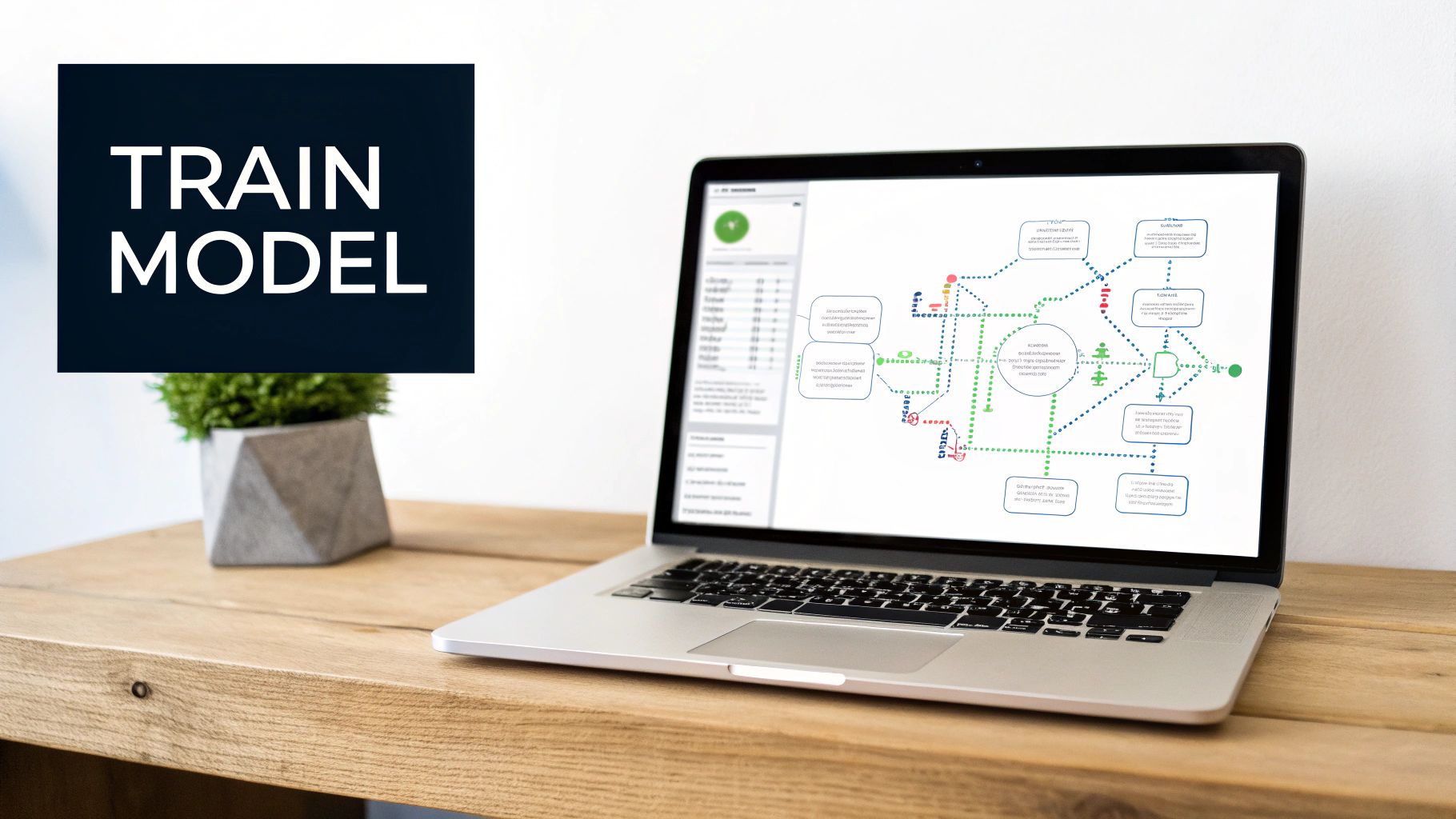
These metrics are your scorecard. They give you an objective look at how your model handles data it’s never seen before, which is the only test that really matters.
Diagnosing Common Training Problems
But numbers on a screen don't always paint the full picture. You need to peek under the hood and see why the model is making mistakes. This is where diagnostic tools are invaluable for spotting the two classic pitfalls of machine learning.
- Overfitting: This is the "know-it-all" model. It has basically memorized the training data and gets an A+, but it completely bombs when it sees new, real-world examples. You can spot this on a learning curve chart when your training accuracy soars while your validation accuracy just flatlines or even starts to drop.
- Underfitting: This is the opposite problem—your model is just too simple. It fails to grasp the important patterns in the data and performs poorly on both the training and validation sets. It's like trying to draw a detailed portrait with a crayon.
A confusion matrix is another powerhouse visualization tool. It shows you exactly where your model is getting confused. For an AI influencer's comment moderation system, a confusion matrix might reveal that it consistently mistakes "sarcastic" comments for genuinely "negative" ones, giving you a clear target for improvement.
The Iterative Loop of Refining Your AI Model
Once you've diagnosed the problem, it’s time to start fixing it. This isn't a one-and-done deal; it's an iterative loop of making small adjustments and re-evaluating.
Is your model overfitting? Try feeding it more data through augmentation, simplifying its architecture, or applying a technique called regularization. Is it underfitting? You might need a more complex model, better input features, or simply to let it train for a bit longer.
This is also the stage where you'll get your hands dirty with hyperparameters. Seemingly small settings, like the learning rate or the number of layers in your network, can have a huge effect on performance. Methodically experimenting with different combinations is often how you unlock your model's true potential.
Your first trained model will almost never be your best one. The real art of building a great AI lies in the patient, methodical cycle of evaluating, debugging, and refining. Each iteration gets you closer to a model that is truly reliable and ready for the real world.
Throughout this process, you'll constantly be dealing with the AI speed-accuracy trade-off. A bigger, more complex model might be more accurate, but it could also be too slow for a real-time application. Finding that sweet spot is crucial.
A Practical Debugging Checklist
When your model is underperforming, the root cause usually falls into one of three buckets. Here’s a quick mental checklist to run through:
- Is it the Data? Go back and check for mislabeled examples, weird outliers, or artifacts from your preprocessing steps. Cleaning up your data is often the fastest path to better results.
- Is it the Architecture? Are you using a sledgehammer to crack a nut, or a toothpick to build a house? Make sure your model's complexity is a good match for the problem.
- Is it the Hyperparameters? Systematically tweak your learning rate, batch size, and other key settings. This tuning process can squeeze out significant performance gains.
This refinement cycle is the core of creating a high-performing AI. For a dose of inspiration on what a well-tuned model can achieve, check out some of the projects over at the CreateInfluencers blog.
Putting Your AI Model to Work in the Real World
So, you’ve built an incredible AI model. It’s sitting right there on your computer, a powerful piece of code ready to go. But let’s be honest—a model that’s not out in the world is just a cool experiment. The real magic happens during deployment, which is just a fancy way of saying we're moving your creation from your local setup to a live environment where it can actually interact with users and applications.
Think of your model as a file. To make it useful, we need a way for other software to talk to it. The standard way to do this is by wrapping it in a REST API. Don't let the term scare you; lightweight Python tools like Flask or FastAPI make this surprisingly straightforward. You're essentially building a small web server that waits for a request, feeds that data to your model for a prediction (we call this inference), and then sends the answer back.
For an AI influencer, this could look like an API endpoint that takes a text prompt and spits back a freshly generated image. Or maybe another one that analyzes a user's comment to figure out if it's positive or negative. This approach makes your model a self-contained, plug-and-play service.
Where Will Your Model Live? Choosing a Platform
Your model needs a home, and running it 24/7 on your personal laptop isn't going to cut it. This is where cloud platforms are a lifesaver. They offer services built specifically for machine learning, so you don't have to worry about the plumbing.
- AWS SageMaker: This is Amazon's all-in-one toolkit. It’s incredibly popular because it covers everything from building and training to deploying with just a few clicks.
- Google AI Platform: A powerful option from Google that plays nicely with all their other cloud services. It's great for training and serving models at a massive scale.
- Azure Machine Learning: Microsoft’s platform is known for its strong security and governance features, making it a favorite in more corporate environments.
These services handle all the messy stuff—like managing servers, scaling up when traffic spikes, and making sure your model stays online—so you can focus on making your AI awesome.
This screenshot from the Amazon SageMaker dashboard gives you a feel for how these platforms guide you through the process, taking a lot of the guesswork out of getting a model into production.
Making It Fast and Affordable
Getting your model live is the first step. Making sure it runs quickly and doesn't burn a hole in your wallet is the next. A massive, super-accurate model might be too slow or expensive for a real-time application. This is where inference optimization comes into play.
Two of the most effective techniques are:
- Model Quantization: This sounds complicated, but it’s basically about making the numbers inside your model less precise—say, going from 32-bit numbers down to 8-bit integers. It's a game-changer for shrinking your model’s size and speeding up calculations, often with very little impact on accuracy.
- Model Pruning: Think of this as trimming the fat. The process automatically finds and snips away redundant connections in the neural network, making the whole thing leaner and faster.
These optimizations are non-negotiable for things that need to be snappy, like a real-time voice avatar, or for running models on hardware with less horsepower, like a smartphone.
Deployment isn't a finish line; it's the starting line for your model's real life. How it performs day-to-day—its speed, its accuracy, and its reliability—is what ultimately determines its success.
Playing the Long Game with MLOps
The world doesn't stand still, and neither does data. A model trained on last year's viral trends will quickly feel dated. This slow decay in performance is called model drift, and it’s why the pros swear by MLOps (Machine Learning Operations).
MLOps is a set of practices that brings the discipline of software development to machine learning. The idea is to build an automated, reliable lifecycle for your AI.
It’s all about:
- Continuous Monitoring: Keeping a close eye on your model's performance in the wild. Are its predictions getting worse? Is it slowing down?
- Drift Detection: Setting up alarms that go off when the real-world data starts looking different from the data your model was trained on.
- Automated Retraining: Building a system that can automatically retrain, test, and roll out a new version of your model whenever it's needed, without you having to lift a finger.
The rise of MLOps shows how serious AI has become. We’re talking about a global market projected to hit a staggering $503.4 billion by 2030. This growth is fueled by cloud platforms like Amazon Web Services, which nearly 59% of machine learning professionals rely on. If you're curious about the numbers, you can find more stats on the booming machine learning market over at itransition.com. Adopting an MLOps mindset transforms your AI from a one-off project into a system that learns and adapts over time.
Common Questions About Creating AI Models
When you're first getting into AI development, especially for a creative project like an AI influencer, the practical questions can feel overwhelming. What's the budget? How long will this really take? What do I actually need to know?
Let's break down some of the most common questions I hear from people diving into their first AI model project. Getting a realistic handle on these details upfront can be the difference between a successful launch and a frustrating dead end.
How Much Does It Cost to Build an AI Model?
This is the big one, and the honest answer is: it depends. The cost to create an AI model isn't a fixed price but a huge spectrum.
On the low end, you could fine-tune a powerful open-source model using a pre-existing dataset. In this scenario, your main cost might only be a few hundred dollars in cloud computing fees from a provider like AWS or Google Cloud.
But if you're building a highly specialized model from scratch, requiring a massive, custom-collected dataset? The costs can skyrocket into the tens of thousands, or even millions, of dollars.
The budget really comes down to three main things:
- Data Acquisition and Labeling: This is almost always the hidden giant of AI project costs. If you need to gather and pay people to manually label 100,000 images to create a unique AI influencer, this will be your single biggest expense.
- Compute Power (GPU Time): Training deep learning models demands serious hardware. Renting the necessary GPUs is a major operational cost that adds up quickly, especially with larger models and more experimental training runs.
- Talent: Finding and hiring experienced machine learning engineers doesn't come cheap. Whether you're hiring full-time or contracting, their expertise is a significant part of the budget unless you have the skills to build it all yourself.
What Is a Realistic Project Timeline?
Just like cost, the timeline is all over the map. A relatively simple project, like fine-tuning an existing model, might take anywhere from a few weeks to a couple of months. Most of that time isn't spent training; it's spent on preparing the data and then testing the results over and over.
Don't mistake training time for project time. The actual model training might only take hours or days, but the data cleaning beforehand and the evaluation afterward will eat up most of your schedule.
For a project where you're building from the ground up, you need to be much more patient. These endeavors can easily take six months to a year, sometimes longer, particularly if you're venturing into new research or need to orchestrate a huge data collection effort. The best approach here is to set small, achievable milestones to keep the project moving forward without getting lost in the weeds.
What Skills Do I Absolutely Need to Start?
You don't need a Ph.D. in theoretical physics, but you can't just jump in blind either. If you're serious about creating an AI model from scratch, you'll need a solid foundation in a few key areas.
- Strong Python Programming: Python is the undisputed king of machine learning. You have to be comfortable writing clean, efficient Python code. It's non-negotiable.
- Familiarity with an AI Framework: Don't try to learn them all at once. Pick one—either PyTorch or TensorFlow—and really get to know its ins and outs.
- Understanding of Data Fundamentals: This is arguably the most critical skill of all. You absolutely must know how to clean, process, and prepare datasets. Garbage in, garbage out is the first rule of machine learning.
For most people, the smartest path isn't building from scratch. It's using platforms that handle all that complex, technical heavy lifting, letting you focus on the creative vision for your AI influencer.
Ready to bring your own AI persona to life without getting bogged down in code? CreateInfluencers provides all the tools you need to design, generate, and deploy a unique AI influencer in minutes. Start creating for free today!