How to Generate AI Images for Free in Minutes
Discover how to generate AI images for free using the best tools and techniques. This practical guide shows you how to create stunning visuals right now.
Absolutely. You can generate AI images for free with some surprisingly powerful tools that transform your text descriptions into unique art in a matter of seconds. Platforms like Microsoft's Bing Image Creator, and even our own specialized tools at https://createinfluencers.com/, give you free credits right out of the gate. This makes it easy for literally anyone to bring their ideas to life without spending a dime.
Your Quick-Start Guide to Free AI Image Generation
Jumping into AI art doesn't mean you need a huge budget or a degree in computer science. The whole concept is beautifully simple: you write a text description (we call this a "prompt"), and an AI model does its best to draw what you described. The process has become incredibly smooth, with friendly interfaces that feel more like a creative game than some complex piece of software.
The number of free AI image generators has exploded, with more than 20 solid options out there. Most will give you a handful of free credits just for signing up, so you can start experimenting right away. Bing Image Creator is a great example—it’s built right into the search engine, letting you create a bunch of image options on the spot with zero downloads.
Getting Started in Three Simple Steps
Going from a blank slate to a finished AI image is usually just a few clicks. Most tools follow a similar, intuitive workflow that’s designed to get you from idea to image as fast as possible. This approach tears down the old technical barriers, leaving you to focus on the creative part.
The entire process boils down to three core actions: sign up, write a prompt, and hit create. It’s that straightforward.
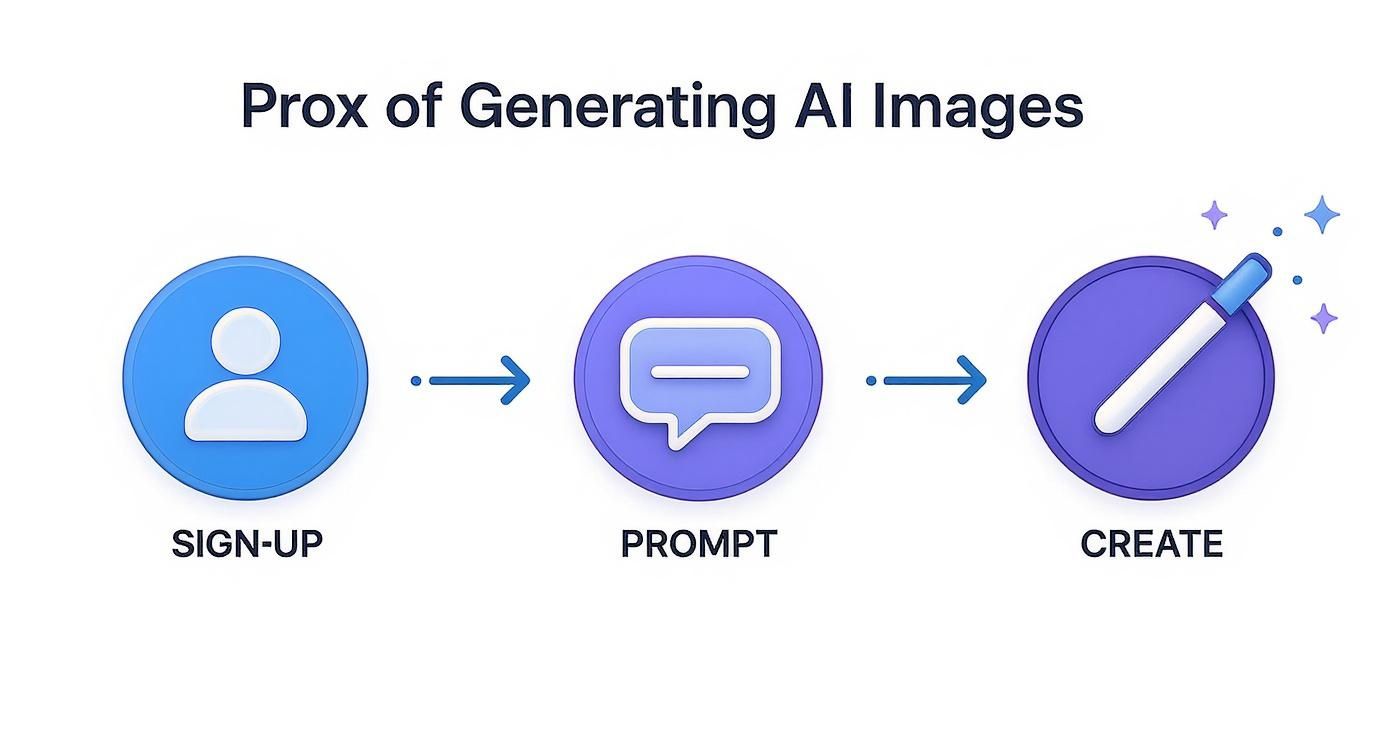
As you can see, it's a simple, linear path from creating an account to getting your final image.
Crafting Your First Prompt and Image
Before we dive in, if you want a broader look at the landscape, this review of the 7 best AI image generator tools is a great resource.
For now, let's start with a fantastic and completely free option: Microsoft's Bing Image Creator. Just head over to the website and log in with your Microsoft account.
You'll be greeted by a text bar, ready for your prompt. Let's try something descriptive and fun to see what it can do:
A friendly, cartoon-style robot holding a bright red balloon, standing in a field of colorful flowers, digital art style, vibrant colors.
This prompt works well because it gives the AI clear instructions. We've defined the subject (robot), action (holding a balloon), setting (field of flowers), and the artistic style (cartoon, digital art). Once you click "Create," the AI gets to work and will show you a few different visual interpretations of your prompt.
Top Free AI Image Generators at a Glance
With so many tools popping up, it can be tough to know where to start. This table gives you a quick rundown of the most popular and reliable free options available right now.
| Tool Name | Best For | Free Offering Model | Key Feature |
|---|---|---|---|
| Microsoft Bing Image Creator | Beginners & quick creations | Free daily "boosts" | Integration with DALL-E 3, easy to use |
| Leonardo.Ai | Character design & game assets | Daily free credits | Community models & fine-tuning options |
| Canva AI Image Generator | Social media & marketing | Free credits within Canva | Seamless integration with design workflow |
| SeaArt.ai | Anime and illustrative styles | Daily free credits & tasks | Strong LoRA support & active community |
| Playground AI | Photorealism & artistic control | 1000 free images per day | Advanced filters and editing tools |
Each of these platforms offers a fantastic entry point into AI art without requiring a credit card. They all have their unique strengths, so it’s worth trying a few to see which one best fits your creative style.
How Does AI Actually Turn Your Words into Art?
It can feel like magic when you type a few words and a stunning image appears just seconds later. But what's really going on behind the curtain? Let's pull it back.
When you generate AI images for free, you’re not just pressing a button; you're talking to a highly advanced creative partner. Imagine an artist who has spent a lifetime studying billions of images, from classical paintings to modern photography, and has read the text describing every single one.
This AI has learned to connect words with visual concepts. It knows that "serene forest" isn't just a phrase, but a combination of dappled sunlight, rough bark textures, and a palette of deep greens and earthy browns. It doesn’t just copy and paste; it synthesizes these ideas to build something brand new, just for you.
This is how it can grasp abstract ideas, too. It understands moods, artistic styles, and the relationship between objects. So when you ask for a "futuristic cityscape at twilight," the AI pulls from everything it knows about "futuristic," "cityscape," and "twilight" to blend them into a unique creation.
From A Vague Idea to A Finished Picture
So, how does it go from a blank slate to a final image? Your prompt gets broken down into its core components: the subject, the setting, the action, and the style.
From there, most models use a process called "diffusion." Think of it like starting with a canvas full of random, staticky noise. The AI then slowly refines this static, step-by-step, gradually sculpting it into something that matches your description. With each pass, it checks its work against your prompt, asking itself, "Is this looking more like a 'cat sitting on a bookshelf' yet?"
This is why tiny tweaks to your prompt can create wildly different outcomes. You're guiding that refinement process at every step.
Understanding this basic idea is a game-changer. The AI is a powerful pattern-matcher, not a mind-reader. Knowing this helps you write much better prompts and figure out why an image didn't quite hit the mark.
Why Your Prompting Style Matters
Because these AI models are built on recognizing patterns, the more specific you are, the better your results will be. A prompt like “orange cat yawning on a braided rug in front of a fireplace” gives the AI a ton of clear, concrete concepts to work with. It has specific instructions for the subject, action, and environment.
On the other hand, a vague prompt like "make a cool picture" leaves almost everything to chance. The AI has to guess what you find "cool." Think of your prompt as a detailed blueprint—the more information you provide, the closer the final construction will be to what you envisioned.
For more deep dives into crafting killer prompts and other creative strategies, we're always sharing new tips and tricks on the CreateInfluencers blog. Getting this foundation right is your first real step toward mastering AI image creation.
Mastering the Craft of a Perfect AI Prompt
The secret to getting jaw-dropping AI images isn't the tool itself—it's how you talk to it. Think of yourself as an art director guiding a brilliant but very literal artist. If you're vague, you'll get vague results. But a detailed, well-crafted prompt? That’s where the magic happens. Honing this skill is what separates a good image from an unforgettable one when you generate ai images for free.
A truly great prompt isn't just one thing; it's a combination of different ingredients. By layering these elements, you hand the AI a crystal-clear blueprint, which drastically improves your chances of getting the exact image you have in your head.
The Anatomy of a Powerful Prompt
At its core, a strong prompt gives the AI specific details across a few key categories. The more information you pack in, the richer and more accurate your final image will be. A simple prompt for "dog" gives you just that—a generic dog. But add a few more layers, and you can turn that simple idea into a work of art.
These are the essential building blocks I always start with:
- Subject: What’s the main focus? Get specific. Don’t just say "a woman"; try "a young woman with curly red hair and freckles."
- Style: What’s the vibe? Think in terms of artistic movements or mediums. Popular choices include photorealistic, digital art, watercolor painting, anime style, 3D render, or even vintage photograph.
- Lighting: How is the scene lit? This dramatically changes the mood. Use terms like golden hour, cinematic lighting, soft studio light, neon glow, or dramatic backlighting.
- Composition: How is the shot framed? Think like a photographer. Mention camera angles like close-up shot, wide-angle landscape, low-angle view, or an overhead shot.
- Mood: What feeling are you going for? Words like serene, chaotic, mysterious, joyful, or melancholic will guide the AI's choices in color and texture.
Once you start weaving these elements together, you’re no longer just making a request—you’re giving detailed artistic direction. It's the difference between asking for a "castle" and directing the AI to create a "majestic, ancient castle on a clifftop during a stormy night, illuminated by a single bolt of lightning, dramatic low-angle shot, oil painting style."
The best prompts are not just descriptions; they are recipes. Each keyword is an ingredient that influences the final flavor of your image. Experimenting with different combinations is part of the fun.
Advanced Prompting Techniques
Once you've got the basics down, you can start using more advanced tricks to really dial in your results. One of the most powerful tools in your arsenal is the negative prompt. This is where you tell the AI what you don't want to see.
For instance, if you notice your creations often have mangled hands or blurry faces (a common AI quirk), you can add a negative prompt like ugly, deformed, poorly drawn hands, blurry face. This helps clean up the output significantly.
Some of my go-to negative prompts include:
text, watermark, signature, usernameblurry, out of focus, low qualityextra limbs, missing fingers, weird anatomy
Another technique is "weighting" certain terms, though this isn't available on every platform. Some AI models let you emphasize a word by wrapping it in parentheses, like (red balloon). This tells the AI that the red balloon is an especially important part of the scene and should be given more focus.
Prompt Formulas for Different Image Styles
To help you get started, here are a few templates I use all the time. Think of them as jumping-off points. Just swap out the bracketed details with your own ideas and see what you can create.
| Image Style | Core Prompt Formula | Example |
|---|---|---|
| Photorealistic | ultra-realistic photo of a [Subject], [Lighting], [Composition], shot on a [Camera Type], [Lens Type], highly detailed |
ultra-realistic photo of an elderly fisherman mending his nets, golden hour light, close-up shot, shot on a Sony A7III, 85mm f/1.4 lens, highly detailed |
| Digital Art | digital painting of a [Subject] in a [Setting], [Mood], [Style], intricate details, trending on ArtStation |
digital painting of a cyberpunk city street at night, neon glow, chaotic, anime style, intricate details, trending on ArtStation |
| Fantasy | epic fantasy concept art of a [Creature] in a [Location], [Action], [Atmosphere], matte painting, by [Famous Artist] |
epic fantasy concept art of a majestic griffin soaring over a misty mountain range, powerful wings, dramatic atmosphere, matte painting, by Greg Rutkowski |
| Sci-Fi | futuristic sci-fi illustration of a [Scene], [Color Palette], [Technology Detail], 3D render, octane render, cinematic |
futuristic sci-fi illustration of an astronaut discovering an alien artifact, cool blue and purple palette, holographic interface, 3D render, cinematic |
These formulas are incredibly versatile. Mix and match elements, add your own creative flair, and don't be afraid to get a little weird with it—that's often where the most unique images come from.
Mastering these skills just takes a bit of practice, but the payoff is huge. For more in-depth tutorials and inspiration, you can always check out our full collection of creative guides at https://createinfluencers.com/guides. With the right prompts, you’ll be creating professional-quality visuals in no time.
Taking Your AI Images to the Next Level
Getting a great first-pass image is a fantastic start, but the real magic happens in the refinement stage. This is where you go from a cool AI-generated picture to a polished, professional-looking piece of art. Most free AI tools have powerful features built right in that can give you incredible control over the final product.
One of the easiest and most effective adjustments you can make is setting the aspect ratio before you even generate. Why waste time cropping a square image when you can create it in the perfect dimensions from the get-go?
- 16:9: This is your go-to for YouTube thumbnails, slide presentations, and widescreen desktop backgrounds.
- 9:16: Need something for an Instagram Story, a TikTok video, or a phone wallpaper? This vertical format is perfect.
- 4:5: The classic vertical ratio that performs so well on the Instagram feed.
Nailing the aspect ratio from the start saves a ton of post-editing headaches and makes sure you don't have to chop off important parts of your image later on.
Turning a Simple Sketch into a Masterpiece with Image-to-Image
Ever had a brilliant idea in your head—maybe you even scribbled it on a napkin—but found it impossible to capture in a text prompt? That’s where image-to-image generation is an absolute game-changer. Instead of relying purely on words, you give the AI a visual starting point.
This opens up a whole new world of creative possibilities. You can upload a rough character sketch and watch the AI bring it to life with full detail and color. Or, you could take a photo of a sunset and ask the AI to transform it into an oil painting in the style of Monet. It’s an incredibly powerful way to steer the AI toward your specific vision.
The secret sauce here is the "style intensity" or "image guidance" setting. A low value gives the AI more creative freedom to reinterpret your input, while a high value forces it to stick much more closely to the original image's structure and composition.
The Final Polish: Upscaling and Touch-Ups
When you generate AI images for free, they often come out at a resolution that's fine for social media but might look blurry if you try to print them. That's where upscaling tools save the day. Plenty of free AI upscalers online can increase your image's resolution by 2x or 4x without that pixelated, low-quality look. Suddenly, your art is sharp enough for a poster or a high-quality portfolio piece.
After upscaling, it's time for the final touches. And no, you don't need a pricey subscription to Adobe Photoshop.
A free tool like Canva is more than capable of handling these minor tweaks:
- Cropping and Straightening: Get that composition just right.
- Color Correction: Small adjustments to brightness, contrast, and saturation can make your image's colors truly pop.
- Cleaning Up Flaws: Sometimes the AI leaves behind a weird artifact or a slightly wonky detail. Simple editing tools can clean those up in a flash.
These final steps are what elevate a raw AI output into a finished, professional asset. It’s about adding that human touch to ensure the image perfectly matches your creative intent and looks absolutely flawless.
So, you’re creating incredible images with a click of a button. It's an amazing feeling, but it also brings up a whole new world of legal and ethical questions. When you generate AI images for free, figuring out who actually owns the final picture and how you can use it isn't just a good idea—it’s crucial for protecting your work and respecting others.
The rules here can get a bit murky, and they often change depending on the specific platform you’re using.
Most free AI image generators spell out the usage rights in their terms of service, but these policies are all over the map. Some will grant you full ownership and commercial rights to whatever you create. Others might use a Creative Commons license, which means you can use the images freely, but you might have to give credit or be blocked from using them to make money. It’s on you to read the fine print before you slap that new image on your blog, your product, or in a marketing campaign.
Here's the thing: copyright law for AI art is still a major gray area worldwide. The U.S. Copyright Office, for instance, has generally held that work created entirely by an AI without significant human authorship can't be copyrighted. This means that while you might have the right to use an image, you probably can't claim exclusive ownership over it.
Understanding Commercial Use and Licensing
The biggest thing you need to look for in any tool's policy is the line between personal and commercial use. They are not the same.
- Personal Use: This is pretty much anything that doesn't earn you money. Think of it as a cool new wallpaper for your phone, a personal art project, or just posting on your own social media feed for fun.
- Commercial Use: The second you plan to use an image to sell something, promote your business, or include it in any project designed to make a profit, you need explicit commercial rights. No exceptions.
A lot of free services will give you a handful of credits for personal projects but will ask you to upgrade to a paid plan for a commercial license. Always, always double-check this before you build an entire brand around AI-generated visuals. Getting this wrong can lead to legal headaches you definitely don’t want.
The Ethics of Mimicking an Artist's Style
Beyond the legal stuff, there's a huge ethical debate brewing in the art world. A major point of contention is generating images "in the style of" a living artist. AI models learn from enormous datasets of existing art, so asking one to copy a contemporary artist’s signature look can feel like you're profiting off their life's work without their permission.
My advice? Tread carefully and with respect. Instead of naming specific living artists in your prompts, try describing the style you're after.
Use terms like "impressionistic brushstrokes," "art nouveau linework," or "gritty comic book aesthetic." This helps you get the vibe you want while sidestepping the thorny issue of directly copying someone's unique creative identity. Being a responsible creator helps keep the entire creative space fair for everyone, human artists included.
Answering Your Top Questions About Free AI Image Generation
Jumping into AI art is a blast, but it's totally normal to hit a few snags or have questions. You might be wondering why your generated images sometimes look a little… off, or what the deal is with using the art you create. Let's clear up some of the most common questions people have when they first start to generate AI images for free.
We already talked about ownership and usage rights, but what about the hands-on, creative side of things? Let's get into the nitty-gritty.
“Why Do My AI-Generated Images Look So… Weird?”
We’ve all been there. You write what feels like the perfect prompt, only to get an image of a person with six fingers or a dog with mismatched eyes. It’s a classic AI quirk.
This happens because these models are incredible pattern-matchers, but they don't understand concepts like a human does. They’ve seen millions of hands, but the precise count of five fingers isn't a hard-coded rule in their digital brain. It's more of a strong suggestion.
The fix? Get specific with your instructions. Using a negative prompt is your best friend here. Adding terms like poorly drawn hands, extra limbs, mutated, disfigured can work wonders to clean up the final result. Don't be afraid to just hit "generate" again, either—sometimes the next roll of the dice is a winner.
Another thing to watch out for is an overly complex prompt. If you ask for a "cyberpunk wizard riding a dragon through a neon-lit forest during a meteor shower," you might overwhelm the AI. It can get confused and mush elements together. Simplifying your core concept often produces a much more coherent and beautiful image.
“Can I Remake an Image I Found Online?”
So, you saw an amazing piece of art and want to create something just like it. While you can't just upload a picture and have the AI spit out a perfect copy (for both technical and copyright reasons), you can definitely get close.
The trick is to play detective. Break down the image you love into its core ingredients. What’s the subject? What’s the style—is it photorealistic, anime, or watercolor? Pay attention to the lighting, the colors, and the overall composition. Then, use all those descriptive words to build your own detailed prompt.
This way, you’re not just copying someone else's work; you're using it as inspiration to guide the AI toward the aesthetic you're after.
Don't chase an exact replica. Think of the image you admire as a reference or a mood board. Use it to inform your prompt and guide the AI toward a specific style, color palette, or feeling. This is how you start to develop your own unique touch.
The world of AI image generation is absolutely exploding. Projections show the market is on track to hit around $2.3 billion by the end of 2025. What's driving this? Accessibility. A huge chunk of this creation—about 57%, in fact—is happening on mobile devices, which tells you everything you need to know about the trend toward creating anywhere, anytime. You can dive deeper into these enterprise and mobile adoption trends to see where things are headed.
Ready to turn those ideas into visuals? With CreateInfluencers, you can generate your own unique AI characters and incredible scenes in just a few clicks. Sign up for free today and see what you can dream up.