7 Best Face Swap Software Tools to Try in 2025 (AI-Powered)
Discover the 7 best face swap software options for 2025. Compare top AI tools for photos and videos based on features, price, and ease of use.
Face swapping has evolved from a simple social media gimmick into a powerful tool for content creation, marketing, and digital art. Modern AI makes this technology more accessible and realistic than ever, enabling creators to produce everything from viral memes to sophisticated digital influencer campaigns. The challenge, however, is navigating the vast landscape of apps, web tools, and professional software to find the right fit for your specific goals.
Are you a social media influencer aiming for engaging content, a marketing agency building a brand with AI avatars, or a digital artist exploring new creative frontiers? This guide is designed to cut through the noise and provide clear, actionable insights. We will dive deep into the 7 best face swap software platforms available today, meticulously comparing their core features, pricing models, and ideal use cases.
This roundup is your definitive resource for making an informed decision. For each tool, we provide a comprehensive breakdown, complete with screenshots and direct links, to help you understand its unique strengths. We analyze everything from user experience and processing speed to the quality of the final output. Whether you need a quick mobile app like Reface for social media fun, a robust platform like CreateInfluencers to generate AI models, or an open-source tool like Faceswap for maximum control, you will find the perfect solution here to bring your creative visions to life. Let's get started.
1. CreateInfluencers
CreateInfluencers stands out as a comprehensive AI-driven content studio, positioning itself as a powerful, all-in-one solution for generating photorealistic influencers, avatars, images, and videos. While its feature set extends far beyond simple face swapping, its robust face and body swap capabilities are deeply integrated into a professional-grade workflow. This makes it a formidable choice for creators who need not just a single tool, but an entire production suite to build and monetize digital personas.
The platform’s core strength lies in its one-click character creator, which allows users to transform selfies and body photos into fully customizable AI models in minutes. This seamless process is the foundation for its advanced face swap software, enabling users to maintain character consistency across a vast array of generated content. Unlike standalone tools that focus solely on swapping one face onto another video or image, CreateInfluencers builds the entire ecosystem around the AI persona.
Key Features & Technical Capabilities
CreateInfluencers is built on a foundation of multiple cutting-edge generation models, giving users unparalleled flexibility. This includes access to powerful video models like Haiper 2.0, Kling Pro, and CogVideoX-5B, alongside advanced image models.
- HyperReal Engine: A standout feature is the HyperReal engine, which intelligently upscales pixelated or low-resolution photos into crisp, high-definition images. This is particularly useful for ensuring source photos for face swaps are of the highest quality, leading to more realistic and seamless results.
- Face & Body Swapping: The platform integrates face and body swapping directly into its character-centric workflow. You can train a model on a specific likeness and then apply that persona to various scenes, outfits, and scenarios using themed photo packs for Instagram, Tinder, or professional headshots.
- Real-Time Voice-Driven Synthesis: An advanced capability allows for the generation of images and videos driven by real-time voice input, opening creative avenues for interactive content and dynamic storytelling.
- Monetization-Focused Tools: The platform is explicitly designed for creators looking to generate revenue. It offers specialized outputs and guides for platforms like OnlyFans, Fanvue, and Fansly. Additionally, users can leverage its affiliate program to earn revenue by referring new creators.
Pricing Structure & User Experience
The platform operates on a transparent, credit-based subscription model. This approach allows users to forecast costs effectively, as the credit cost for each action is clearly published.
| Plan | Monthly Price | Credits | Best For |
|---|---|---|---|
| Basic | $47 | 250 | Hobbyists & Individuals |
| Pro | $79 | 700 | Serious Creators & Marketers |
| Enterprise | $149 | 2,000 | Agencies & High-Volume Users |
Credit usage varies by task. A standard realistic image might cost around 0.5 credits, while video generation is more credit-intensive (e.g., Kling Pro costs ~1.8 credits per second). The user interface is intuitive, designed to get creators from signup to generation as quickly as possible, supported by an active Discord community and extensive guides.
Pros and Cons
Pros:
- Fast, Integrated Workflow: The one-click character creation and selfie-to-avatar process is exceptionally efficient for building and deploying AI influencers.
- Comprehensive Feature Set: Access to multiple advanced AI models, the HyperReal upscaler, and integrated face/body swapping provides immense creative control.
- Monetization-Ready: Specialized tools, themed content packs (boudoir, dating profiles), and an affiliate program are geared toward professional use.
- Transparent Pricing: The credit system is straightforward, helping users manage their budget without surprises.
Cons:
- Ethical & Legal Considerations: Generating realistic likenesses, especially for adult content, requires users to be vigilant about consent, legal risks, and platform policies.
- Variable Costs for Video: High-volume or long-form video creation can become expensive due to the per-second credit costs of advanced video models.
Website: https://createinfluencers.com
2. Icons8 Face Swapper
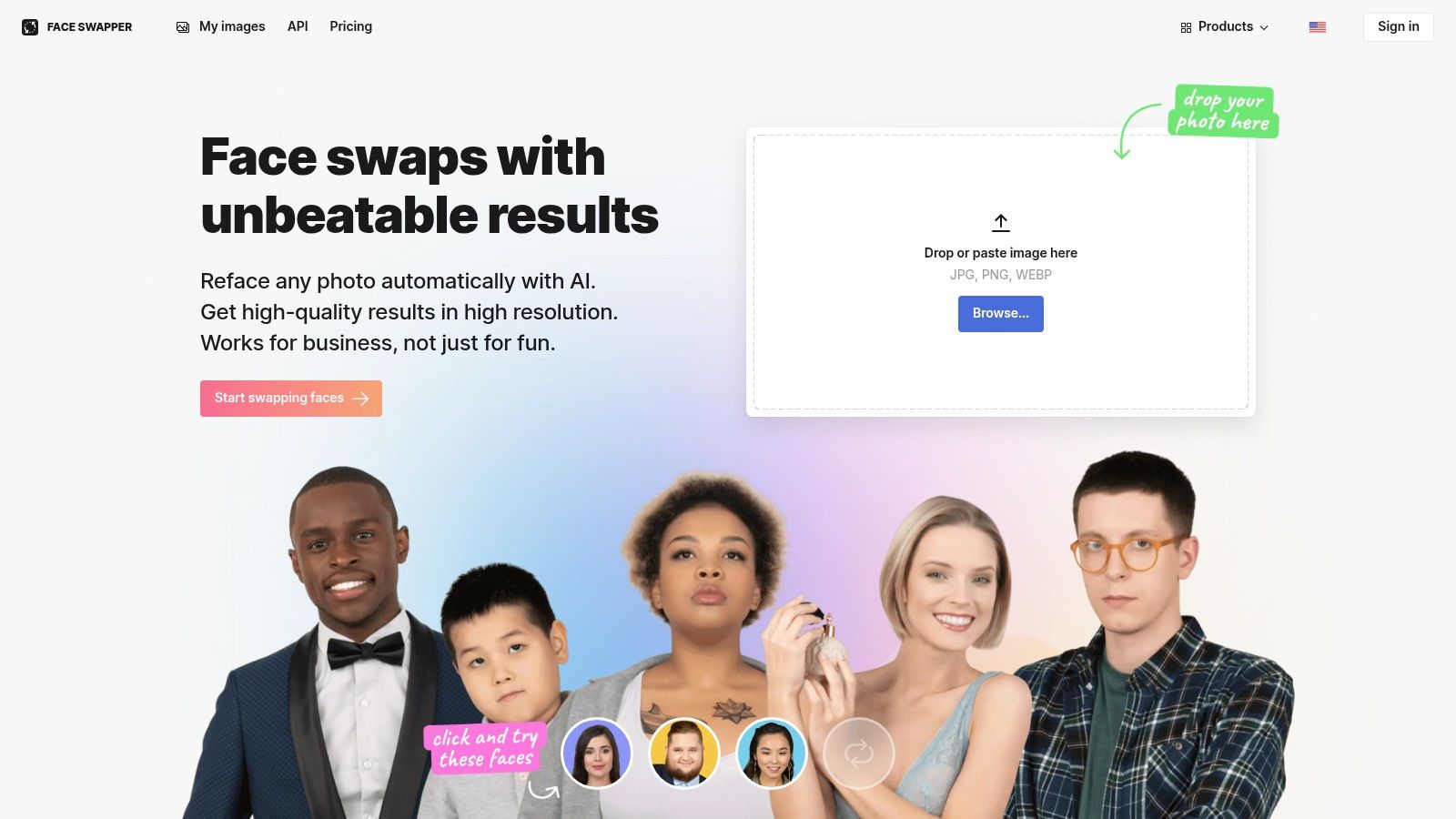
Icons8 Face Swapper delivers a refreshingly straightforward and accessible experience, making it one of the best face swap software options for users who prioritize speed and simplicity. It operates entirely within your web browser, eliminating the need for complex installations or high-powered hardware. This low barrier to entry makes it an ideal choice for quick social media posts, meme creation, or experimenting with new looks without a significant time commitment.
The platform's interface is clean and intuitive. Users simply drag and drop a source photo (the face you want to use) and a target photo (the image you want to swap the face into). The AI handles the rest, typically processing the swap in seconds. This ease of use extends across its ecosystem, which includes a dedicated iOS app for on-the-go edits and a developer API for more advanced, programmatic integrations.
Key Features and User Experience
Icons8 excels by offering distinct paths for different types of users, from casual creators to professional developers. The web tool is perfect for individual projects, while the API opens up possibilities for automated content creation, such as generating personalized marketing materials or integrating face swapping into other applications.
- Unlimited Swaps: Paid plans remove all limitations, allowing for endless creativity without worrying about credit consumption.
- Multi-Platform Access: Seamlessly switch between the browser-based tool and the Face Swapper: AI Photo Editor iOS app for mobile convenience.
- Privacy-Focused History: Your uploaded and generated images are stored for 30 days, but you have full control to clear your history at any time, a crucial feature for users handling sensitive content.
- Developer API: A standout offering that allows businesses and developers to integrate high-volume, automated face swaps directly into their own products and workflows.
Pricing and Accessibility
Icons8 offers a transparent pricing structure that caters to varying needs. While a free tier is available, it comes with limitations on resolution and features. The paid plans unlock the full potential of the tool.
| Plan Tier | Key Benefits | Best For |
|---|---|---|
| Free | Limited access to test the tool | Casual users wanting to try the basic functionality. |
| Paid Monthly/Annual | Unlimited swaps, priority processing, higher resolution | Content creators, marketers, and frequent users. |
A significant advantage is the free 3-day trial offered with the annual subscription, giving users a risk-free window to explore all premium features.
Pros and Cons
Pros:
- Extremely Easy to Use: The drag-and-drop interface requires no technical skill.
- No Installation Required: Being browser-based, it works on nearly any device with an internet connection.
- Flexible Options: Caters to consumers (web/mobile apps) and developers (API) equally well.
Cons:
- Photo-Only Web Tool: The primary web interface does not support video face swapping.
- Premium Features Locked: The best quality and fastest processing speeds are reserved for paid subscribers.
For a fast, reliable, and versatile photo face swap solution, visit Icons8 Face Swapper.
3. Reface
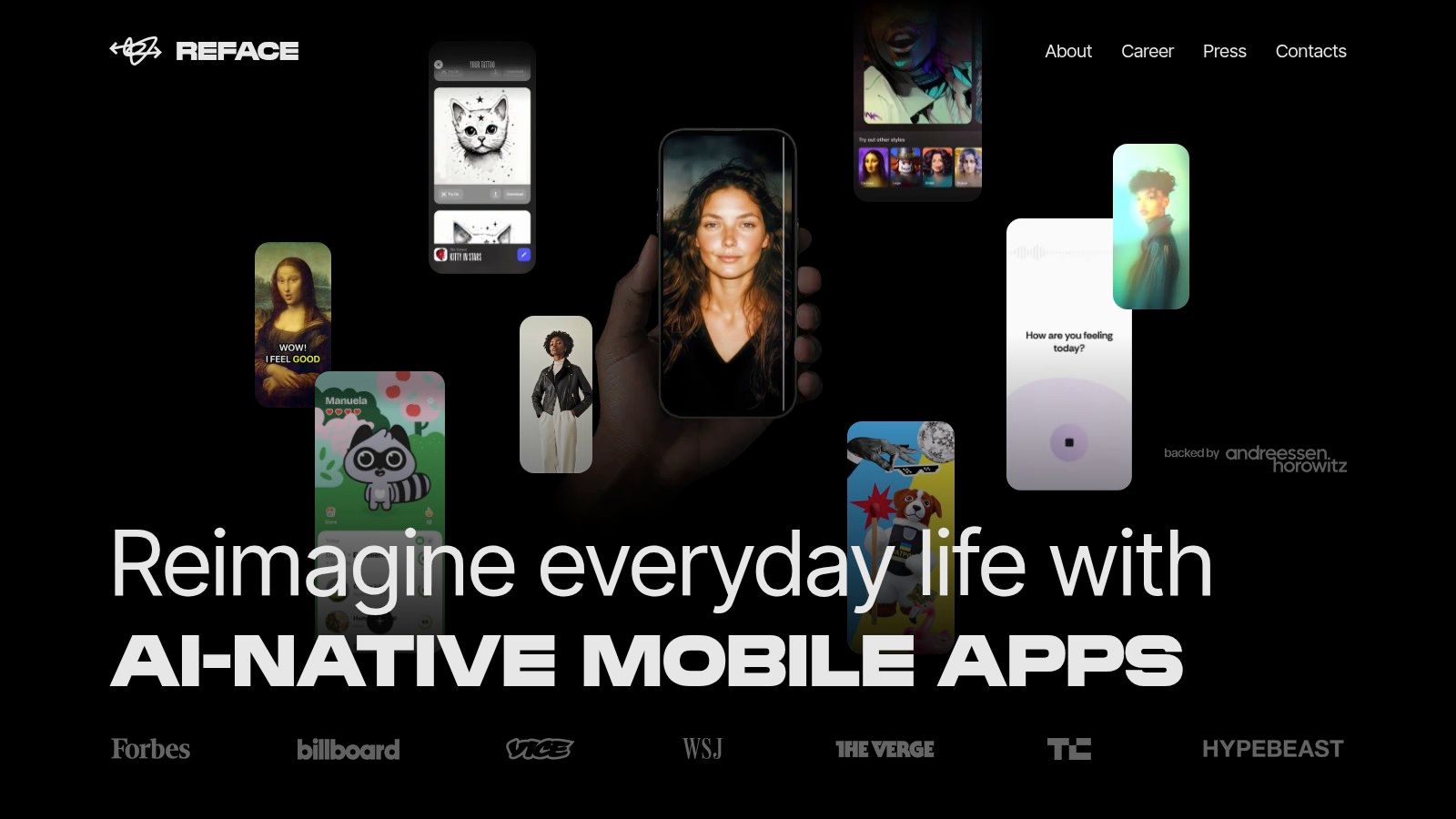
Reface has established itself as a mobile-first powerhouse, making it one of the best face swap software choices for users who want to create engaging, viral-ready video and photo content directly from their smartphones. As a long-standing app, it has built a massive user base by focusing on a library of popular video clips, memes, and celebrity scenes that users can instantly swap their faces into. This emphasis on pre-made templates makes it incredibly fast and fun for creating content destined for social media platforms like TikTok, Instagram, and X (formerly Twitter).
The core experience is designed for simplicity and speed. Users upload a selfie, which the app analyzes and saves, then they can browse a vast, frequently updated library of GIFs and video clips. A single tap applies the face swap, rendering a shareable video in seconds. This seamless, entertainment-focused approach has made it a go-to for casual users and social media enthusiasts. For more in-depth information, you can explore Richlyai's detailed review of Reface.
Key Features and User Experience
Reface stands out with its entertainment-driven feature set, which goes beyond simple one-to-one swaps. The platform constantly adds new templates and AI-powered tools, keeping the experience fresh for its large community of creators looking to generate unique social content.
- Vast Template Library: Access a huge, constantly updated collection of popular movie scenes, music videos, and viral GIFs for instant face swaps.
- Video and Photo Swapping: The app handles both static images and short video clips, offering more dynamic creative possibilities than photo-only tools.
- Upload Your Own Media: Premium users can go beyond templates and upload their own photos and videos to create completely custom swaps.
- Additional AI Tools: Subscriptions unlock other AI features like professional headshot generation, AI avatars, and image enhancement tools.
Pricing and Accessibility
Reface operates on a freemium model, primarily available through the Apple App Store and Google Play Store. The free version offers limited access to templates and features, often including watermarks and ads. The premium subscription unlocks the app's full potential.
| Plan Tier | Key Benefits | Best For |
|---|---|---|
| Free | Limited access to templates and swaps | Casual users who want to try the basic features. |
| Pro Subscription | Unlimited swaps, no ads, no watermarks, access to all premium features, ability to upload own content | Frequent users, influencers, and content creators. |
Subscriptions are typically offered weekly, monthly, or annually, with a free trial period often available to test premium features before committing.
Pros and Cons
Pros:
- Optimized for Mobile: The user interface is intuitive and perfectly designed for quick edits on a smartphone.
- Large Content Library: The massive, ever-changing template library ensures there is always fresh content to create with.
- Easy to Get Started: Simple onboarding through the app stores makes purchasing and managing subscriptions straightforward.
Cons:
- Subscription-Heavy Model: The best features, including uploading your own media, are locked behind an ongoing subscription.
- Billing Complaints: Some users have reported issues with subscription management and billing, so it's important to review terms carefully.
To dive into mobile-first video face swapping, visit Reface.
4. Picsart
Picsart positions itself as a comprehensive creative suite rather than a dedicated face swap tool, making it one of the best face swap software choices for users who need a powerful, all-in-one editor. While it doesn't offer a one-click face swap function like some specialized tools, its robust selection and retouching features allow for high-quality manual face editing within a broader design context. This makes it ideal for projects requiring more than a simple swap, such as adding backgrounds, text overlays, and artistic filters.
The platform is designed for creators who want to build a complete visual, not just alter a single element. Users can leverage its powerful photo editor to manually cut out a face and place it on another image, using blending tools and color adjustments to create a seamless final product. This hands-on approach offers greater creative control, which is essential for detailed marketing materials, elaborate social media posts, or polished digital art projects.
Key Features and User Experience
Picsart's strength lies in its integration of manual editing tools with a vast library of assets and modern AI capabilities. This combination allows for a multi-step creative workflow where face editing is just one part of the process. Content creators can find everything they need in one place, from initial retouching to final design flourishes.
- Integrated Editing Suite: Access a full range of editing tools, including face retouching, object removal, background changers, and filters, all within the same interface.
- Massive Asset Library: Enhance your creations with an extensive collection of templates, stock photos, fonts, and stickers, perfect for building professional-looking content.
- Generative AI Credits: Paid plans include monthly credits for Picsart’s suite of generative AI tools, such as the AI Image Generator and AI Writer, which can complement your editing workflow.
- Cross-Platform Availability: Work seamlessly across a powerful web editor and highly-rated mobile apps for both iOS and Android.
Pricing and Accessibility
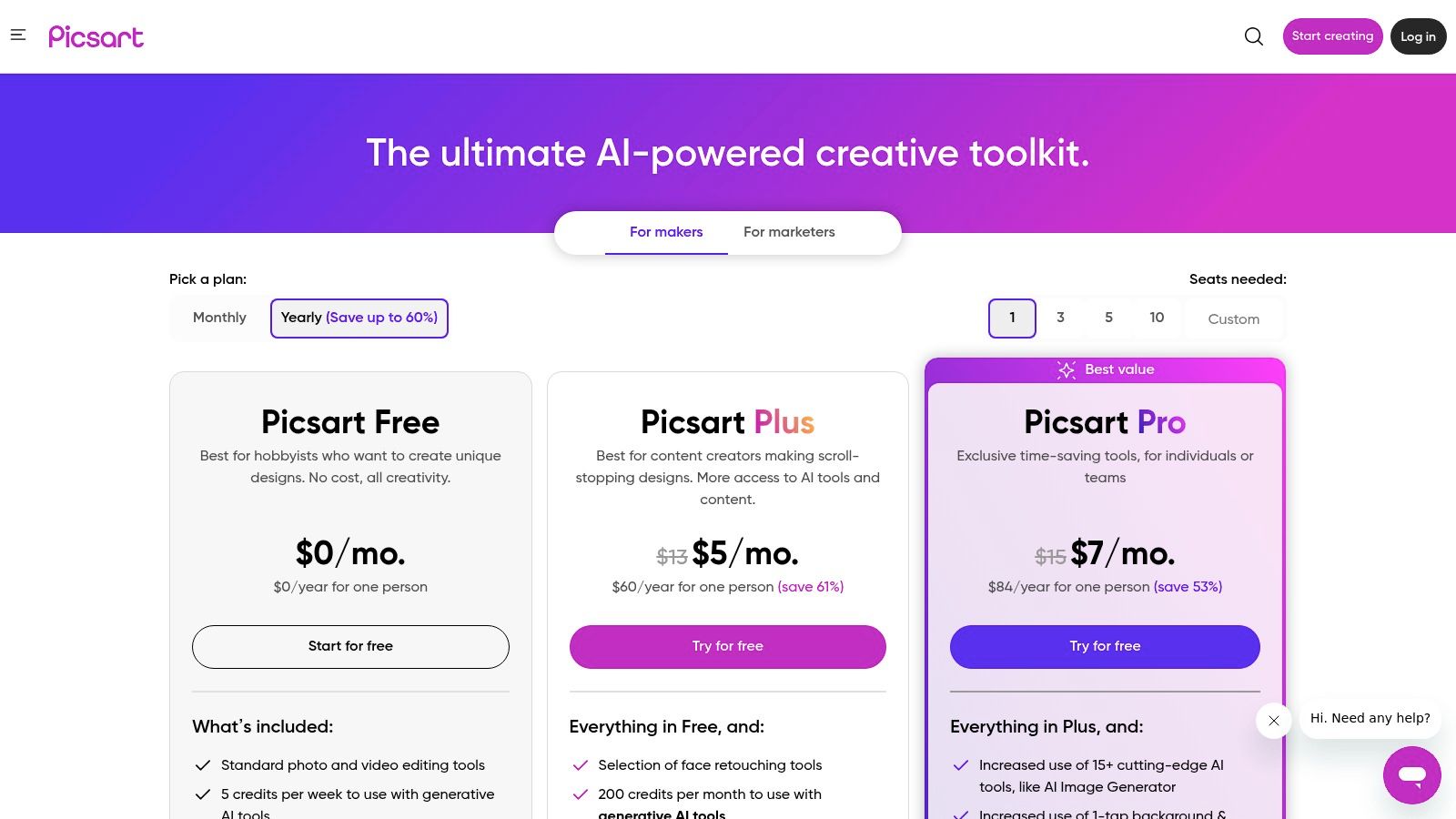
Picsart uses a straightforward subscription model with clear tiers for individuals and teams, ensuring reliable and easy-to-understand billing. This approach is beneficial for creators and businesses managing their software budgets. You can explore how Picsart's tools help influencers create engaging content for further insights.
| Plan Tier | Key Benefits | Best For |
|---|---|---|
| Free | Basic editing tools, limited access to assets and templates. | Casual users who need simple edits and filters. |
| Picsart Gold | Full access to premium editing tools, entire content library, and AI tools with monthly credits. | Individuals, influencers, and content creators. |
| Team | All Gold features plus team management, centralized billing, and collaborative tools. | Marketing agencies and small business teams. |
A 7-day free trial is available for the Gold plan, giving new users ample time to explore all the premium features before committing.
Pros and Cons
Pros:
- All-in-One Editor: Excellent for complex, multi-step edits that go beyond simple face tweaks.
- Vast Content Library: Access to millions of assets simplifies creating polished, professional designs.
- Reliable Subscription Model: US-friendly billing with transparent plan comparisons makes it easy to choose the right option.
Cons:
- No Native Face Swap Feature: Requires manual editing skills to perform a face swap, which is more time-consuming.
- AI Features Are Credit-Based: Heavy use of generative AI tools may require purchasing additional credits or upgrading to a higher-tier plan.
For a comprehensive creative platform that supports advanced photo editing, visit Picsart.
5. Fotor
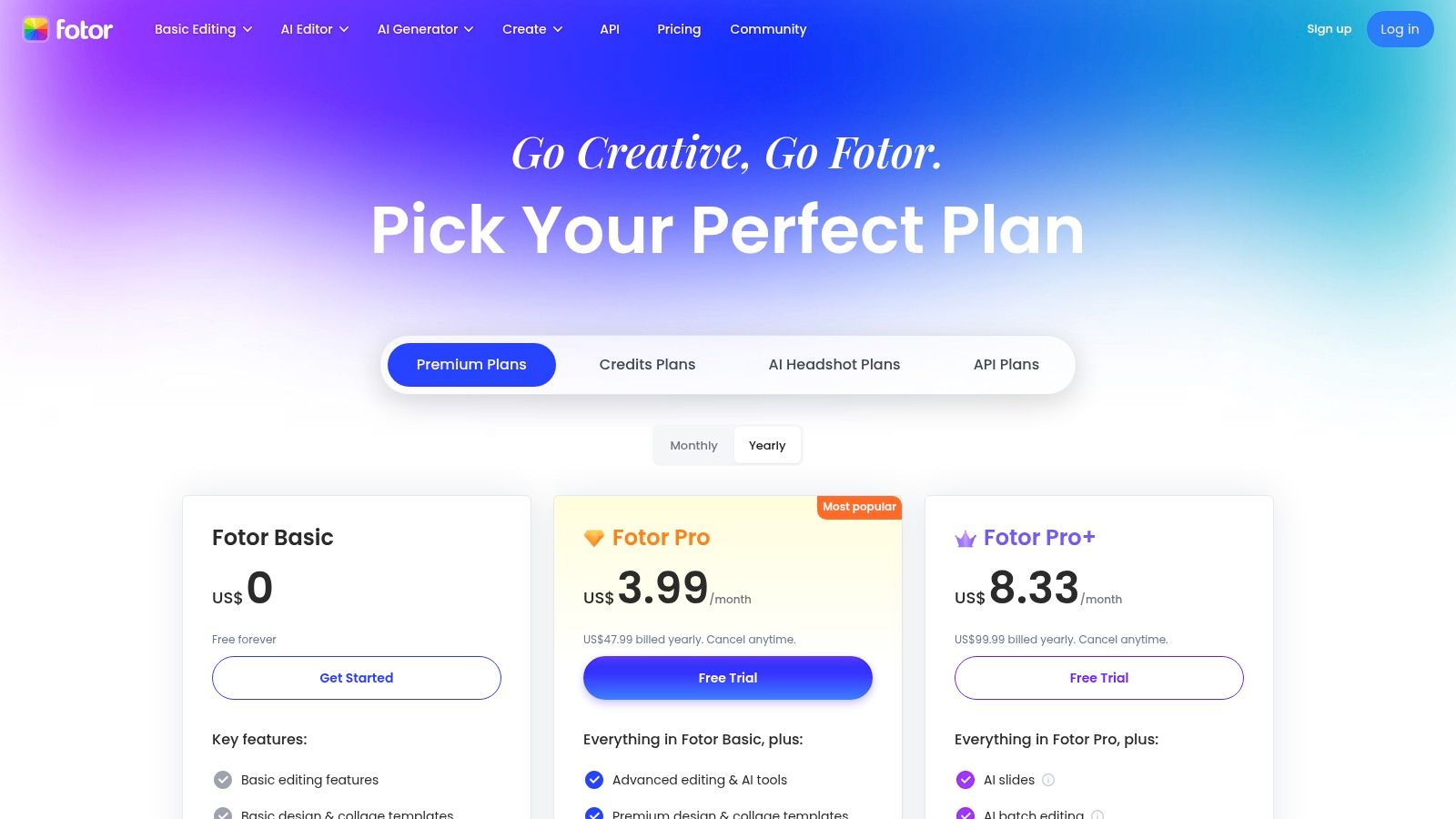
Fotor distinguishes itself with a versatile and transparent, credit-based system, positioning it as one of the best face swap software choices for users who appreciate predictable costs and a wide range of AI tools. Integrated into its comprehensive photo editing suite, Fotor’s face swap tool handles both photos and videos, making it a powerful all-in-one platform for creators who need more than just a single function. Its pay-as-you-go model is ideal for project-based work where you need precise control over your spending.
The platform is designed for clarity. When you upload your media, Fotor clearly outlines the credit cost before you commit. Whether you're swapping a single face in a photo, tackling a group shot with multiple faces, or creating a short video clip, the cost is calculated upfront. This transparency removes the guesswork often associated with credit systems and allows for effective budget management for both casual and professional projects.
Key Features and User Experience
Fotor’s strength lies in its clearly defined, scalable credit system that applies across its entire suite of AI editing tools. This means credits purchased for face swapping can also be used for background removal, photo enhancement, or object erasing, providing excellent value and flexibility. The system is designed to scale with the complexity of the task.
- Transparent Credit Costs: The system charges a set number of credits per face in photos and per second for videos, so you always know the exact cost before processing an image or clip.
- Photo and Video Support: Unlike many specialized tools, Fotor handles both static images and video clips, making it a versatile option for creating diverse content like memes, GIFs, and short social media videos.
- Integrated AI Toolkit: Your credits are not siloed. They can be used across Fotor’s broader suite of powerful AI features, including an AI enhancer, background remover, and magic eraser.
- Flexible Credit Management: Users can subscribe to Pro/Pro+ plans to receive a monthly allotment of credits or make one-time credit pack purchases for specific projects.
Pricing and Accessibility
Fotor’s model provides multiple entry points for different user needs. A free version offers a taste of the platform, but the full power is unlocked with credits, which can be acquired through subscriptions or standalone purchases.
| Plan Tier | Key Benefits | Best For |
|---|---|---|
| Free | Limited access with basic features. | New users testing the platform's interface and basic tools. |
| Pro/Pro+ (Subscription) | Monthly credit bundle, higher-quality outputs, full access to AI tools. | Regular content creators and marketers needing consistent access. |
| Credit Packs (Pay-as-you-go) | One-time purchase of credits for specific needs. | Users with occasional, high-volume projects. |
This hybrid model ensures that both consistent and sporadic users can find a cost-effective plan that suits their workflow.
Pros and Cons
Pros:
- Predictable and Transparent Costs: The clear, upfront credit rules for photos and videos eliminate budget surprises.
- All-in-One AI Suite: Credits are usable across a wide range of powerful photo editing tools, adding significant value.
- Flexible Purchase Options: Supports both subscription-based monthly credits and one-time pay-as-you-go packs.
Cons:
- Credits Can Be Consumed Quickly: Video projects, especially longer ones, can deplete credits rapidly, requiring careful planning.
- Less Customization: The tool is highly automated and offers fewer manual controls compared to professional desktop software.
For a powerful, multi-functional AI editor with a transparent face swap tool, visit Fotor.
6. Canva Face Swap
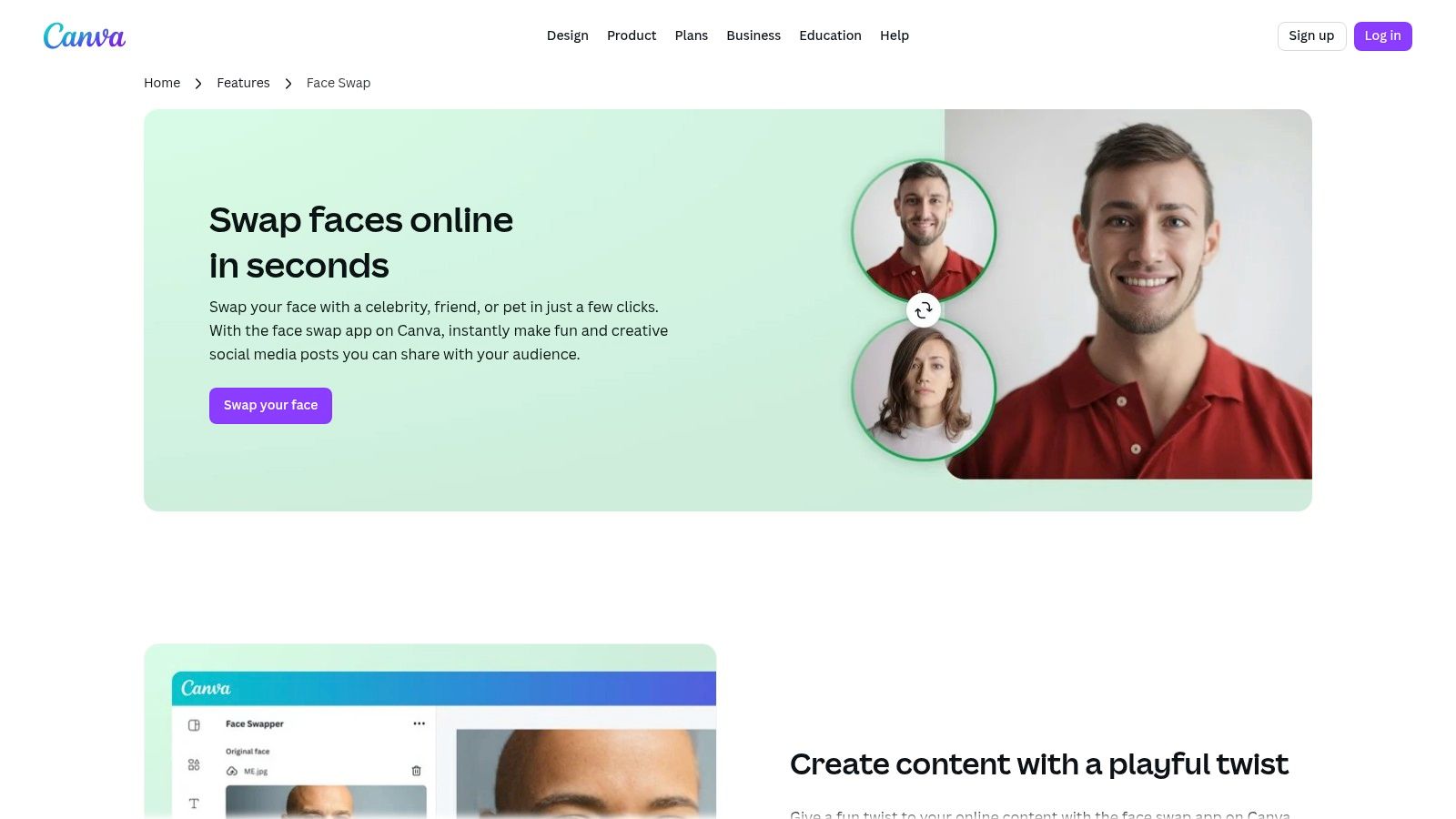
Canva Face Swap integrates a powerful AI feature directly into one of the world's most popular design platforms, making it one of the best face swap software choices for users who need to incorporate swapped images into larger design projects. Instead of being a standalone tool, it exists within Canva’s Magic Studio, allowing for a seamless workflow from swapping a face to creating a polished social media post, presentation slide, or marketing graphic without ever leaving the editor. This convenience is its greatest strength, appealing to marketers, content creators, and casual users already familiar with the Canva ecosystem.
The process is designed for simplicity. Users can upload their photos directly into the Canva editor, select the Face Swap app from the Magic Studio tools, and assign the source and target images. The AI then performs the swap, placing the new image directly onto the design canvas, ready for further editing with Canva’s suite of tools like Background Remover, Magic Eraser, and text overlays.
Key Features and User Experience
Canva’s primary advantage is its all-in-one environment. The Face Swap tool isn't just about creating a single image; it's about what you can do with that image afterward. This makes it an invaluable tool for producing design-ready assets quickly and efficiently, especially when creating content like AI-generated model shots for social campaigns. For a deeper dive into this, you can learn more about how Canva's Face Swap can be used to create AI influencers.
- Integrated Design Workflow: Immediately use your face-swapped image in thousands of templates for social posts, flyers, presentations, and more.
- Part of Magic Studio: Complements other AI-powered tools like Magic Edit, Background Remover, and Generative Fill for comprehensive image manipulation.
- Familiar and Trusted Interface: Leverages the intuitive, user-friendly Canva editor that millions of people already know how to use.
- Reliable Platform: Offers strong export options, US-based billing, and the reliability of a major software-as-a-service provider.
Pricing and Accessibility
The Face Swap feature is part of Canva’s Magic Studio, and its availability depends on your subscription plan. While free users may have limited access, a Canva Pro or Teams subscription is typically required to use it extensively.
| Plan Tier | Key Benefits | Best For |
|---|---|---|
| Canva Free | Limited access to Magic Studio features to test functionality. | Casual users or those wanting to try the tool before subscribing. |
| Canva Pro/Teams | Full access to Face Swap and the entire Magic Studio suite. | Marketers, designers, and creators who need a complete design solution. |
Canva Pro often includes a free trial, allowing new users to explore the full capabilities of Face Swap and other premium features before committing.
Pros and Cons
Pros:
- Seamless Integration: Perfect for workflows that require the final image to be used in a design template.
- Extremely User-Friendly: Built on the familiar and intuitive Canva platform.
- Comprehensive Toolset: Access to a full suite of design and AI editing tools in one place.
Cons:
- Photo-Only Feature: Does not support video face swapping.
- Availability Varies: Feature access can differ based on region and subscription plan.
- Requires Subscription for Full Use: The best experience is locked behind a Canva Pro plan.
For an integrated face swap and design experience, visit Canva Face Swap.
7. Faceswap (open-source)
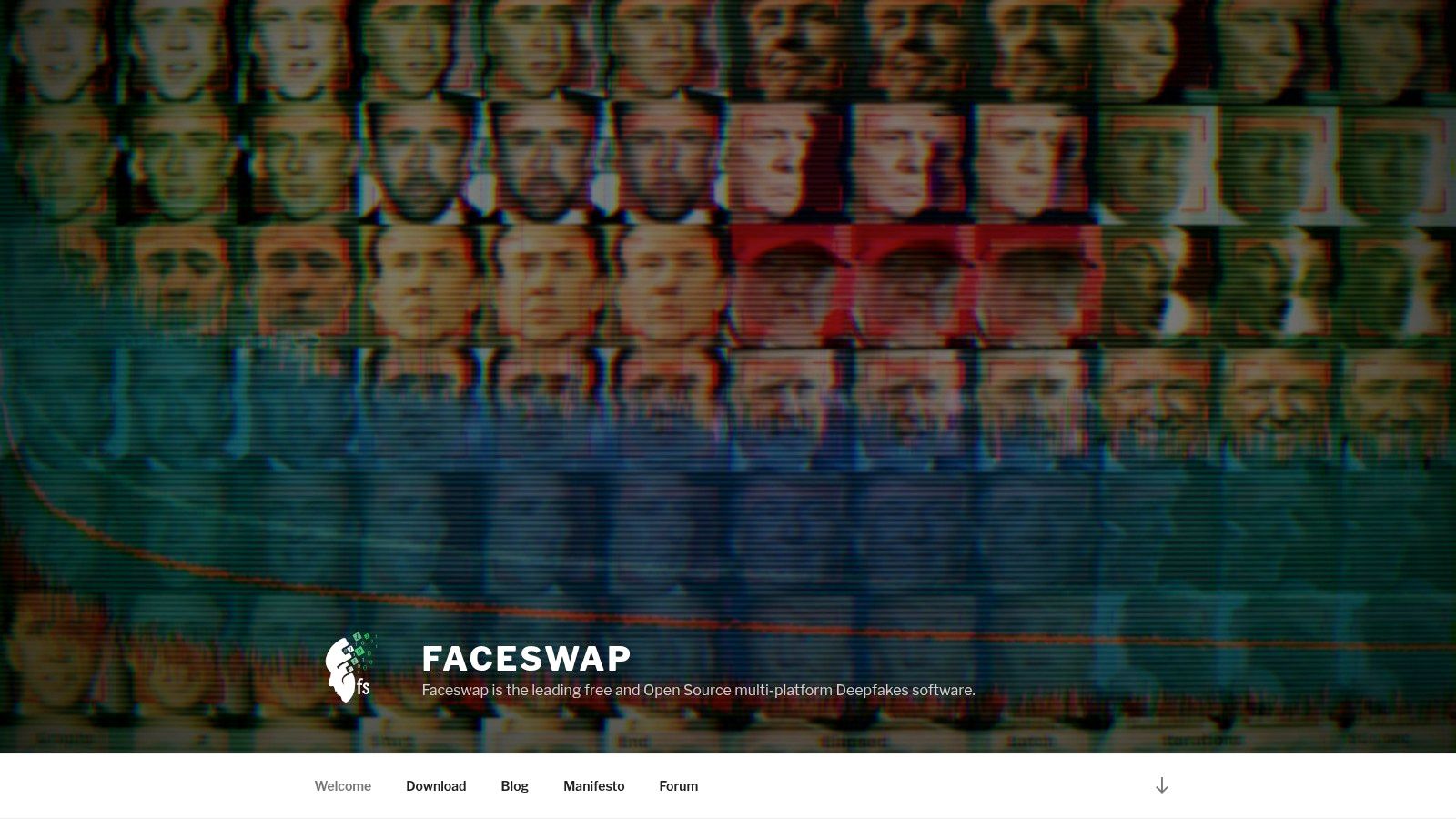
For users who want ultimate control and are willing to dive into the technical details, Faceswap stands out as the definitive open-source solution. This powerful desktop software provides a complete, local pipeline for creating deepfakes, making it one of the best face swap software options for enthusiasts, researchers, and creators who prioritize customization over one-click simplicity. Unlike browser-based tools, Faceswap runs entirely on your machine (Windows, macOS, or Linux), giving you full ownership of your data and the creation process from start to finish.
This platform is not a simple upload-and-go service; it is a comprehensive workstation. The process involves three core stages: extracting faces from source material, training an AI model on that data, and finally, converting the trained model onto a target video or image. This methodology requires a significant time investment and a capable computer, particularly a modern GPU, but the results can offer unparalleled quality and precision that automated online tools often cannot match.
Key Features and User Experience
Faceswap is built for a technical user base, offering a granular level of control that empowers creators to fine-tune every aspect of the final output. The experience is less about instant gratification and more about the craft of creating a believable and high-quality swap. Its strength lies in its robust, community-driven framework.
- Complete Local Pipeline: Manage the entire workflow on your own hardware, from extracting faces and training models to converting the final media. This ensures total privacy and control.
- Multiple Training Models: The software includes various pre-configured models, each with different strengths, allowing users to choose the best fit for their specific project and hardware capabilities.
- Cross-Platform Support: With dedicated installers for Windows, macOS, and Linux, Faceswap is accessible to a wide range of technical users regardless of their operating system.
- Active Community and Documentation: An extensive forum and detailed guides provide invaluable support for navigating the software's complexities. For those interested in the deeper mechanics of AI generation, you can find helpful resources to learn more about AI tools in creator guides.
Pricing and Accessibility
As a free and open-source project, Faceswap is a highly accessible option from a financial standpoint. There are no subscriptions, credits, or hidden fees. The primary "cost" is the investment in hardware and the time required to learn the software and process the models.
| Plan Tier | Key Benefits | Best For |
|---|---|---|
| Free (Open-Source) | No cost, full control over data and workflow, unlimited use | Advanced users, hobbyists, and researchers with capable hardware. |
The software is accessible to anyone willing to learn, but the barrier to entry is technical proficiency rather than price.
Pros and Cons
Pros:
- Completely Free: No recurring fees or costs associated with the software itself.
- Maximum Control: Offers granular control over every step of the face-swapping process for high-quality results.
- Strong Community Support: A large knowledge base and active forums help users troubleshoot and master the tool.
Cons:
- Steep Learning Curve: Not suitable for beginners; requires technical understanding and patience.
- Hardware Dependent: Requires a powerful computer with a capable GPU for reasonable training and conversion times.
- Time-Intensive: Creating a high-quality swap can take hours or even days of model training.
For those ready to take full control of their creative projects, download the software at Faceswap.
Top 7 Face Swap Software Comparison
| Tool | Implementation Complexity 🔄 | Resource Requirements ⚡ | Expected Outcomes ⭐📊 | Ideal Use Cases 💡 | Key Advantages 📊 |
|---|---|---|---|---|---|
| CreateInfluencers | Medium — many features but one‑click flows 🔄 | Cloud credit model; subscription tiers; low local hardware needs ⚡ | High — photoreal images & studio video; quality varies by model ⭐📊 | Social creators, agencies, monetized/adult content, bulk production 💡 | Wide model selection, HyperReal upscaling, monetization tools 📊 |
| Icons8 Face Swapper | Low — drag‑drop web UI; simple onboarding 🔄 | Browser + optional iOS app; API for automation; subscription or pay plan ⚡ | Good — fast, reliable photo swaps (photo‑centric) ⭐📊 | Quick personal swaps, teams wanting API integration 💡 | No install, API access, mobile app availability 📊 |
| Reface | Low — mobile‑first app with templates 🔄 | Mobile app with subscription options; upload capability ⚡ | Very good for short social videos and templates; quick results ⭐📊 | Social sharing, meme/video swaps, mobile users 💡 | Large template library and active user base 📊 |
| Picsart | Medium — full editor with multi‑step workflows 🔄 | Subscription with AI credits; cloud features; device agnostic ⚡ | Versatile — solid photo edits and generative assets; not specialized video swap ⭐📊 | Designers and creators needing design assets around face edits 💡 | Broad editing suite, templates, stock assets 📊 |
| Fotor | Low–Medium — straightforward tools with credit rules 🔄 | Credit‑based pay‑as‑you‑go; plans bundle credits; per‑second video pricing ⚡ | Predictable outcomes for short clips/photos; quality input‑dependent ⭐📊 | Pay‑as‑you‑go users needing clear cost estimates for clips 💡 | Transparent credit pricing and short‑video support 📊 |
| Canva Face Swap | Very low — integrated feature in familiar editor 🔄 | Canva subscription may affect availability; web‑based ⚡ | Good for photo swaps embedded into designed outputs; photo‑only ⭐📊 | Non‑designers placing swapped faces into posts, presentations 💡 | Seamless template integration and export workflows 📊 |
| Faceswap (open‑source) | High — full local pipeline, technical setup required 🔄 | Local GPU recommended; free software but time‑intensive ⚡ | Potentially very high (with training) and fully controllable; variable by skill ⭐📊 | Researchers, pros needing full control, offline/local workflows 💡 | No fees, full data/control, active community/documentation 📊 |
Choosing Your Perfect Match: Which Face Swap Software Is Right for You?
The journey through the world of face swapping reveals a dynamic and rapidly evolving landscape. We've explored a diverse spectrum of the best face swap software, from specialized, mobile-first apps to comprehensive, all-in-one content creation platforms. Your perfect match isn’t a one-size-fits-all solution; it’s the tool that aligns perfectly with your specific creative goals, technical comfort, and long-term vision. The right software acts as a powerful catalyst, transforming a simple idea into compelling, high-quality visual content.
Making the final decision requires a clear understanding of your own needs. Are you creating a quick, funny GIF for your social media followers, or are you building a monetizable digital persona from the ground up? The answer will guide you to the ideal platform.
Matching the Tool to the Task
To help you make an informed choice, let's break down which software excels for different types of creators and use cases. This is not about which tool is universally "best," but which one is best for you.
For Instant Social Media Fun: If your goal is to create entertaining, viral-ready clips and memes for platforms like TikTok or Instagram Stories, Reface is your undisputed champion. Its user-friendly mobile interface, vast template library, and fast processing speed are optimized for spontaneous creativity and immediate sharing.
For Integrated Design Workflows: When a face swap is just one element of a larger project, such as a marketing graphic, presentation, or social media post, Picsart and Canva are your go-to options. Their strength lies in seamlessly integrating face swap features within a comprehensive design suite, allowing you to swap, edit, add text, and finalize your entire visual in one place.
For Casual Users & One-Off Projects: For those who need high-quality swaps without committing to a subscription, Fotor and Icons8 Face Swapper offer excellent, straightforward solutions. Their credit-based or free-tier models are perfect for photographers testing concepts, digital artists needing a quick asset, or individuals enhancing a few profile pictures.
For the DIY Technologist: If you have a passion for technology, crave complete control over the process, and are willing to invest time in learning, the open-source Faceswap is an incredibly powerful option. This path is for the true enthusiast who wants to dive deep into the mechanics of deepfake technology and fine-tune every parameter for unparalleled results.
For Ambitious Creators & Brand Builders: When the goal extends beyond a single image to building an entire brand, monetizing content, or creating a virtual influencer, a holistic platform like CreateInfluencers is the most strategic choice. It transcends simple face swapping, offering a full-stack AI content studio for generating entire photoshoots, creating consistent characters, and producing high volumes of monetizable content for platforms like Fanvue and OnlyFans.
Final Considerations for Flawless Execution
As you select and implement your chosen tool, keep a few key factors in mind. The final output quality is a direct result of the input you provide. Always start with high-resolution, well-lit source images where the face is clearly visible and facing forward.
Furthermore, the believability of your creations often comes down to the subtle details. Mastering the art of prompting can significantly elevate your results, especially on platforms that offer advanced AI image generation. When evaluating different face swap software, the quality and realism of the AI-generated images are paramount. Discover prompt keywords that can help in making make AI-generated images less fake looking and achieving hyper-realistic results. Ultimately, the best face swap software is the one that not only meets your current needs but also empowers your future creative ambitions, providing a scalable path as your projects grow in complexity and scope.
Ready to move beyond simple swaps and start building a complete AI-powered brand? CreateInfluencers provides a full suite of tools designed for serious creators, from generating unique AI models to producing entire photoshoots and monetizable content. Explore the platform that gives you the power to create, not just edit, by visiting CreateInfluencers today.